
Customer Account Activity Report
The Customer Account Activity Report shows the full activity history for all customer accounts during a selected date range. It provides a detailed ledger of invoices, payments, tips, and balance changes so you can see exactly how each customer account balance was created and adjusted over time.
This report is helpful for reviewing customer account transactions, tracking outstanding balances, and verifying payments applied to customer accounts.
Where to find the report
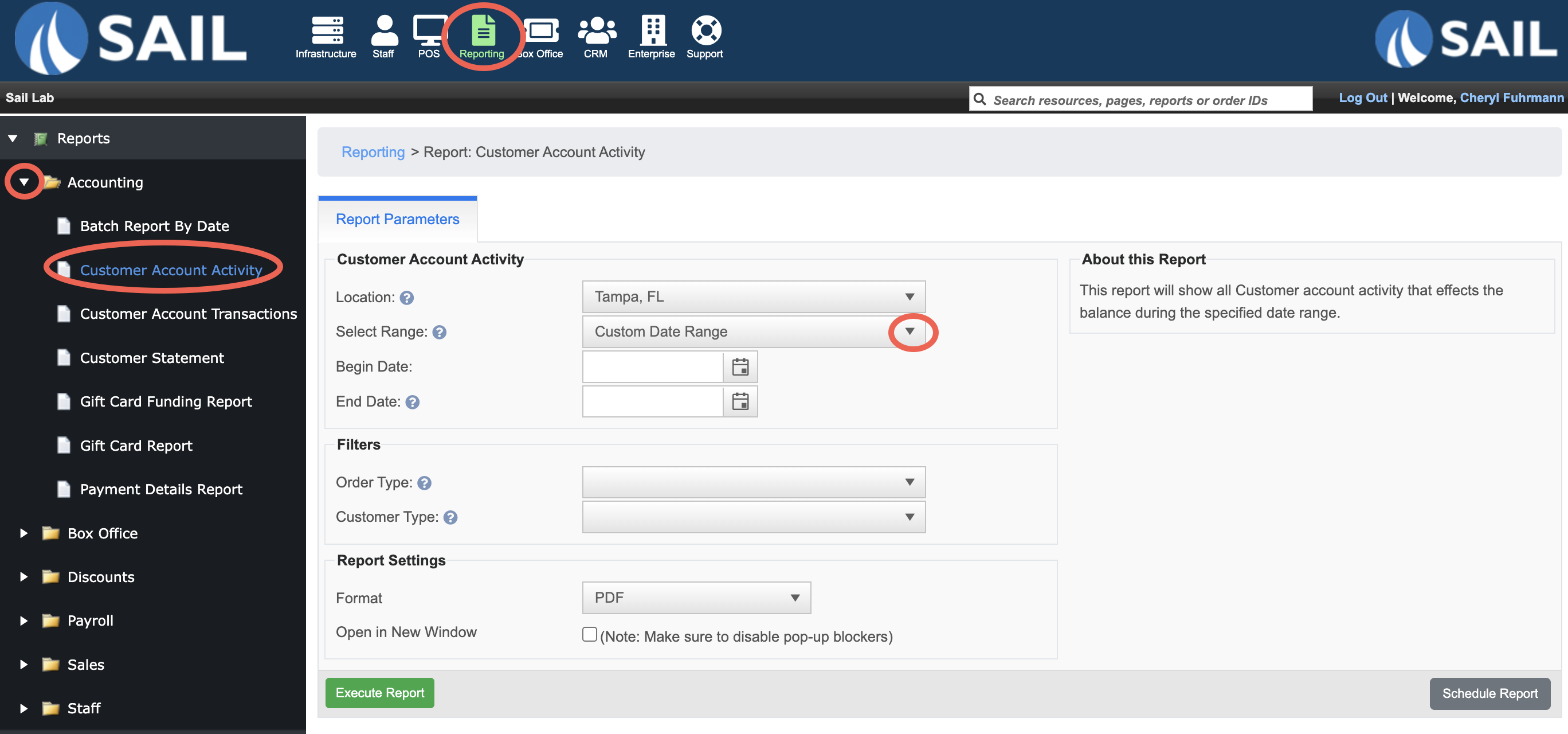
- Backoffice --> Reporting --> Reports --> Accounting folder --> Customer Account Activity Report --> Select a Date Range --> Execute
Report Options
Filters
- Order Type – Allows you to filter the report for one or more specific Order types (e.g., Customer Account, Dine In, To-Go.)
-
Customer Type – Allows you to filter the report for one or more specific Customer type (e.g., Event, Customer)
What it looks like
Report Parts
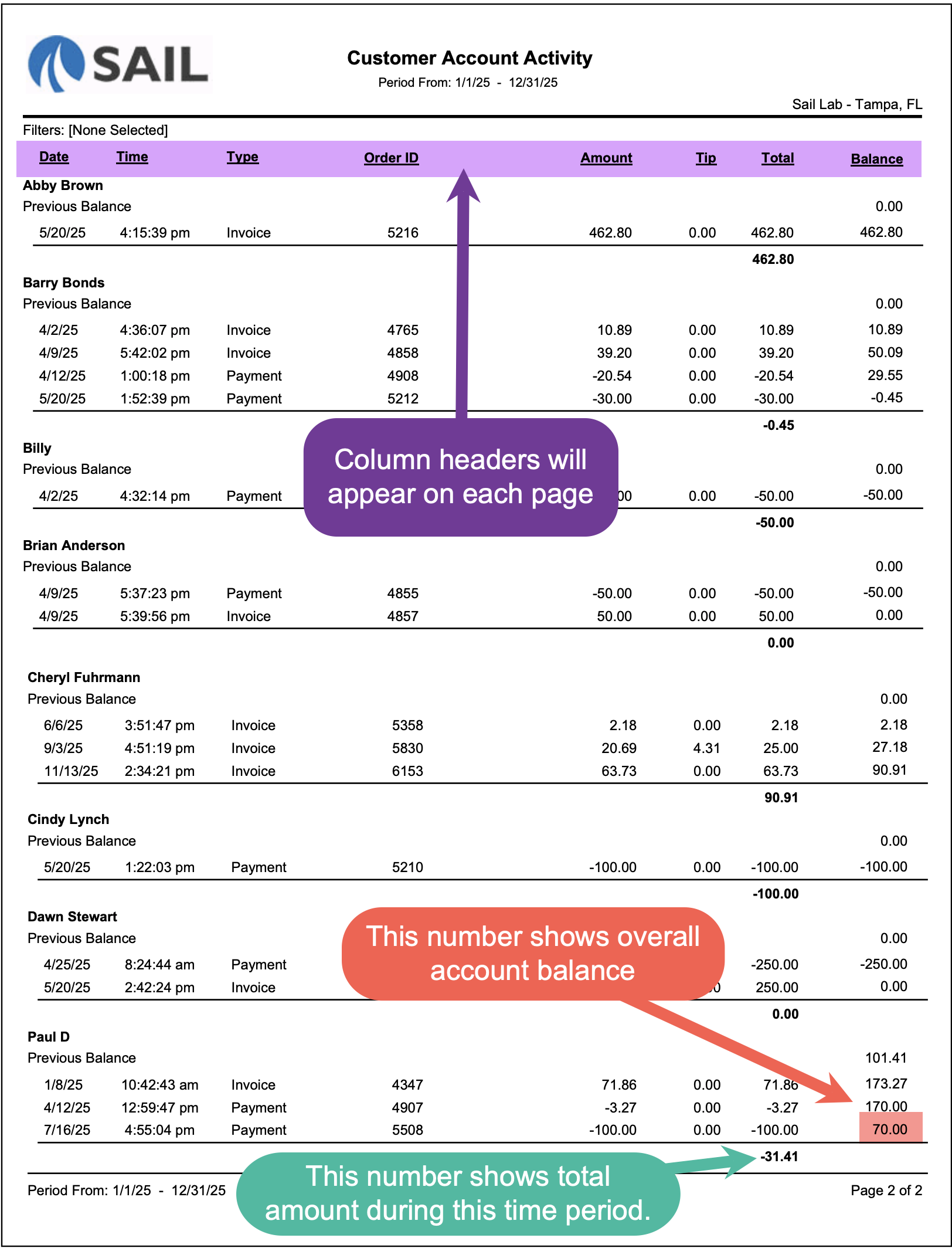
The report is organized by customer account. Each customer has their own section showing their account activity in chronological order.
At the beginning of each section you will see a Previous Balance line, followed by all activity that occurred within the selected date range.
The Balance column updates after every transaction, showing how each invoice or payment affected the customer’s running account balance.
Column Descriptions
Here’s what each column means
- Date – The date the transaction occurred.
- Time – The time the transaction was recorded.
- Type – Identifies the type of transaction on the account.
-
Invoice – A charge added to the customer account.
-
Payment – A payment applied to the account to reduce the balance.
-
-
Order ID – The order number associated with the order.
-
Amount – The base amount of the transaction before tips.
-
Tip – Any tip associated with the transaction.
-
Total – The total value of the transaction including the tip.
-
Balance – The customer’s running account balance after the transactions are applied.
How to Use This Report
This report helps you:
- Review all activity on a customer account within a specific date range.
- Verify that payments were correctly applied to invoices.
- Track outstanding balances for customers who have open account charges.
- Identify customers who have credits or overpayments on their accounts.
- Use it as a transaction history when customers have questions about their account balance.