
How to ask Compass about your sales
BeingYou written.can ask Compass, the search box at the top of Backoffice, about your numbers in your own words - "What were sales yesterday?" or "Top 10 items this month" - and get the answer right there, without finding and running a report. This will walk through asking a question, changing the answer and keeping it as a report.
Asking a question
- Click Search or ask Compass… at the top of the screen, or press Ctrl+K.
- Type your question, or click one of the questions under Try asking.
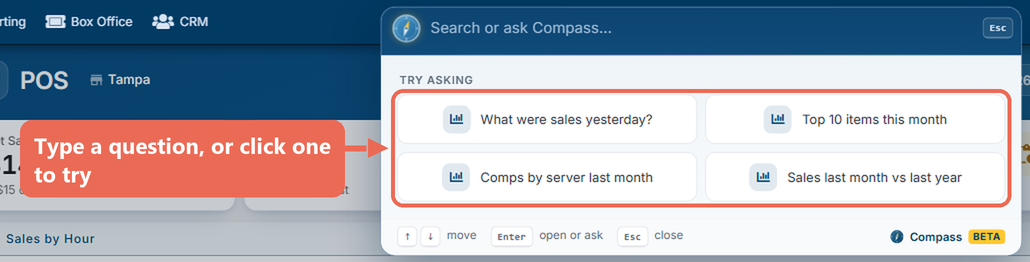
- Press Enter, or click Ask Compass at the top of the list. The answer opens in a window.
Questions can be about:
- Sales: net and gross sales, discounts, comps, tax, how many of an item sold, voids.
- Orders and guests: number of orders and guests, average check.
- Payments: amounts paid, tips, surcharges.
- Labor: hours, pay, labor cost and labor % against sales.
Name the dates ("yesterday", "last month", "last 6 months", "since March 1") and, if you like, how to break it down ("by item", "by server", "by day"). For example: How many burgers did we sell last week?, Comps by server last month, Sales last month vs last year.
Note: You see answers only about the numbers your job role can see in the reports.
Reading the answer
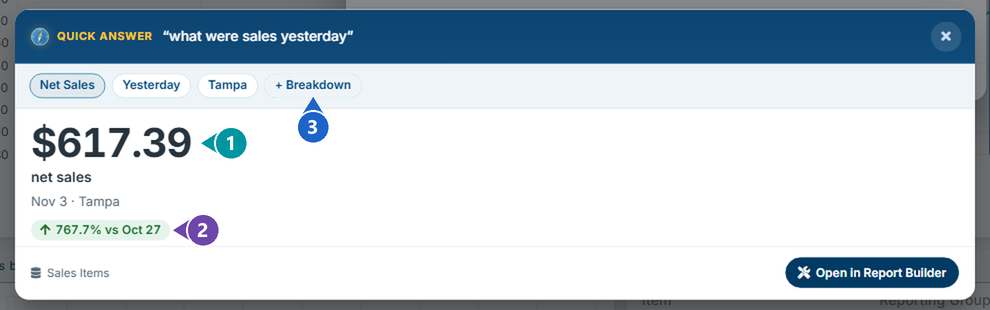
A question about one number shows the number (1) and how it compares with the time just before (2) - for one day, the same day a week earlier. Click + Breakdown (3) to split it up, for example by day or by item.
A question with a breakdown shows a list from highest to lowest:
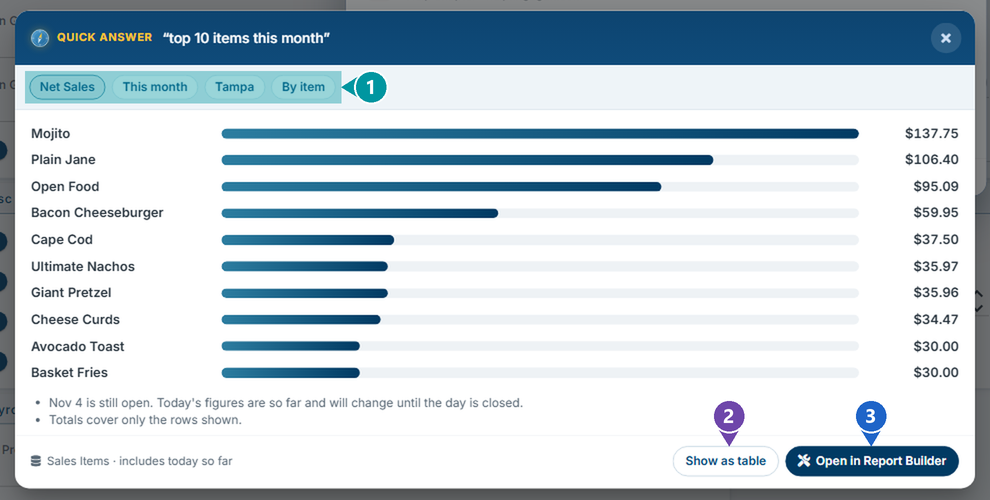
- The chips - what Compass read your question as: the number, the dates, the location and the breakdown.
- Show as table - shows the answer as a table with a total.
- Open in Report Builder - opens the answer as a custom report you can change and save (below).
Today's figures are "so far" and change until the day is closed; the answer says so when it includes today.
Changing the answer
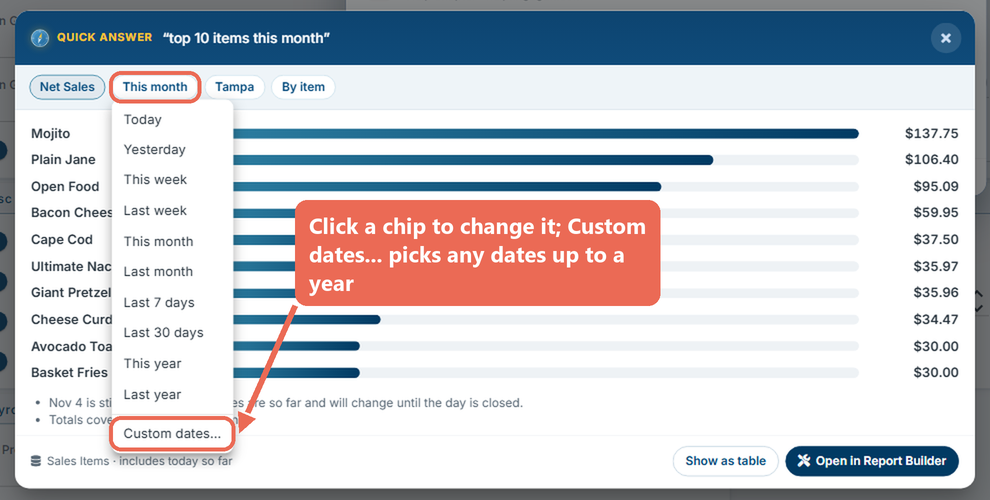
If Compass read your question differently than you meant, click a chip and pick something else - the answer changes at once. The dates chip offers the usual ranges, and Custom dates… for any dates up to a year at a time.
Keeping the answer as a report
- Click Open in Report Builder in the answer.
- Change the report if you like, then click Save.
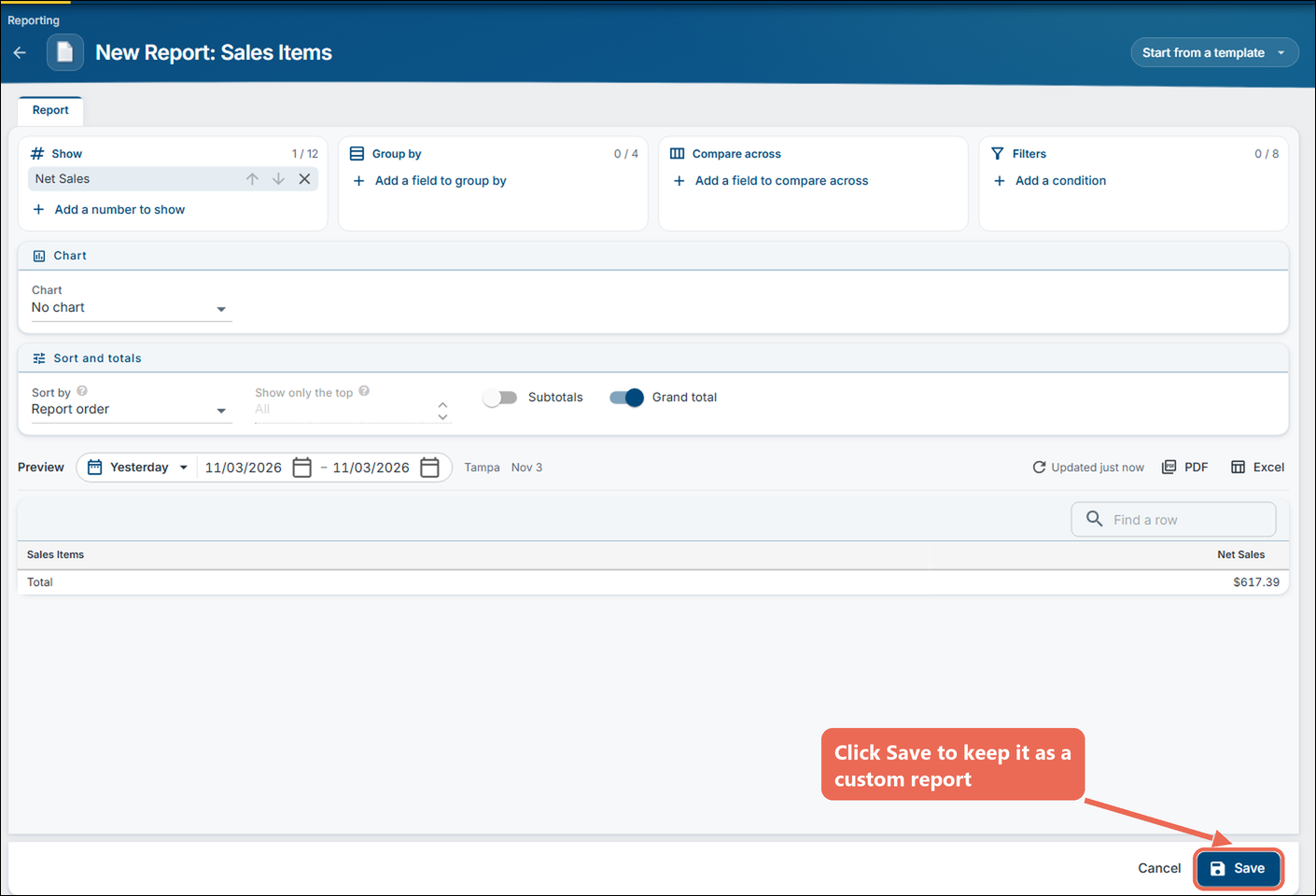
Nothing is saved until you click Save.
Click here to learn more about building a custom report.
When Compass can't answer
If Compass can't answer a question, it says so and shows what matched your words instead, so you can open the report or page yourself. Try asking it another way, for example naming the number and the dates.