How to edit an employees Hourly Pay Rate
This document will show you how to change an individualsindividual's hourly pay rate
How to edit pay rayrate
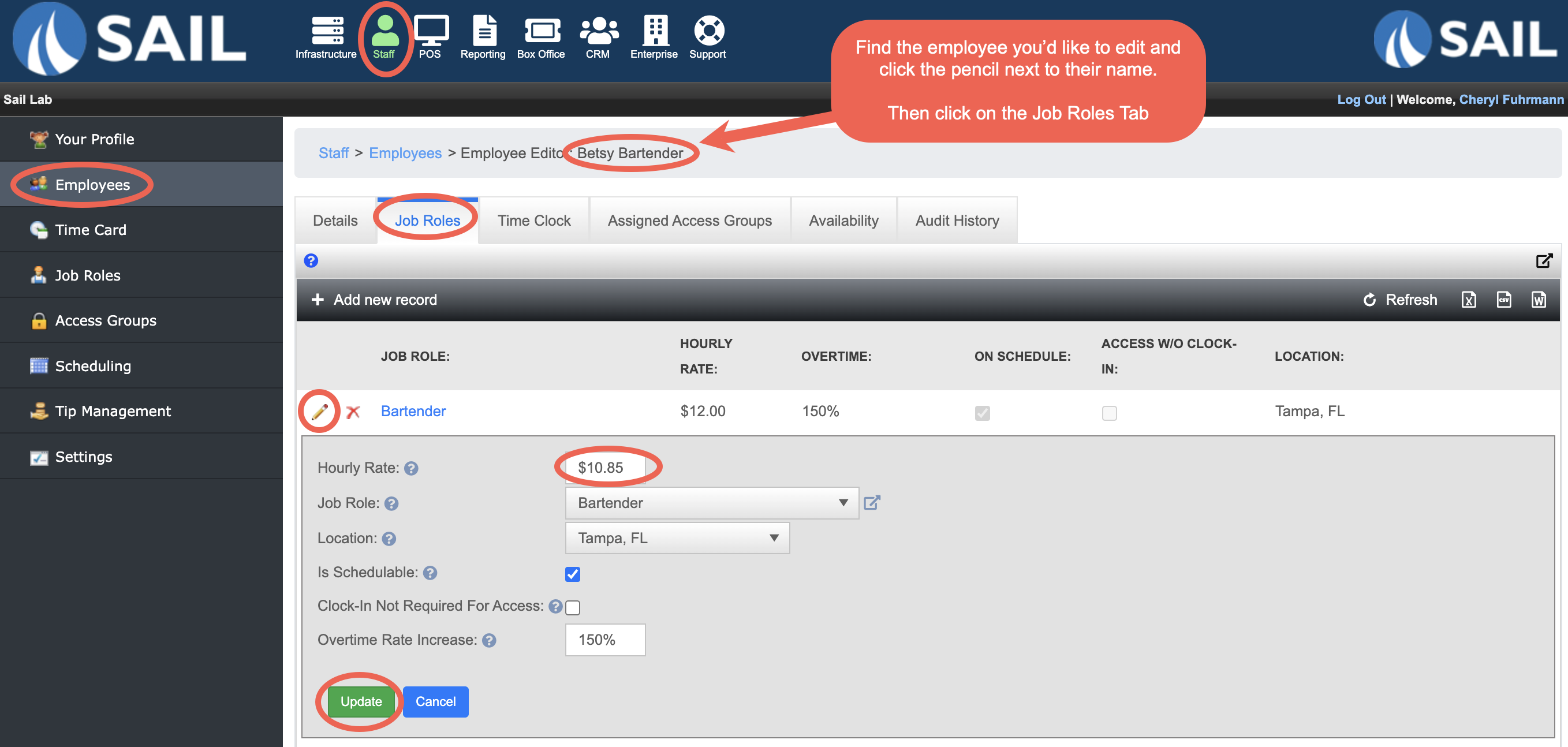
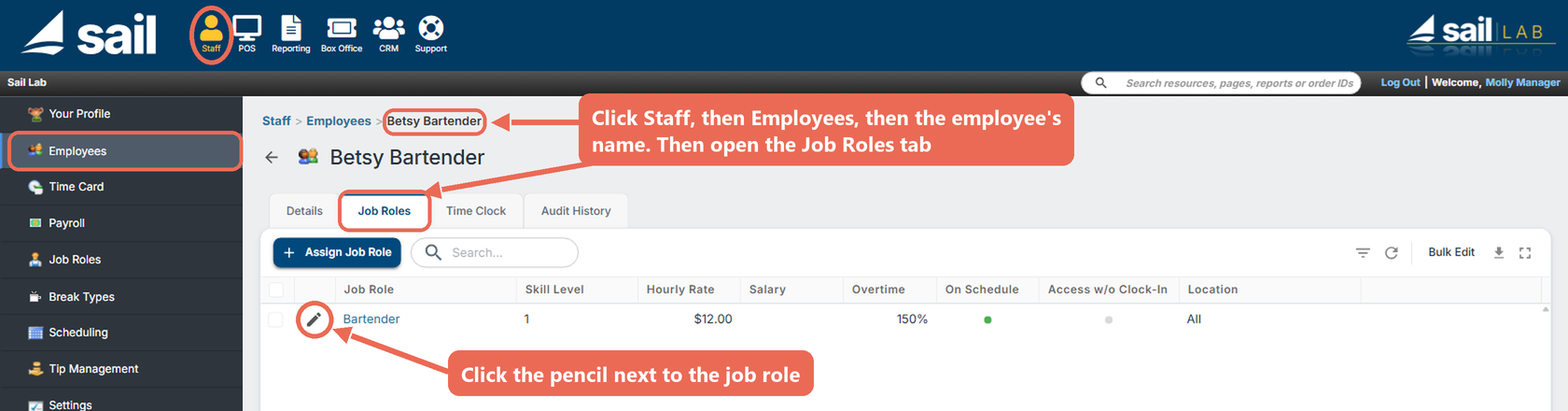
- Backoffice --> Staff --> Employees
- Click the
pencilnamenext toof the employee you'd like to edit - Click on the Job Roles Tab
- Click on the pencil next to the job role that you'd like to change the rate of
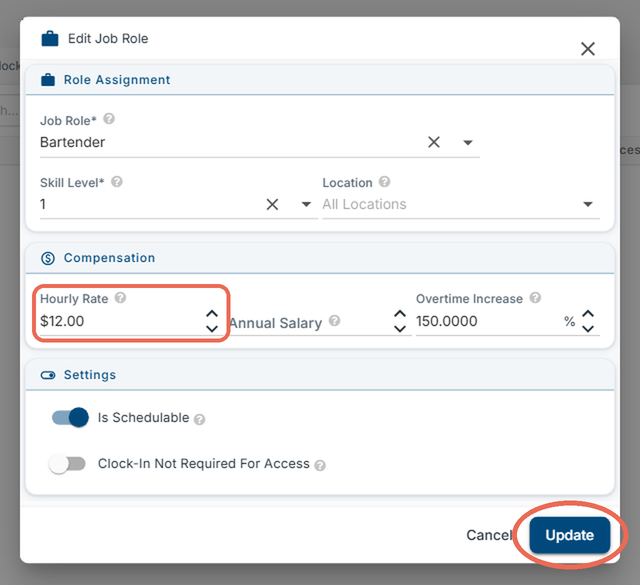
UpdateIn thepayEditrateJob Role window, update the Hourly Rate to the new dollar amount- Click Update