How to set Closed Schedule on Online Ordering
You can schedule closures for online ordering in advance using a calendar. This allows you to set specific dates or time ranges when online ordering should be unavailable, helping you better manage planned closures or special hours.
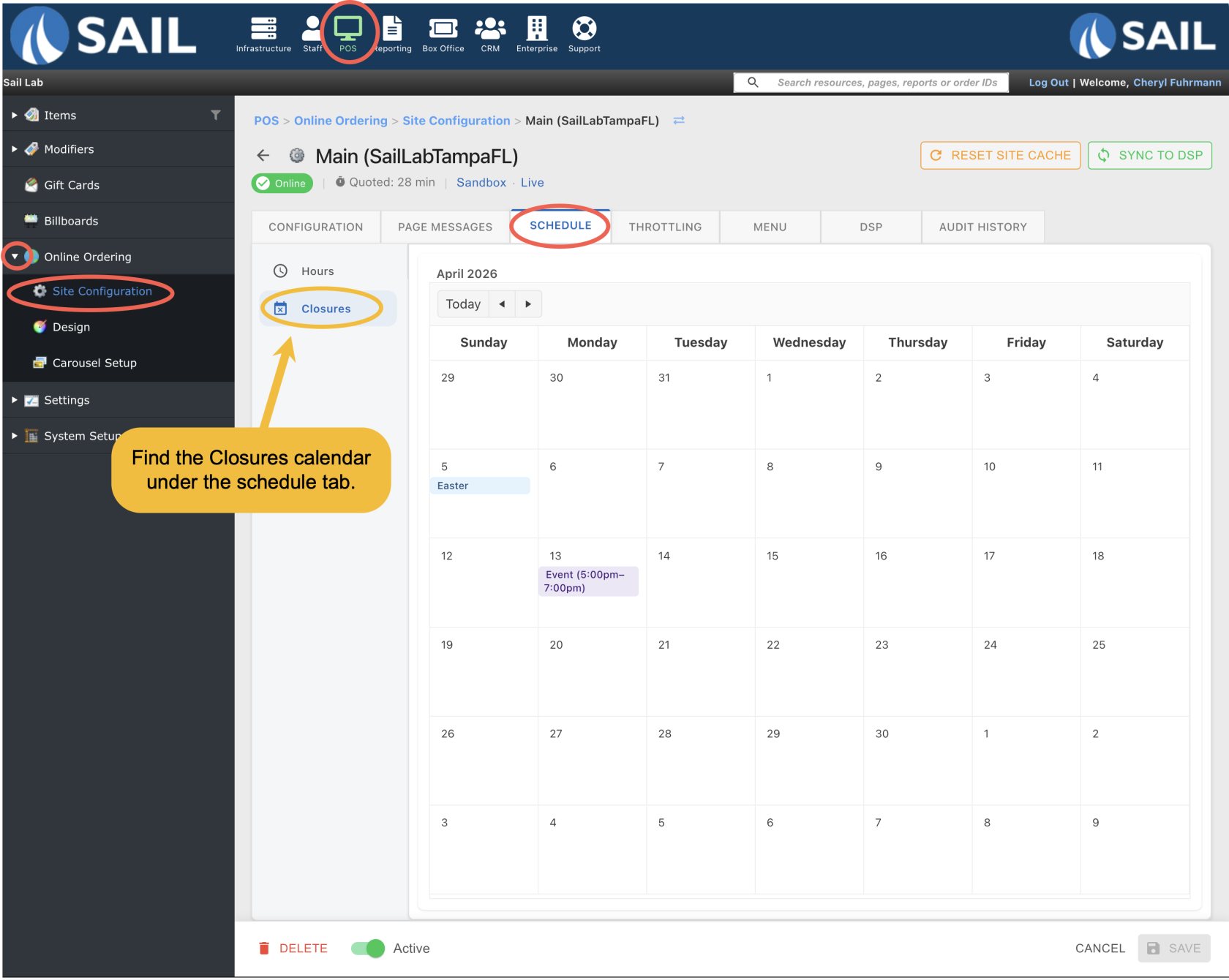
Step 1: Go to Closures Calendar
- To find the calendar go to Backoffice --> POS --> Online Ordering --> Site configuration --> Click on the Site --> Scheduling tab --> Closures sub-tab
Step 2: Add a Closed Date
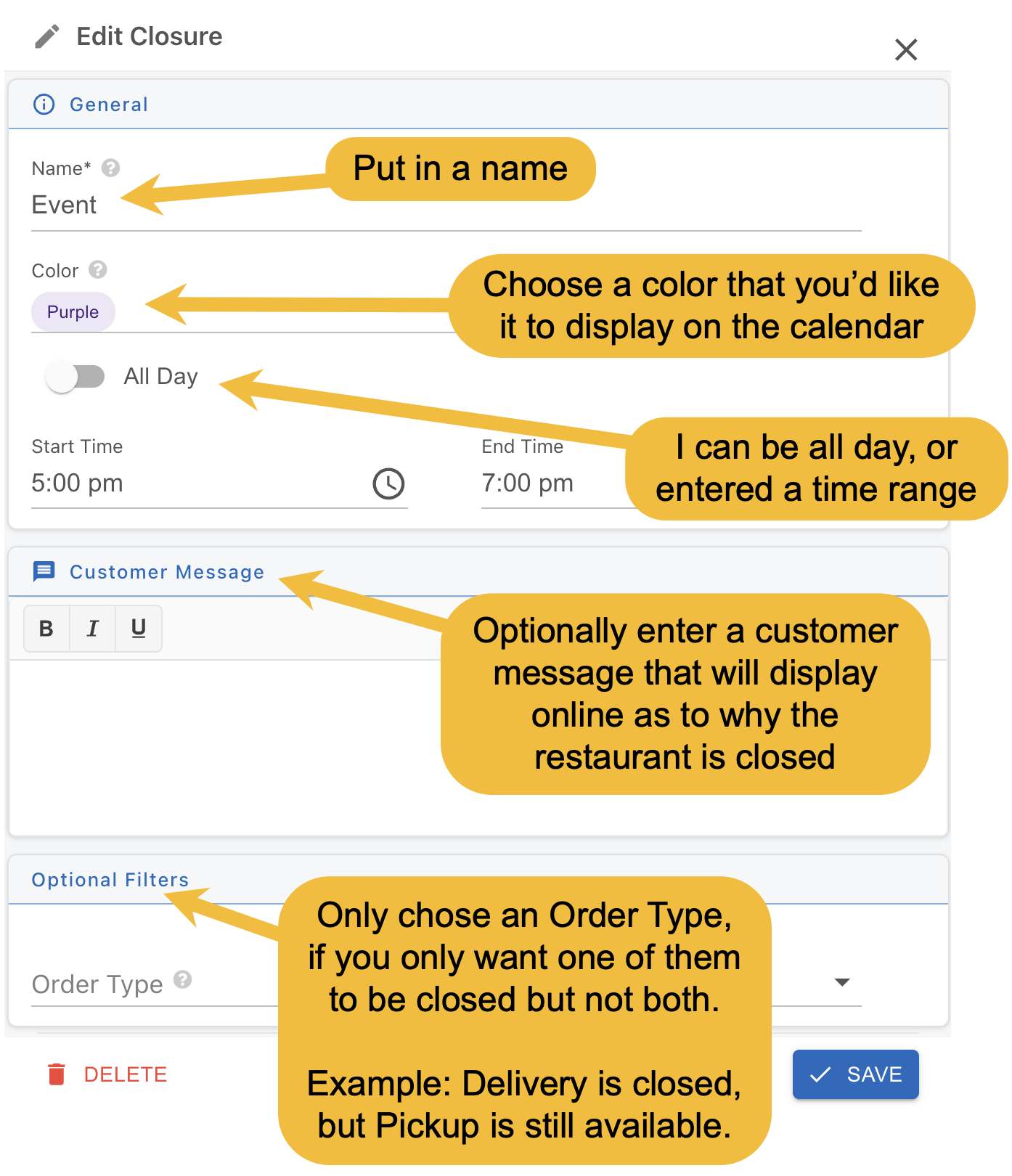
- Next, double click on the day you'd like to close, and you'll see this pop-up
- Name is required
- Choose if its all day or you can specify a time range.
- The rest of the fields are optional
- Then click the save button