
Release 2026.3.1 "Jungle Bird"
Notes: This release consists of 34 Improvements. Use the page navigation section on the top left of this screen to jump between the features you'd like to read about.
**This release will NOT require a handheld update**
If you would like any additional information or help setting up any of these new features, please contact support at:
Support@ingageit.com or call (612) 861-5277
Improvements
1. Ability to redeem Rewards withCan Now Be Redeemed in Online Ordering
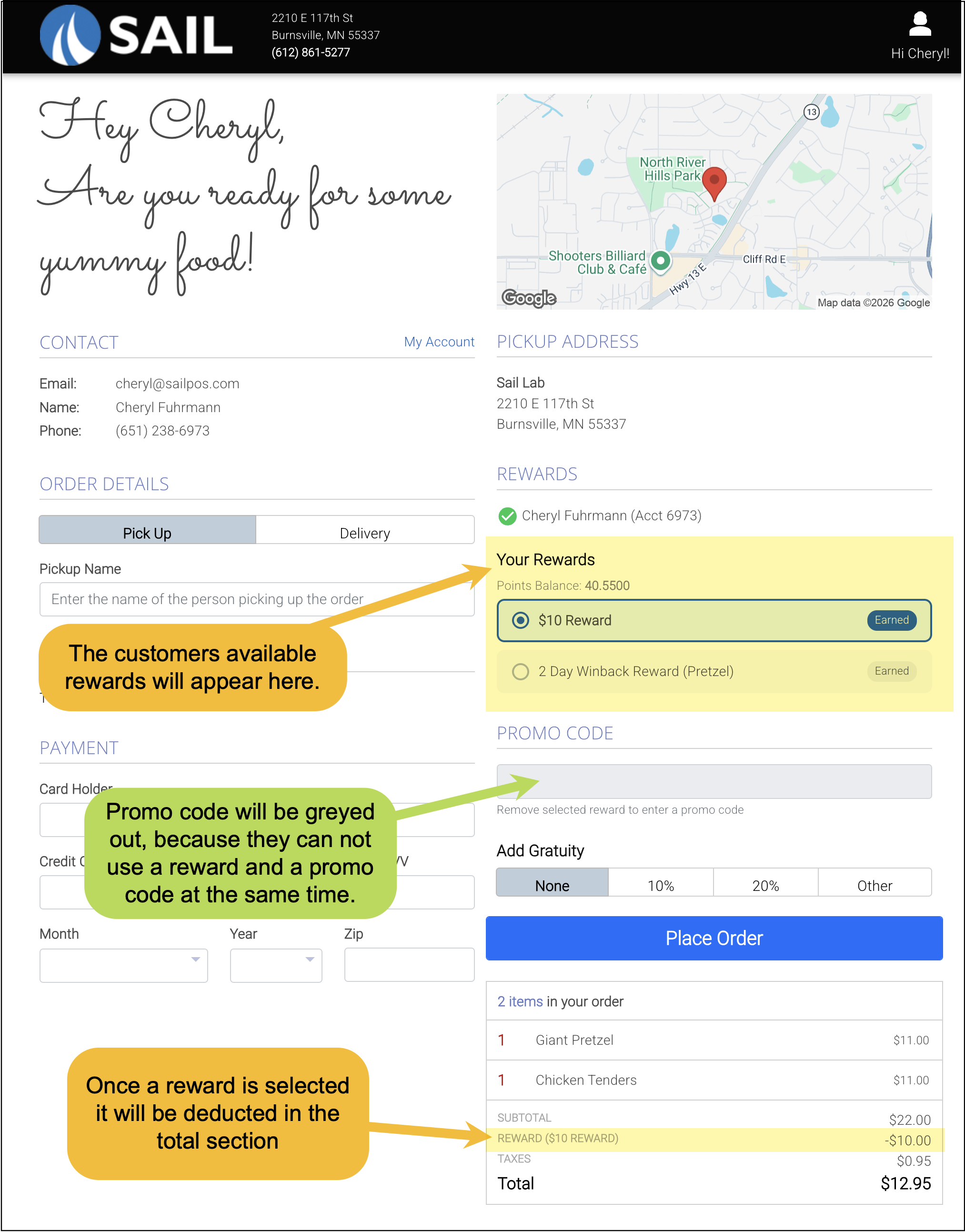
Restaurants using Ingage’s rewards platform can now allow customers to redeem their rewards when placing online orders. When a customer is signed in, any available rewards will appear on the checkout page and can be applied to the order.
Once a reward is selected, it will be applied to the order total. Rewards cannot be used at the same time as a promo code.
To make a reward available for online ordering, open the associated discount in Backoffice and enable "Is Available Online".
2. Customer Account activity Report
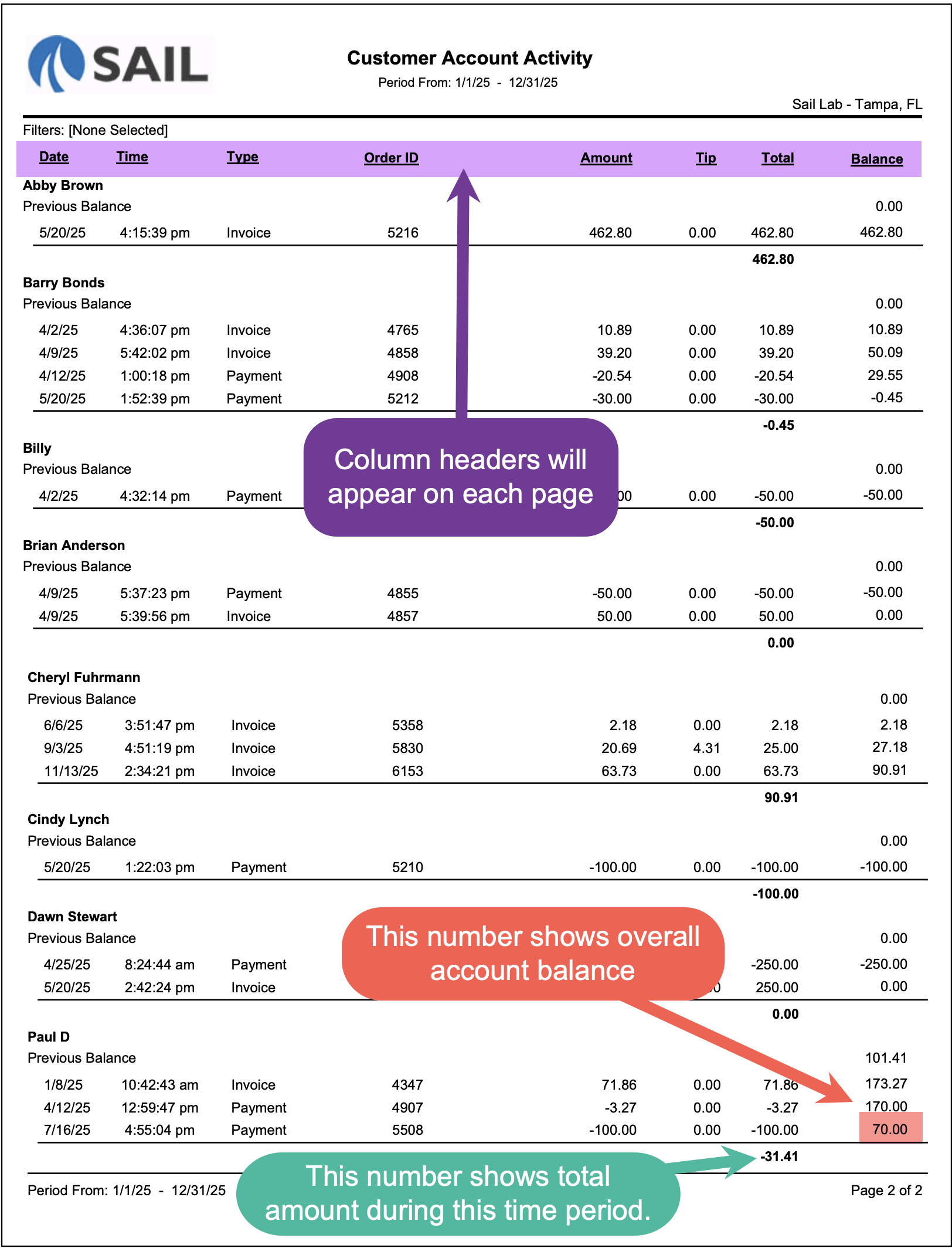
We’ve added a new Customer Account Activity Report to help you track all activity related to customer accounts in one place.
This report provides a detailed ledger of every transaction on a customer account, including invoices, payments, tips, and the running account balance. Each customer is listed in their own section so you can easily follow how their balance changes over time.
The report also includes a Previous Balance line, showing the account balance prior to the selected date range. From there, each transaction updates the running balance, making it easy to see how invoices increase the balance and payments reduce it.
This report is useful for reviewing account activity, verifying payments applied to customer accounts, and identifying outstanding balances or credits.
Here is what the report looks like:
3. Long Modifier Lists Now Scale to Fit the Screen
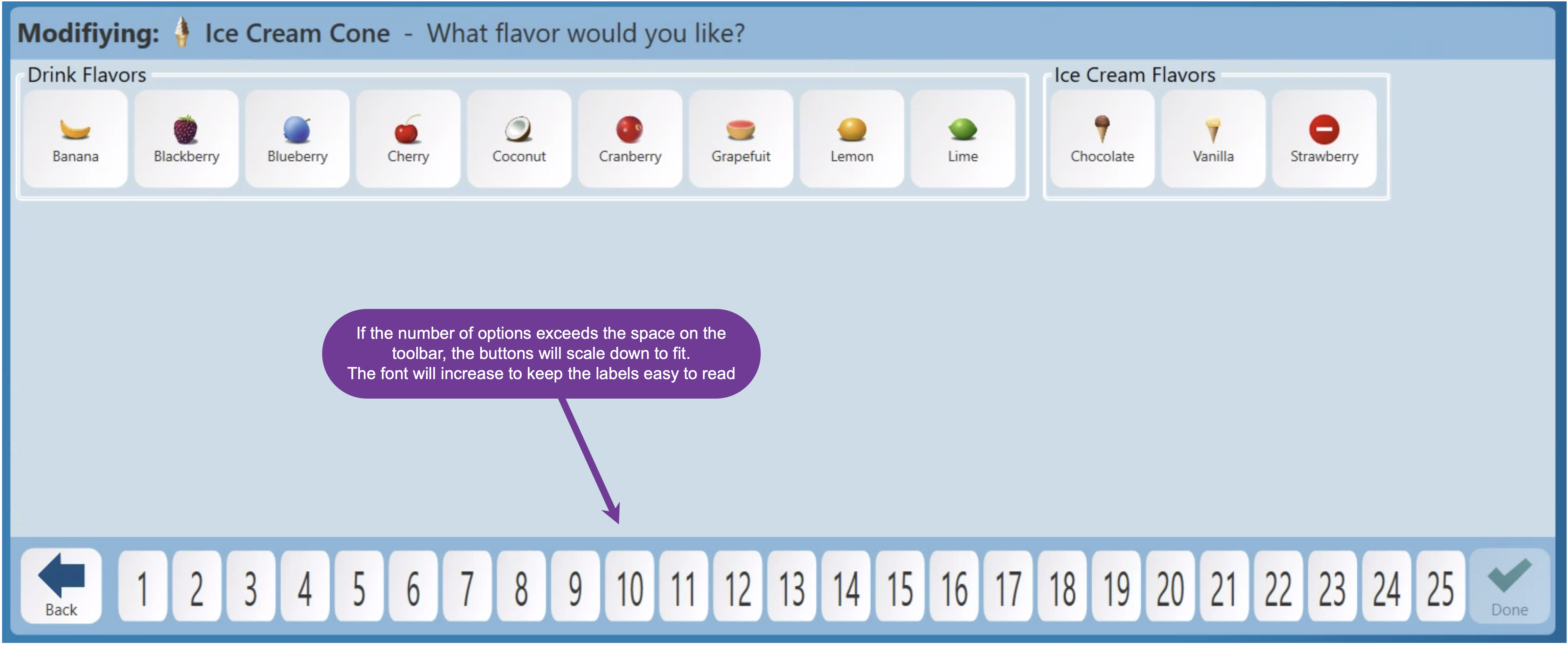
Modifier types with a large number of selections will now automatically scale to fit within the bottom toolbar. If the number of options exceeds the available space, the buttons will shrink to fit on the screen. When many options are present, the font size will also increase to help keep the smaller buttons easy to read.
3.4. LongOnline modifierOrdering typesSite will scale to sizeCache
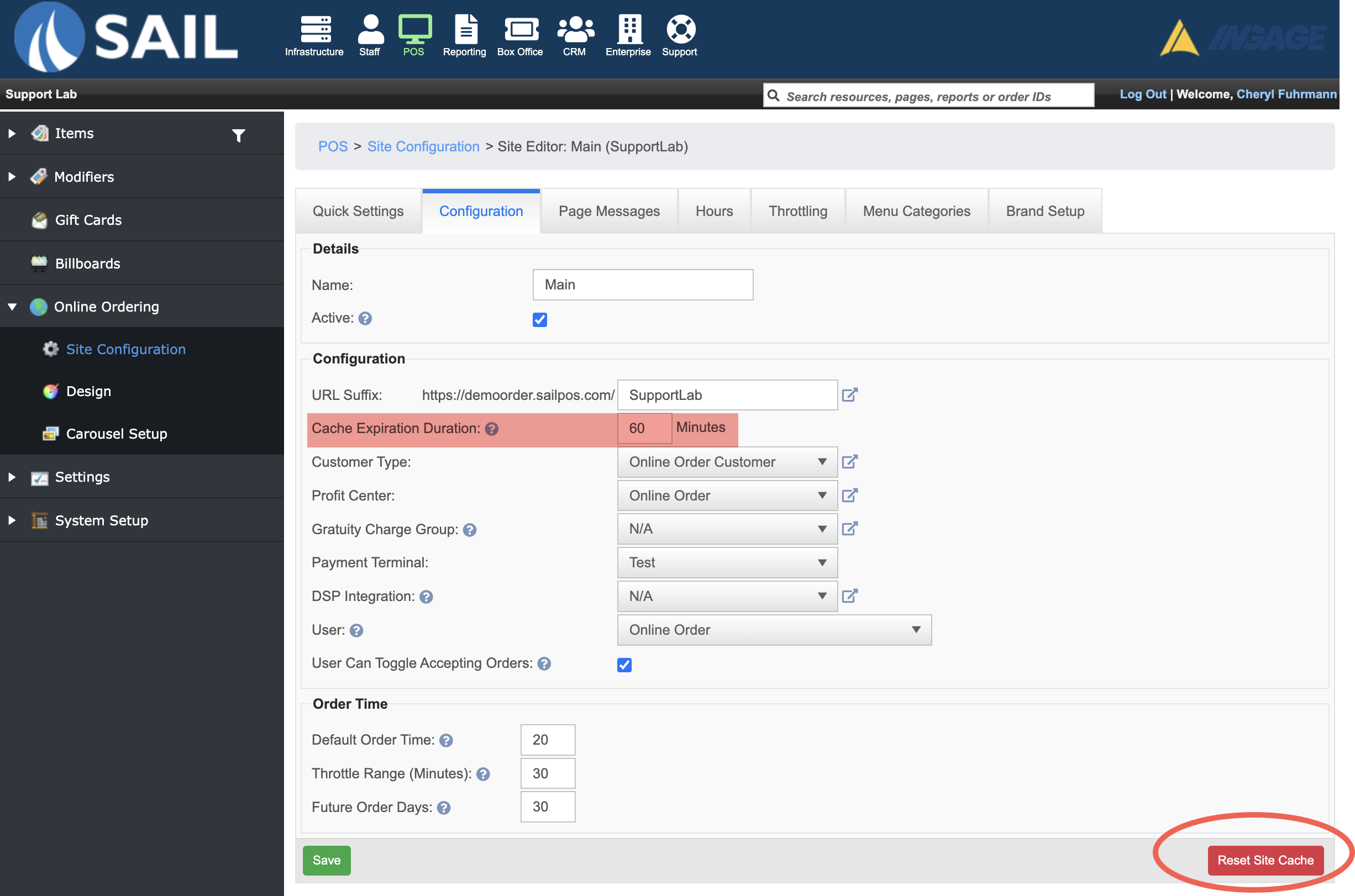
A site cache has been added to online ordering to help improve page load times. The cache stores menu and site data for a configurable period of time, reducing the amount of data that needs to be loaded each time a customer visits the site.
The cache duration can be configured in Back Office under Online Ordering > Site Configuration. By default, the cache is set to 60 minutes to help improve performance.
f you make a change in Back Office and do not see it reflected on the online ordering site right away, you can click Reset Site Cache to immediately refresh the site.
Fixes
- Fixed an issue where delivery information was not displaying when an Online Ordering order was placed as a guest. Delivery details will now appear correctly on the order.