
Release 2026.4.1 "Long Beach"
Notes: This release consists of 5 New features and Improvements. Use the page navigation section on the top left of this screen to jump between the features you'd like to read about.
**This release will NOT require a handheld update**
**This release WILL require a handheld update to version 2026.4.1**
If you would like any additional information or help setting up any of these new features, please contact support at:
Support@ingageit.com or call (612) 861-5277
Improvements
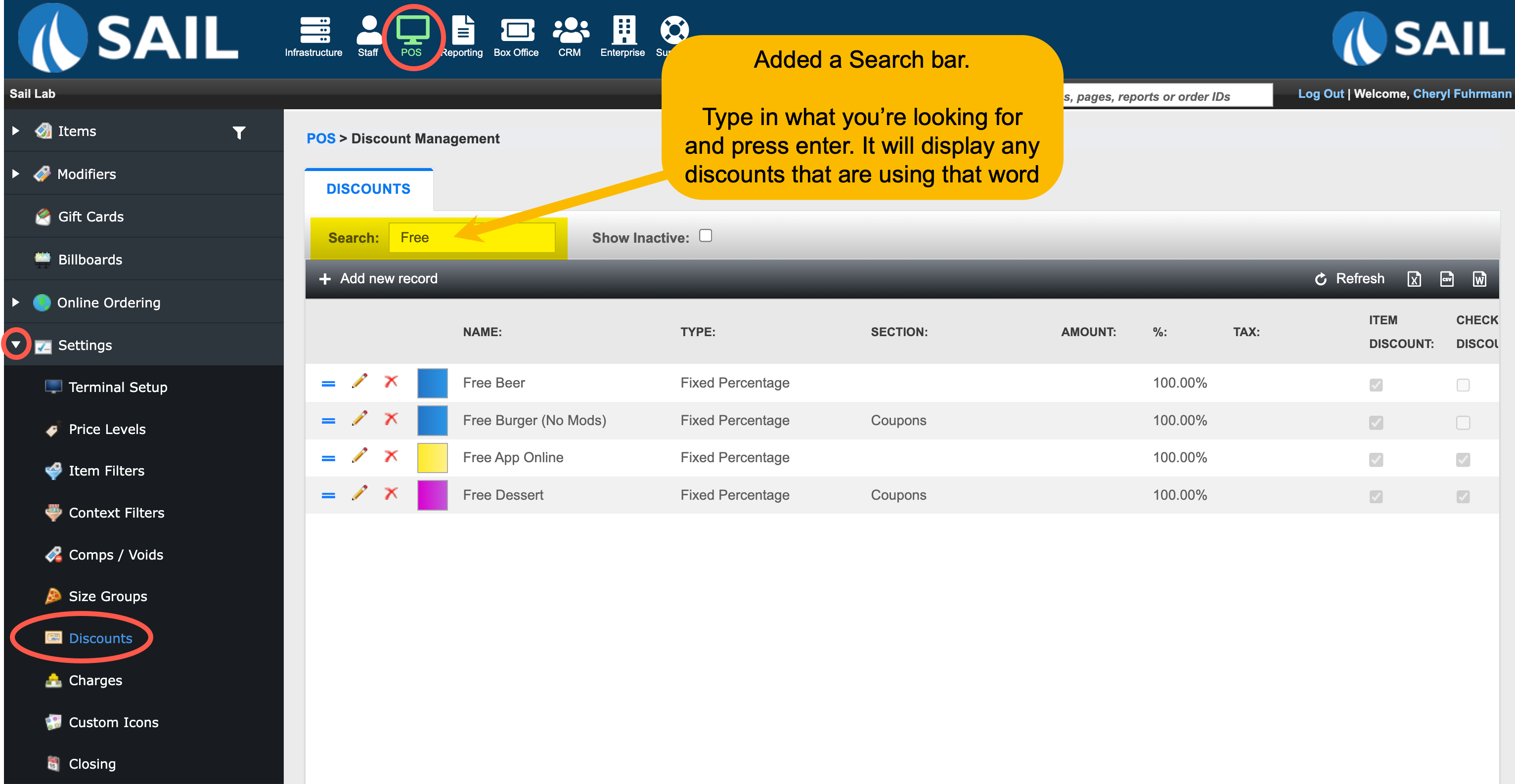
1. Search bar added discounts grid
- A search bar has been added to the Discounts grid to make it easier to find specific discounts. You can enter any word or number to quickly filter results, and the search will match across all relevant fields in the grid.
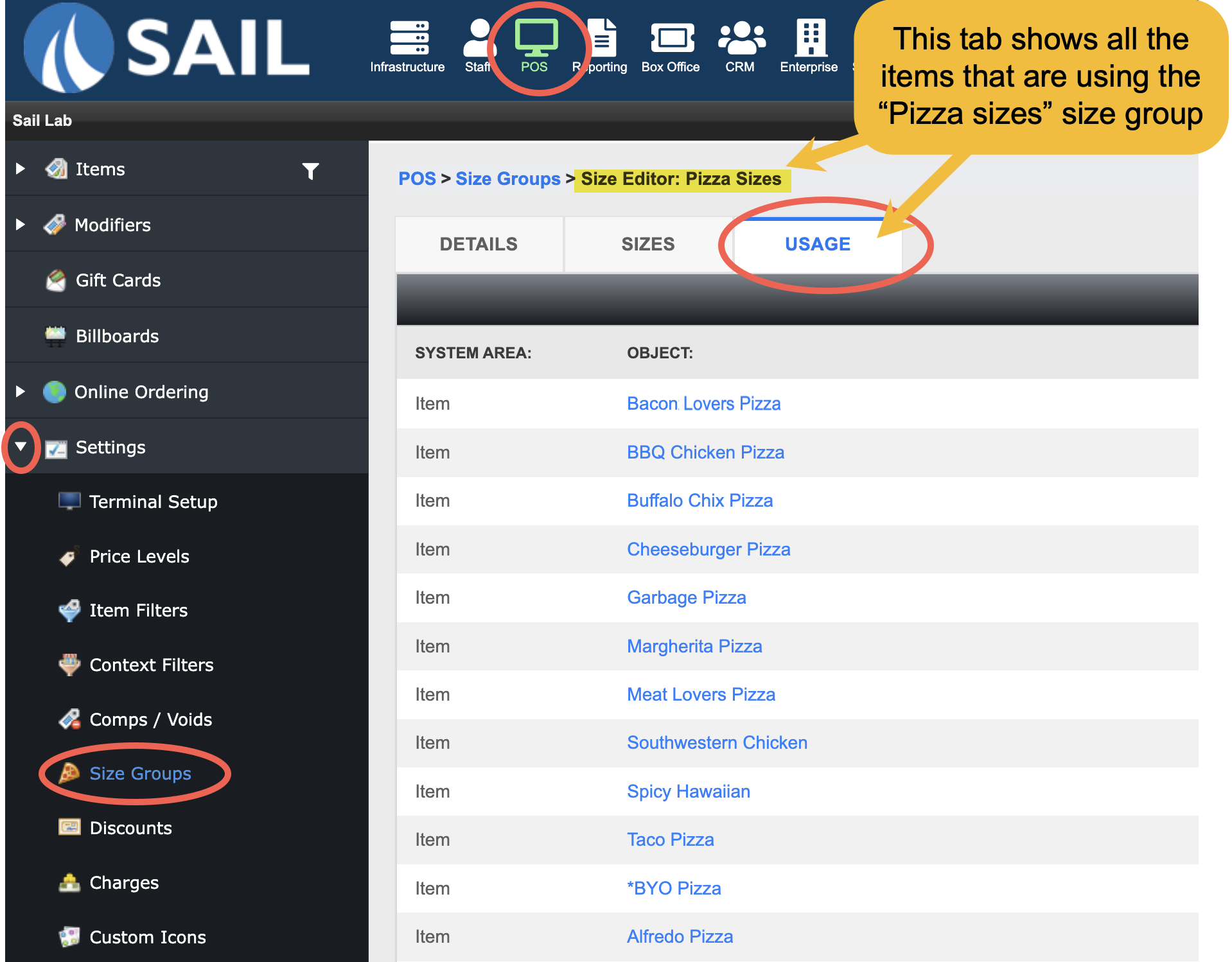
2. Usage tab added to size groups
- A new Usage tab has been added to Size Groups. When viewing a size group, you can now see all items that are using it in one place. Each item is linked, allowing you to quickly navigate directly to that item for review or updates.
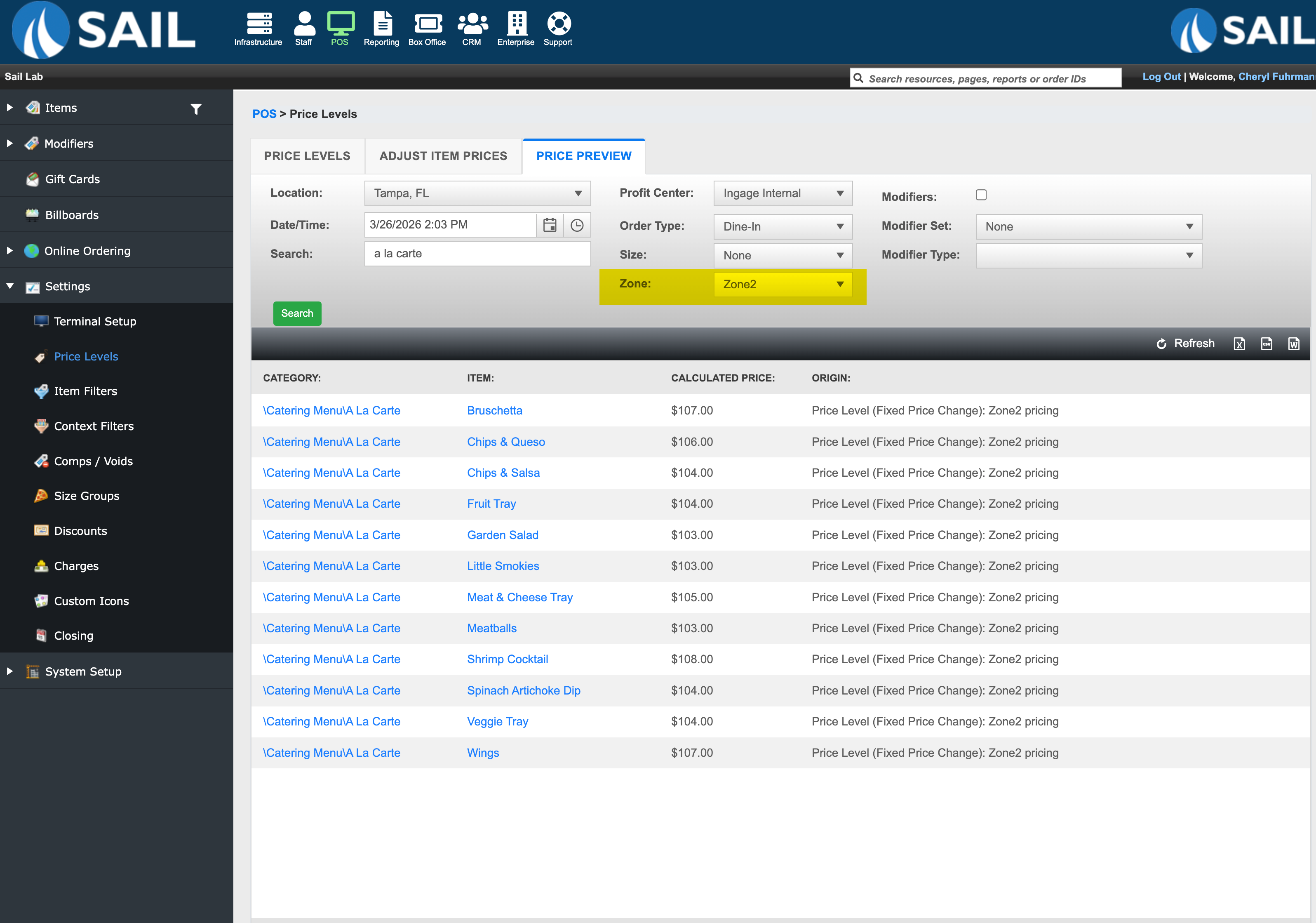
3. Zone filter added to price preview tab
- A Zone filter has been added to the Price Preview tab in Price Levels. This allows you to preview pricing based on specific zones within your restaurant, making it easier to review and verify zone-based pricing.
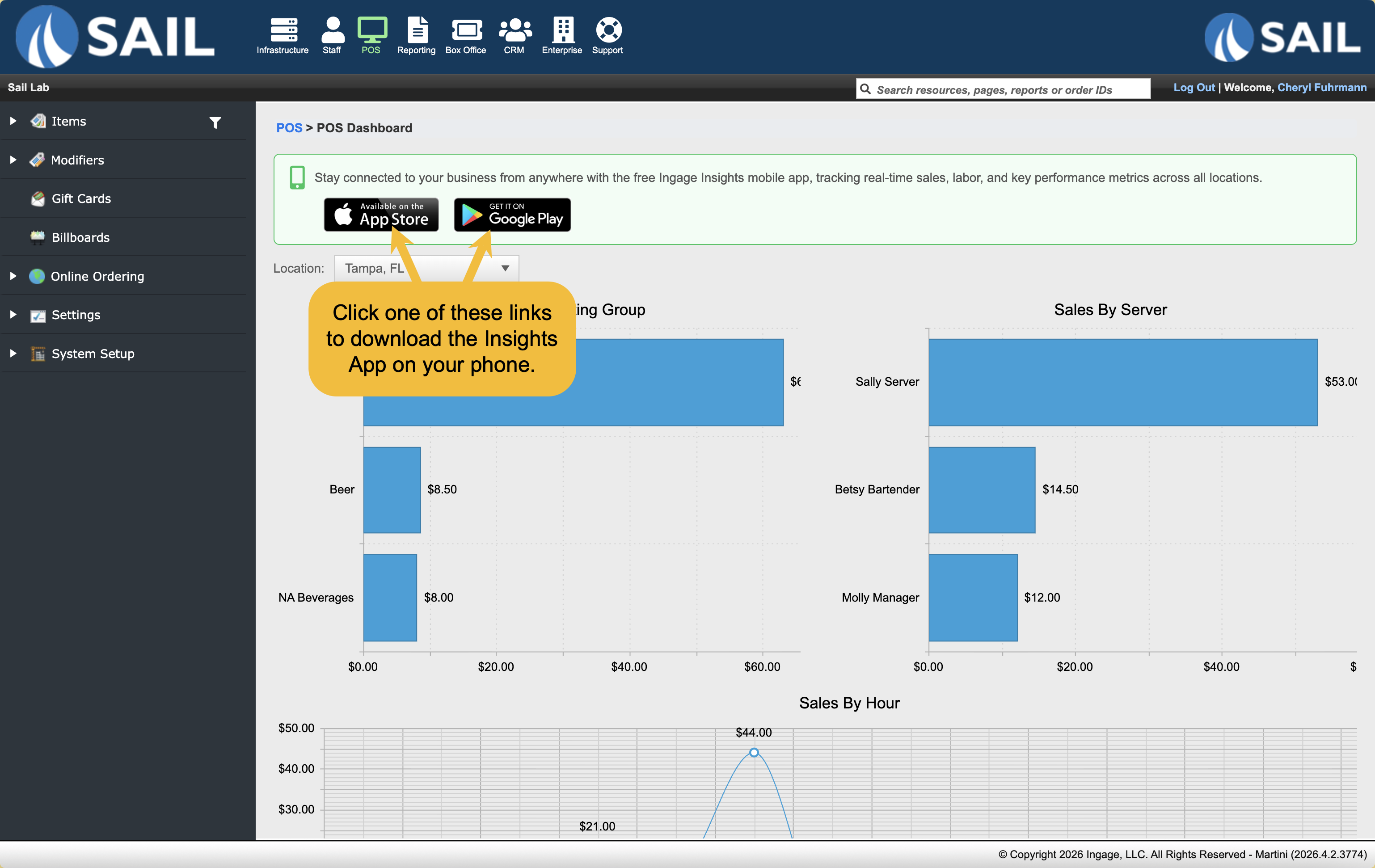
4. Insights messageApp has moved to the POS dashboard
We moved theThe Insights Applinksmessage has been moved from the main launch page to the POSdashboard.Dashboard.SoThisitskeepsstilliteasyeasilytoaccessiblefind.while reducing clutter on the launch screen.- Click here to learn more about the Insights App
5. Items in the modifier set
Fixes
- Resolved an error message that could occur when saving Store Defaults in the terminal screen editor.
- If an item or category is marked as available online but does not have an Online Name entered, the system will now automatically use the category name for categories and the receipt name for items and modifier items to ensure they display correctly online.