
Release 2026.4.2 "Martini"
Notes: This release consists of 6 New features and Improvements. Use the page navigation section on the top left of this screen to jump between the features you'd like to read about.
**This release will NOT require a handheld update**
If you would like any additional information or help setting up any of these new features, please contact support at:
Support@ingageit.com or call (612) 861-5277
New Features
1. Closed Schedule Calendar Added to Online Ordering
- You can now schedule closures for online ordering in advance using a calendar. This allows you to set specific dates or time ranges when online ordering should be unavailable, helping you better manage planned closures or special hours.
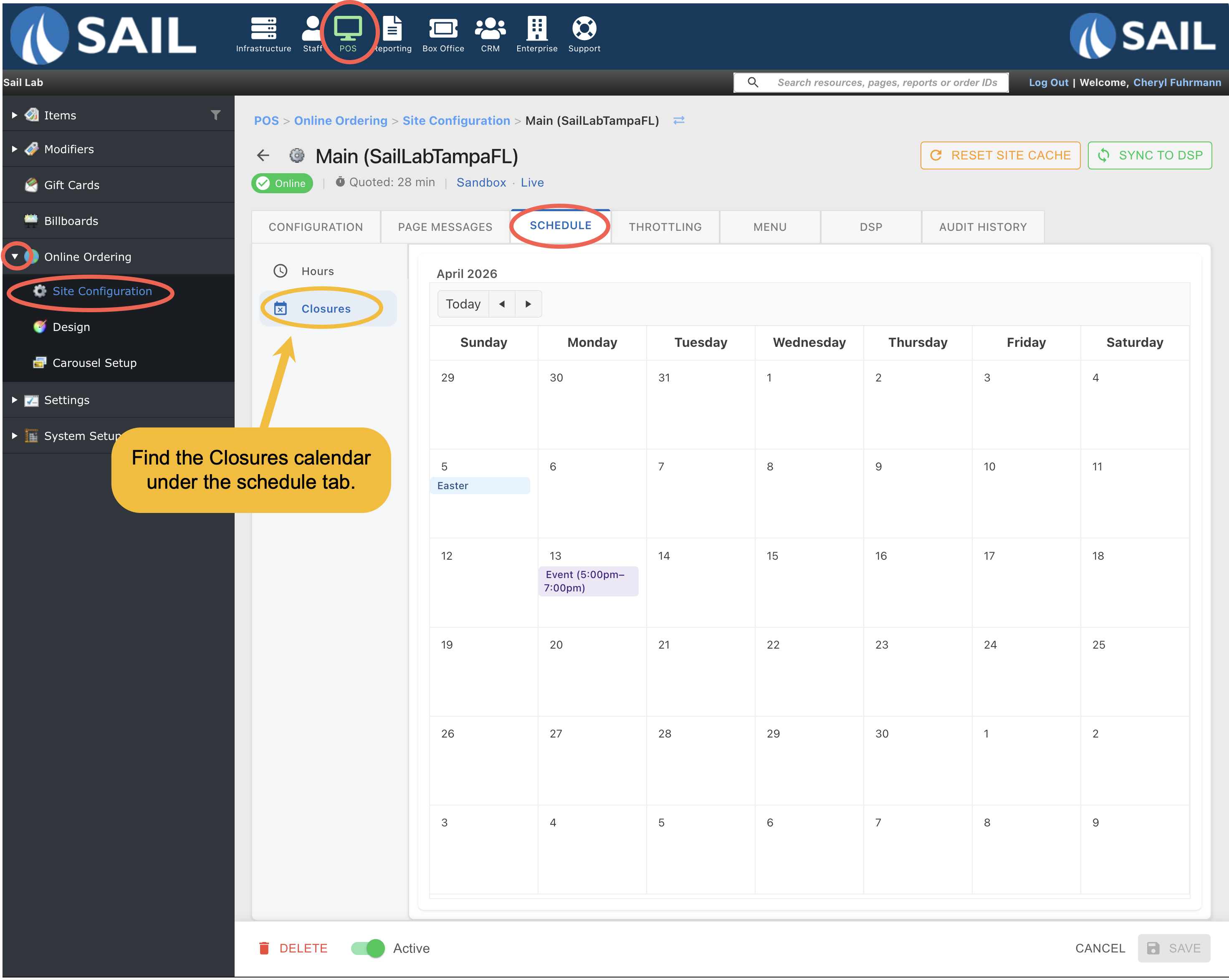
- To find the calendar go to Backoffice --> POS --> Online Ordering --> Site configuration --> Click on the Site --> Scheduling tab --> Closures sub-tab
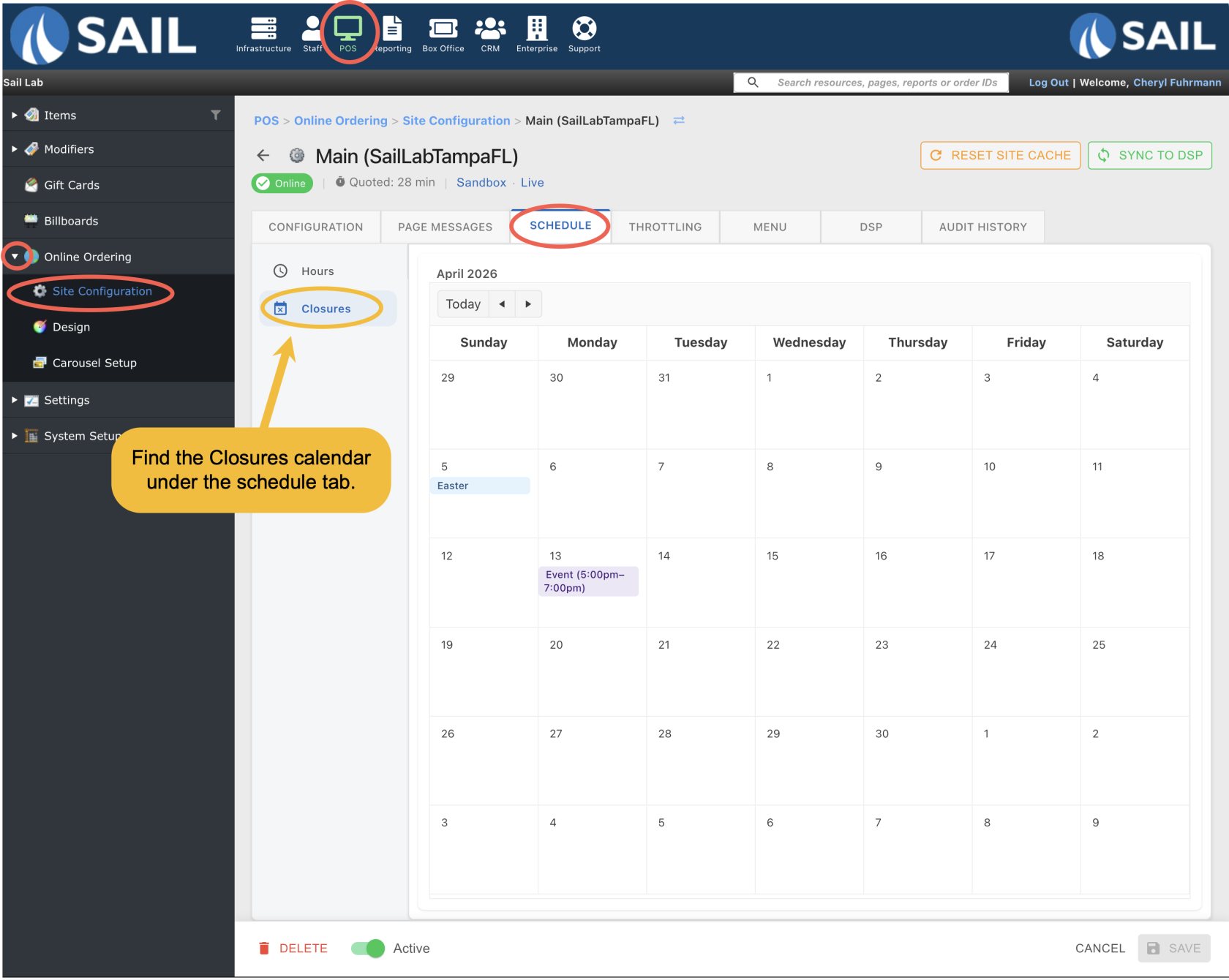
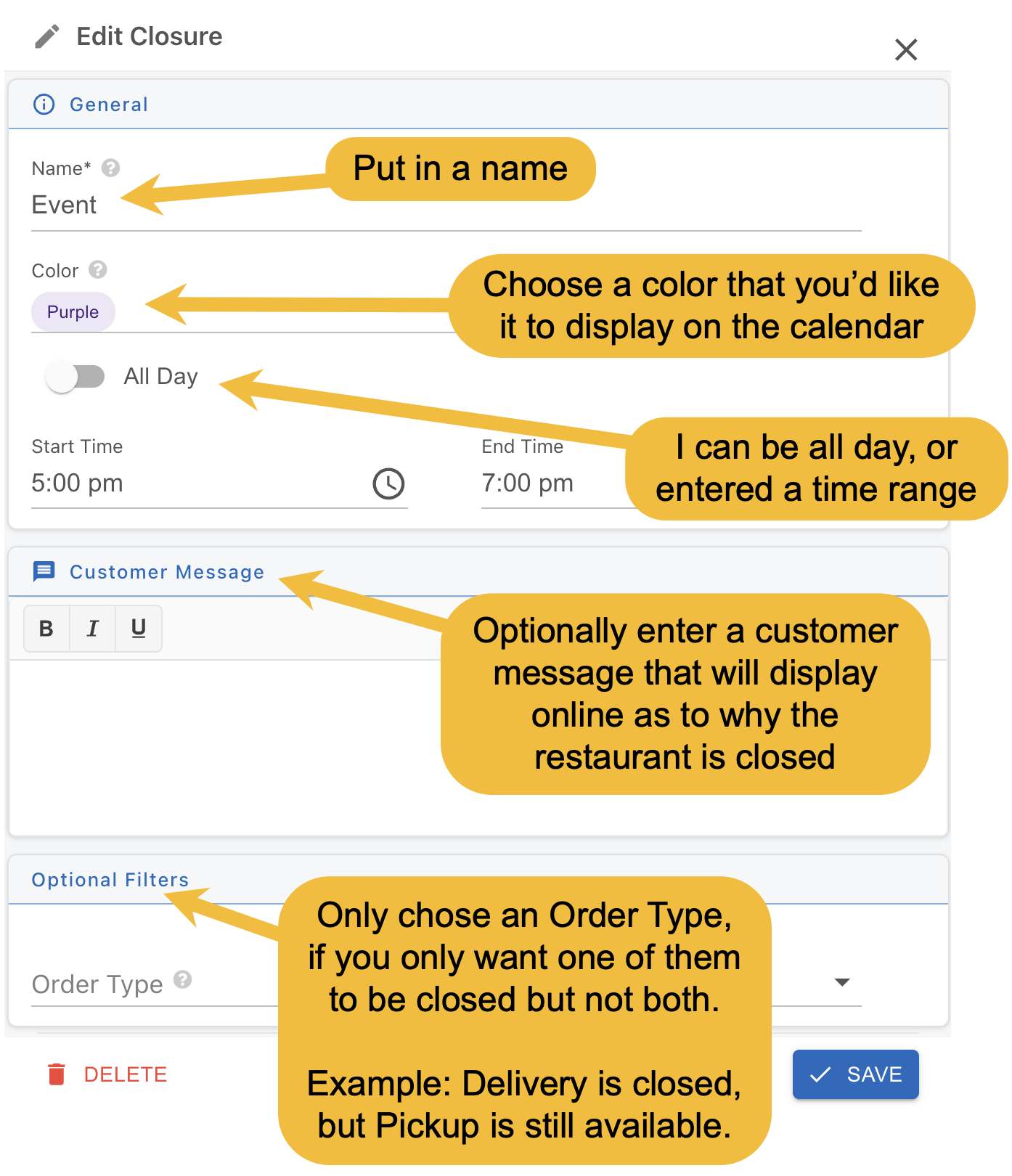
- Next, double click on the day you'd like to close, and you'll see this pop-up
- Name is required
- And choose if its all day or entered a time range.
- The rest of the fields are optional
- Then click the save button
Improvements
2. PIN Support Added to Gift Cards
- Gift cards can now include a PIN for added security. This helps ensure that only customers with a valid card can use the balance.
- If a gift card has a PIN, it will only be required when the card number is entered manually, such as on a terminal, handheld, or during online ordering or website lookup.
3. Online Order Gift Card Support
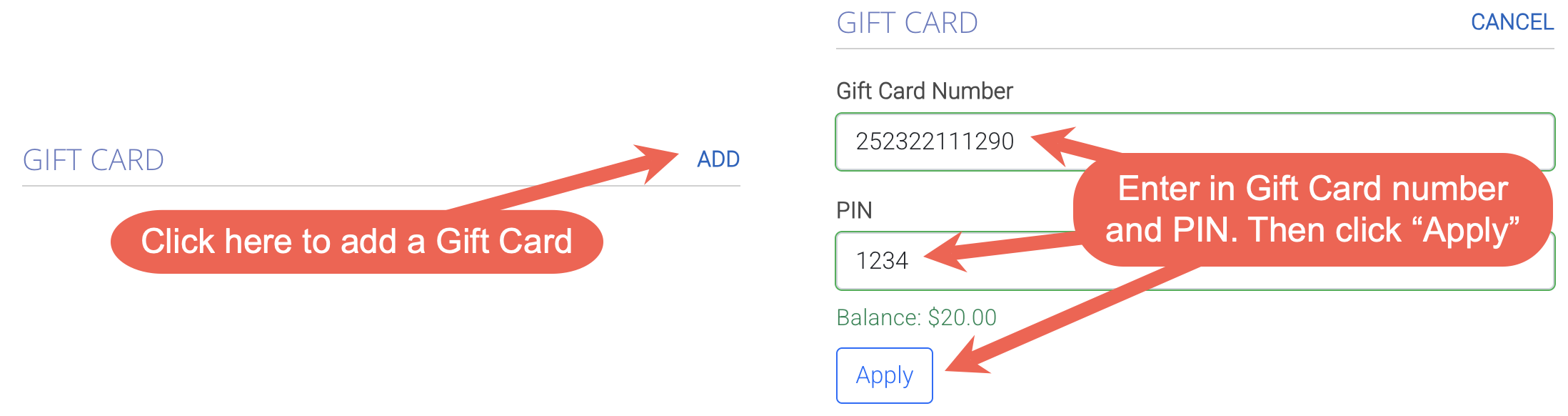
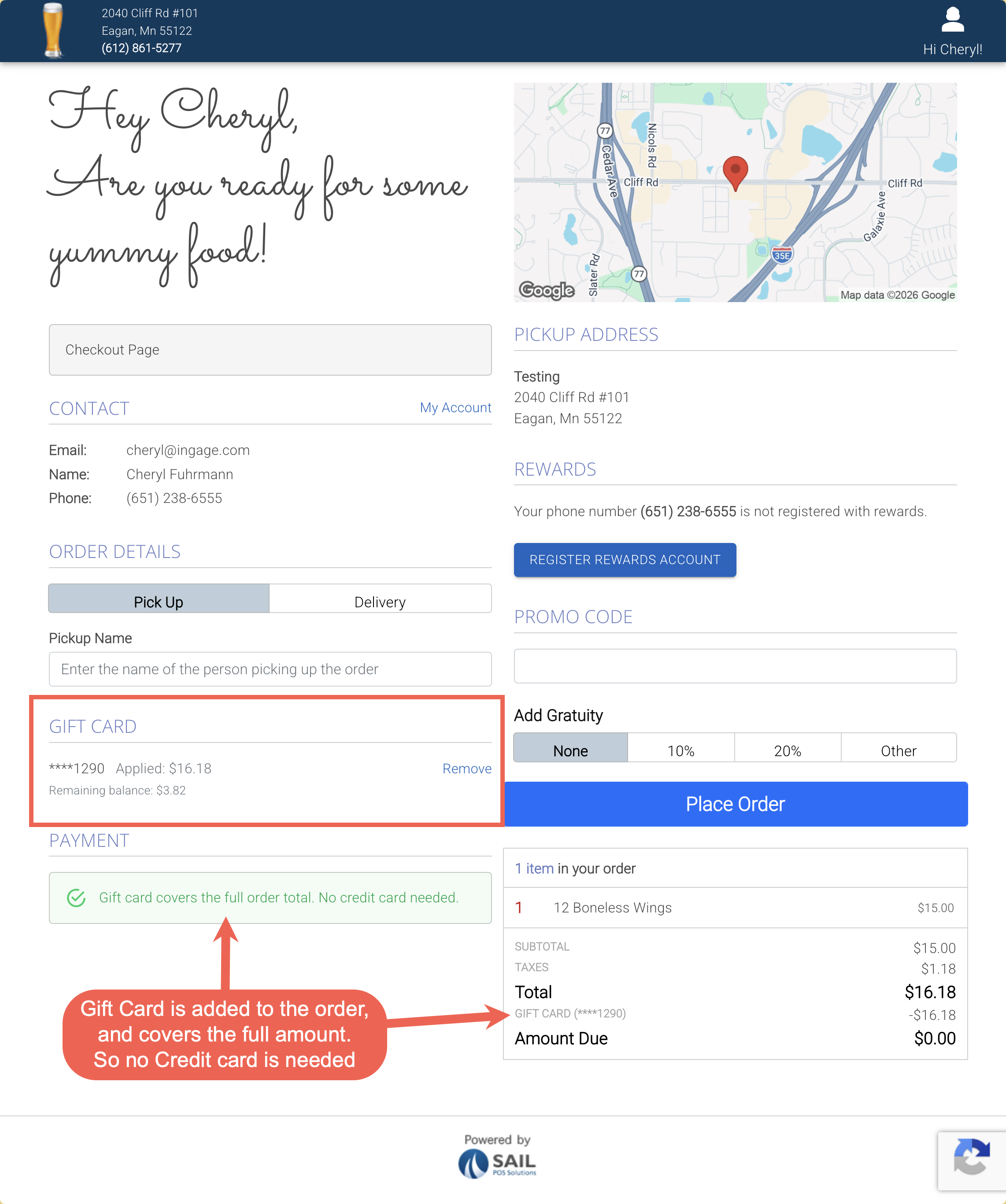
- You can now choose to allow customers to use gift cards when placing orders online.
- Multiple gift cards can be applied to a single order
- and you can choose to require a PIN for added security
- If the gift card balance covers the full order total, no additional payment method is required at checkout.
4. Online Order closing banner and checkpoints
5. Terminal now shows Server & Daily reports before printing them
6. Online Ordering is the first look at the new Backoffice refresh
Fixes
- Fixed an issue where gift card funding slips were not printing in the correct order.
- Resolved an error that could occur when using Fast Credit from the speed rail.