
Release 2026.4.2 "Martini"
Notes: This release consists of 6 New features and Improvements. Use the page navigation section on the top left of this screen to jump between the features you'd like to read about.
**This release will NOT require a handheld update**
If you would like any additional information or help setting up any of these new features, please contact support at:
Support@ingageit.com or call (612) 861-5277
New Features
1. Closed Schedule Calendar Added to Online Ordering
- You can now schedule closures for online ordering in advance using a calendar. This allows you to set specific dates or time ranges when online ordering should be unavailable, helping you better manage planned closures or special hours.
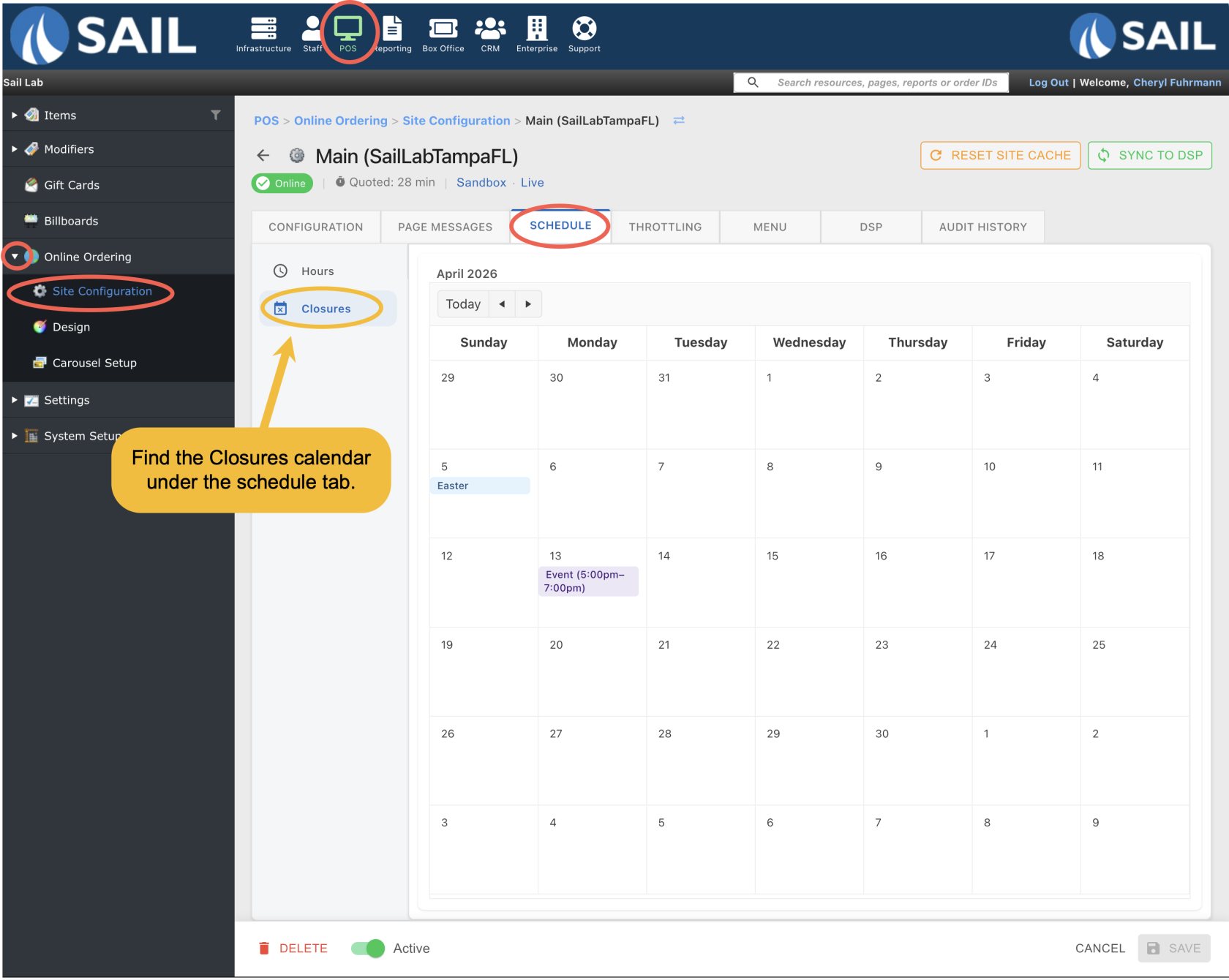
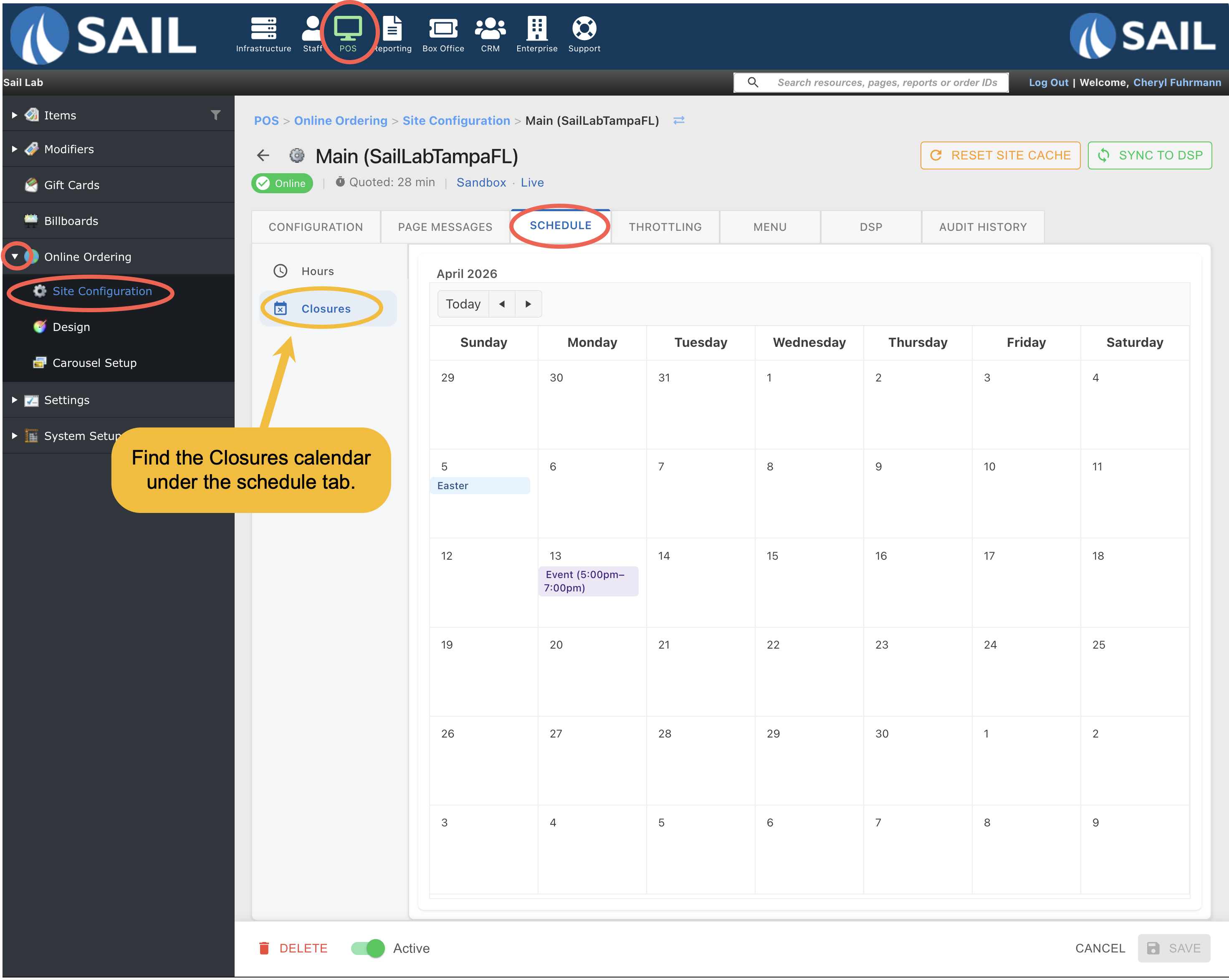
- To find the calendar go to Backoffice --> POS --> Online Ordering --> Site configuration --> Click on the Site --> Scheduling tab --> Closures sub-tab
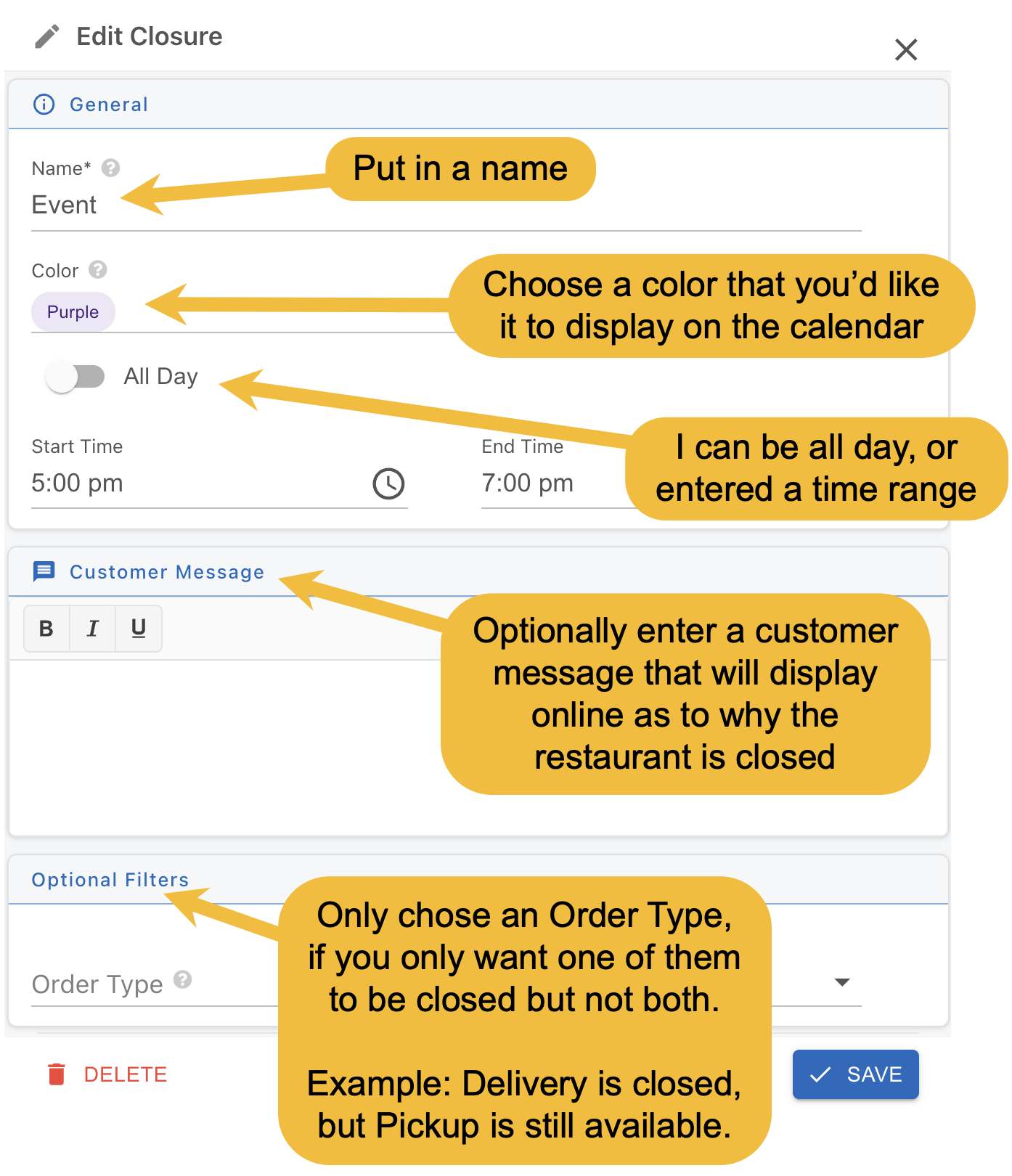
- Next, double click on the day you'd like to close, and you'll see this pop-up
- Name is required
- And choose if its all day or entered a time range.
- The rest of the fields are optional
- Then click the save button
Improvements
2. PIN Support Added to Gift Cards
- Gift cards can now include a PIN for added security. This helps ensure that only customers with a valid card can use the balance.
- If a gift card has a PIN, it will only be required when the card number is entered manually, such as on a terminal, handheld, or during online ordering or website lookup.
3. Online Order Gift Card Support
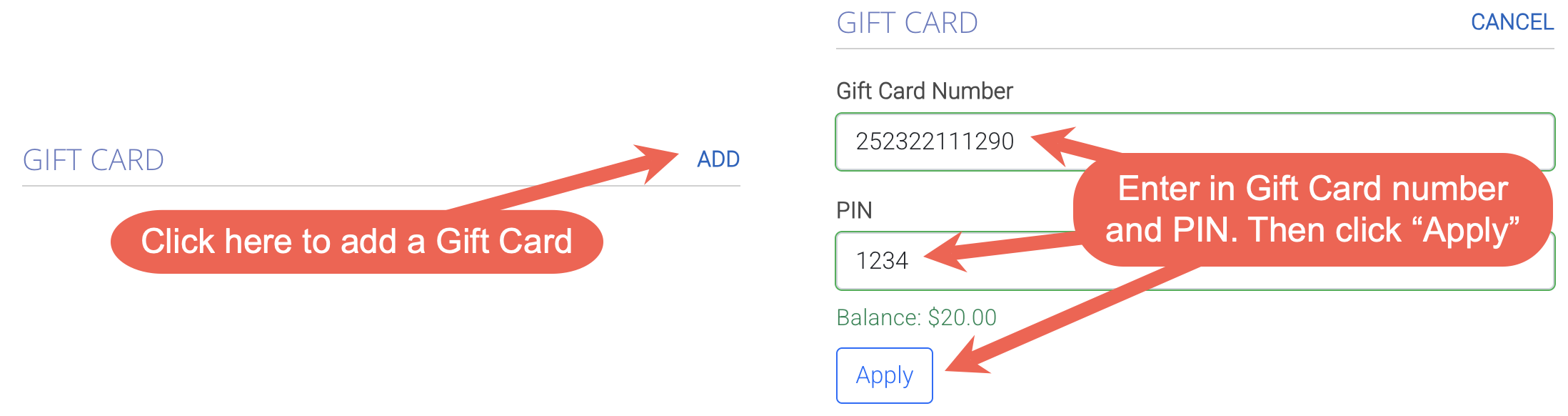
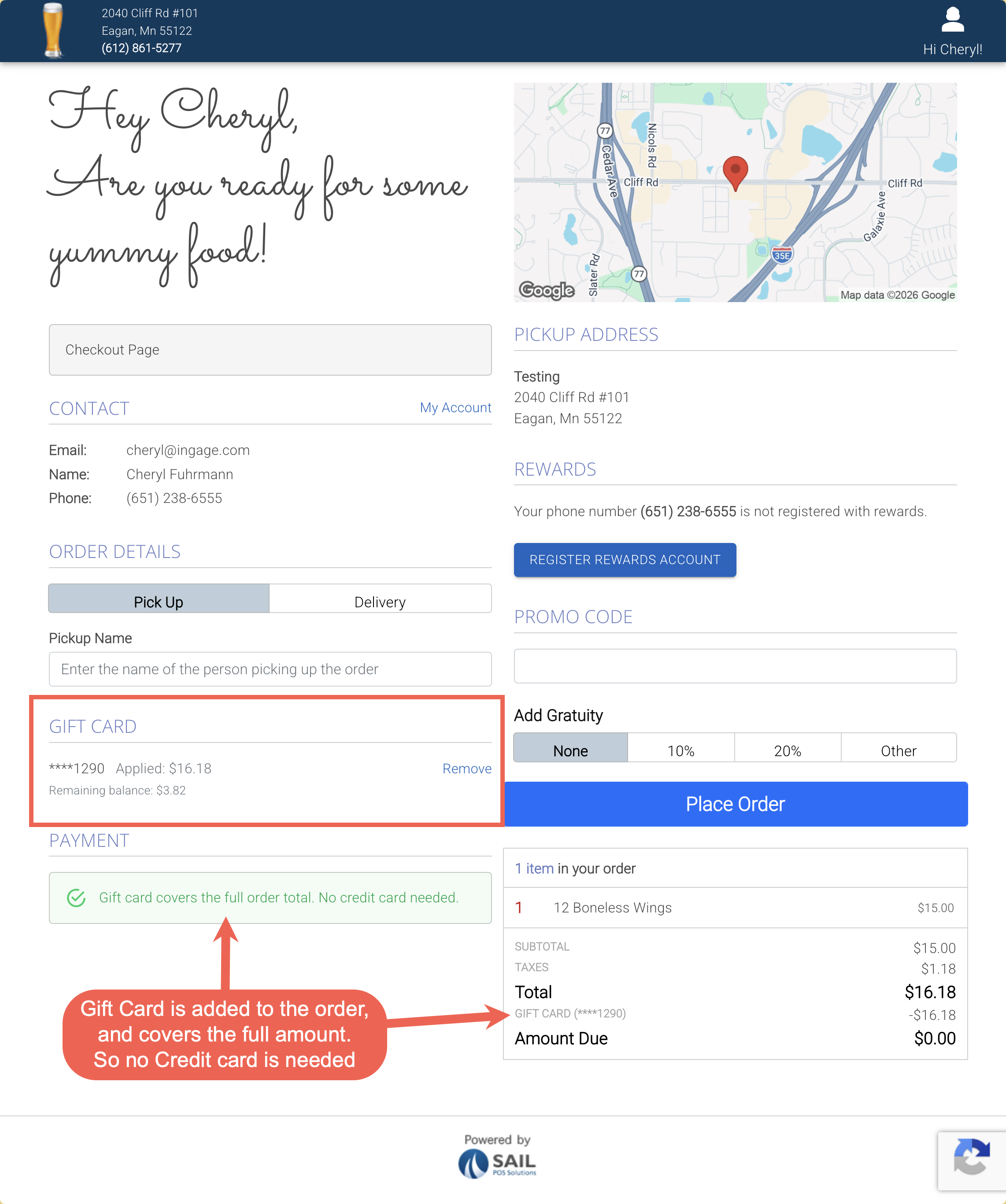
- You can now choose to allow customers to use gift cards when placing orders online.
- Multiple gift cards can be applied to a single order
- and you can choose to require a PIN for added security
- If the gift card balance covers the full order total, no additional payment method is required at checkout.
4. Closing Banner and Closed Checkpoints Added to Online Ordering
-
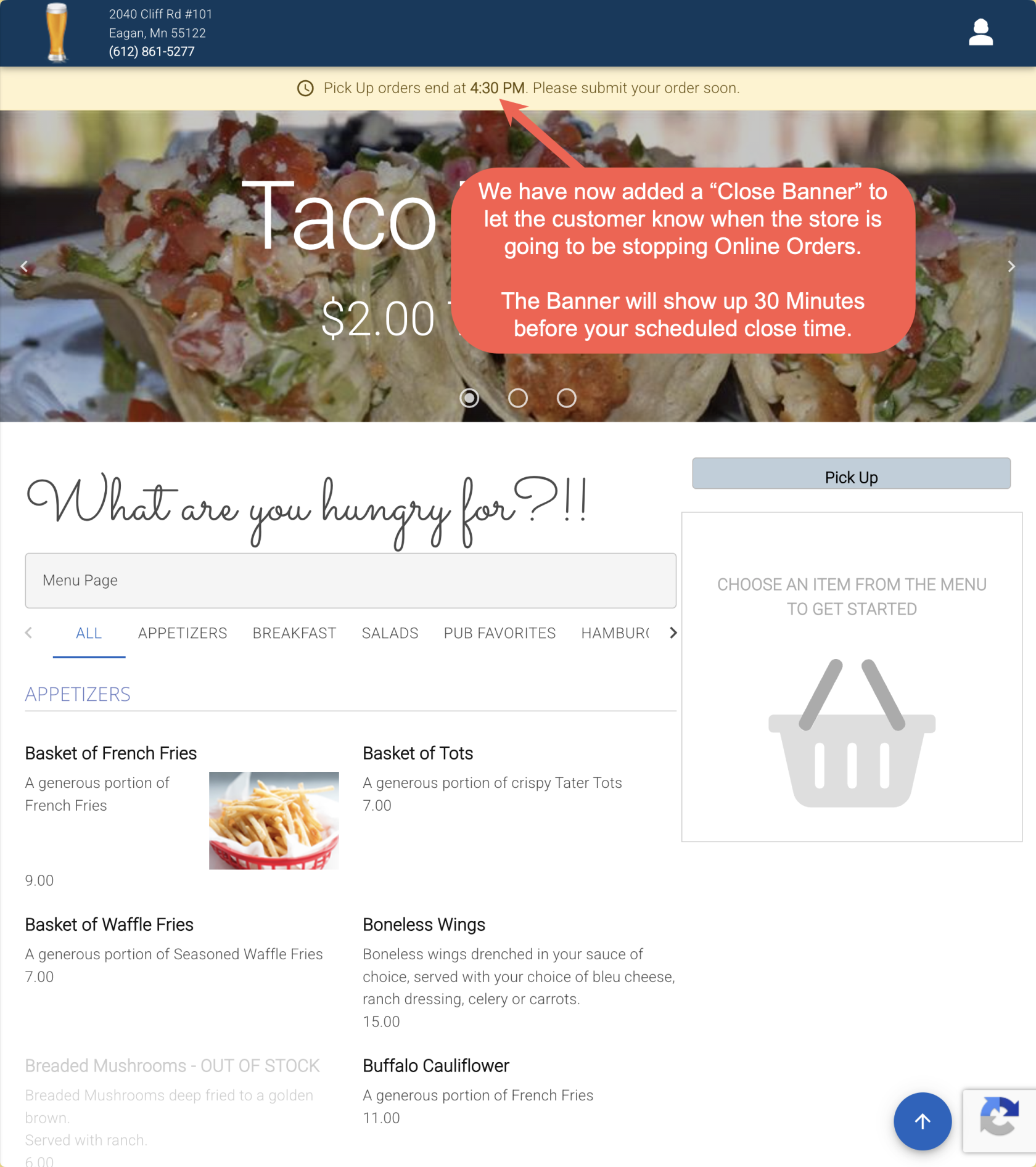
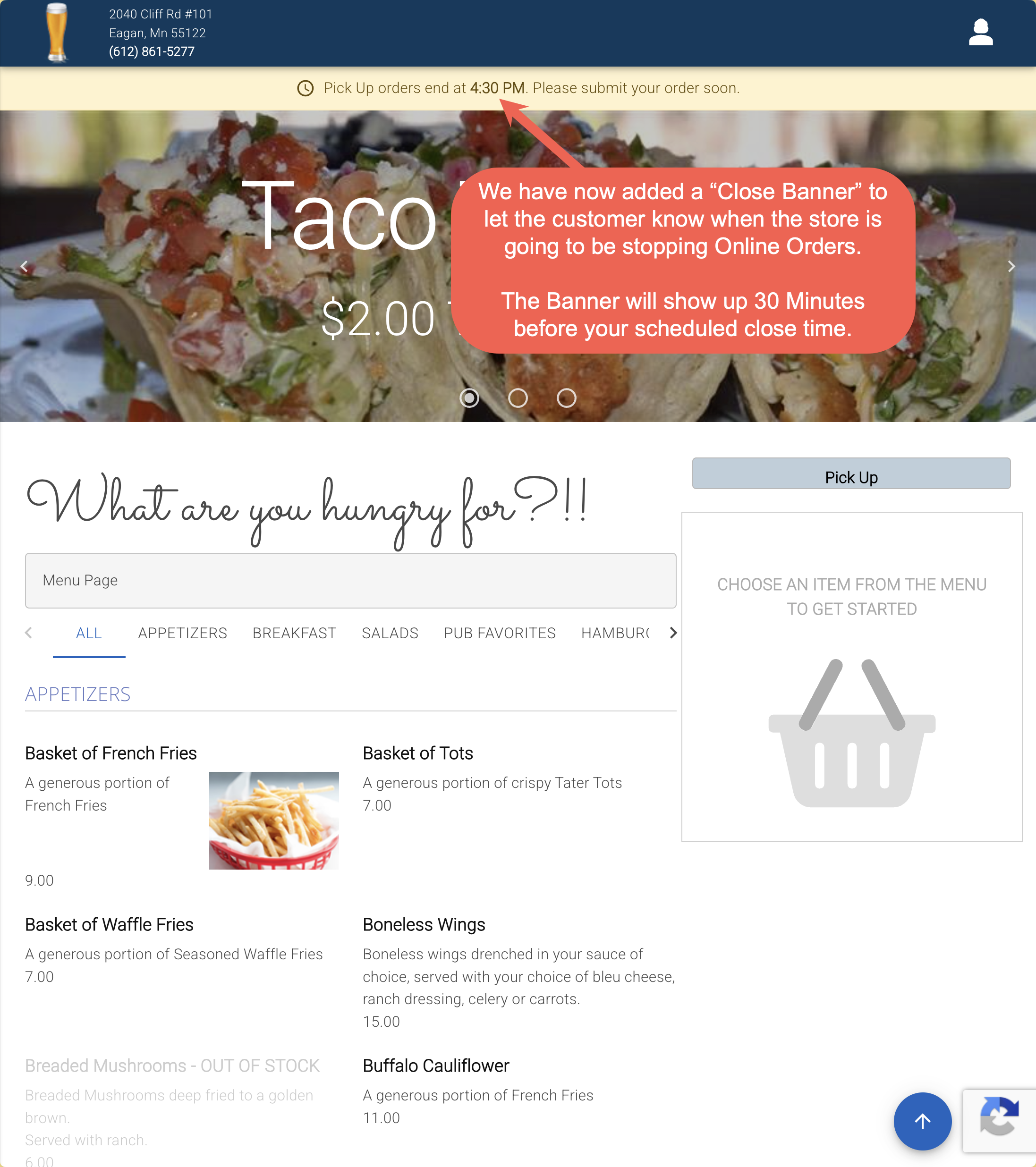
Online ordering now includes a closing banner to notify customers when the store is approaching its online ordering cutoff time. The banner appears 30 minutes before online ordering closes, helping encourage customers to place their orders in time. This helps set clear expectations for when orders will no longer be accepted.
- In addition, new closed checkpoints have been added to prevent orders from being placed after online ordering has closed. Customers will be stopped and shown a message if they attempt to continue ordering after the cutoff time at any of the following points:
- When adding items to the cart
- When clicking the checkout button
- When submitting the order on the checkout page
- Previously, customers could continue and complete an order after the cutoff time if they had already started it. These updates help ensure customers are both informed ahead of time and prevented from placing orders once online ordering has closed.
5. Terminal now shows Server & Daily reports before printing them
6. Online Ordering is the first look at the new Backoffice refresh
Fixes
- Fixed an issue where gift card funding slips were not printing in the correct order.
- Resolved an error that could occur when using Fast Credit from the speed rail.