
Release 2026.5.1 "Nojito"
Notes: This release consists of 7 New features and Improvements. Use the page navigation section on the top left of this screen to jump between the features you'd like to read about.
**This release will NOT require a handheld update**
If you would like any additional information or help setting up any of these new features, please contact support at:
Support@ingageit.com or call (612) 861-5277
New Features
1. Order History and Quick Reorder Added to Online Ordering
-
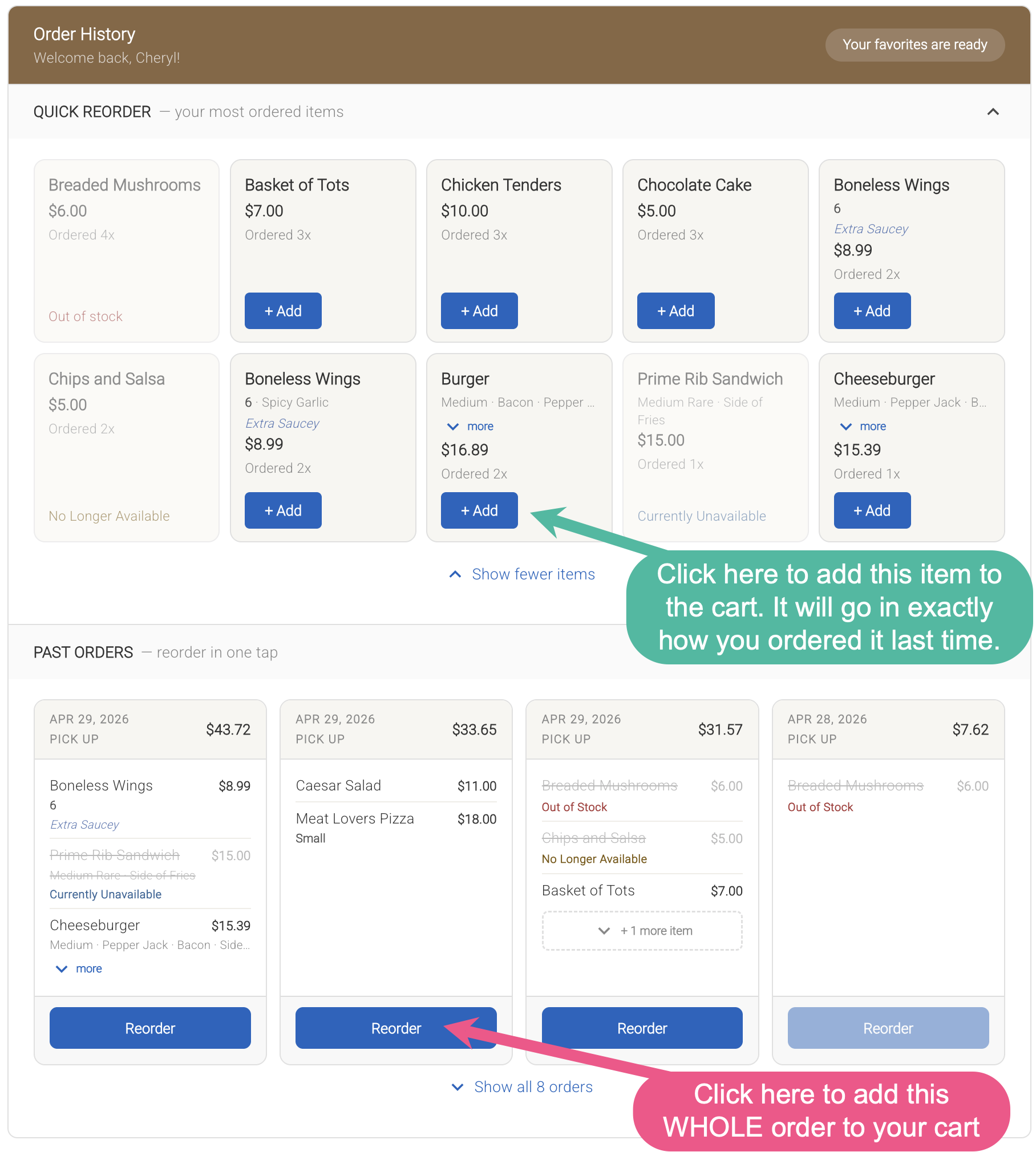
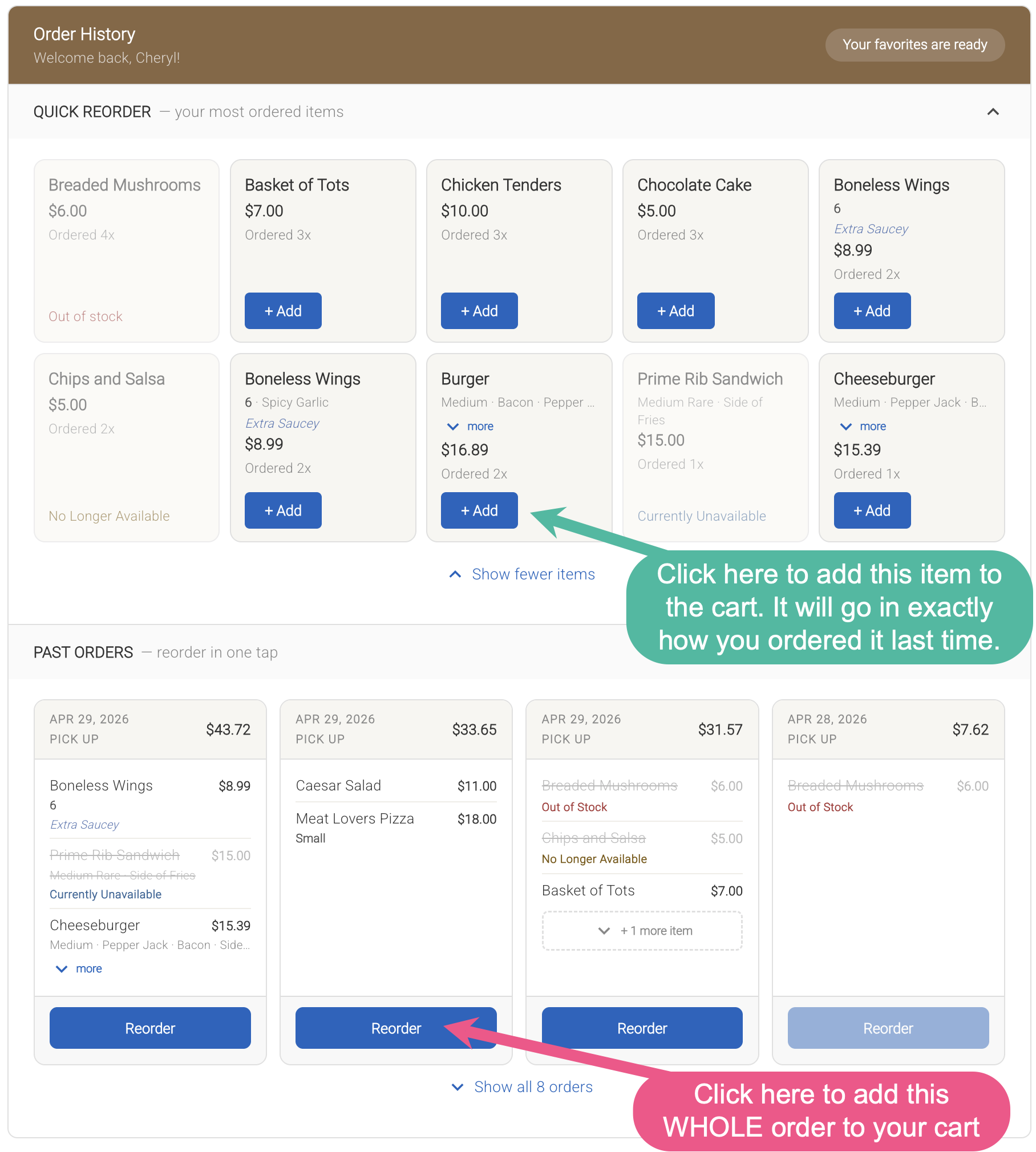
Online ordering now includes Order History and Quick Reorder, making it easier for customers to place repeat orders. Customers can quickly add their most frequently ordered items or reorder past orders with a single click, using the same selections as before.
- Customers must be signed in to view their order history.
- This helps speed up the ordering process and provides a more convenient experience for returning customers.
-
Item and modifier pricing in order history will always reflect current menu pricing. If updates are made in Backoffice, those changes will be reflected when items are reordered.

-
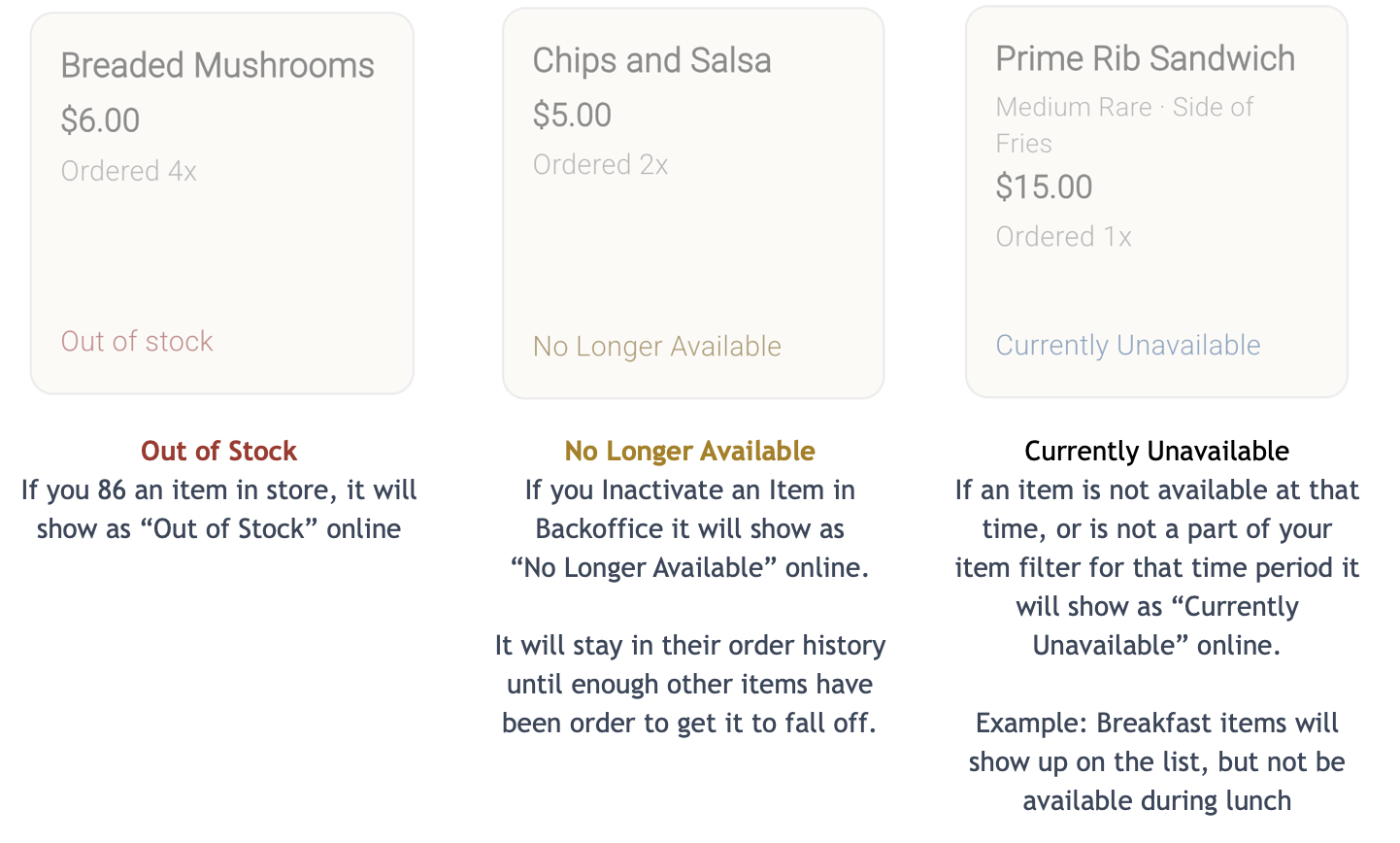
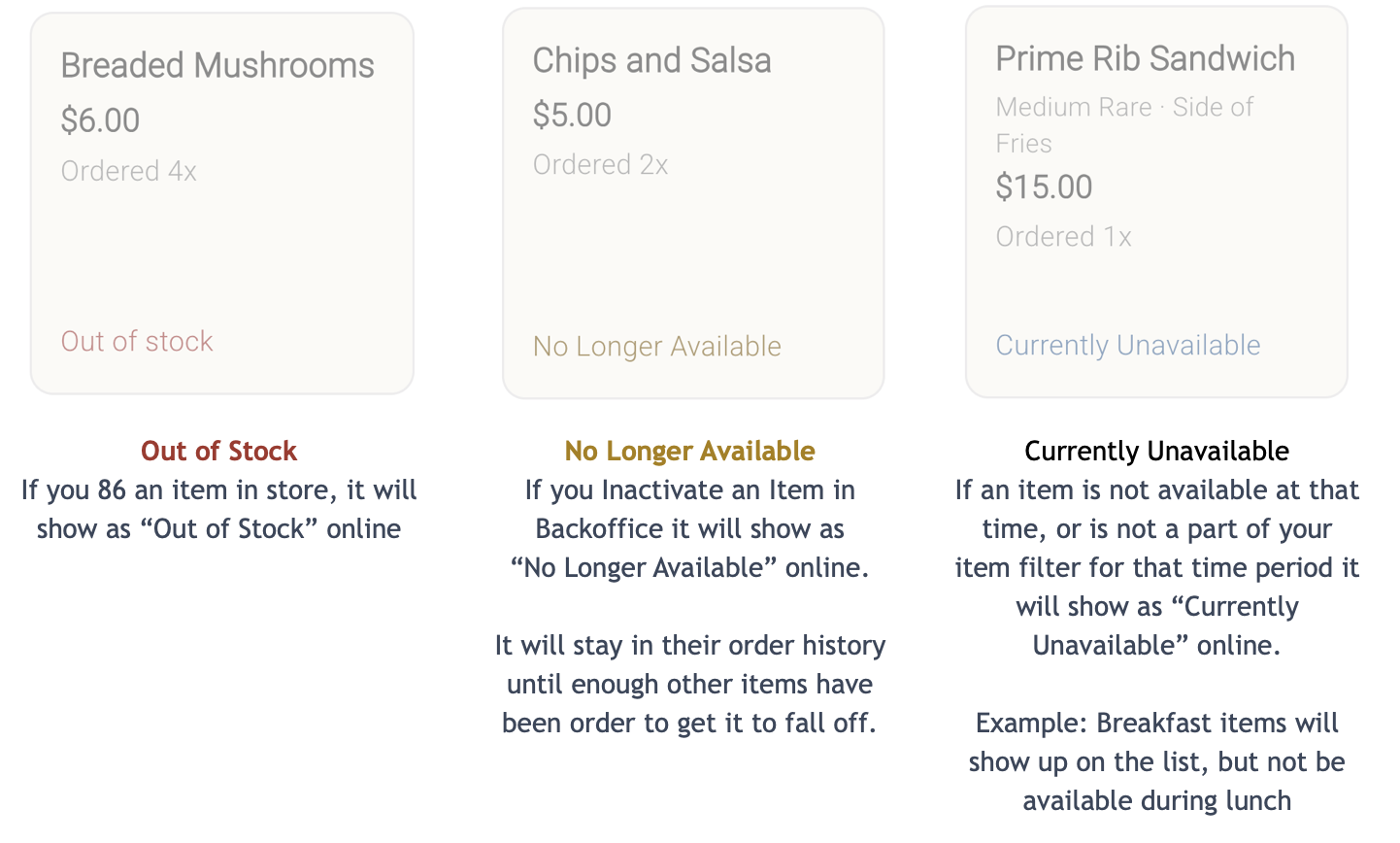
Items that are no longer available will be clearly indicated by one of the three labels shown below and cannot be added to a new order.

Improvements
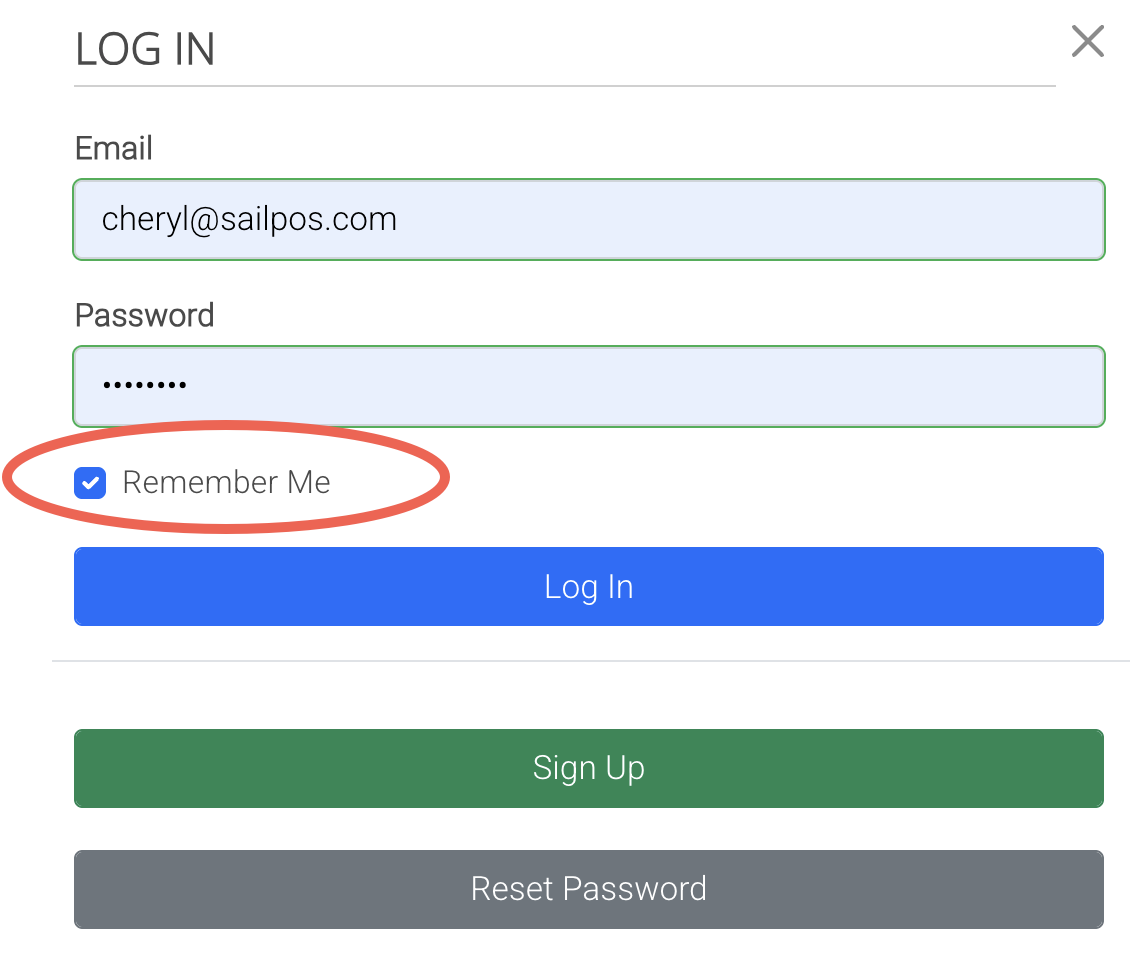
2. “Remember Me” Option Added to Online Ordering Login
-
Customers can now select Remember Me when logging in to online ordering to stay signed in on their device. This allows returning customers to skip logging in each time they visit the site.
-
Login sessions will be remembered for up to 30 days.
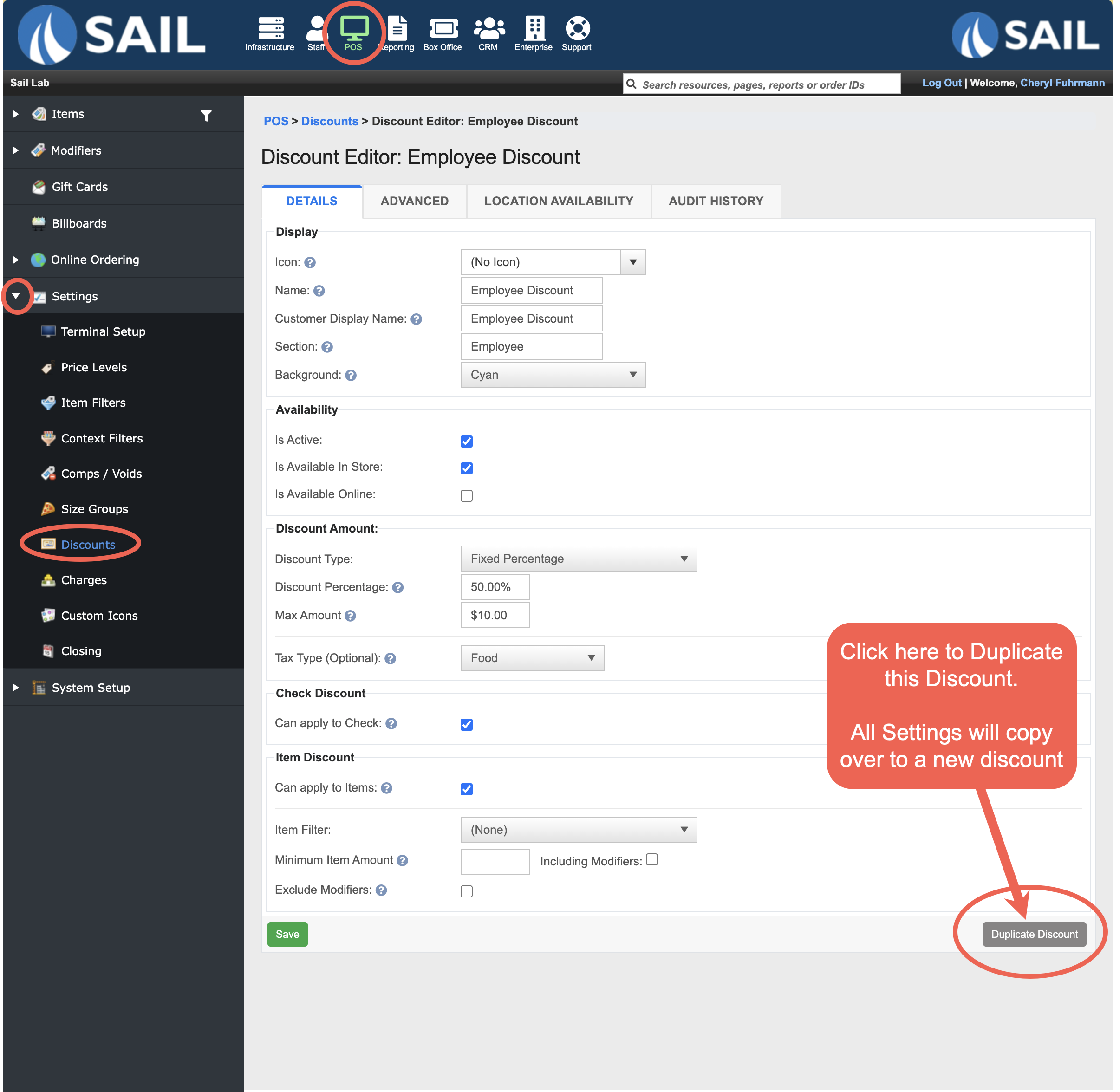
3. Ability to duplicate discount
- You can now duplicate an existing discount to quickly create a new one with similar settings.
- When a discount is duplicated, all settings are copied and “Copy” is added to the name and promo code (if applicable), allowing you to easily rename and make any needed adjustments.
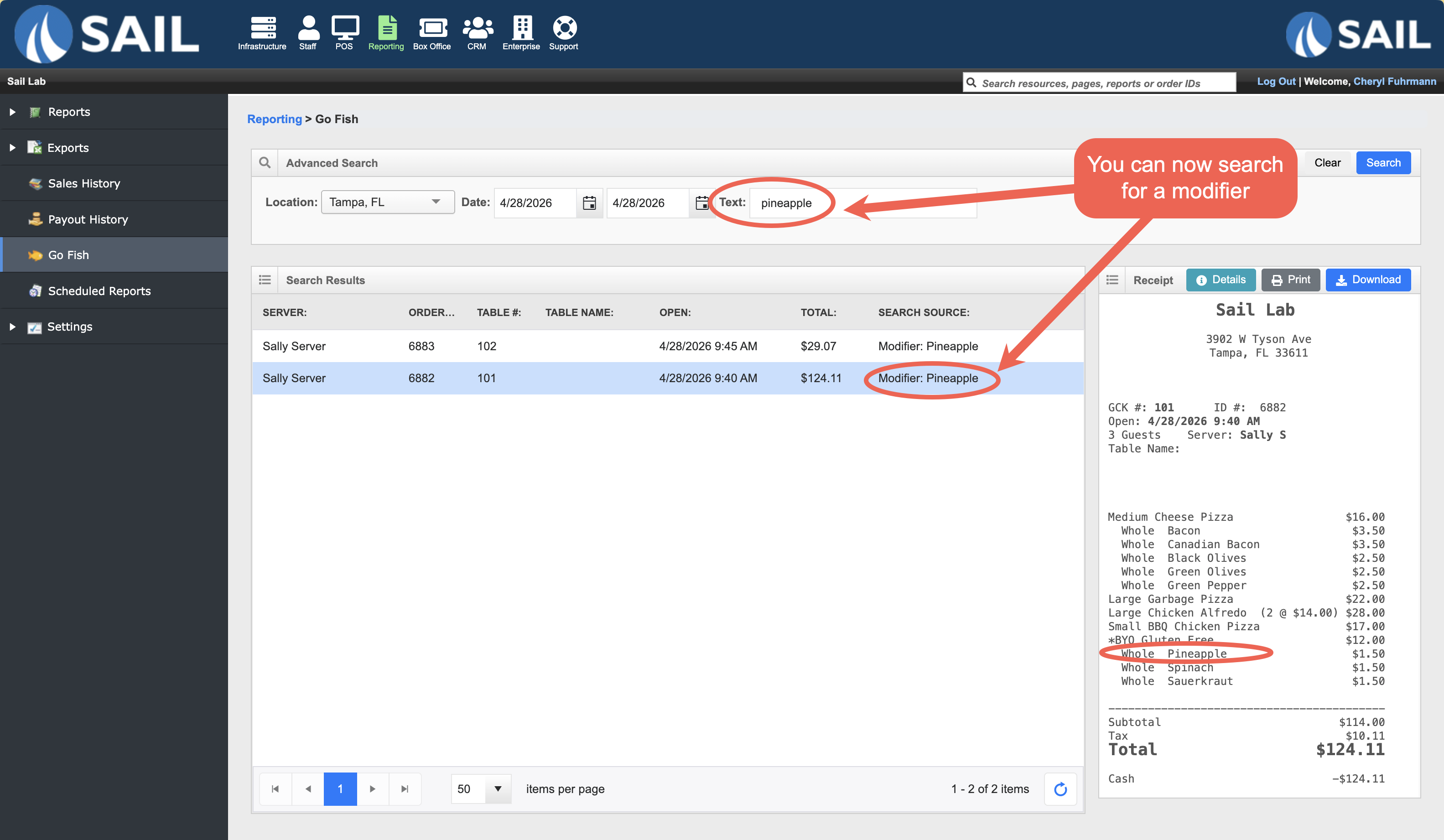
4. Additional Search options in Go Fish
- Go Fish in Backoffice now includes additional search options. You can now search by Modifiers, Comps, Voids, Discounts, and Charges, making it easier to locate specific checks.
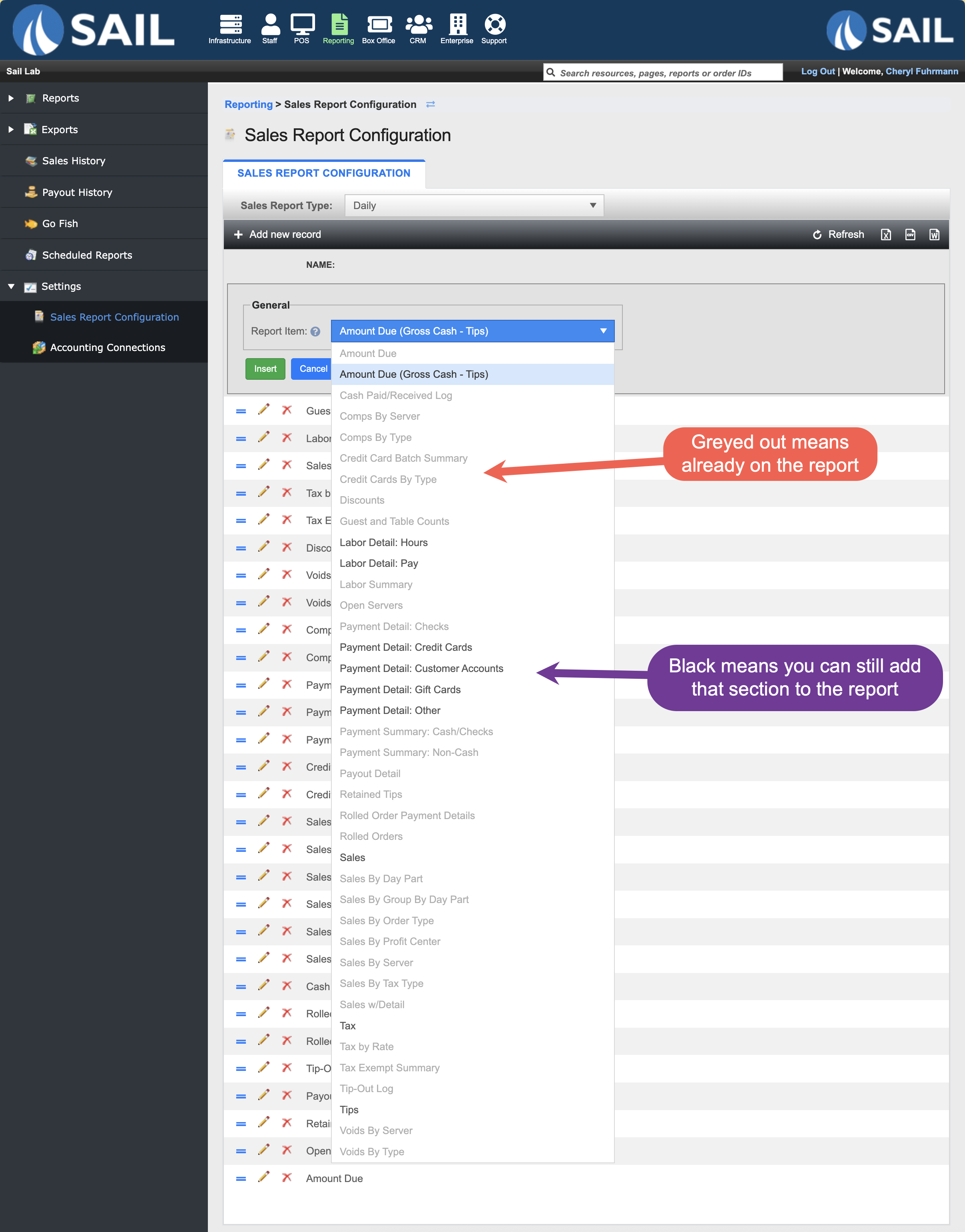
5. Existing Sections Now Highlighted in Sales Report Configuration
- When adding a new record in Sales Report Configuration, sections that are already included in the report are now grayed out in the dropdown. This prevents duplicate sections from being added and makes it easier to see which options are still available.
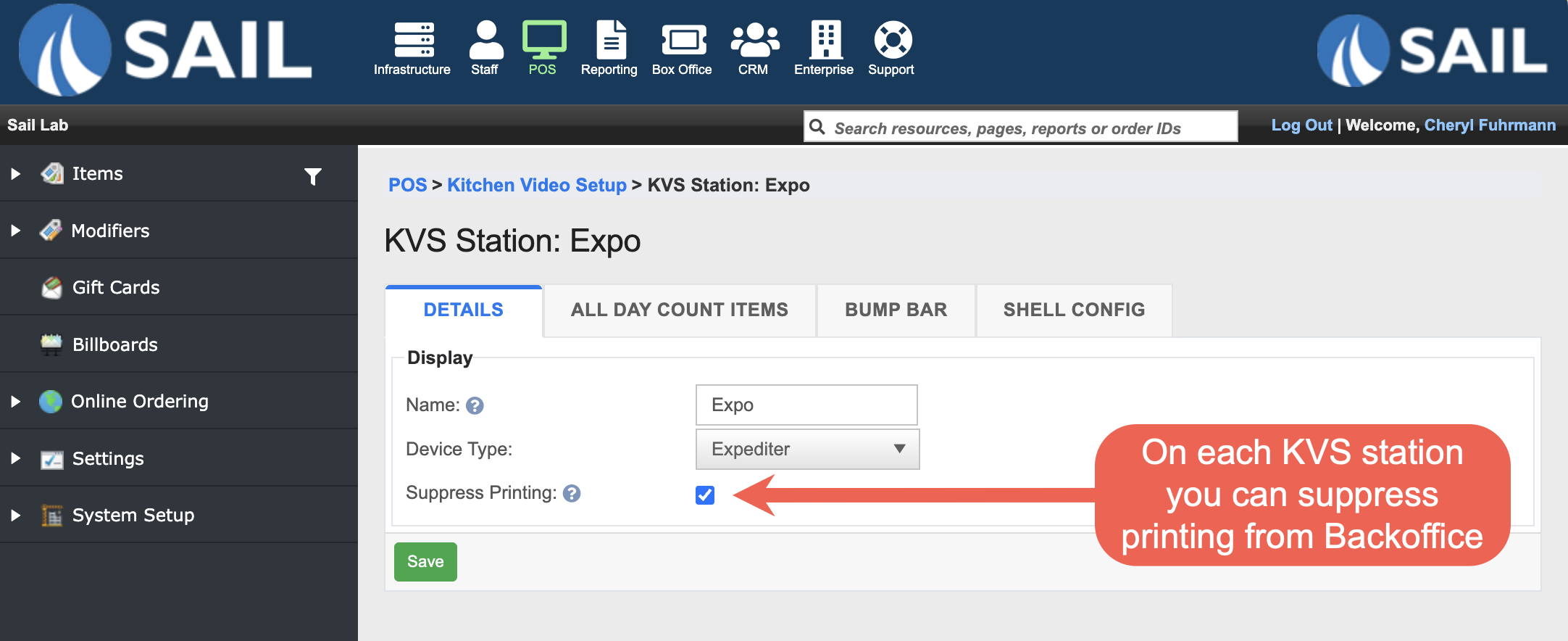
6. “Suppress Printing” Setting Added to KVS Stations in Backoffice
-
A Suppress Printing option has been added to each KVS station in Backoffice. This allows you to enable or disable printing directly from Backoffice, without needing to make changes on the device.
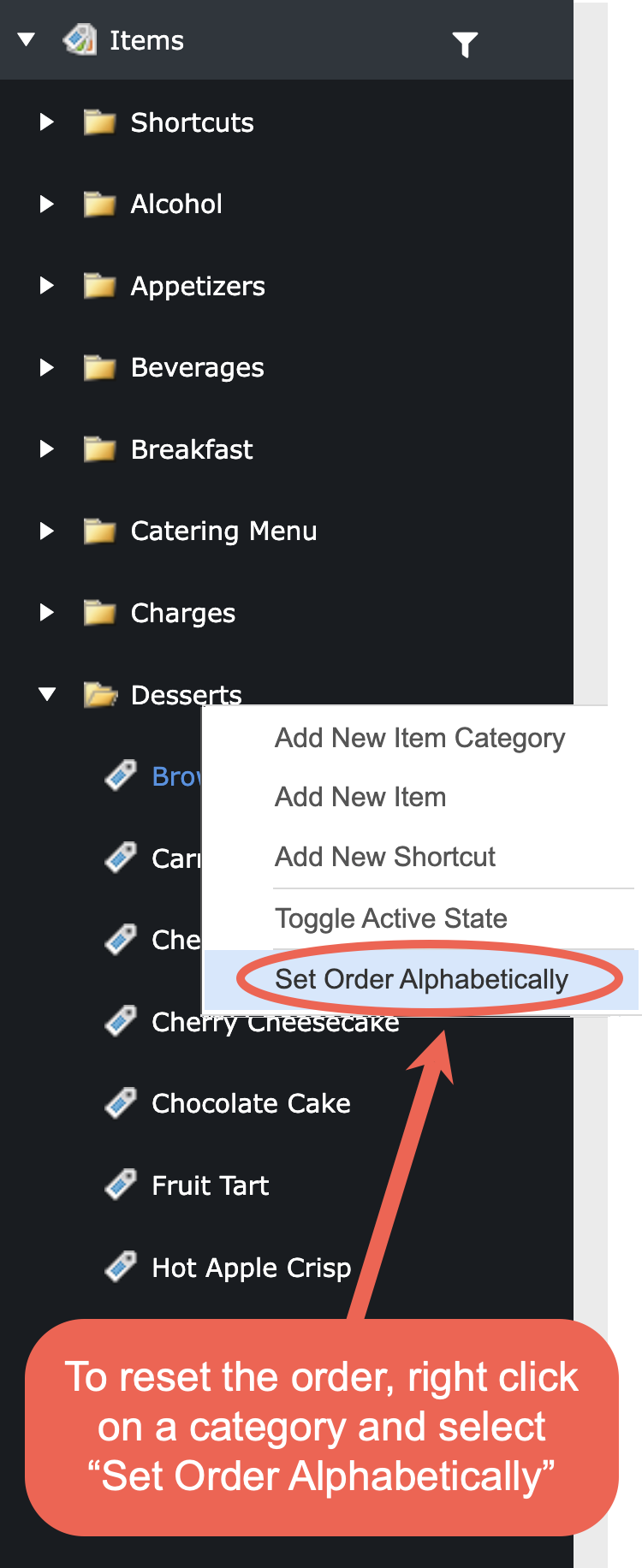
7. “Reset Order” Renamed to “Set Order Alphabetically”
- The “Reset Order” option has been renamed to Set Order Alphabetically to better reflect its behavior. This makes it clearer that selecting this option will organize items in alphabetical order.
Fixes
- Fixed an issue where time filters were not correctly handling time ranges that extended past midnight.
- Resolved errors in Backoffice audit history to ensure changes display accurately.
FixedResolvedana rare issuewhereto ensure Online Orderswerearestill beonly submittedevenafterif thesuccessful paymentwas declined.authorization.- Corrected an issue causing a “Member ID Not Found” error during OLO rewards redemption.
- Fixed an issue affecting gift card funding during daily close