
Release 2026.5.2 "Old Fashioned"
Notes: This release consists of 6 New features and Improvements. Use the page navigation section on the top left of this screen to jump between the features you'd like to read about.
**This release will NOT require a handheld update**
If you would like any additional information or help setting up any of these new features, please contact support at:
Support@ingageit.com or call (612) 861-5277
New Features
1. Suggestive Selling Added to Online Ordering
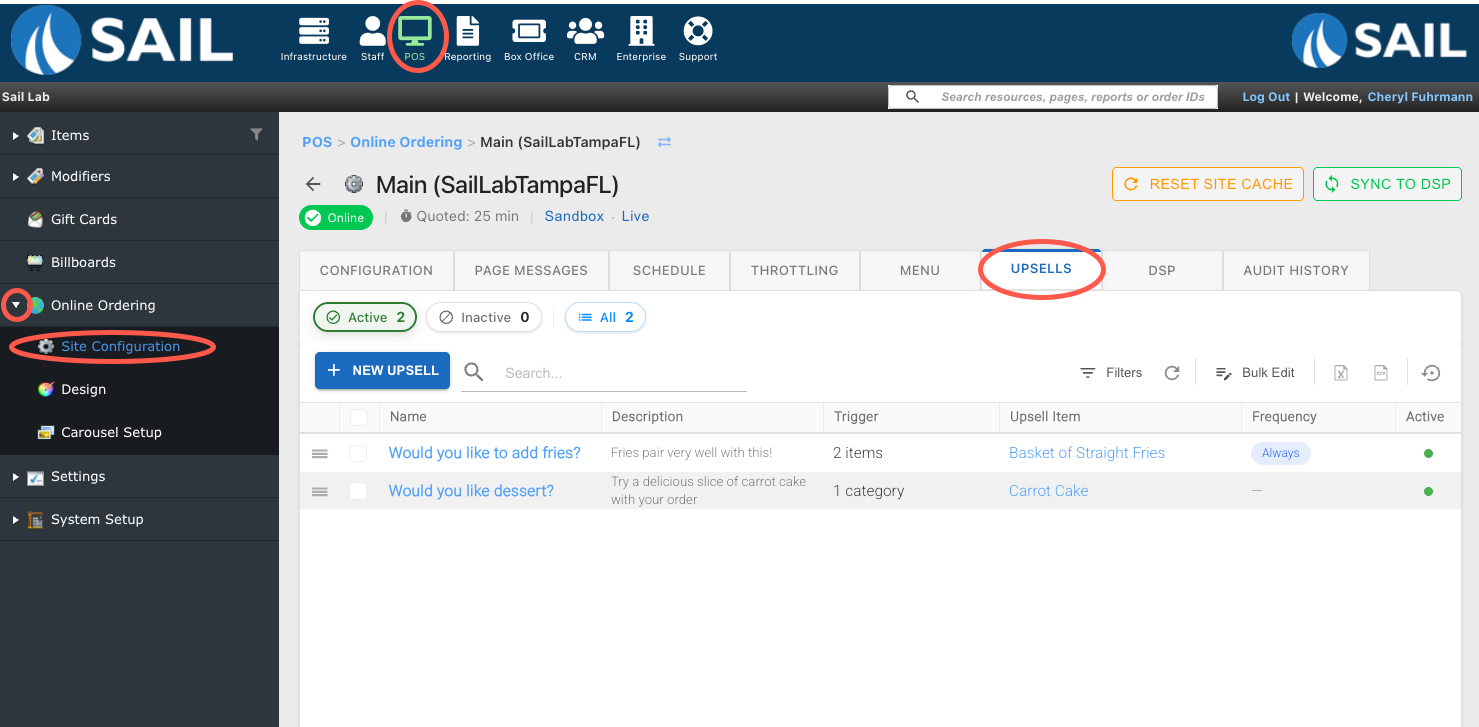
A new Upsells section has been added to Online Ordering, allowing you to create suggestive selling prompts to encourage customers to add additional items to their order. To find it log into Backoffice --> POS --> Online Ordering --> Site configuration --> select the site --> Click on the Upsells tab --> Add new upsell
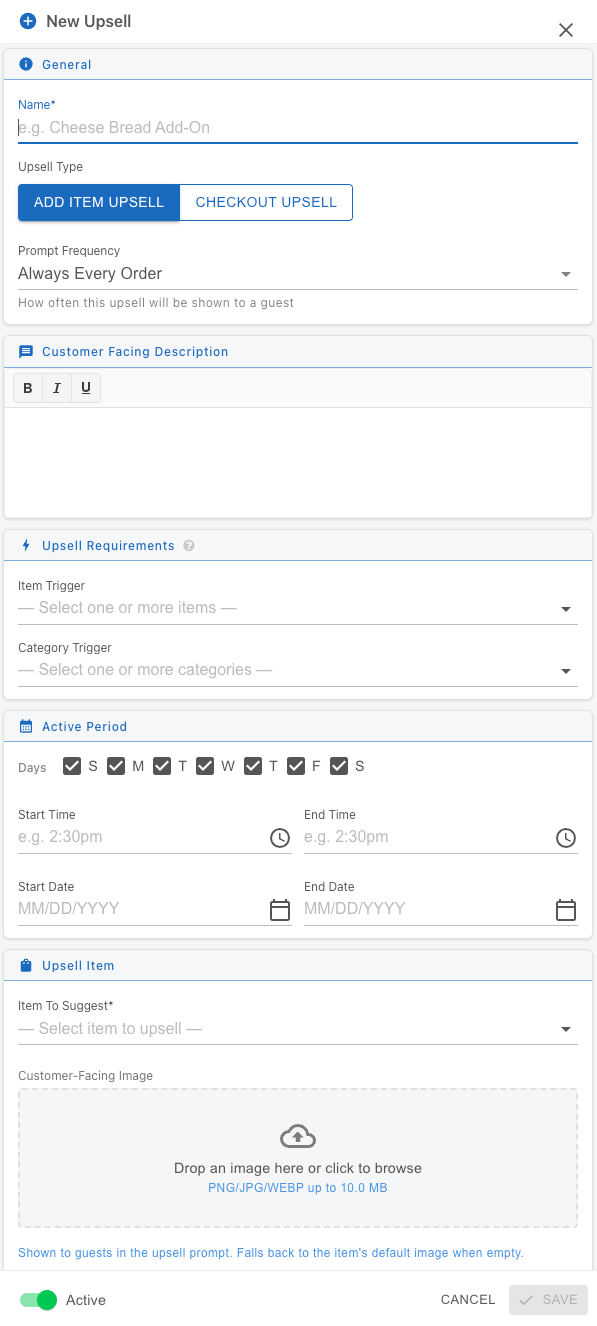
Two types of upsells are available:
-
Item Upsell – Displays an upsell prompt when specific items or categories are ordered. You can also configure how frequently the prompt is shown to the guest.
-
Checkout Upsell – Displays an upsell prompt after items have been added to the cart and the customer proceeds to checkout.
Upsells can include customer-facing descriptions and images to help highlight featured items and increase add-on sales.
Improvements
2. Reports Can Now Be Emailed On Demand
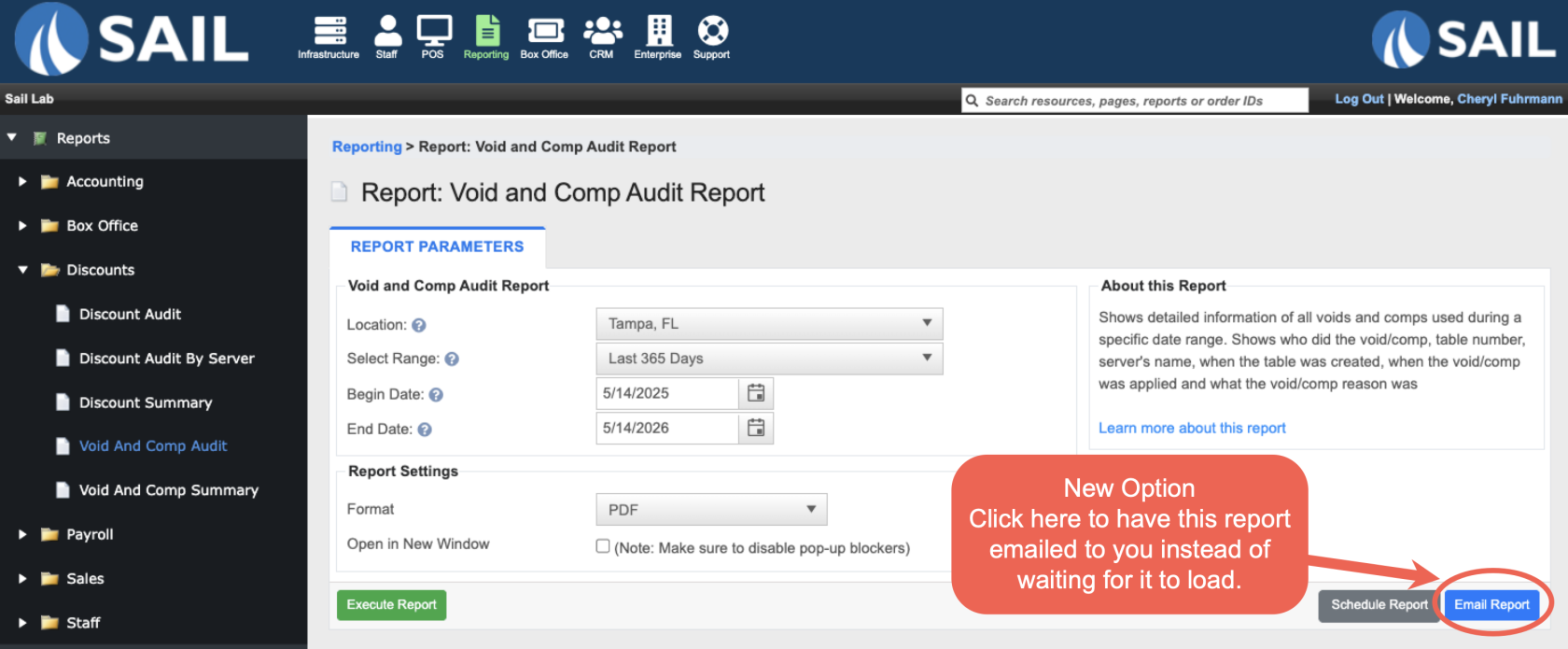
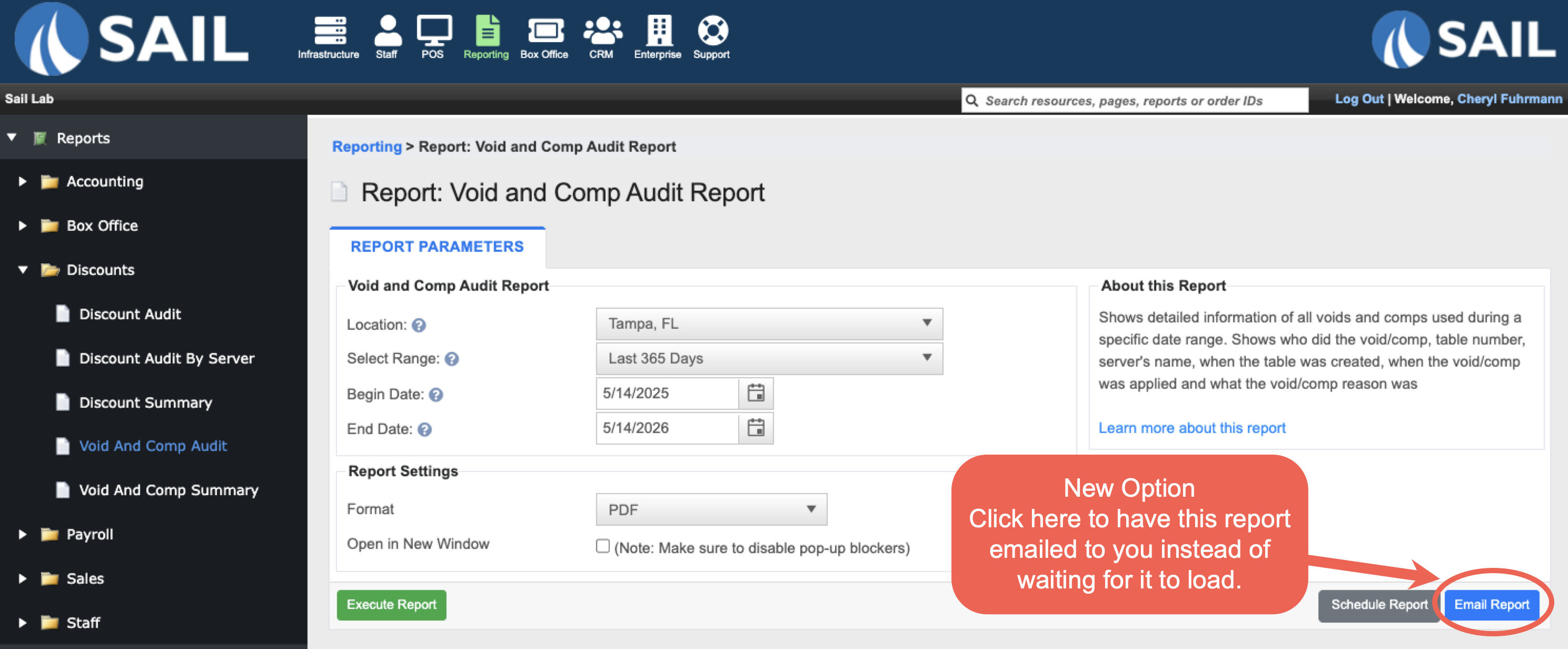
- Reports can now be emailed directly from the report screen without needing to wait for the report to generate or create a scheduled report.
- Selecting Email Report will queue the report request and automatically email it once generation is complete. This is especially helpful for larger reports that may take longer to load.
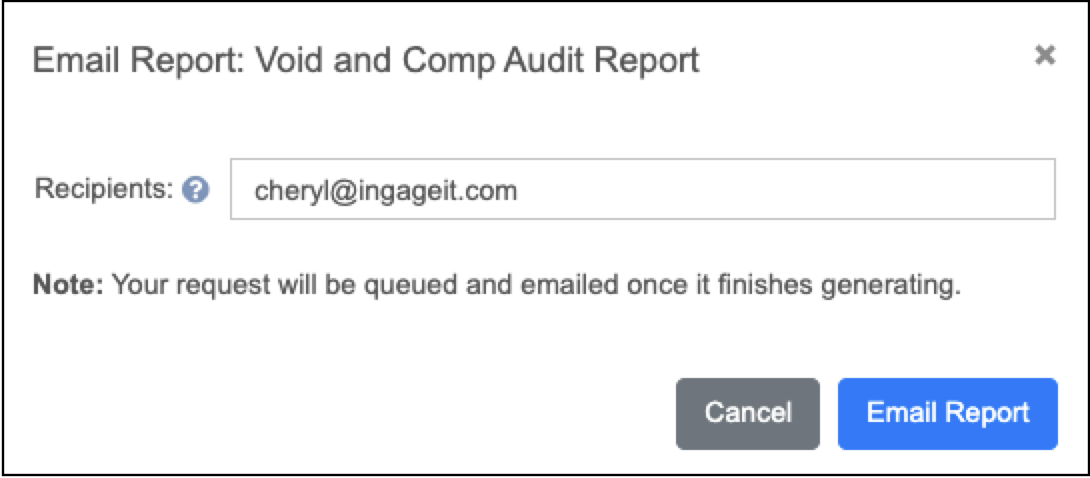
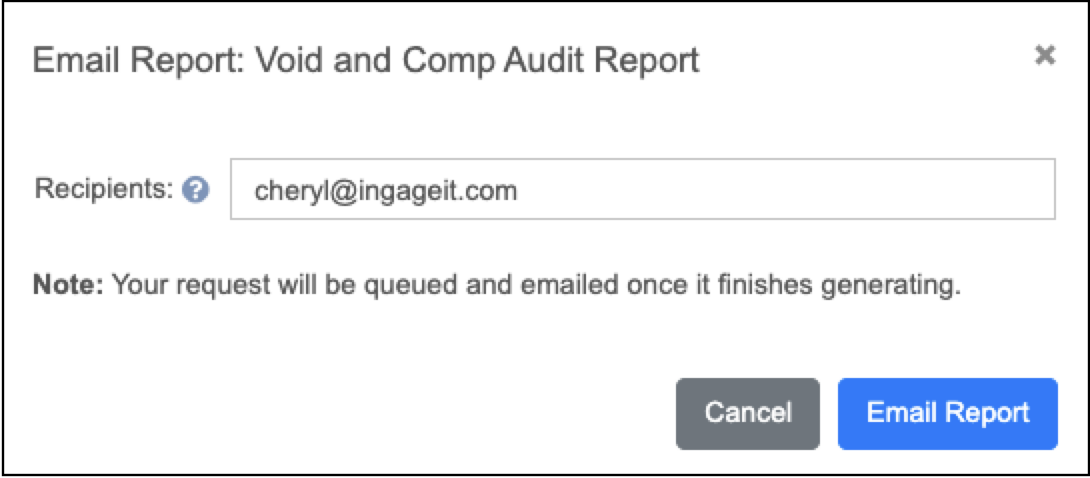
- After clicking the button, a popup window will appear to enter recipients. The email address of the user currently logged into Backoffice will automatically populate, and additional email addresses can be added using a semicolon ( ; ) separator.
3. New Handheld Usage Report
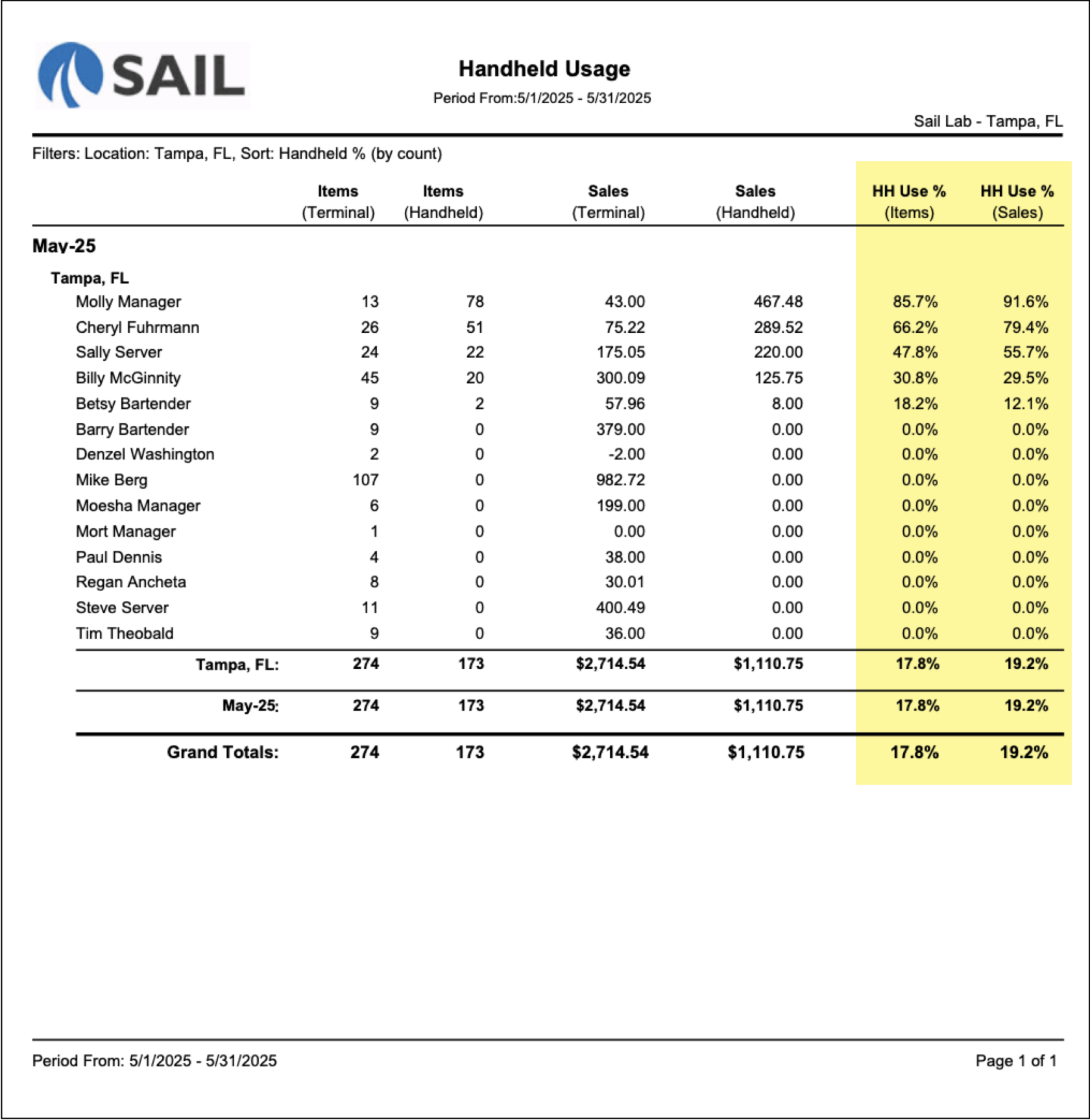
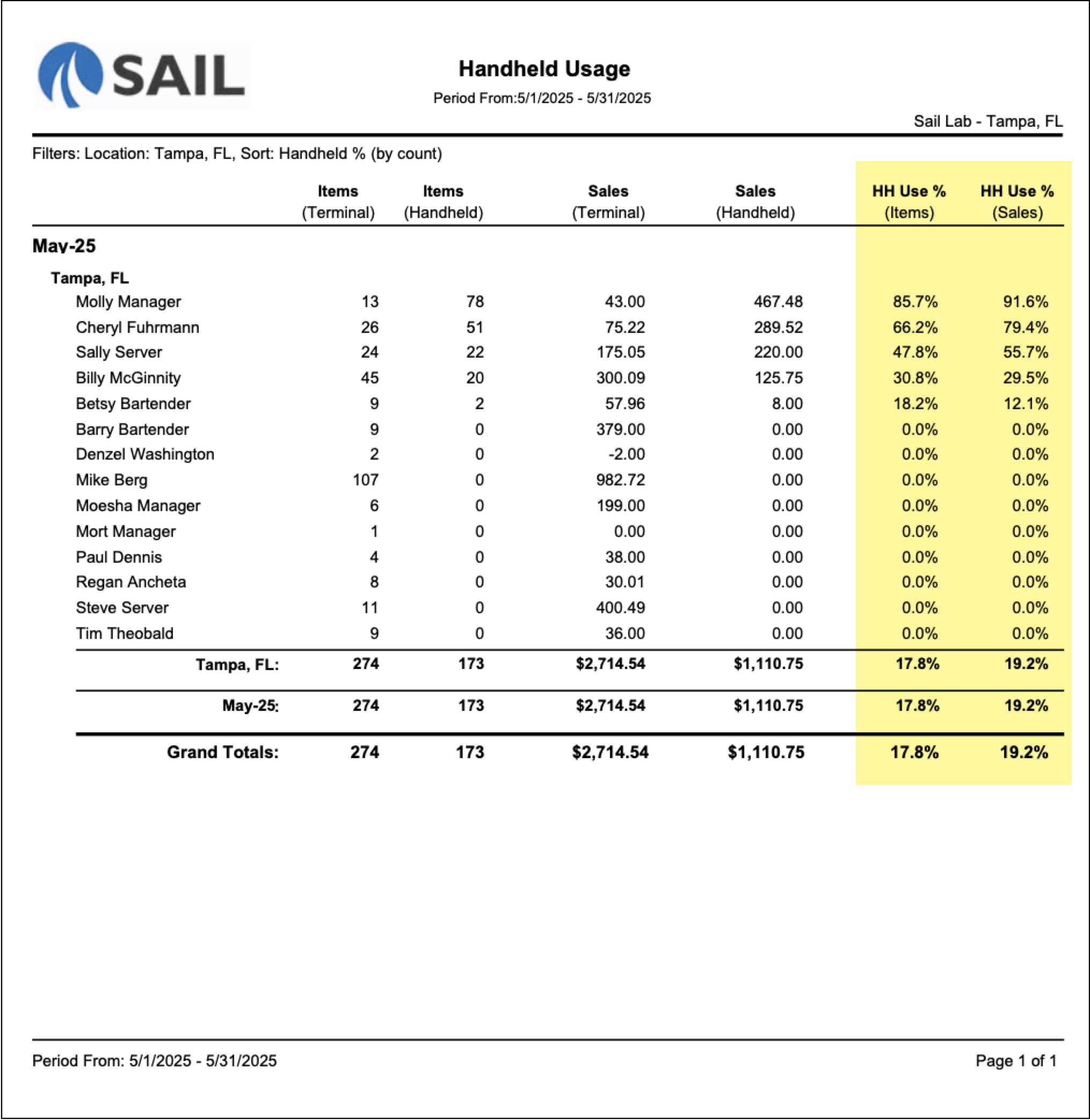
- A new Handheld Usage report has been added to help measure handheld adoption across your staff. The report compares employee sales activity between handheld devices and terminals, including item counts, sales totals, and handheld usage percentages.
- This makes it easier to identify which employees are actively using handhelds and track overall handheld usage within the location.
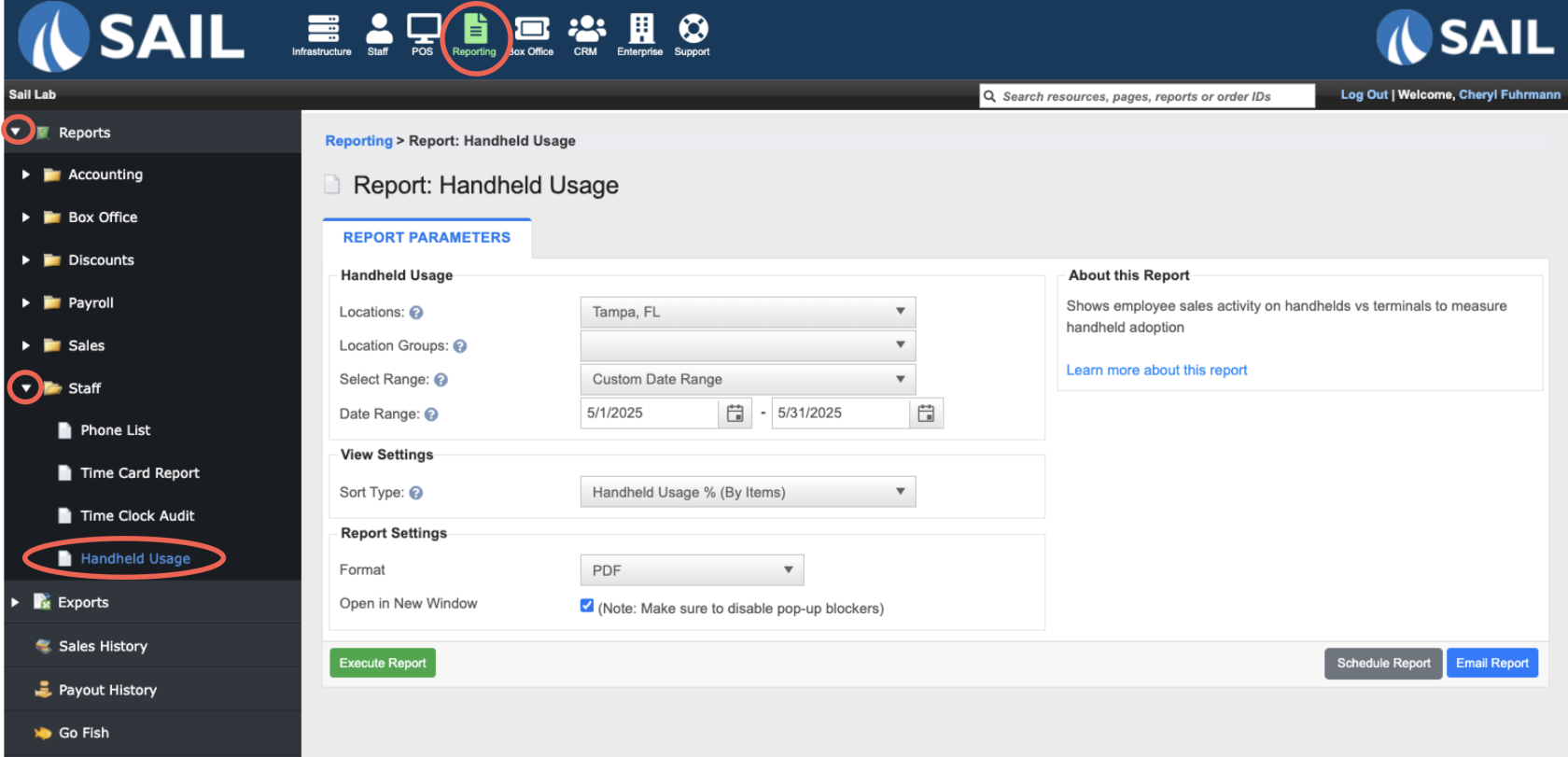
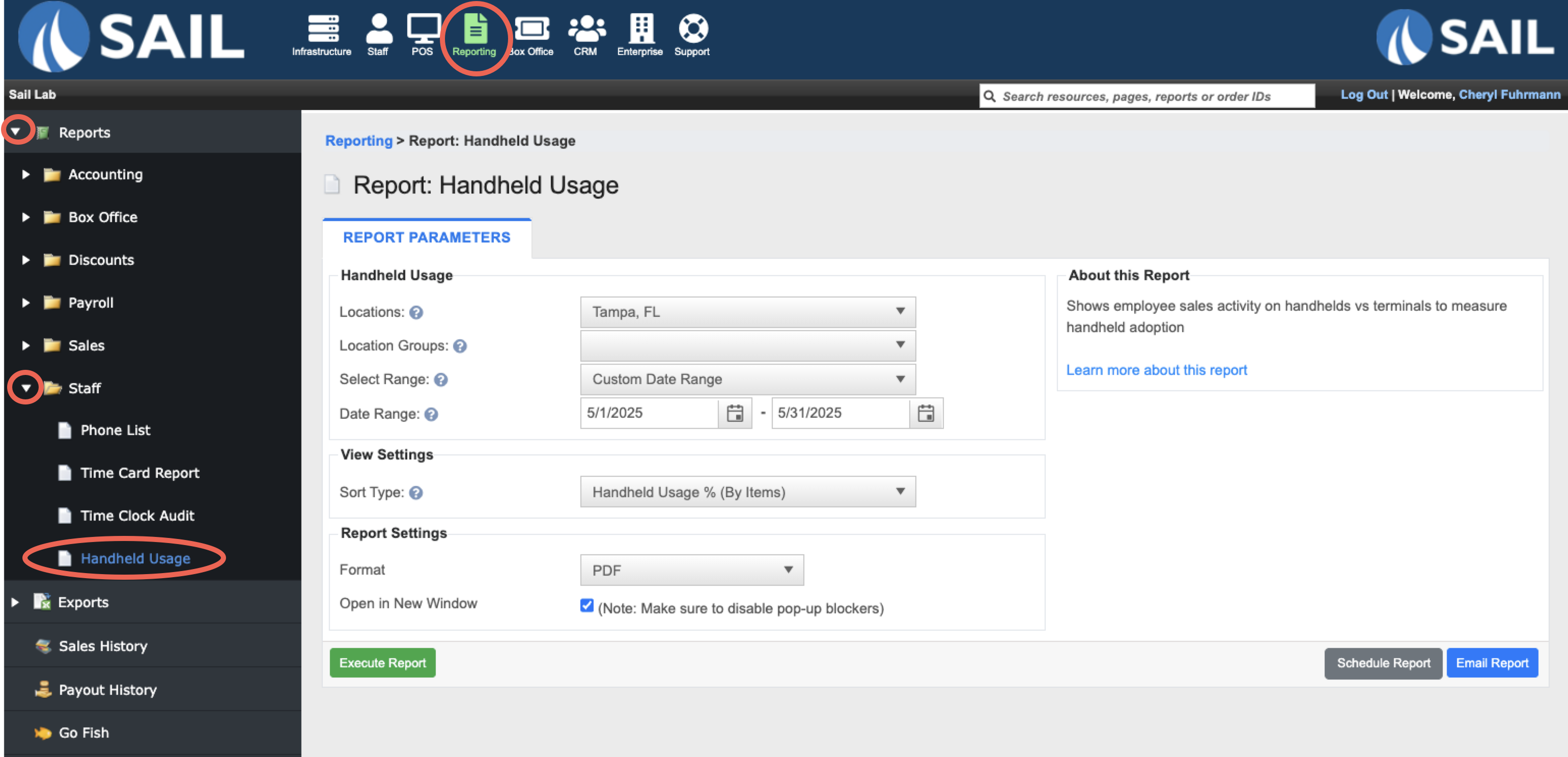
- To find the report log into Backoffice --> Reporting --> Reports --> Staff --> Handheld Usage
- Here is an example of what the report looks like
4. Optional Prompt Added for Early Clock-Ins
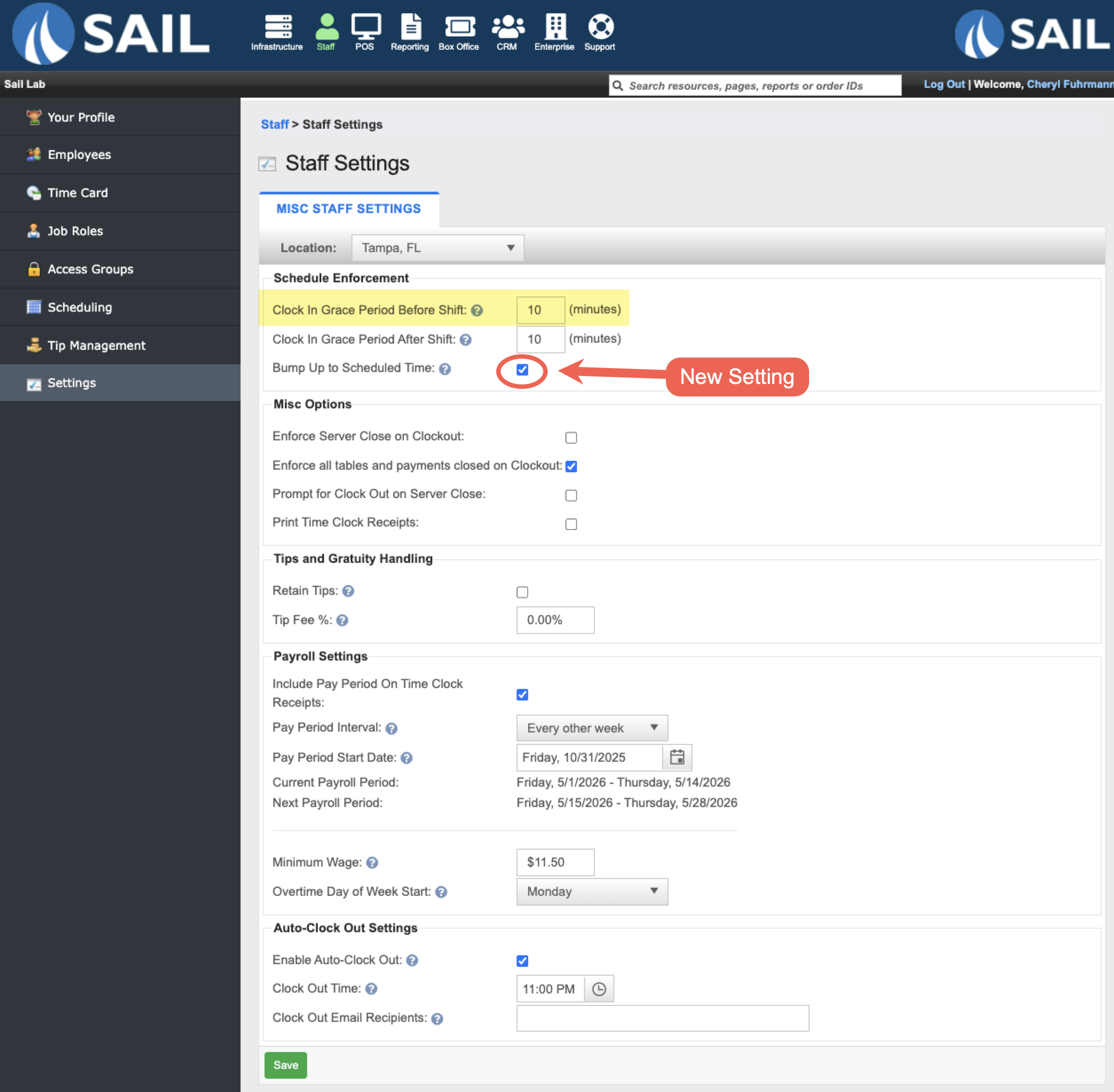
- A new setting called "Bump up to scheduled time" has been added to the Clock In Grace Period Before Shift option.
- When enabled, employees who clock in during the allowed early clock-in grace period will be prompted to choose whether to clock in at their scheduled start time instead of their actual clock-in time.
- For example, if an employee is scheduled for 4:00 PM and the early clock-in grace period is set to 10 minutes, they could attempt to clock in at 3:55 PM. Sail would then ask if they would like to be clocked in at their scheduled 4:00 PM start time.
- Selecting Yes clocks them in at their scheduled shift time, while selecting No cancels the clock-in attempt.
- If this setting is disabled, that same employee clocking in at 3:55 PM would simply be clocked in at 3:55 PM with no prompt displayed.
5. Customer Receipts Now Print Items in Order
- Items and modifier items on customer receipts will now print in the same order they were entered on the check. This provides a more organized and easier-to-read receipt experience for both staff and customers.
6. Backoffice Refresh: CRM Tab
- The next Backoffice update is now available in the CRM Tab
Fixes
- Fixed an issue where .jpeg images could not be uploaded for carousel media.
- Resolved an issue where the “Requires Manager” setting was not saving correctly on discounts.
- Fixed a problem where the duplicate check during gift card imports incorrectly reported duplicates even when none existed.
- Online Ordering checkpoints now properly respect the location’s closed schedule.
- Resolved an issue where auto logout could error if a dialog window was open.
- Fixed an issue where quantity counts were not decreasing correctly when modifiers were included.
- Online Ordering inventory now updates properly when item quantities change.
- Corrected an issue that could occur when ungrouping a split item.
- Improved overall speed and responsiveness when working with modifiers.
- Automatic gratuity now displays correctly on credit card vouchers.
- Fixed an issue where running a second server close could cause duplicate tips to appear on payroll reports.