
Release 2026.7.2 "Trojan Horse"
Notes: This release consists of 5 New features and Improvements. Use the page navigation section on the top left of this screen to jump between the features you'd like to read about.
**This release will NOT require a handheld update**
**This release WILL require a handheld update to version 2026.7.2**
If you would like any additional information or help setting up any of these new features, please contact support at:
Support@ingageit.com or call (612) 861-5277
Improvements
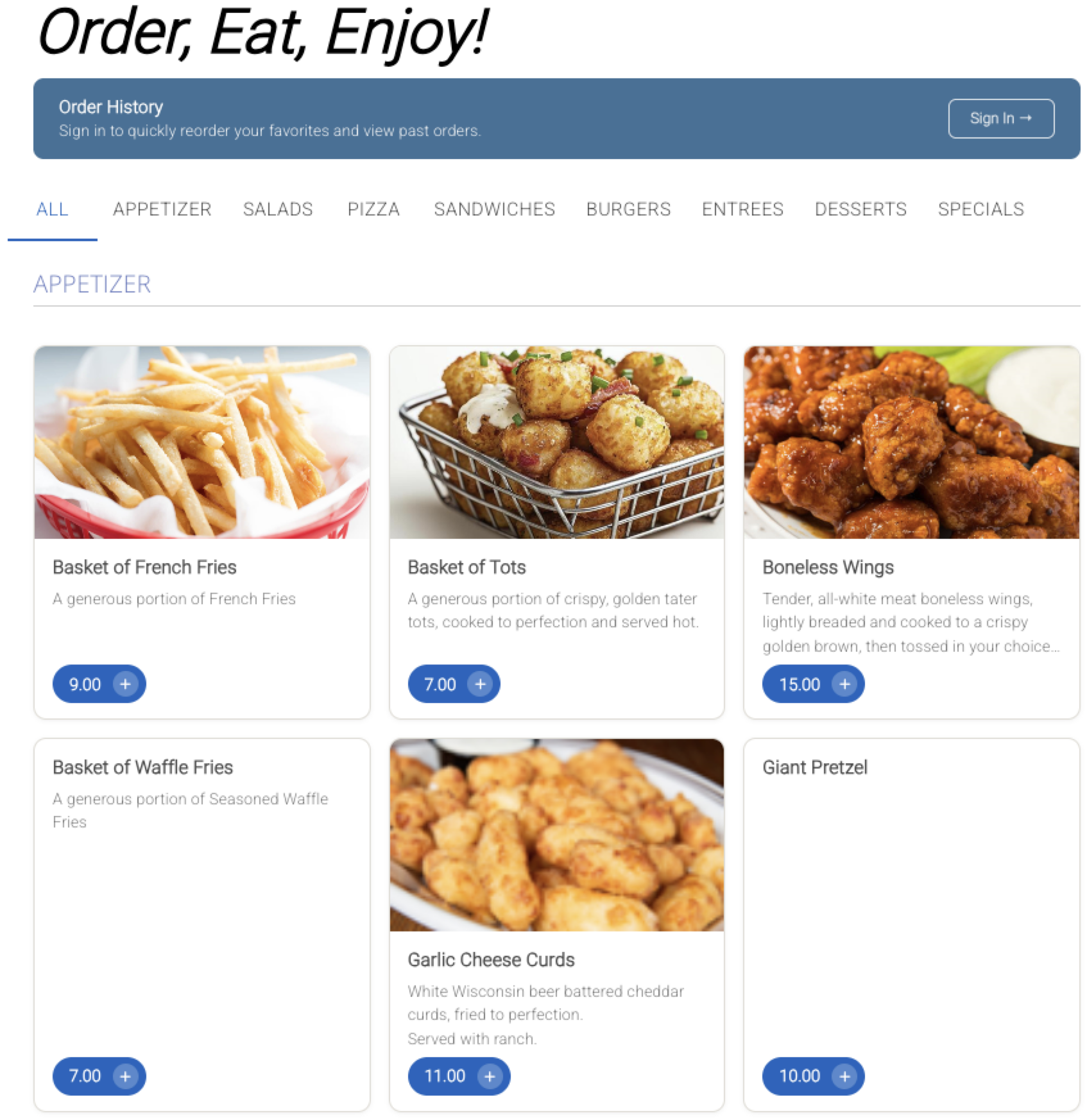
1. Two New Online Ordering Menu Themes
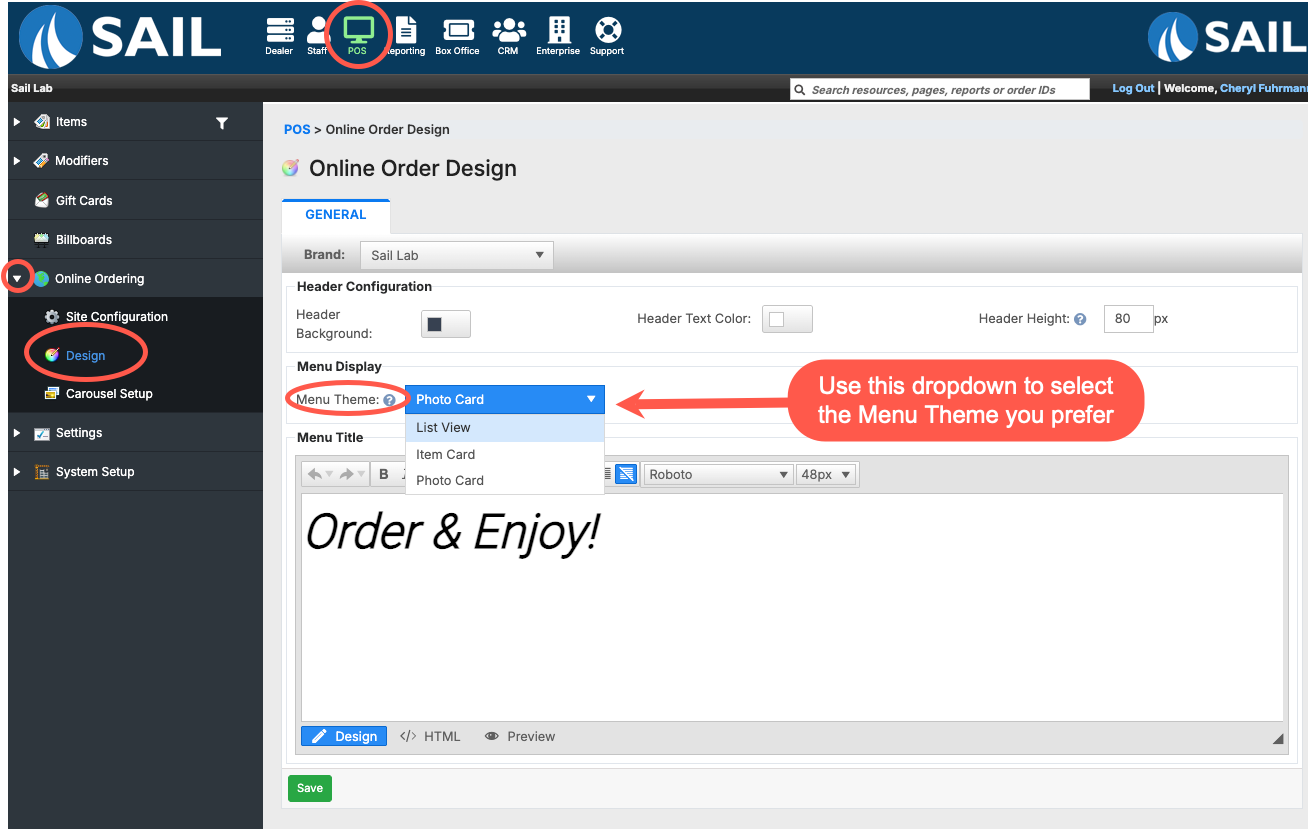
- List View (previous default)
- Two columns
- Description area grows to fit the full description
- Smaller photo
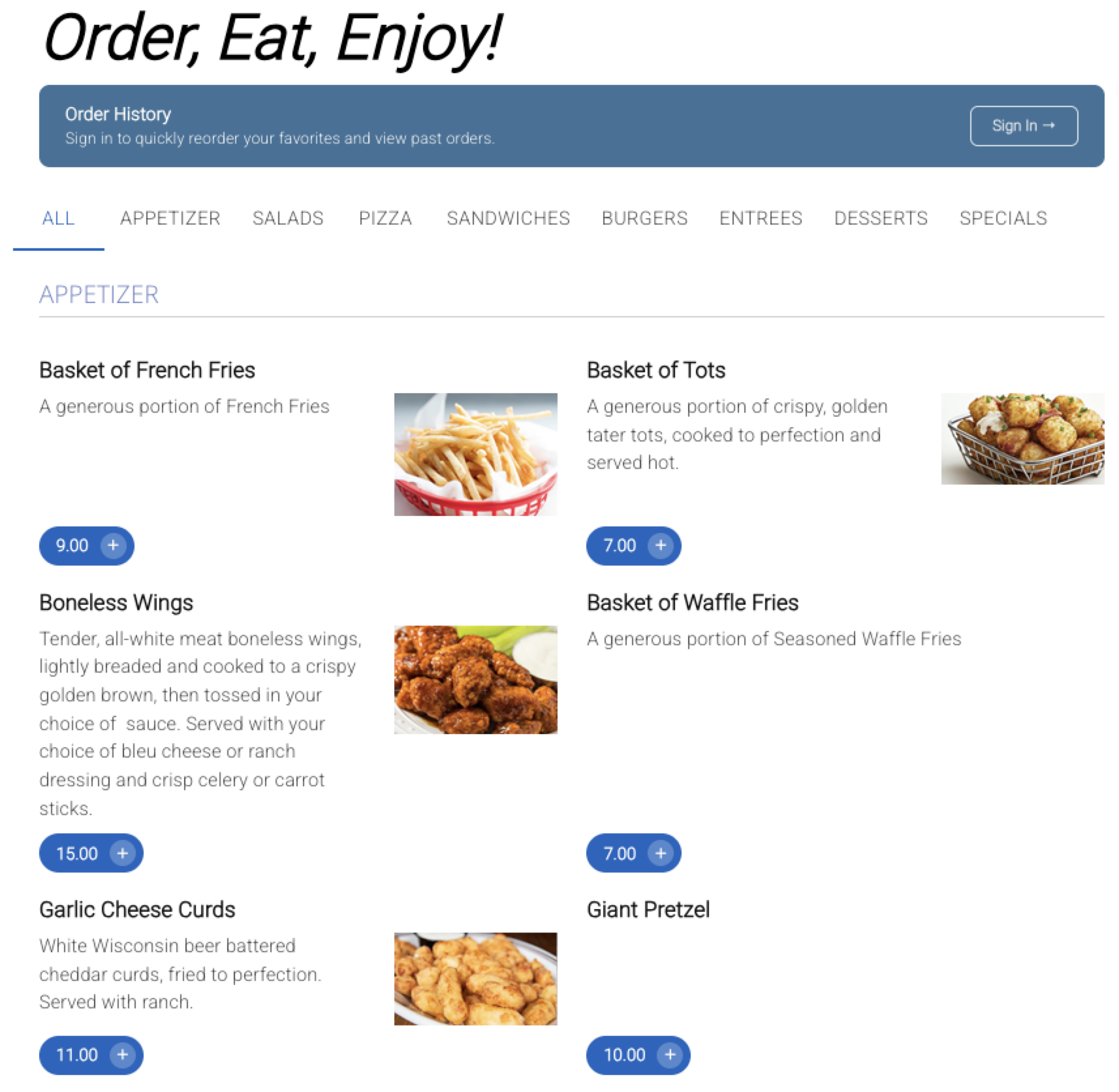
- Item Card (new default)
- Two columns
- Descriptions display up to two lines before showing an ellipsis (...) so guests know there is more to read when they click in
- All item cards are the same size, creating a clean, uniform appearance
- Larger photo on the right side of each item
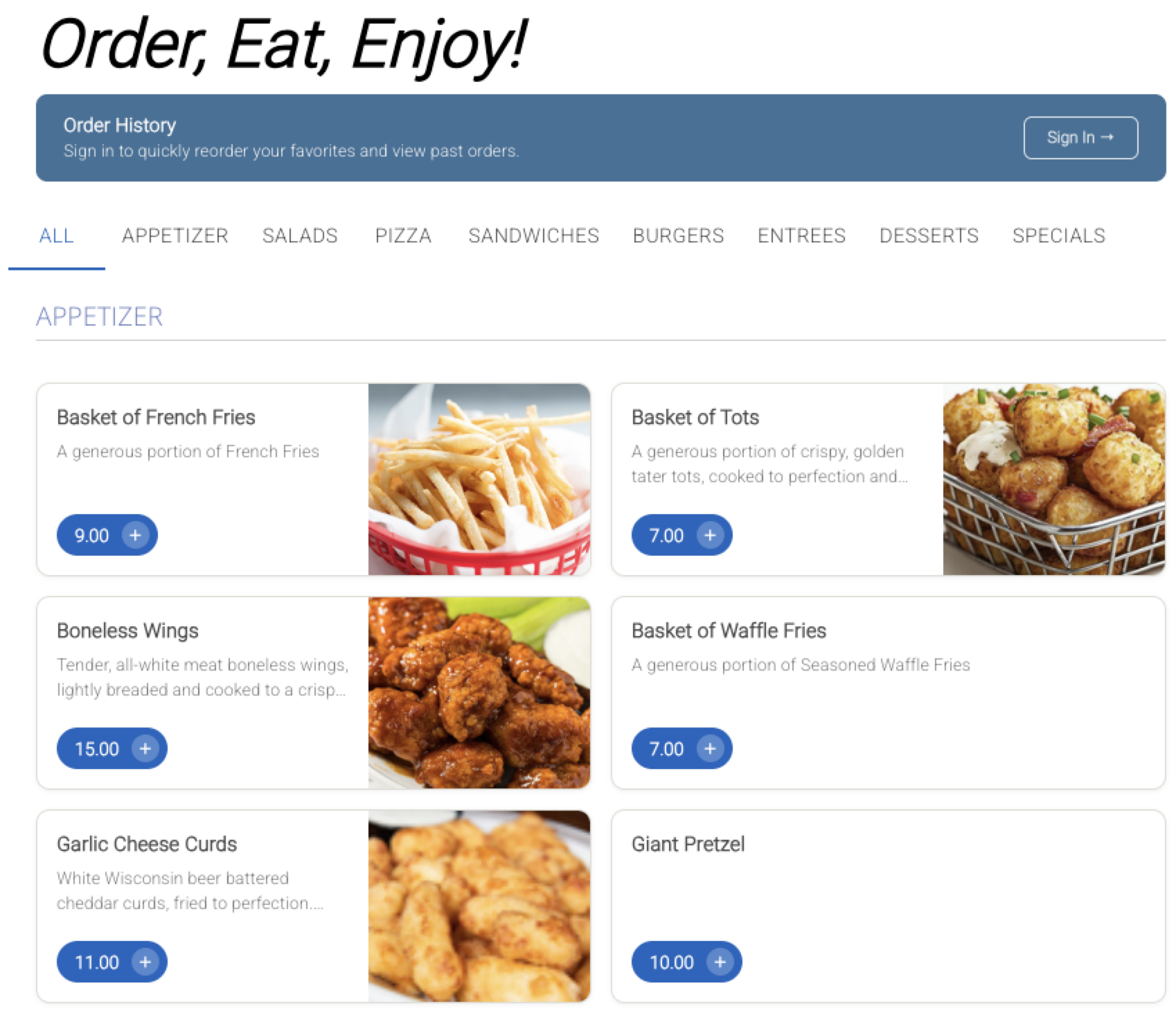
- Photo Card (new)
- Three columns
- Descriptions display up to three lines before showing an ellipsis (...)
- Cards in the same row stay the same height for a consistent layout
- Photo is the main focal point at the top of the card
Fixes
- Fixed an issue where occasionally one item on a KVS ticket would not appear, even though it was sent to the kitchen with the rest of the order.
- Fixed an issue in the POS tab item filter where selecting "Inactive" items would expand the entire item list instead of only the category currently open.
- Fixed an issue where cook time percentage location overrides were not being applied. The system was only using the default setting instead of the location-specific one.
- Fixed an issue where pressing and holding on the Table View or Order View screen would sometimes ring in an item in the background unintentionally.
- Increased the Offline Credit Card reconciliation timeout from 2 minutes to 30 minutes.
- Fixed an issue where item filters were not functioning correctly when used with Rewards.