
What does Toggle Price Levels mean?
BeingThis written.document explains what Toggle Price Levels on the terminal's Functions screen means, and when you would use it.
What Toggle Price Levels means
A price level is a set of special prices, such as a happy hour or a game-day special. Most price levels turn on and off by themselves, on the days and at the times set for them in Backoffice.
To toggle a price level means to turn it on or off by hand, right from a terminal, instead of waiting for its schedule. Toggle Price Levels is the button on the Functions screen that does this.
When you would use it
Toggle a price level for a deal that doesn't start at the same time every day, so a manager starts and stops it when it happens. For example:
- Game-day special: drinks are $1.00 off every time your team scores. A manager turns the price level on when they score and off when the special ends.
- Band night: a drink special that runs while the band plays. A manager turns it on when the show starts and off when it's over.
What happens when you turn one on
- It's on for every terminal, not just the one you tapped it on.
- It stays on until someone turns it off.
- It still changes prices only on the days and times set for it in Backoffice, and between its Start Date and End Date, if it has them. If you turn it on outside its dates, the terminal says prices will not change.
- Turning it on or off on the terminal is the same as the price level's Active switch in Backoffice.
Which price levels are on the list
When you tap Toggle Price Levels, the terminal lists the price levels you can toggle. Each one shows On or Off, so you can see whether it's on right now.
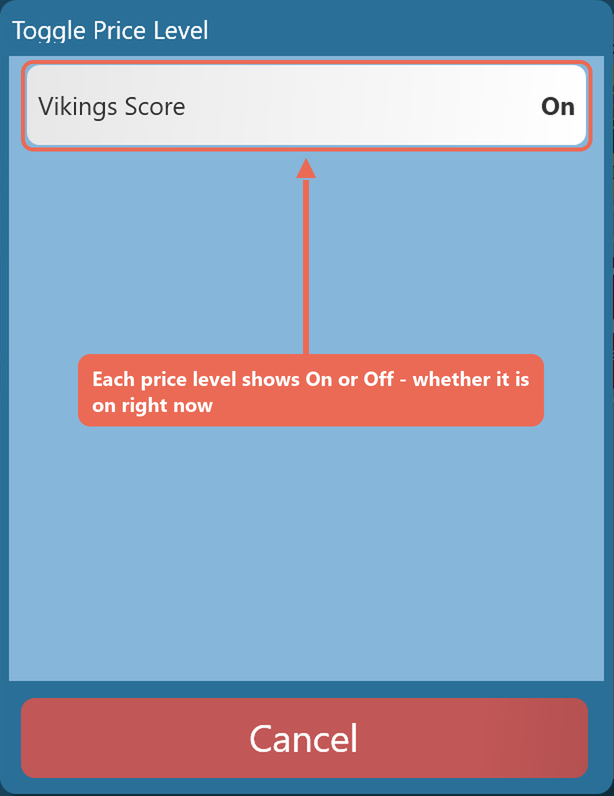
Only price levels with Can Quick Toggle turned on are on the list. It's set on the price level in Backoffice --> POS --> Settings --> Price Levels.
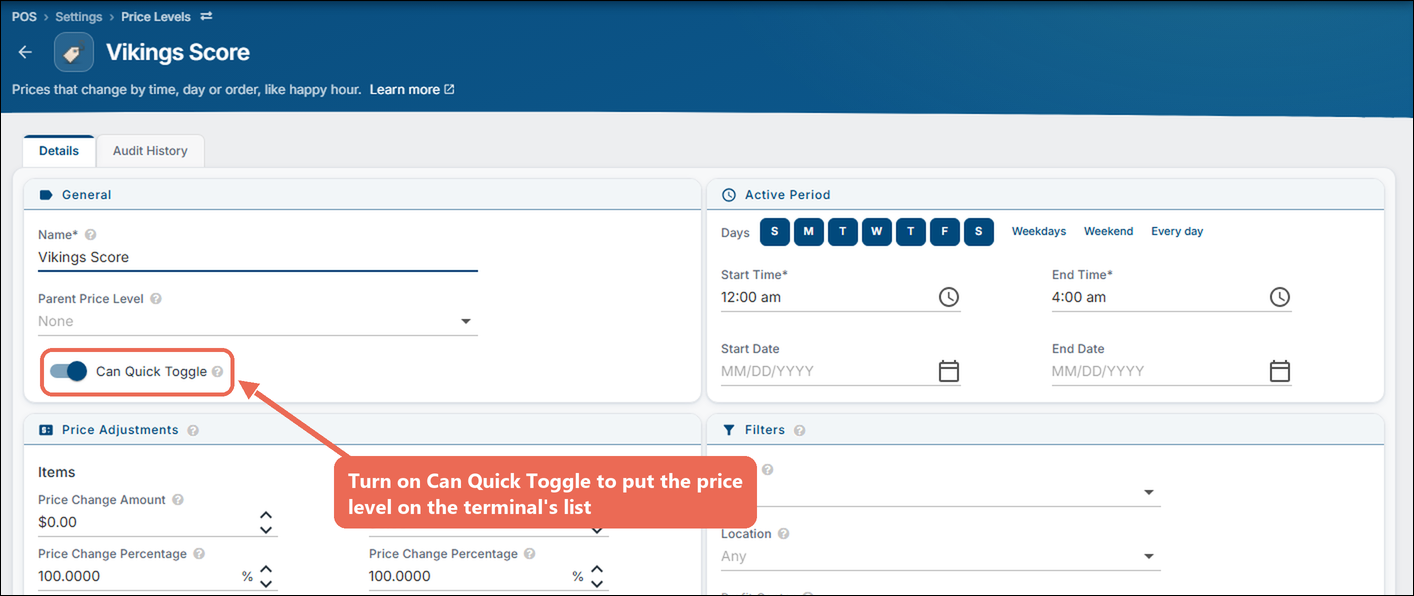
Note: If no price levels have Can Quick Toggle turned on, the terminal says "There are no price levels configured for Quick Toggle. Please contact management".
Who can use it
Only staff whose job role has the Toggle Price Levels permission see the button on the Functions screen - usually managers.
Learn more
Click here to learn how to turn a price level on or off on a terminal
Click here to learn how to create a price level in Backoffice