Example Customer Account Payment in Backoffice and Reporting
This document will show you what it looks like when a customer has a balance on their account and they come in to make a payment towards their account
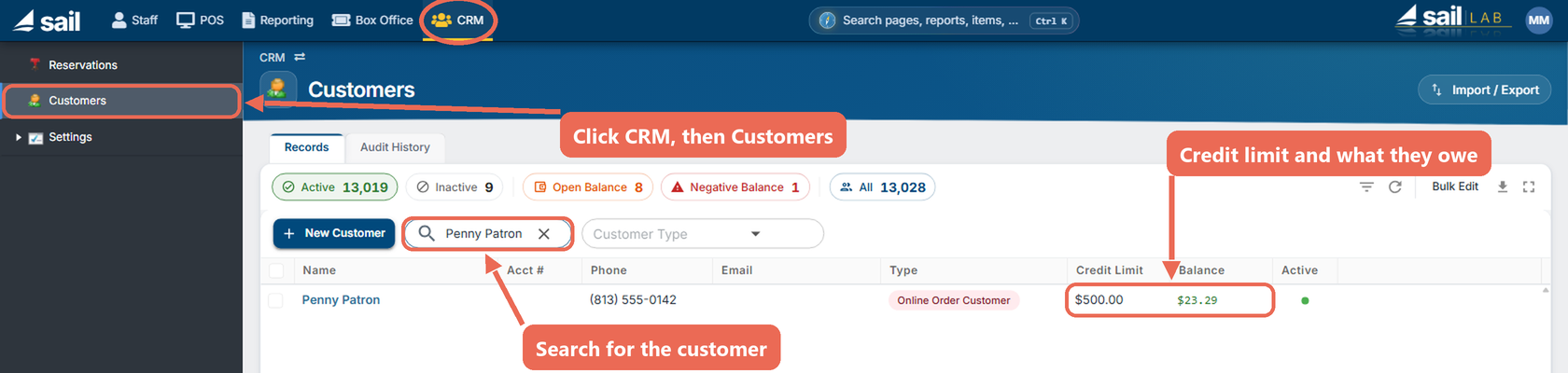
Backoffice --> CRM --> CustomersFindSearch for the customer you are looking for
You will notice here that BarryPenny BondsPatron has a credit limit of $500 and an account balance of $3023.29

If you clickClick the pencil next to Barry'customer's name to see more details
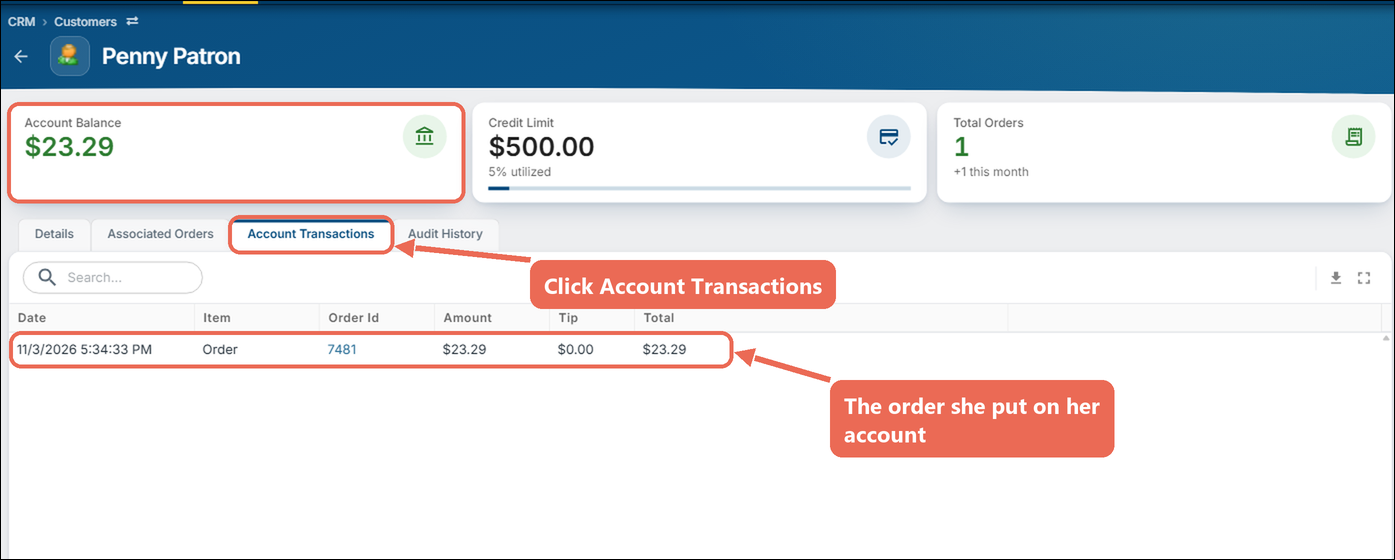
On the "Account TransactionsTransactions" tab"tab you will see all of hisher previous orders and previous payments.
In this situation it looks like heshe has been in a couple timeonce and put ordersan order on hisher account, and has also made a couple payments before, but still hasn't paid offit hisyet. entireHer balance.Account Balance shows at the top.

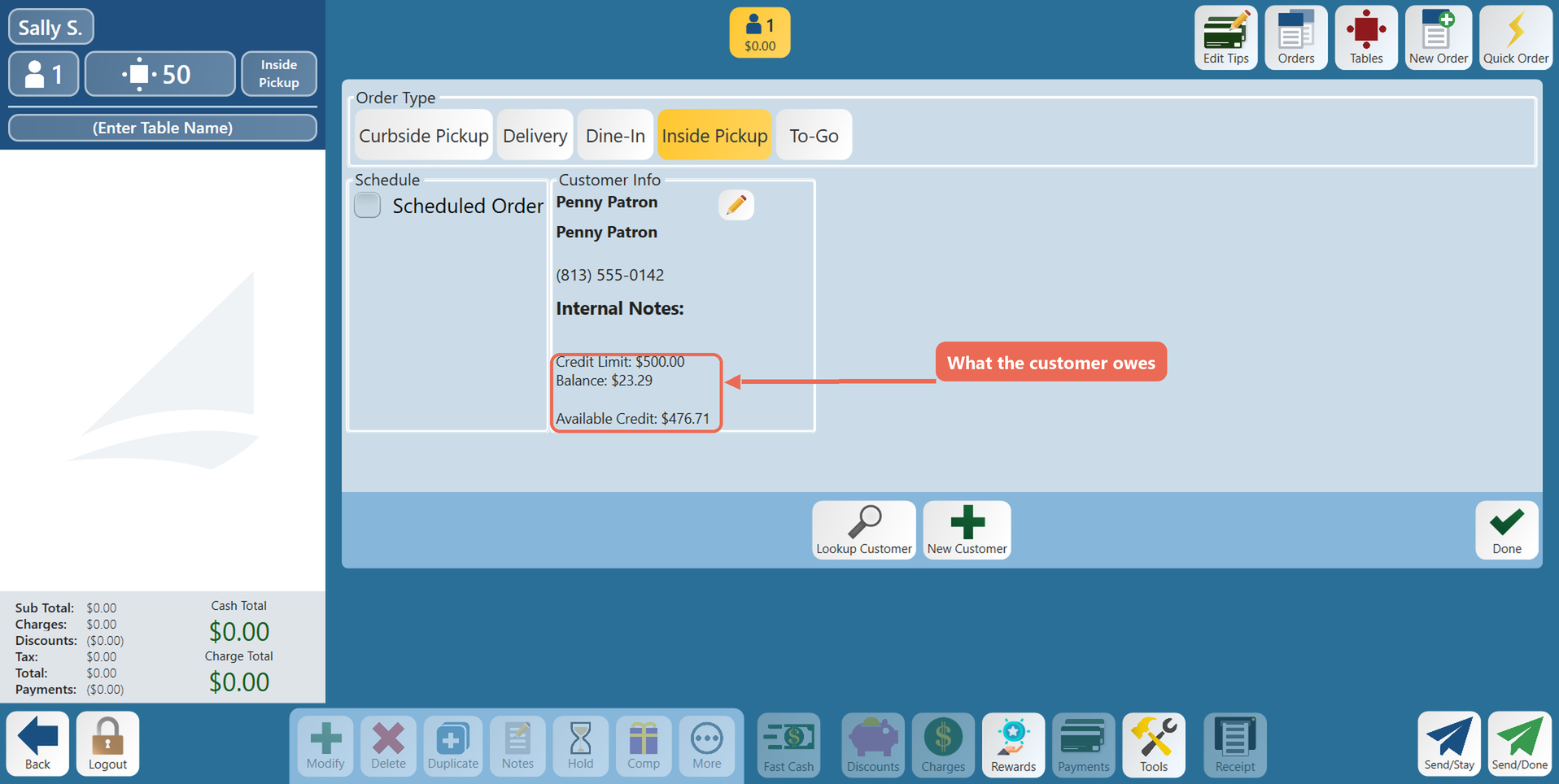
Next on the Terminal, I am going to lookup BarryPenny Bonds,Patron, and attach himher to this order. Click here to learn how to attach a customer to an order.
Here you will see that isit shows the balance of $30.23.29. So you know how much this customer owes you.

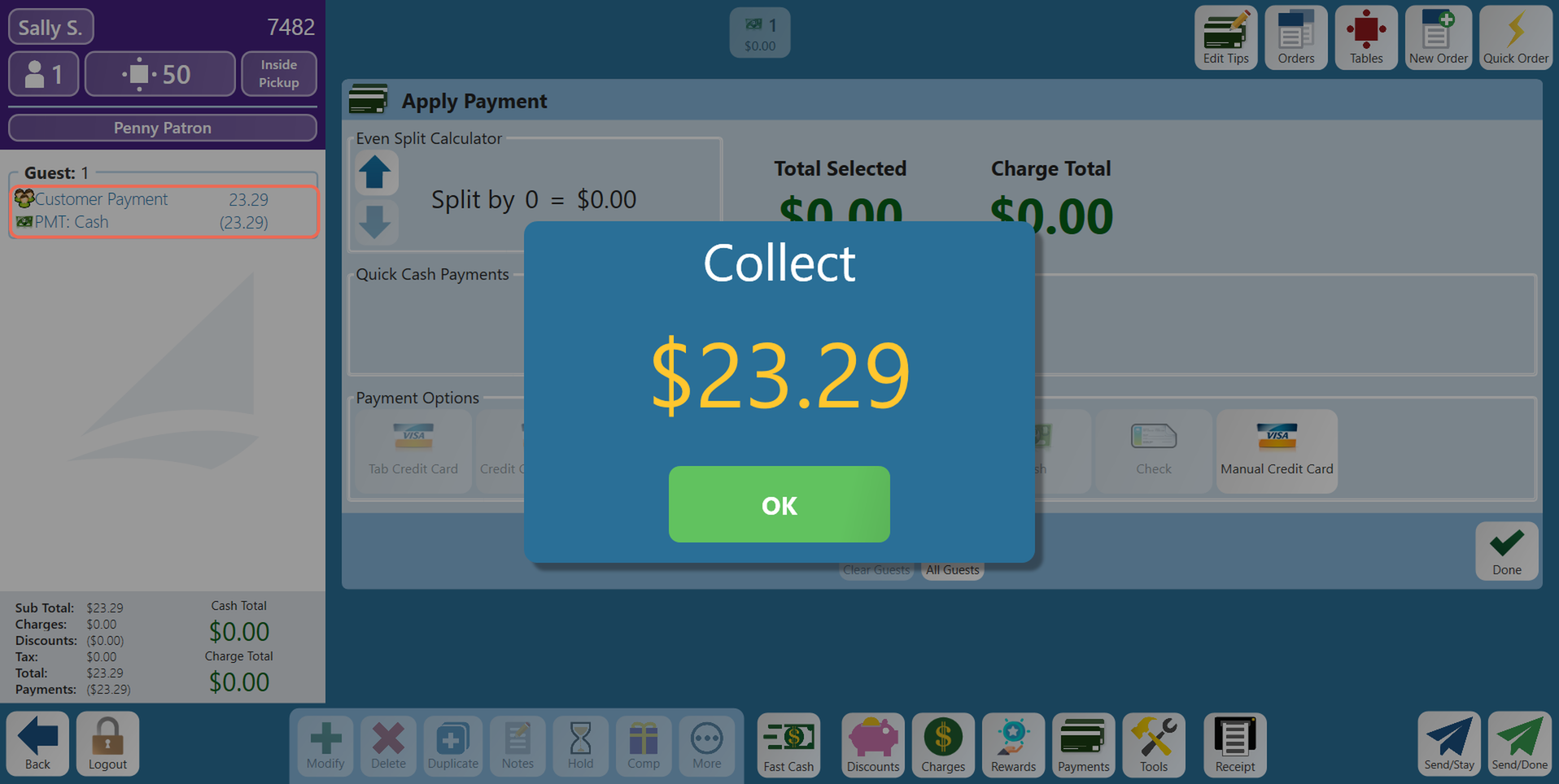
Use the "Customer Payment" button on the Charges/Misc tab to apply a payment towards her account (your store may call it "Account Payment" or "House Acct Paid in"In"). buttonType tothe applyamount ashe paymentis towardspaying hisand account
tap Enter.

Pay for it like normal, with cash or credit

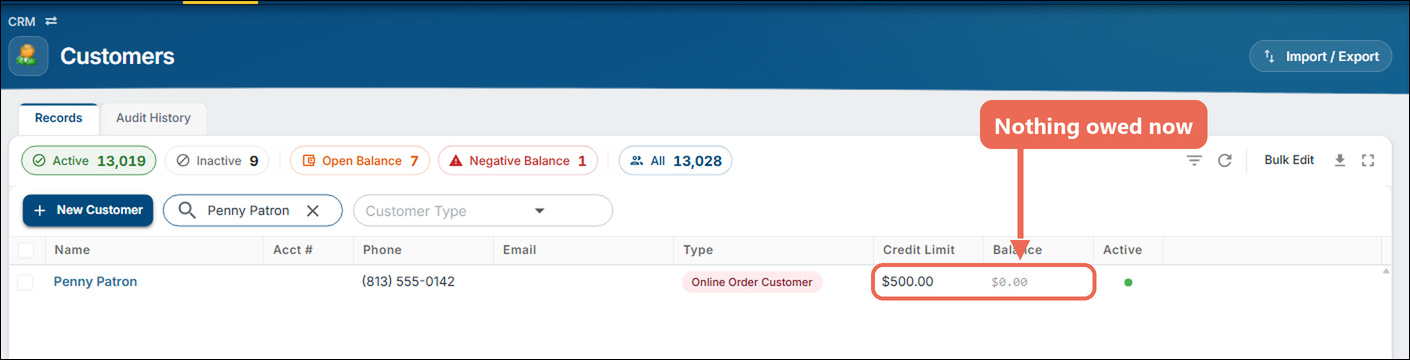
Now, when you go back to Backoffice and search for BarryPenny again you will see that heshe no longer has an account balance

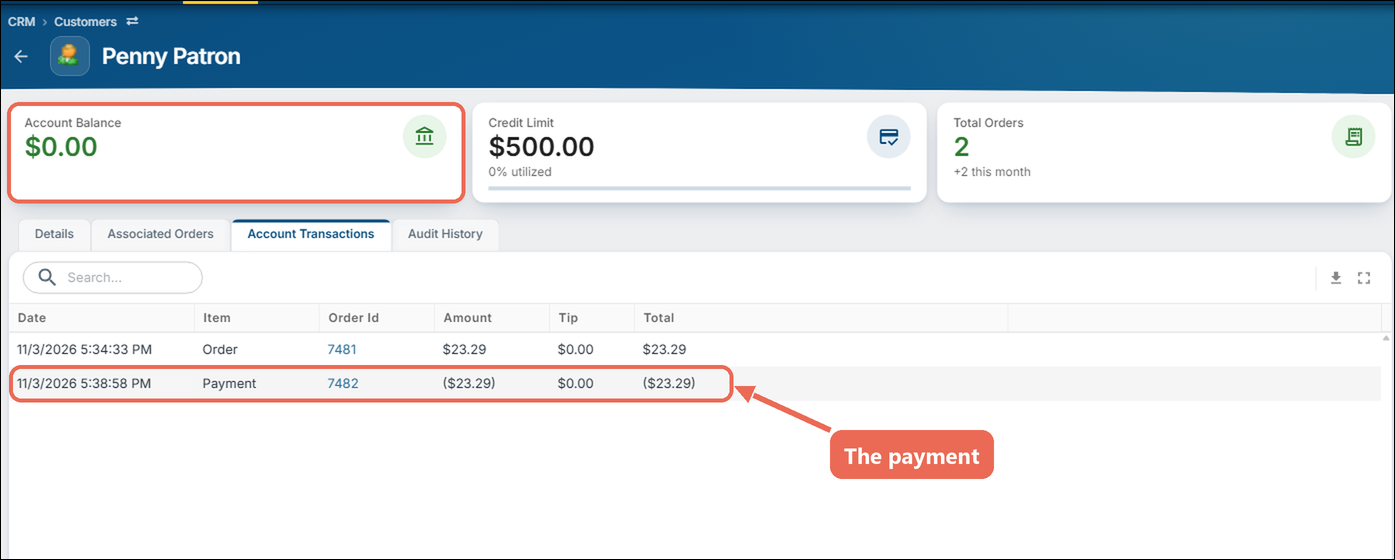
And when you go to the "Account Transactions" tab you will see the final $3023.29 payment to pay off hisher balance

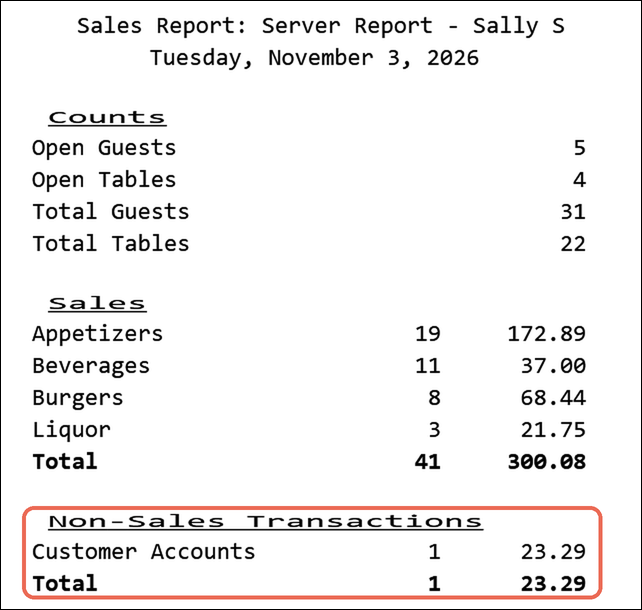
Here is what it looks like on athe serverserver's report:report (on the terminal: Functions --> Server Report):
The AccountCustomer paymentPayment button uses the reporting group "Payments" and is a Non-Sales Transaction.
So you can see the $3023.29 payment in the Non-Sales TransactionTransactions section.section, under the button's reporting group (here "Customer Accounts").
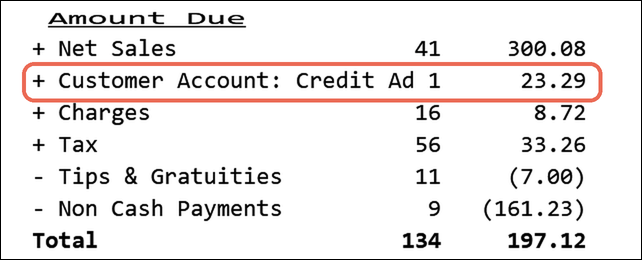
You will also see the"+ "Customer accountAccount: payment"Credit Added" in the amountAmount dueDue section at the bottom, because you took a payment towards that account