Example of putting an order on their customer account in Backoffice and Reporting
This document will show you what it looks like when a customer puts their bill on their customer account to pay for at a later date.
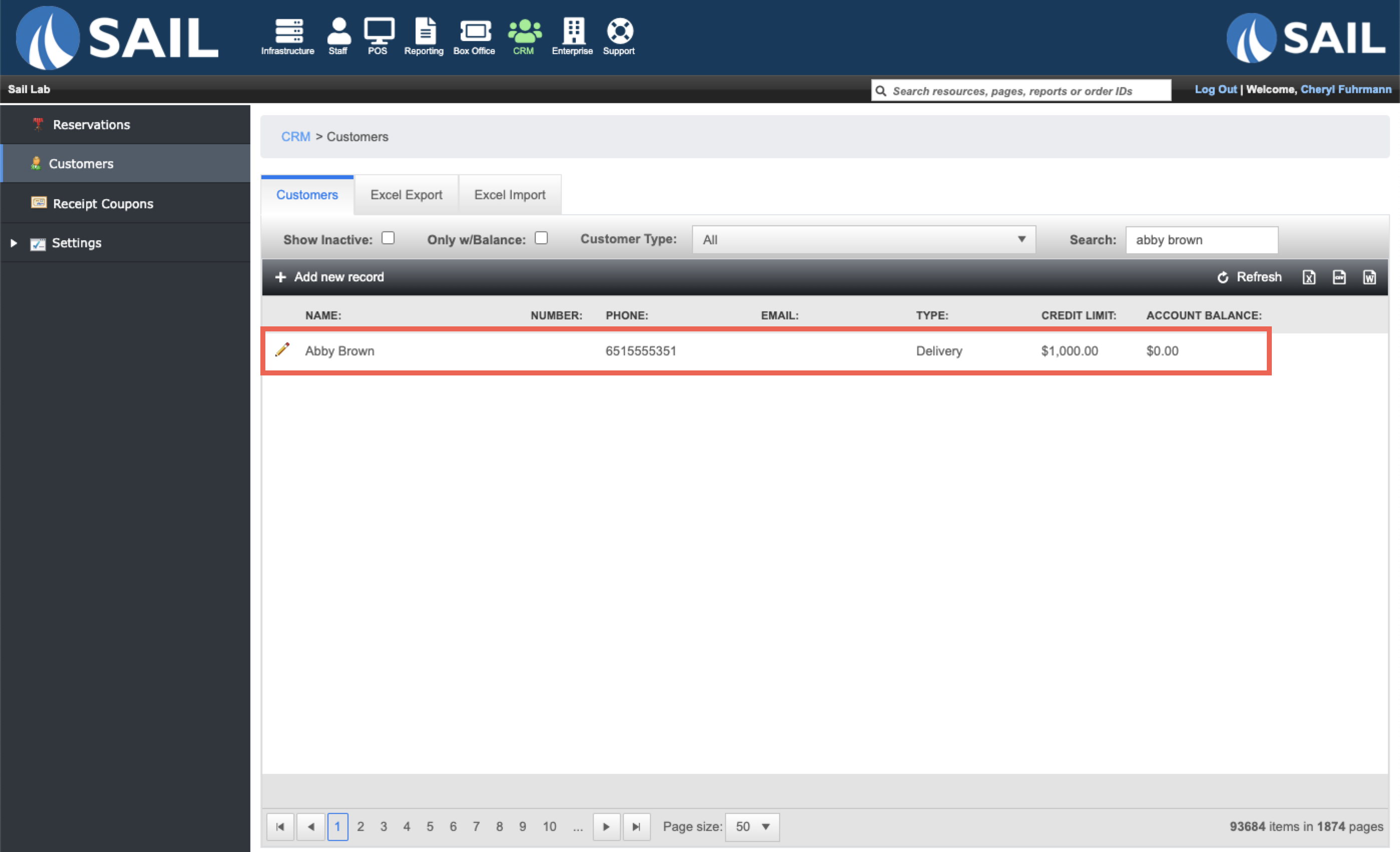
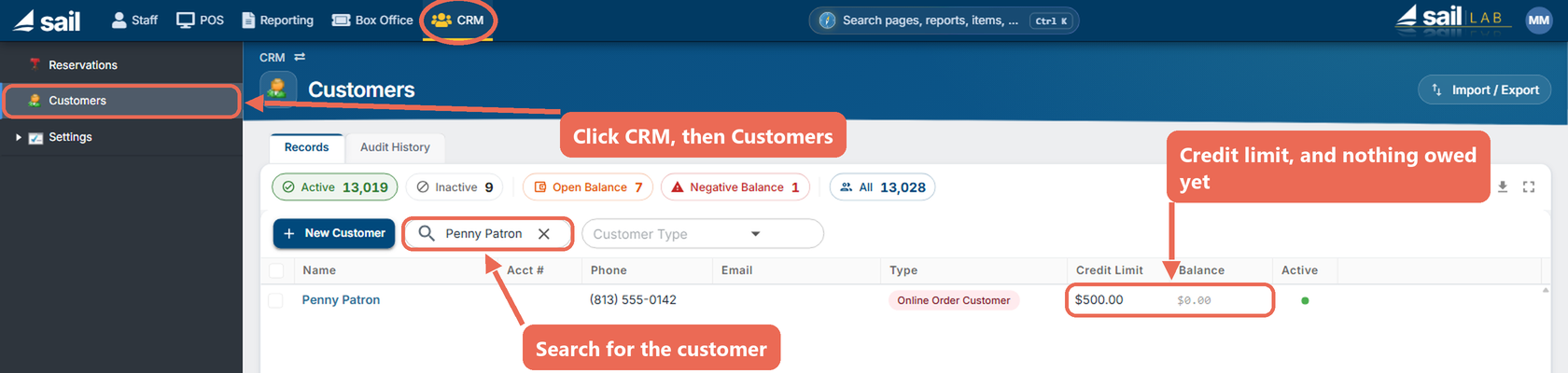
Backoffice --> CRM --> CustomersFindSearch for the customer you are looking for
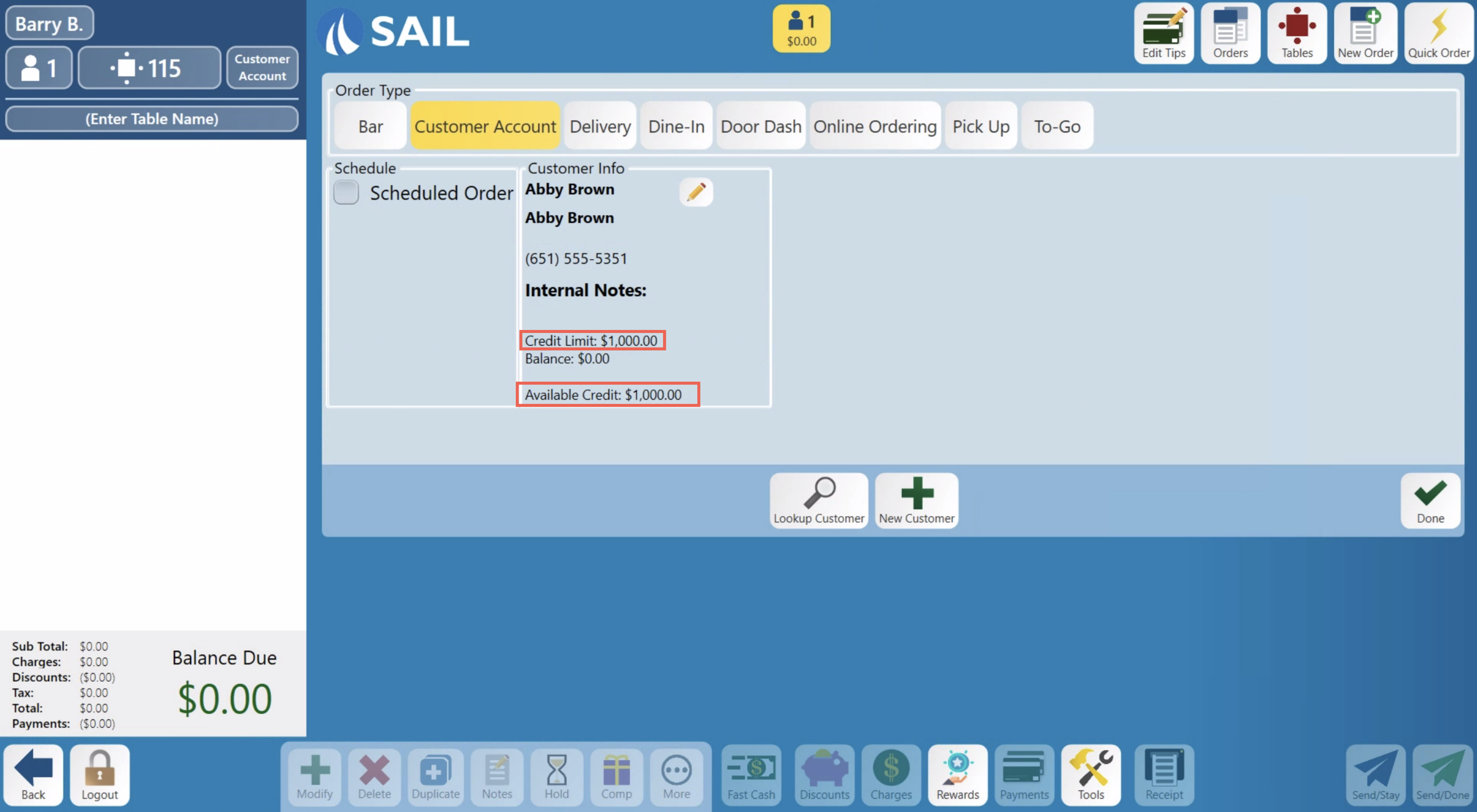
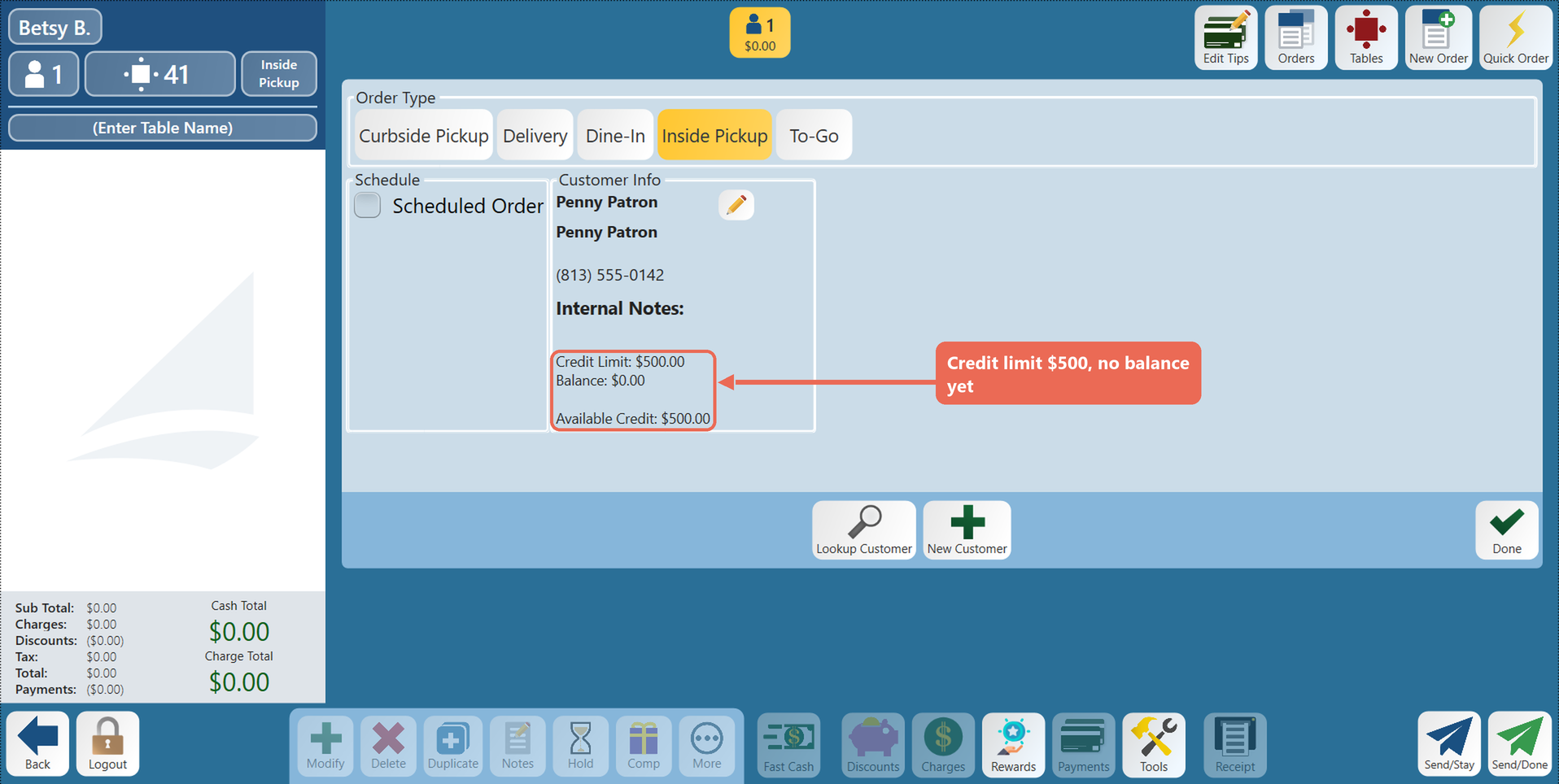
You will notice that AbbyPenny Patron has a credit limit of $1000500
This will allow her to spend up to $1000500 before the system stops her.
On the Terminal
Look up the customer and attach them to the order. Click here to learn how to attach a customer to an order.
You will see that AbbyPenny BrownPatron has a credit limit of $1000500 and no balance as of right now.
Ring in all the items for their event (as long as itsit's not over $1000)500)
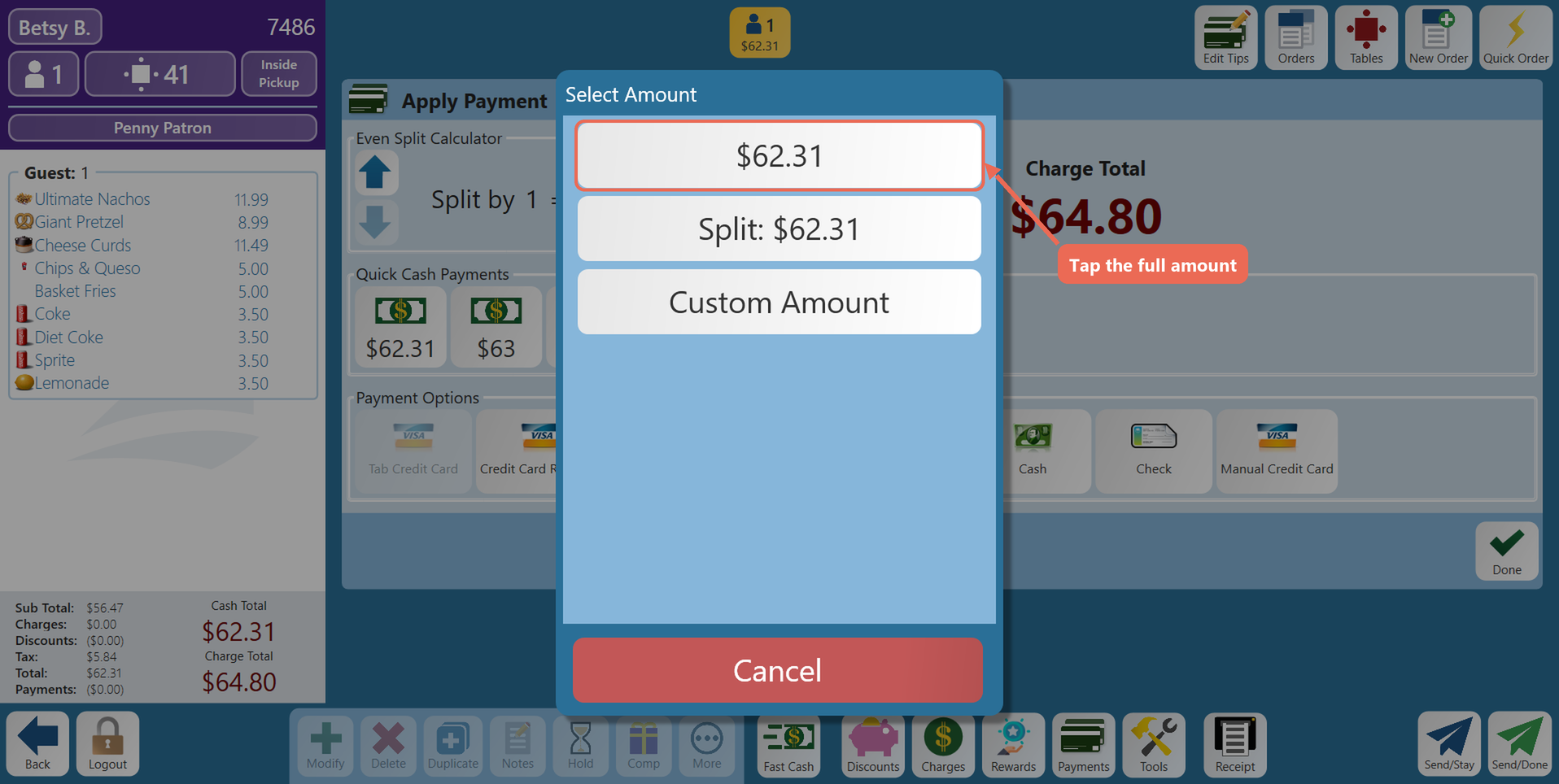
Then go to the payment screen and use the "Customer Payment"Account" tenderpayment typeoption to pay for this order.order (your store may call it "Customer Payment"). The customer's name shows under it.
This will put the full balance on the account and not expect you to collect any money for it at this time
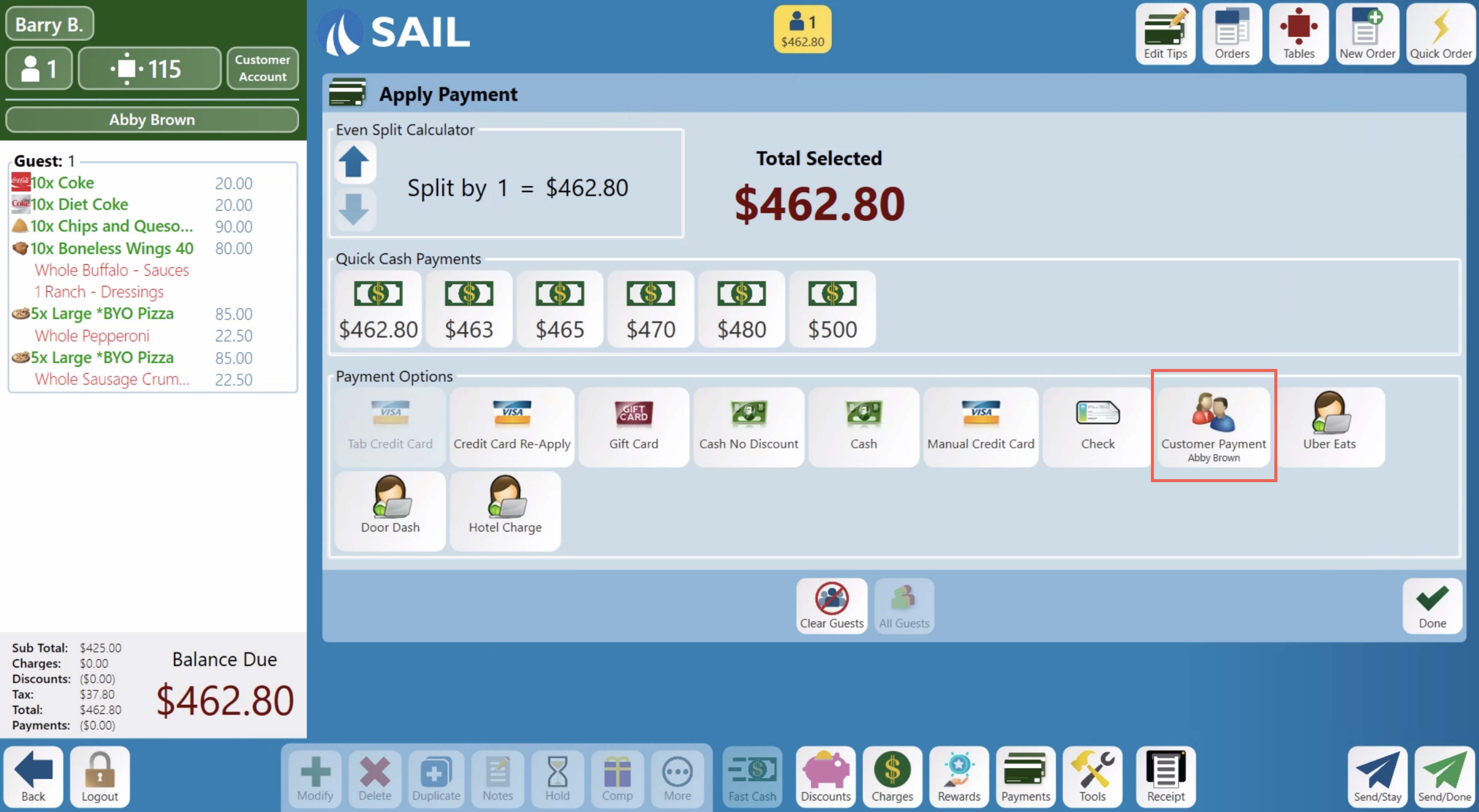
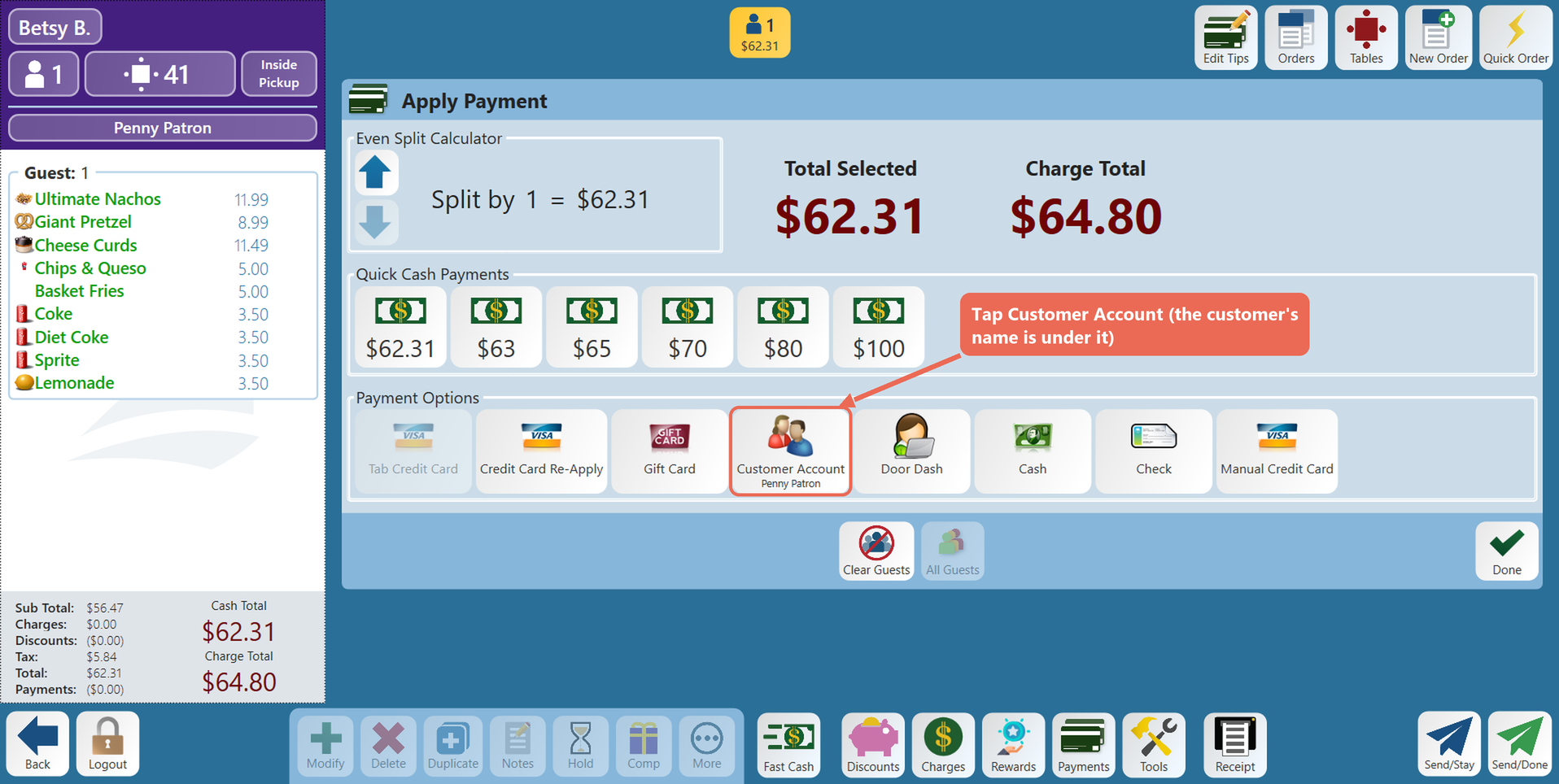
Tap the full amount of the order
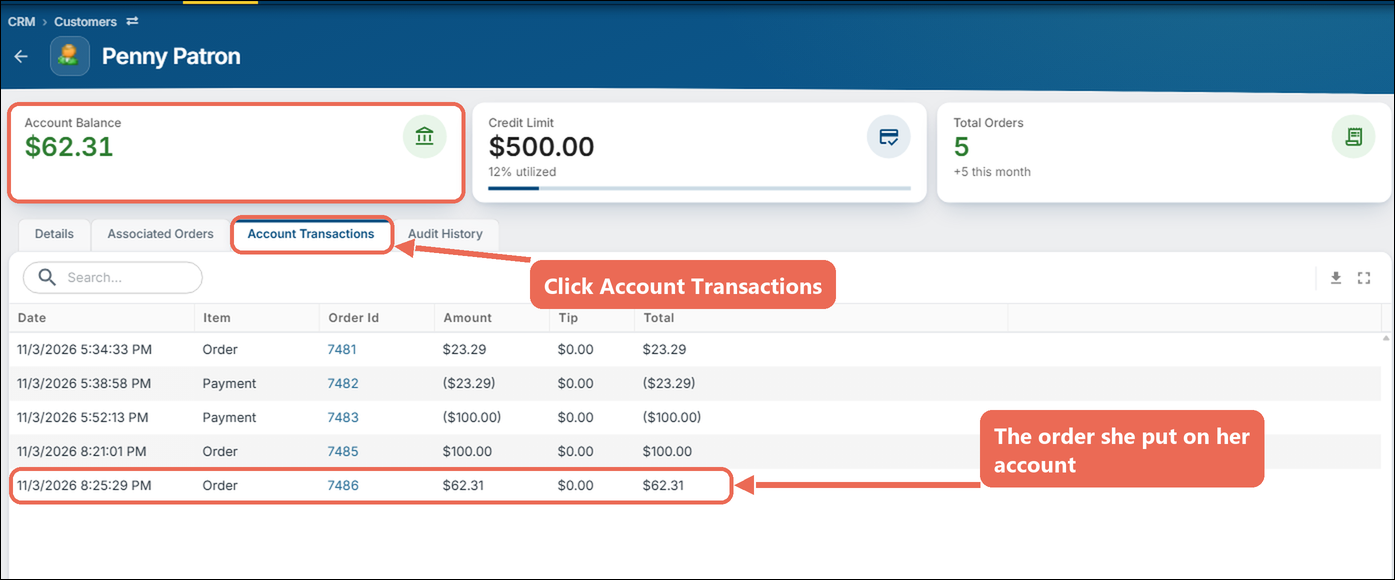
When you go back to Backoffice and look up the customer, you will see the that AbbyPenny now has a balance of $462.8062.31
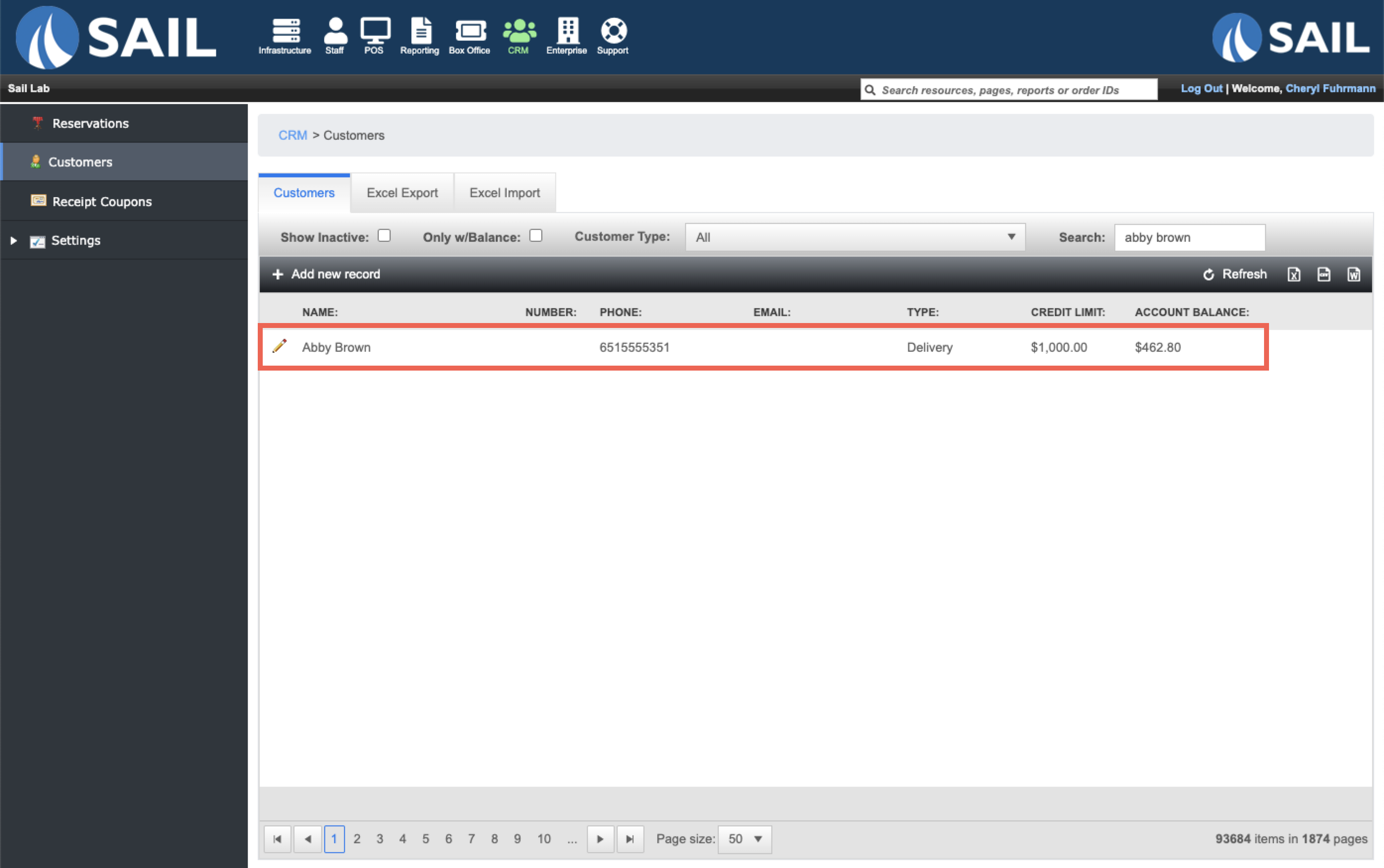
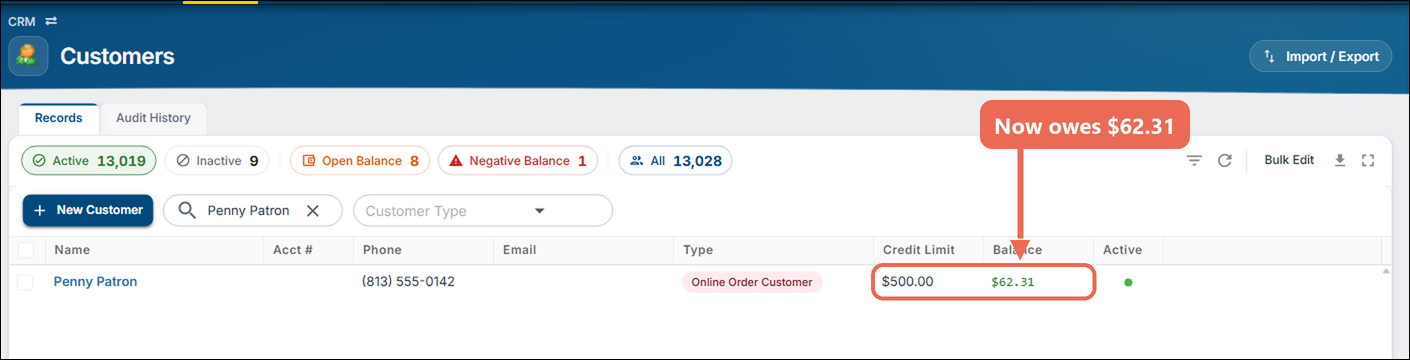
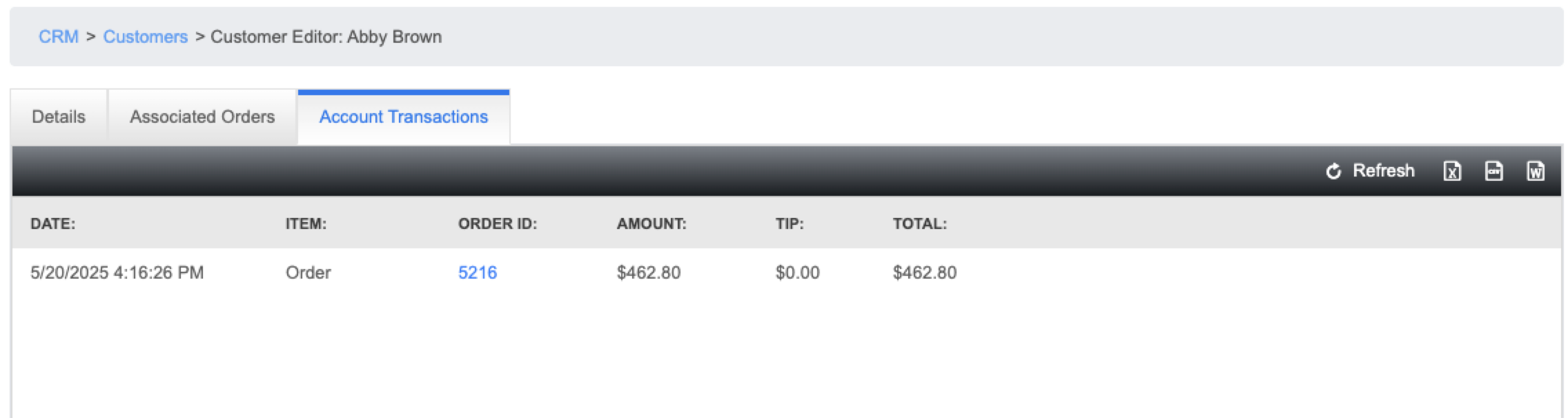
You can click on the pencil next to Abby'Penny's name to see more details.
On the "Account TransactionTransactions" tab you can see the order for the $462.8062.31. Her Account Balance shows at the top.
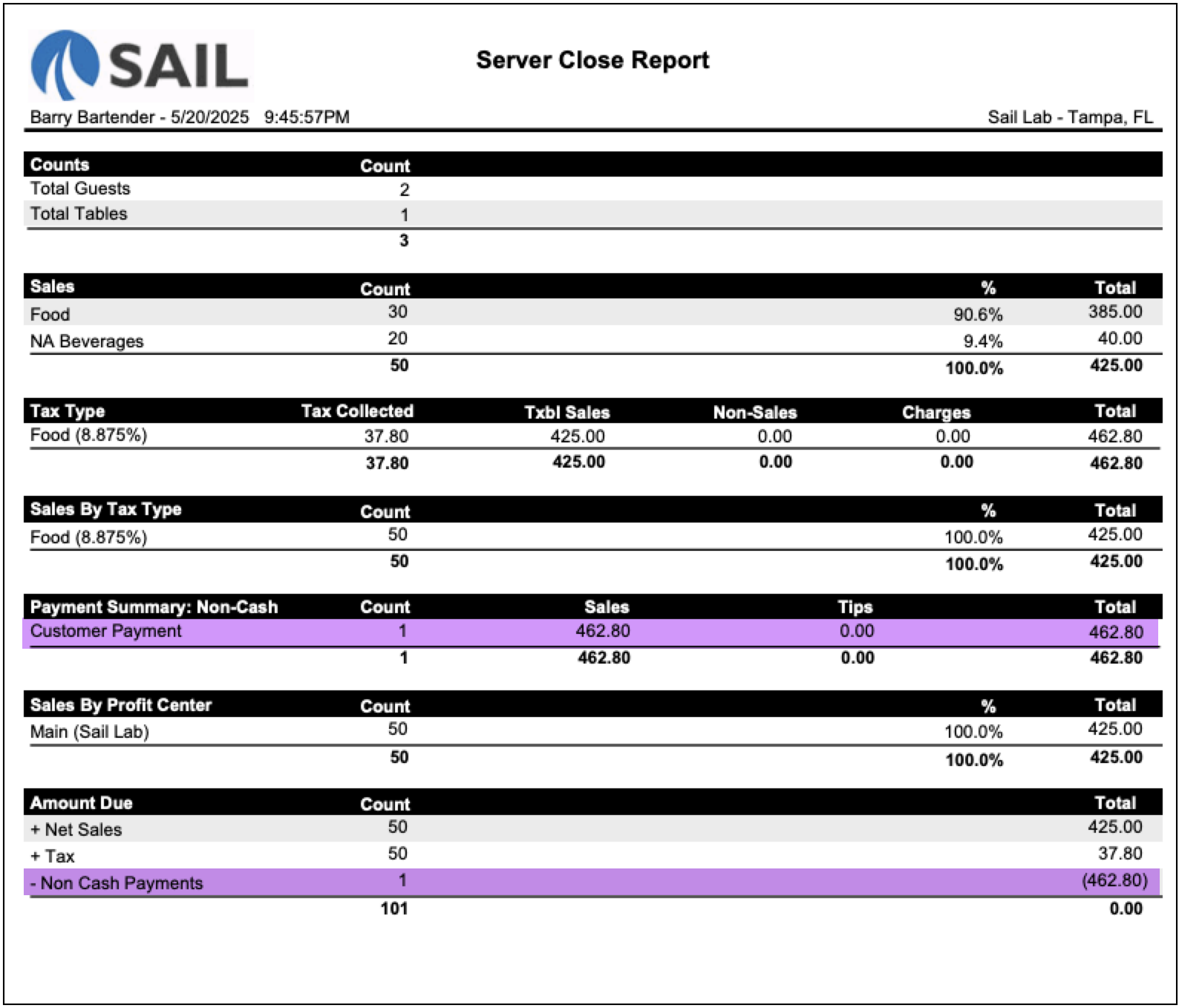
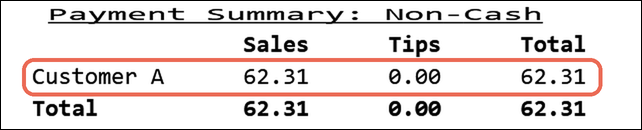
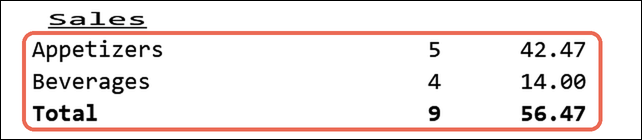
Here is what that looks like on athe serverserver's close:report (on the terminal: Functions --> Server Report):
You will notice that all the food and drinks rangrung in isare in the salesSales section.
And the Paymentpayment is in the "Payment summary:Summary: Non-cash"Cash" section and says "Customer Payment"Account" (the printed report shortens it to "Customer A")
This is because they used the account AS THE TENDER