
Gift Card Liability Report
The Gift Card Liability Report provides a detailed record of every gift card transaction within the selected time period. This report lists each activation, increment, redemption, or void transaction individually.
Where to find the report
- Backoffice --> Reporting --> Reports --> Accounting folder --> Gift Card Liability Report
--> Enter in the date range--> Execute
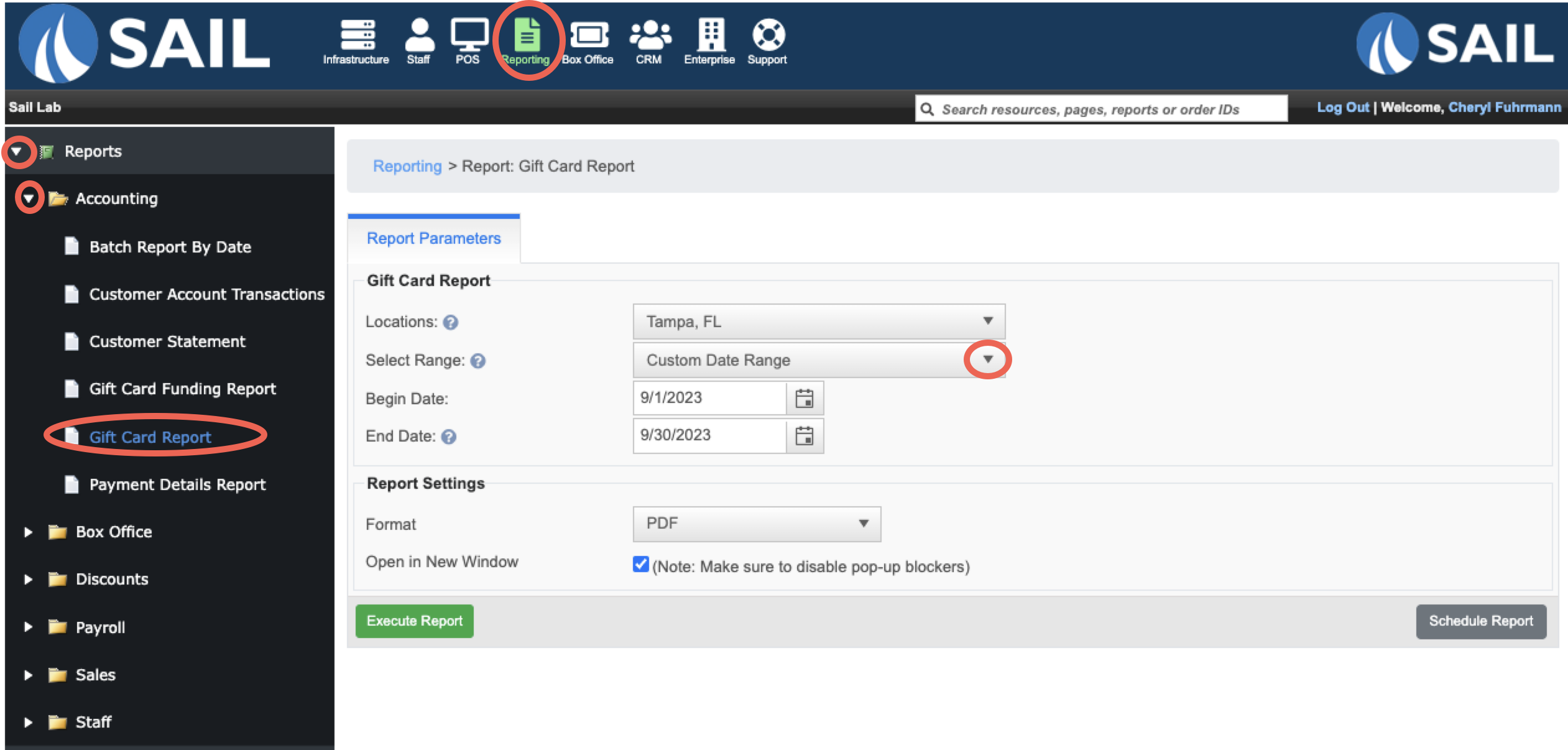
What it looks like
You can see Activations, Increments, and Redemptions.
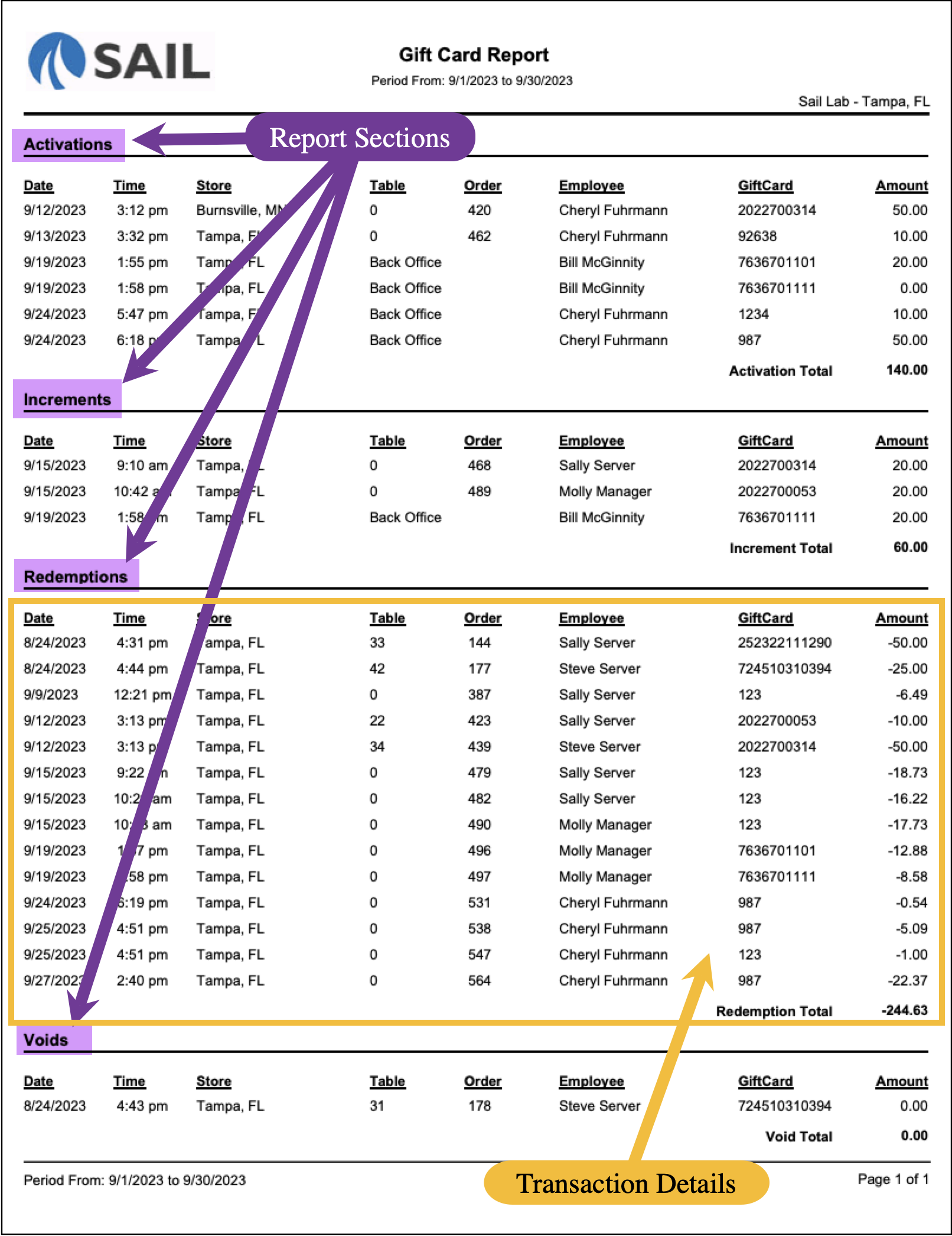
Report Parts
Report
Sections
The report is broken down into four sections, each showing a different type of gift card activity:
Activations– New gift cards sold/issued.Increments– Additional funds added to existing cards.Redemptions– Payments made using gift cards.Voids– Cancelled or voided gift card transactions.
Each section shows a subtotal at the bottom (e.g., Activation Total, Increment Total, Redemption Total, Void Total).
Transaction Details
Each row represents one gift card transaction.
Here’s what each column means
Date / Time– When the transaction occurred.Store– The location where the card activity took place.Table / Order– The POS table or order number tied to the transaction.Employee– The staff member who processed the gift card transaction.Gift Card– The unique gift card number.Amount– The value of the transaction (positive for activations/increments, negative for redemptions, zero if voided).
How to Use This Report
This report helps you:
-
Track
all gift card activity during a specific time frame. Verify new card activations and increments.Monitor redemptions to ensure cards are applied correctly.Review voided transactions for accuracy and fraud prevention.Reconcile gift card liabilities by comparing totals across sections.