How to adjust the 86 list in Backoffice
This document will show you how to add or update items on the 86 list from BackofficeBackoffice, and how to take them off it.
If you would like to see how to adjust it from The Terminal or a Handheld please click on the links
From
Backoffice
Adding or updating an item
UpdateUpdating the 86 list from Backoffice is most often used when you bring in a new special (like Cheesecake) and there are only so many that you can sell. Managers and/or cooks,cooks like to put the quantity in when they create a new button so the staff knows right away how many can be sold.
- Log
in to Backoffice.
- Click
onPOS at thetop.top, Click onthen the arrowto the left of the Itemsnext toexpand all of the categories.Click onItems, the arrow next to thecategorycategory,thatandyou’dthelike to open.item. In the example we will useDesserts.Dessert and Cheesecake.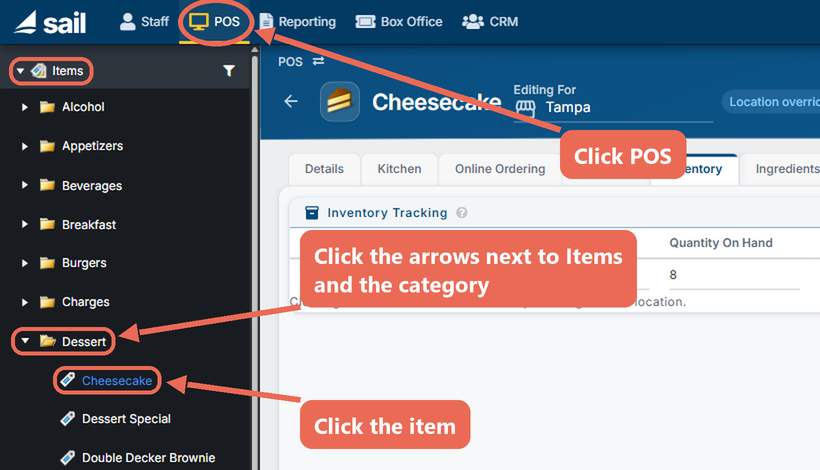
Continue to navigate throughClick thecategoriesInventoryuntiltab.you findType thedesiredtotalitem. Onceamount you havefoundintotheQuantitydesiredOnItemHand for your location, then clickon it.- Save.
There are a set of tabs across the top that allow you to edit this item. Click on the Inventory tab. The “Qty on hand” will show the current total inventory. Type the new total amount of inventory into the box,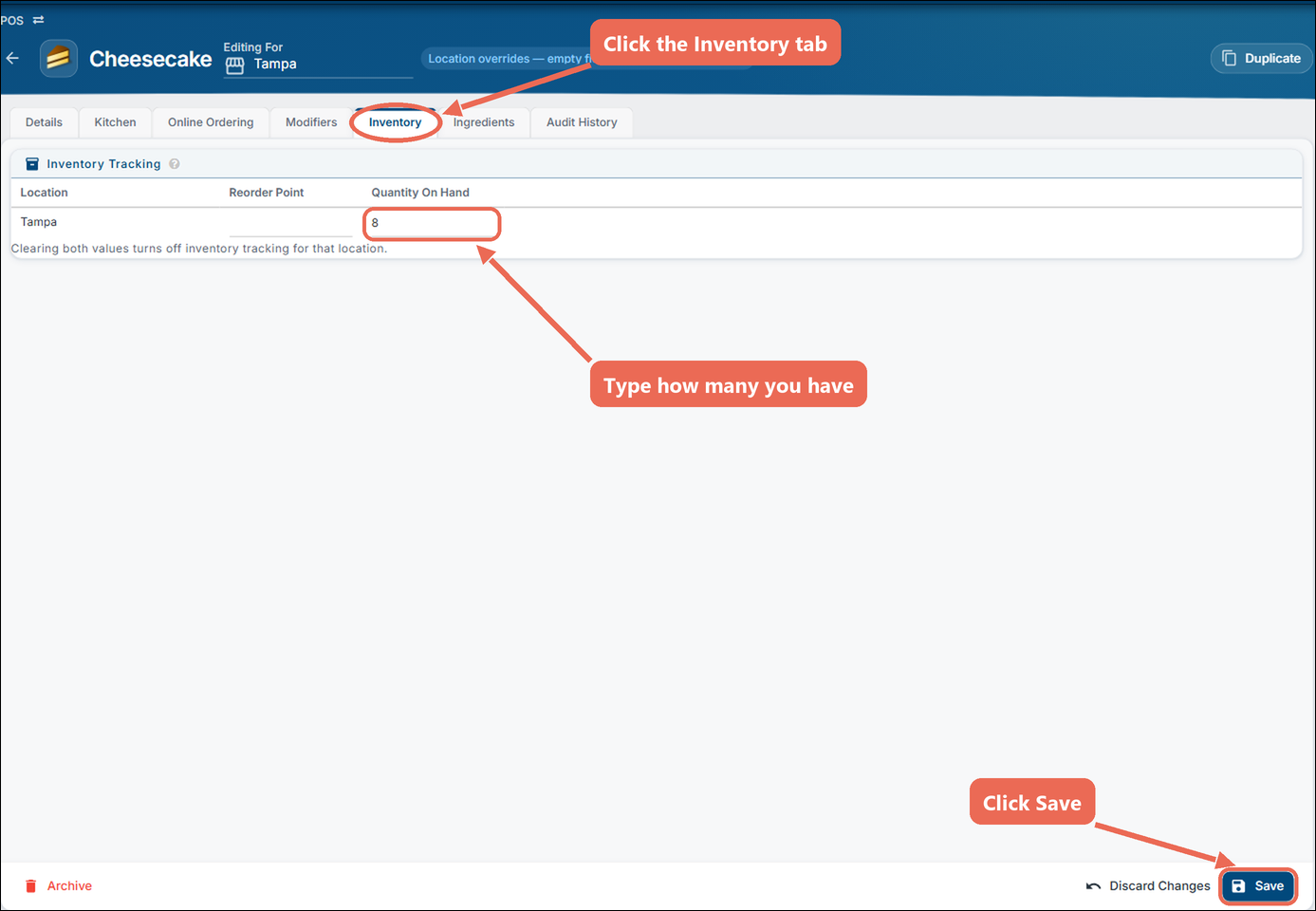
Then hit save.You will need to repeatRepeat steps3-72-3 for each item quantity you wish to update.
The item is now on the 86 list on the terminals and handhelds, and its number goes down each time one is sold.
Reorder Point is optional. Click here to learn more about the Inventory tab.
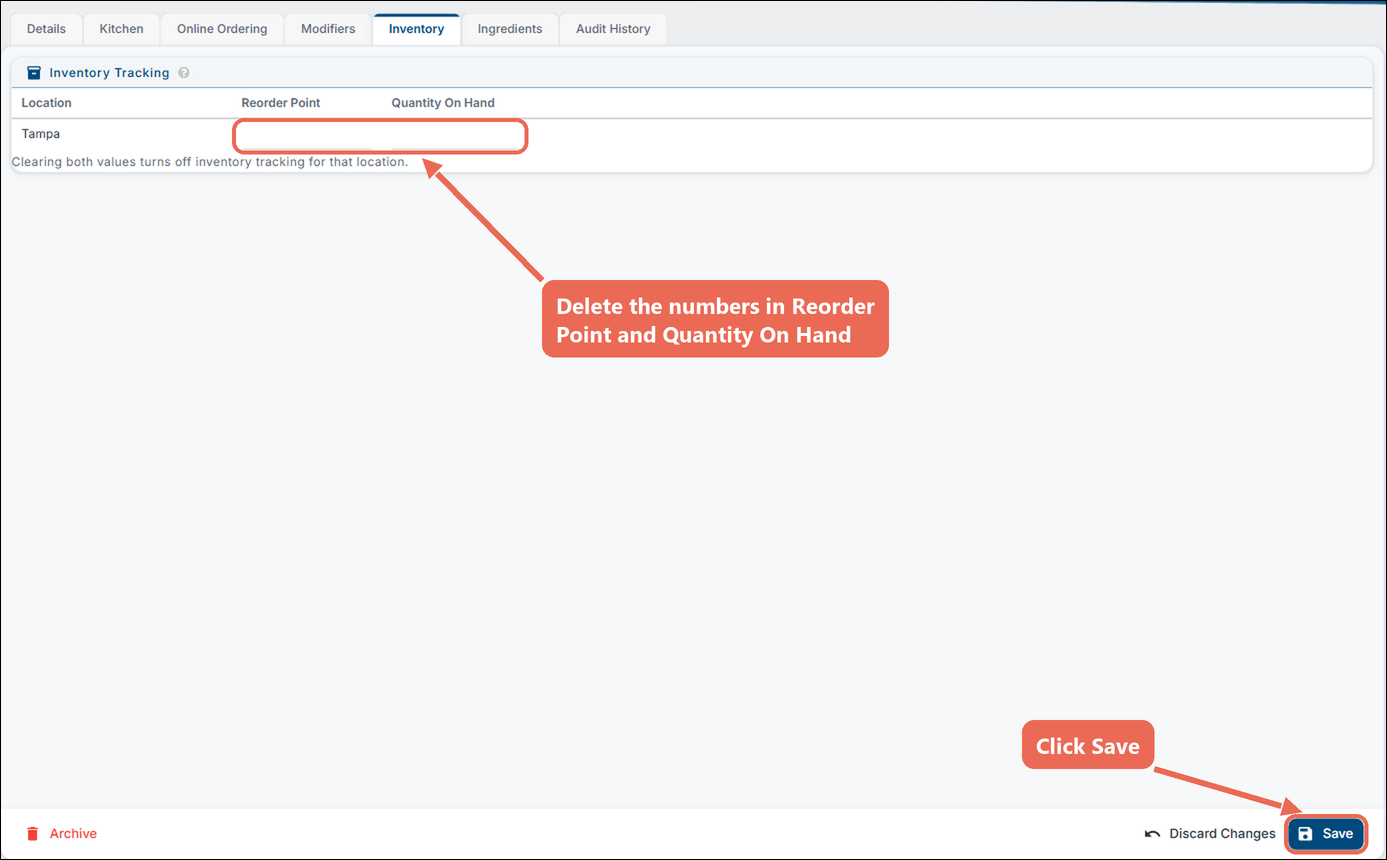
Removing an item
- Open the item's Inventory tab as above.
- Delete the numbers in Reorder Point and Quantity On Hand, then click Save. The item comes off the 86 list and can be rung in again.