
How to change your Default Receipt Type
When you tap the ReceiptsReceipt button inon the POS,order screen, a receipt prints using your default receipt type.
However, if you press and hold the button, a Select Receipt Type popup will appear allowing you to choose from four different receipt types—giving you more flexibility in how receipts are printed for your guests.
By default, most locations are configured to use “All Guests by Seat”, but you can choose the type that works best for your restaurant.
How to Set the Default Receipt Type
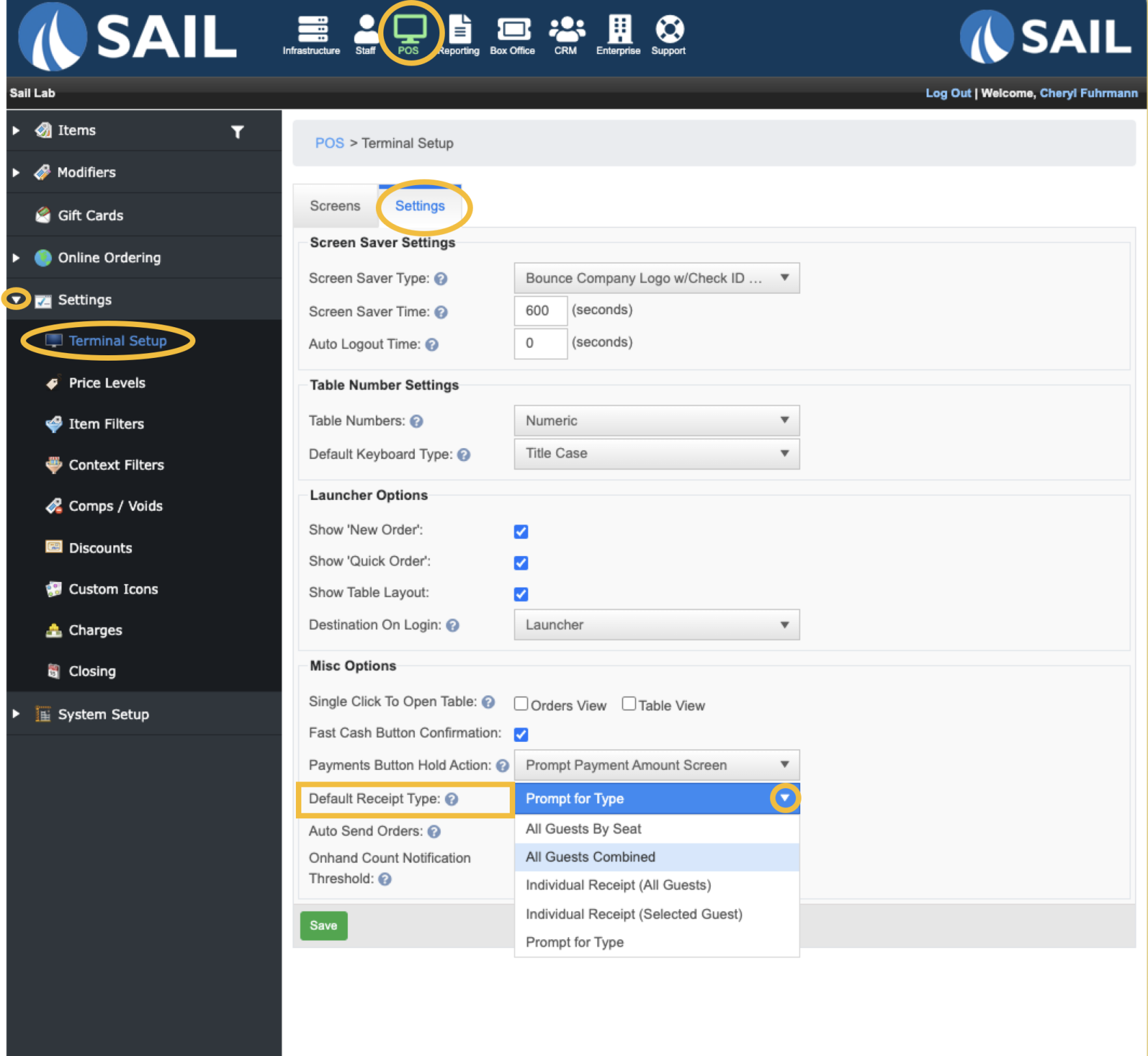
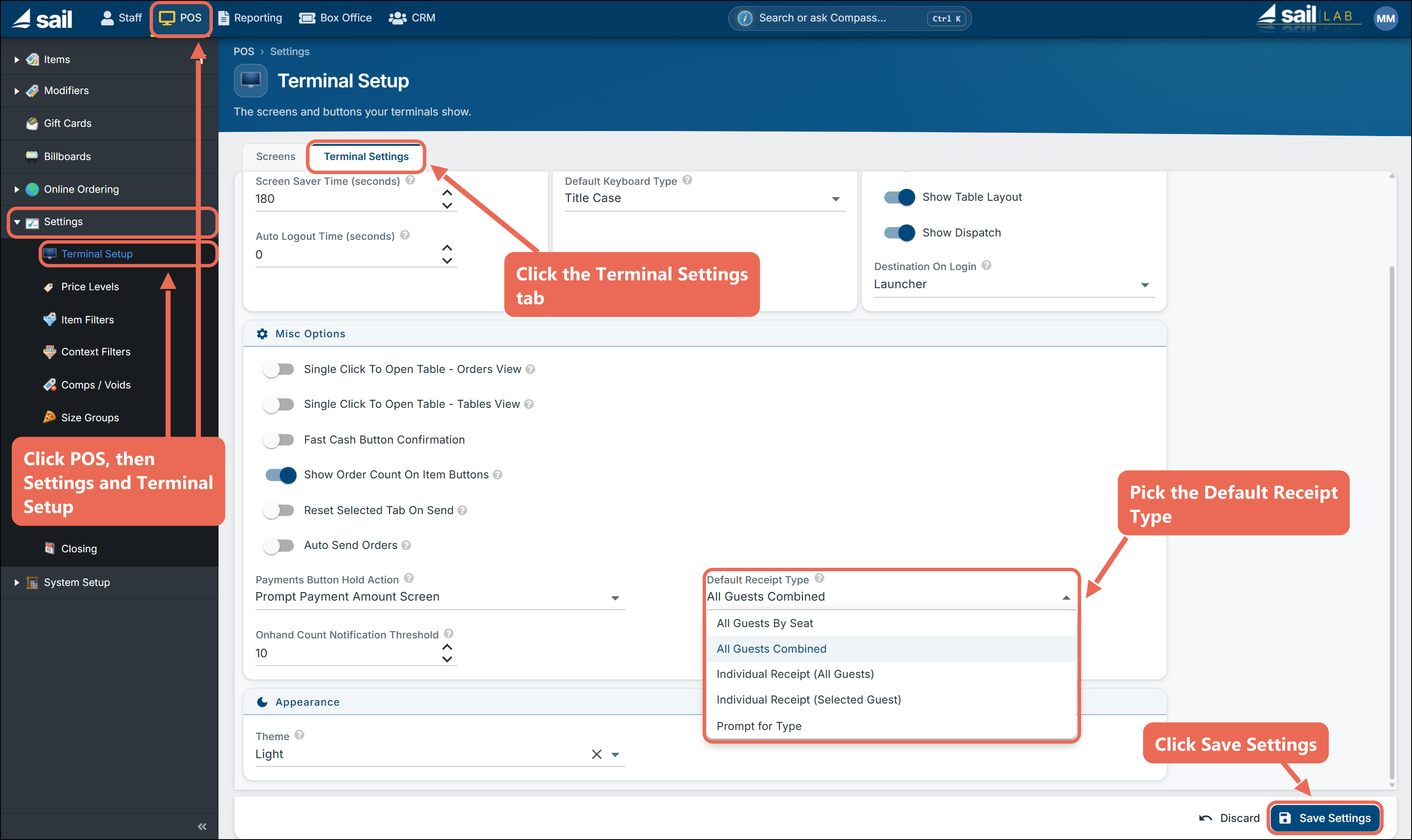
- To set up how you'd like it to print you need to go to the
terminalTerminalsettingsSettings in Backoffice- POS --> Settings --> Terminal Setup --> Terminal Settings tab --> Misc Options --> Use
dropdownthe drop-down for "Default Receipt Type", then click Save Settings
- POS --> Settings --> Terminal Setup --> Terminal Settings tab --> Misc Options --> Use
- Note:
BothThe Print Ticket button on the Orders and Tables screensrespectuses thissetting,setting too, andbothyousupportcanpress-and-press and holdforit to pick a different receipttype selection.type.

How to Print a Different Receipt Type on the Terminal
- Press and hold the Receipt button on the order screen.
- Tap the receipt type you want to print in the Select Receipt Type popup.
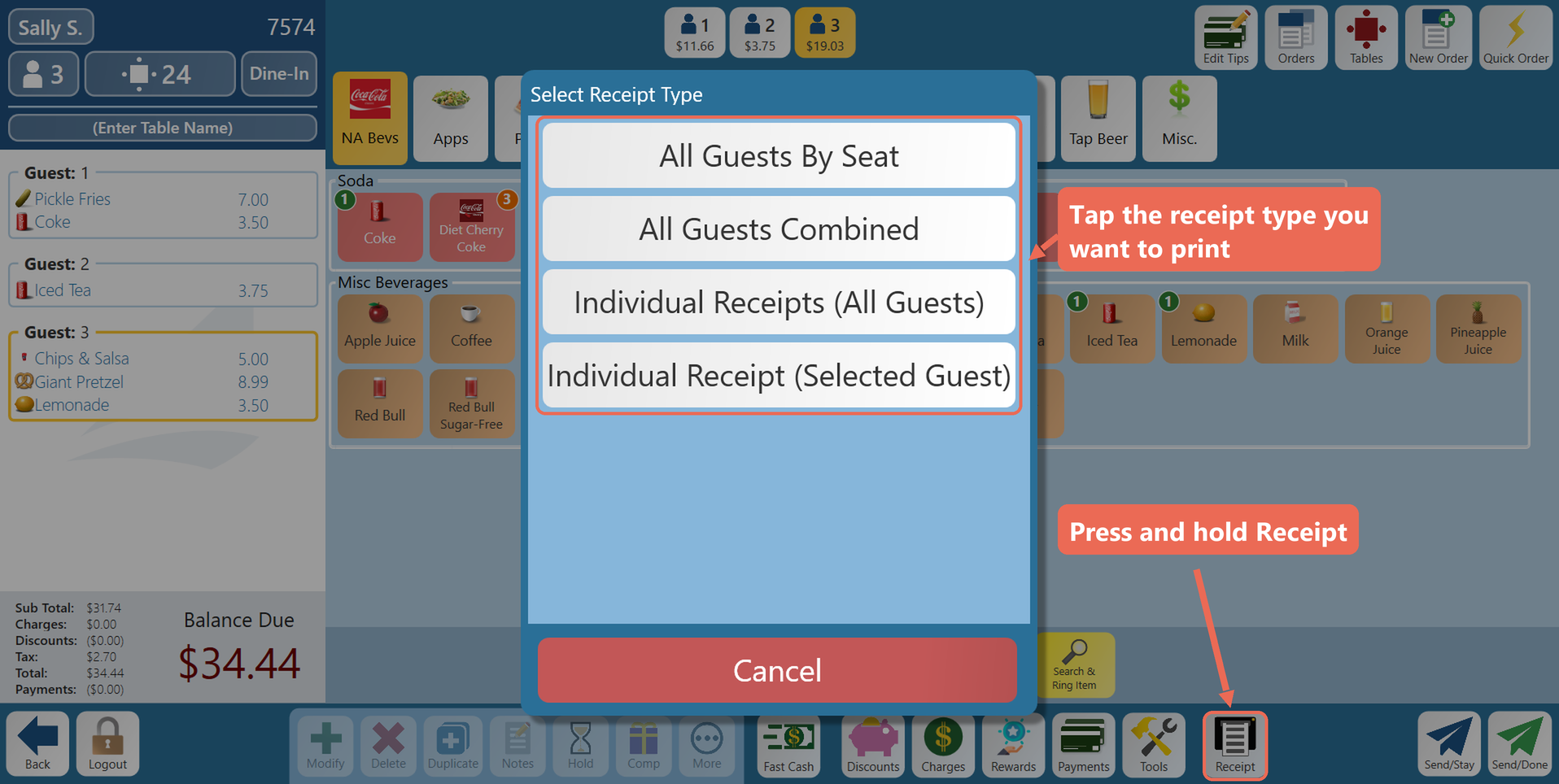
Note: Individual Receipt (Selected Guest) is only in the list when a guest is selected - tap the guest at the top of the order screen first.
Example Receipts
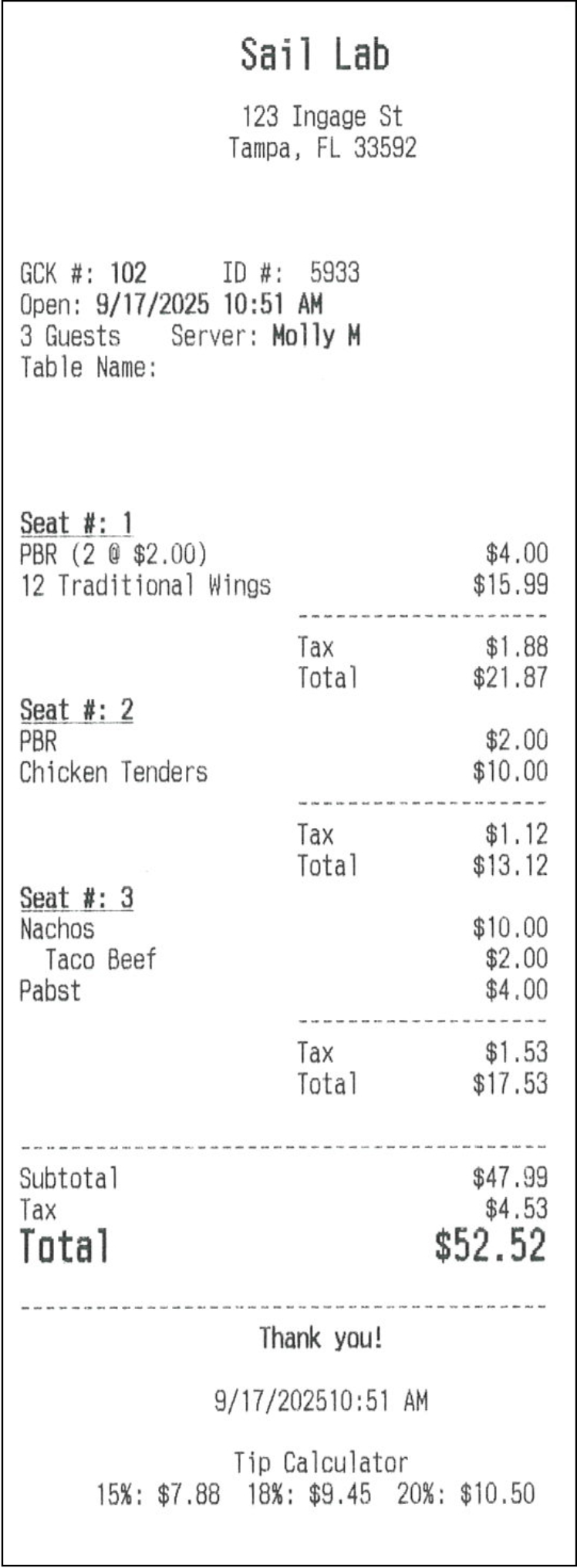
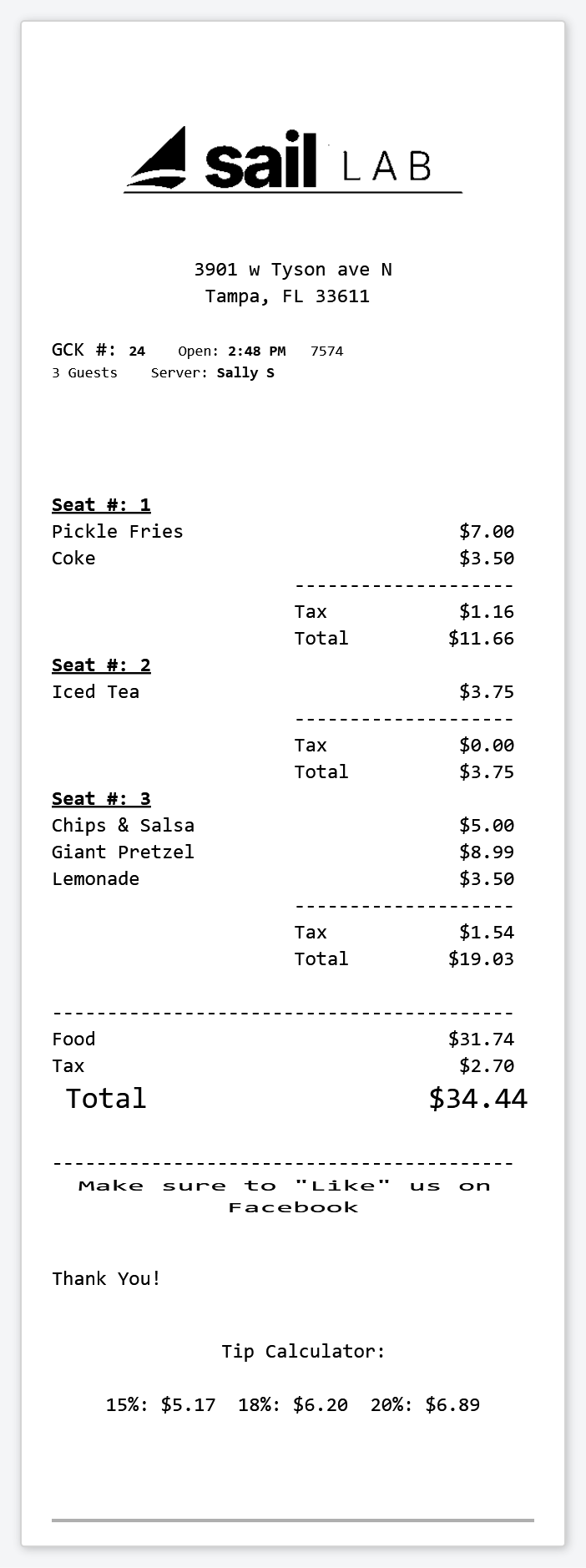
All Guests by Seat
- All items are printed on a single receipt, grouped and totaled by each guest.
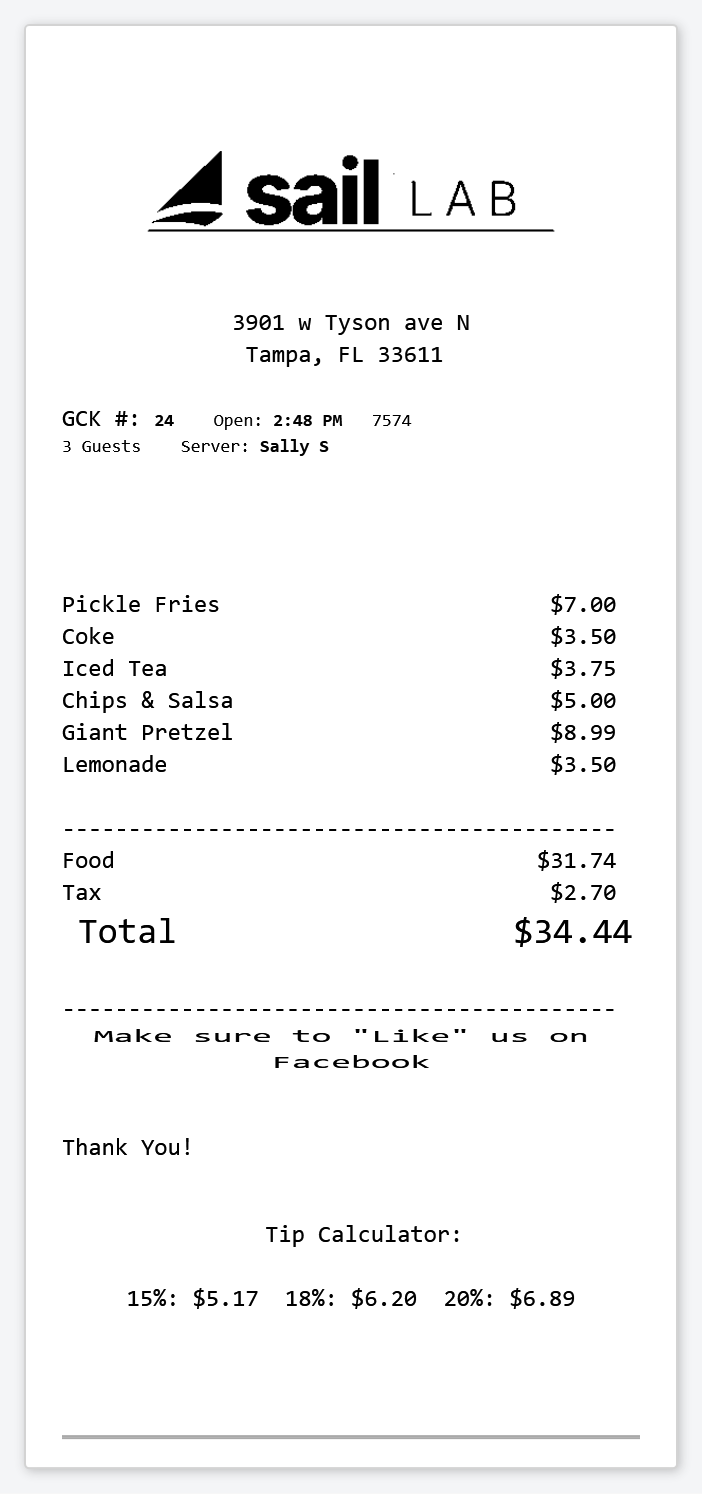
All Guests Combined
- All items from the order are consolidated onto one single check, with no guest separation.

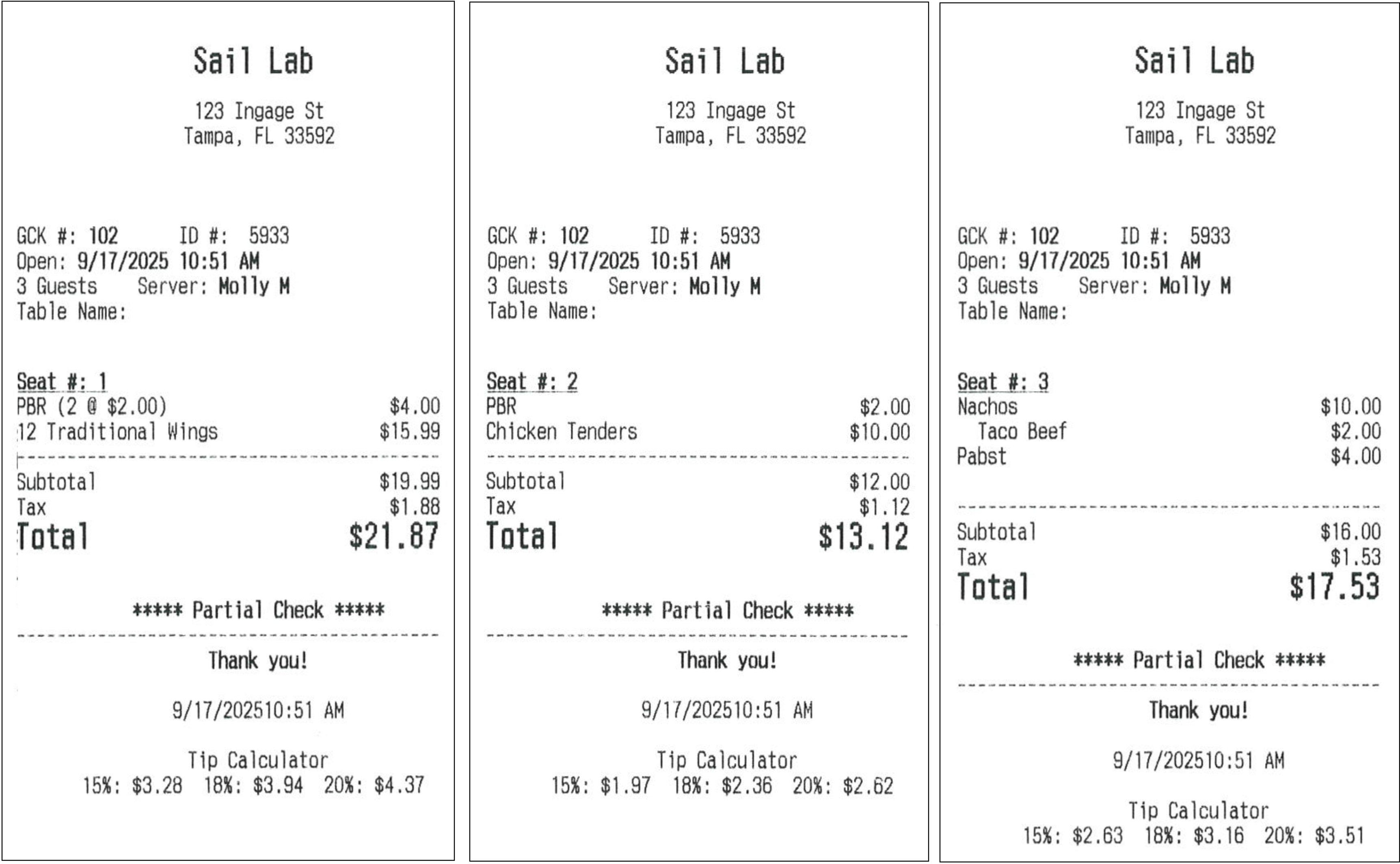
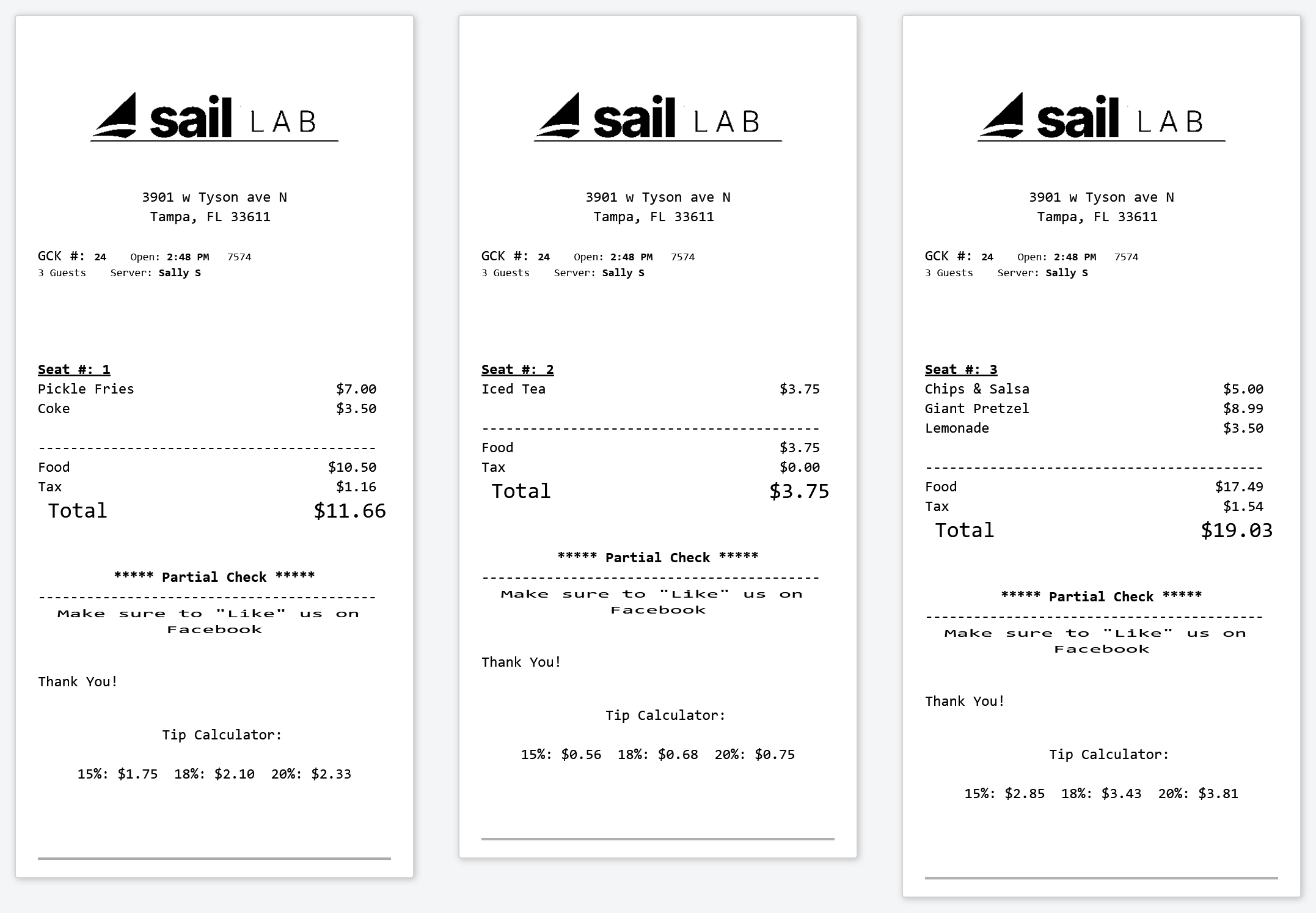
Individual Receipts (All Guests)
- Prints one receipt per guest, showing only the items each guest ordered.
Individual Receipts (Selected Guests)
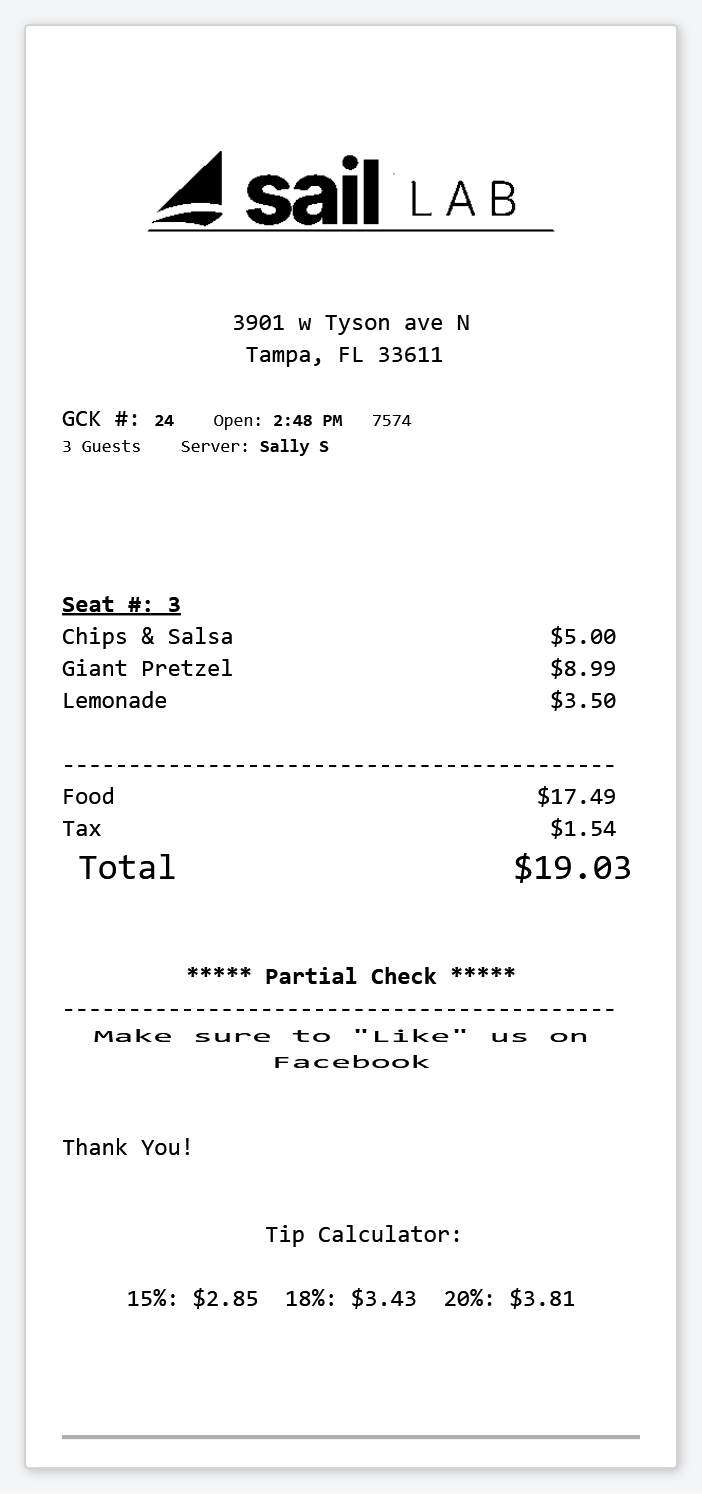
- Prints a receipt for the currently selected guest only—ideal for split checks or partial payments.
Prompt for Type
- No default is set. The
systemSelectwillReceiptpromptTypeyoupopuptoaskschoose awhich receipt type to print every time youpresstap the button.