How to check a gift card balance in Backoffice
This document will show how to check the balance of a gift card in Backoffice.Backoffice, and see every time the card was used.
If you'd like to see how to check the gift card balance on a a Terminal or on a handheld, please click the link
-
To find a gift card balance in
backBackoffice,officeclickgoPOS at the top, then Gift Cards on the left.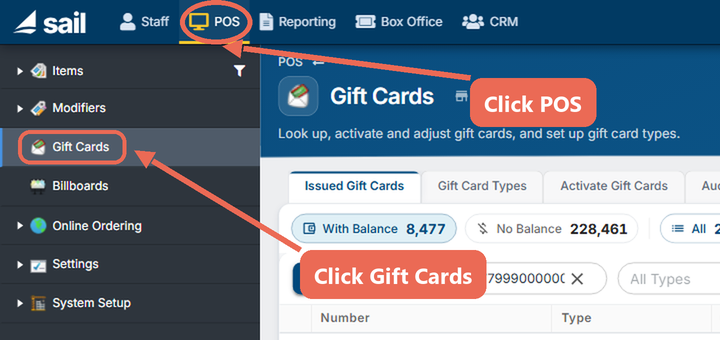
-
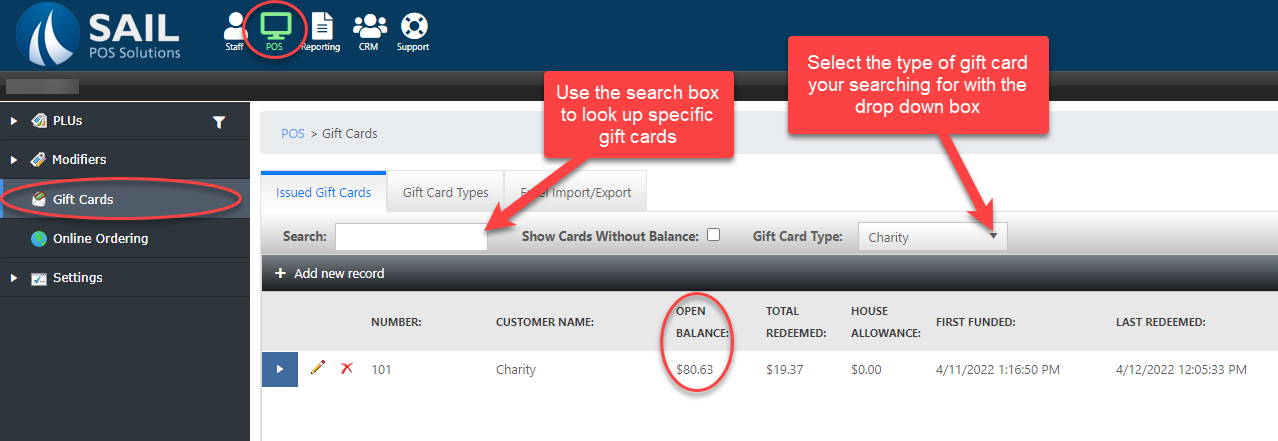
On the Issued Gift Cards tab, look up the card:

- Search: type the gift card number (or the customer's name) to find that card.
- Open Balance: what is left on the
POScard.tabTotal Redeemed next to it is what has been used. - With Balance, No Balance and All: the list starts on With Balance, so a card that has been used up only shows when you click No Balance or All.
- All Types: select
GiftaCards.gift card type to see only the cards of that type.
-
To see the card's history, click the arrow at the left of its row. Each line is one time the card was loaded or used, with the date, who did it, the location and the amount.
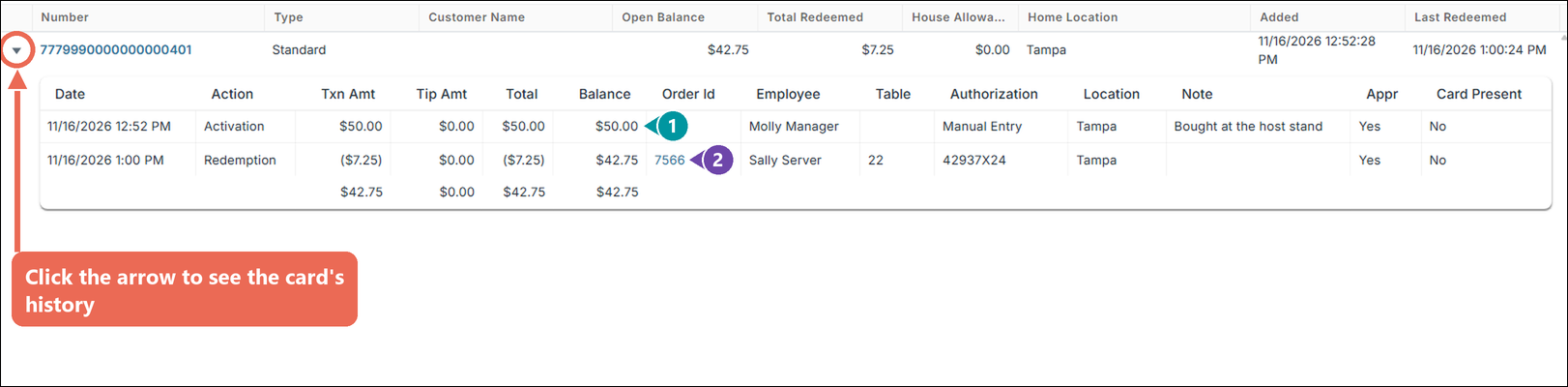
- Balance: what was left on the card after that line.
- Order Id: click the order number to open the order the card paid for.
-
There is a feature in the gift card section of
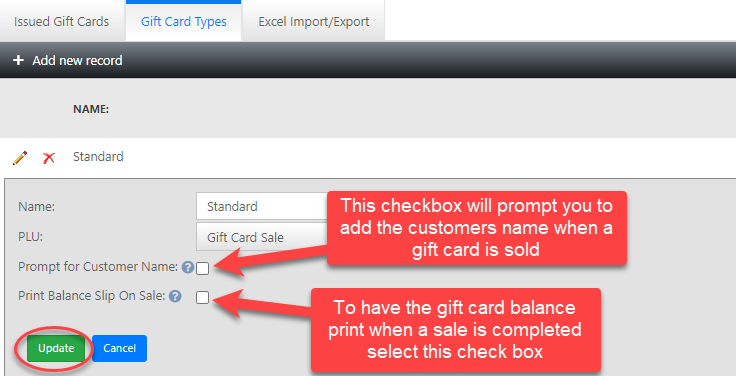
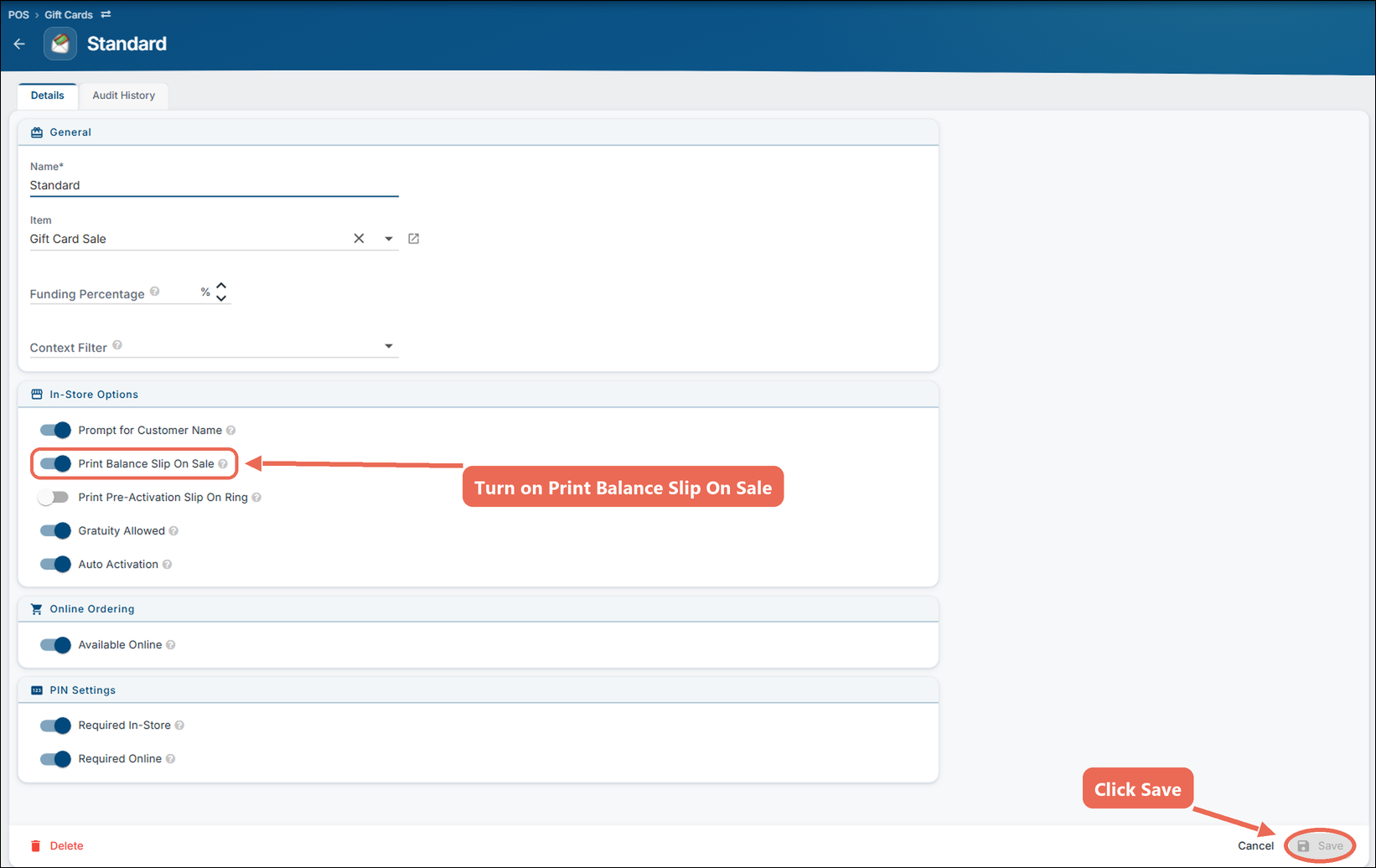
back officeBackoffice tohaveprintthea balanceprint on the receiptslip when a gift card isused.sold or money is added to it on a terminal. Click the Gift Card Types tab, then click the gift card type.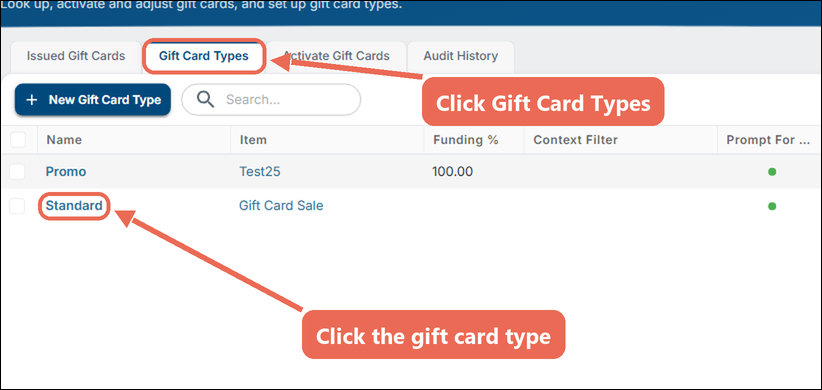
Turn on Print Balance Slip On Sale and click Save. See How to create a gift card button for more information on gift card settings.