
How to get help from Compass
BeingYou written.can ask Compass, the search box at the top of Backoffice, how to do something - "How do I fix a time card?" - and get short steps with buttons that take you to the right page. The steps stay beside you while you follow them. This will walk through asking for help and asking why you can't see a page.
Asking how to do something
- Click Search or ask Compass… at the top of the screen, or press Ctrl+K.
- Type your question, like How do I fix a time card?, and press Enter. The answer opens in a window.
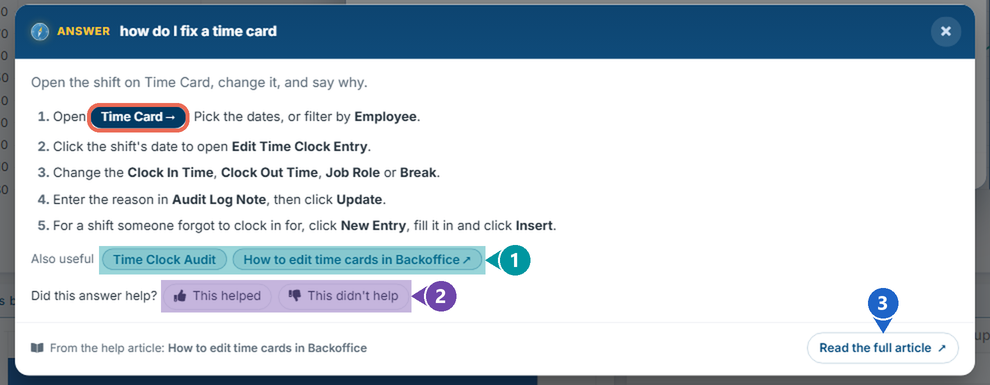
- Click a button in the steps (circled) to go to that page.
What else is in the answer:
- Also useful - other pages and help articles about the same task.
- Did this answer help? - click This helped or This didn't help so we can make the answers better.
- Read the full article - the help article the steps come from, in a new tab.
Note: Some answers say AI answer. Those steps were written by AI from our help articles, so check them against the screen before you rely on them.
Pro tip: For common tasks you don't even have to ask: when you search, the steps show at the top as an Answer.
Following the steps
After you click a button in the steps, the page opens and the answer stays on the right, so you can follow it as you work.
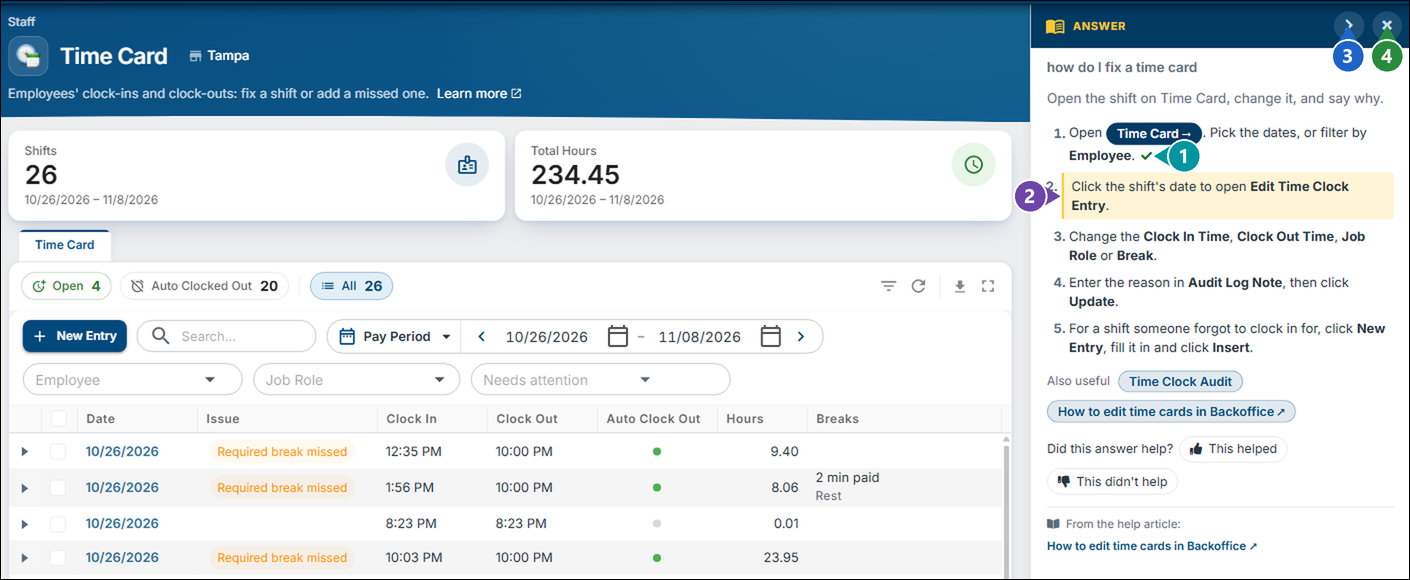
- The step you've done gets a check mark.
- The next step is highlighted.
- Hides the answer to give the page more room; click Show answer to bring it back.
- Closes the answer.
Asking why you can't see a page
Ask Why can't I see …? or Where is …? with the page's name, like Why can't I see Access Groups?. Compass tells you where to find the page, or that your job role doesn't have it.

Click here to learn more about what a job role can do.
When Compass can't answer
If no help article covers your question, Compass says so and shows what matched your words instead. Try other words, or look through the help site.