Items: Ingredients Tab
The Ingredients tab lists what goes into this item. Like Online Ordering and Inventory, it's a single page with no sub-tabs.
Ingredients
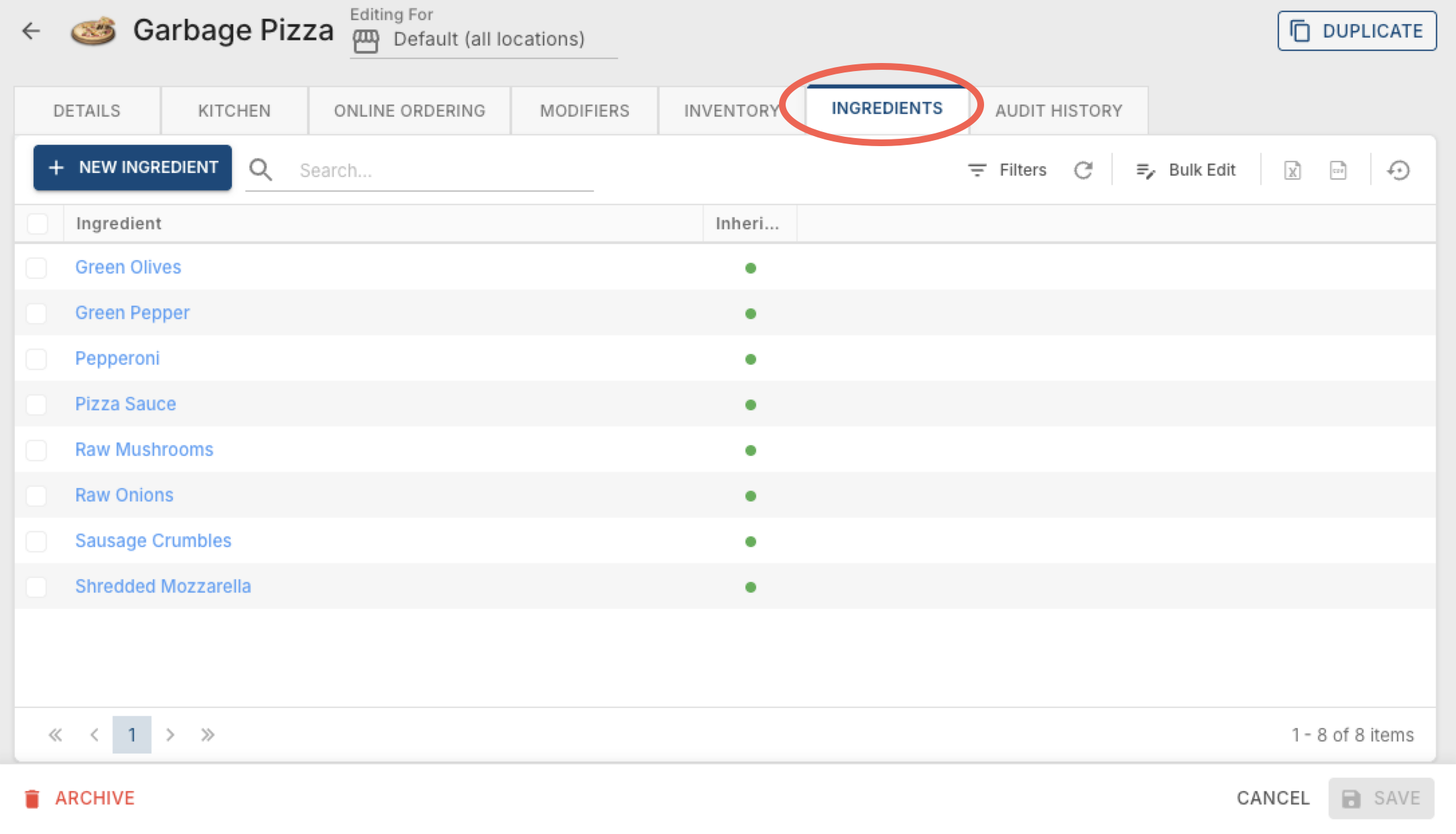
A list of every ingredient tied to this item. Click + New Ingredient to multi-select ingredients to add to the list.
Inherit Inventory — this is a planned feature that isn't fully active yet. For now, it's best to check the box anyway so it's already set up whenever it does go live.
Clicking into an existing ingredient, or using Bulk Edit, only lets you check or uncheck this Inherit Inventory box — there's nothing else to configure per ingredient.
Adding ingredients here does two helpful things at the terminal:
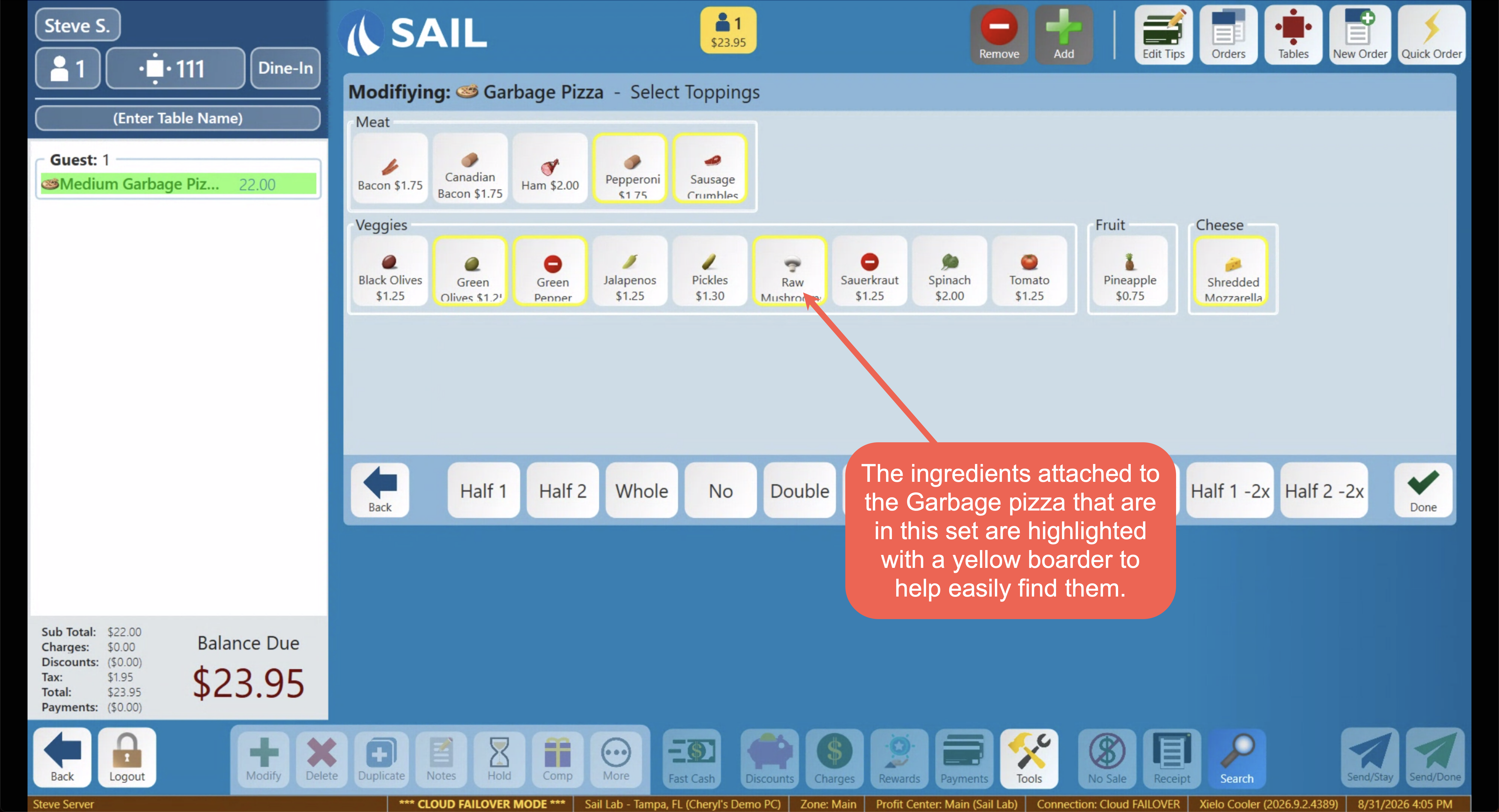
- If a prompted modifier set is attached to this item, any of its ingredients that also appear in that set get a yellow box around them — an easy visual for what's already in or on the item.
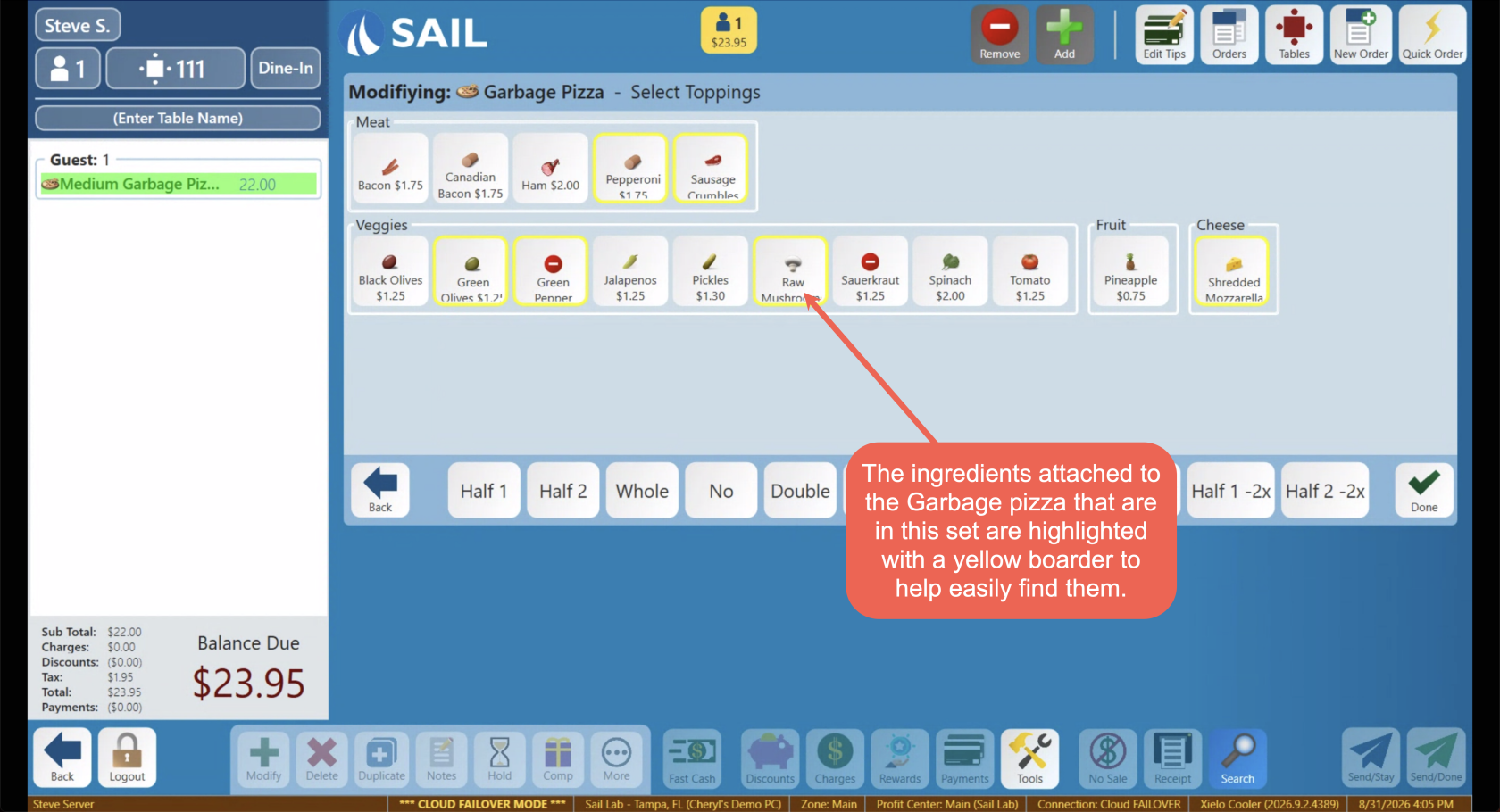
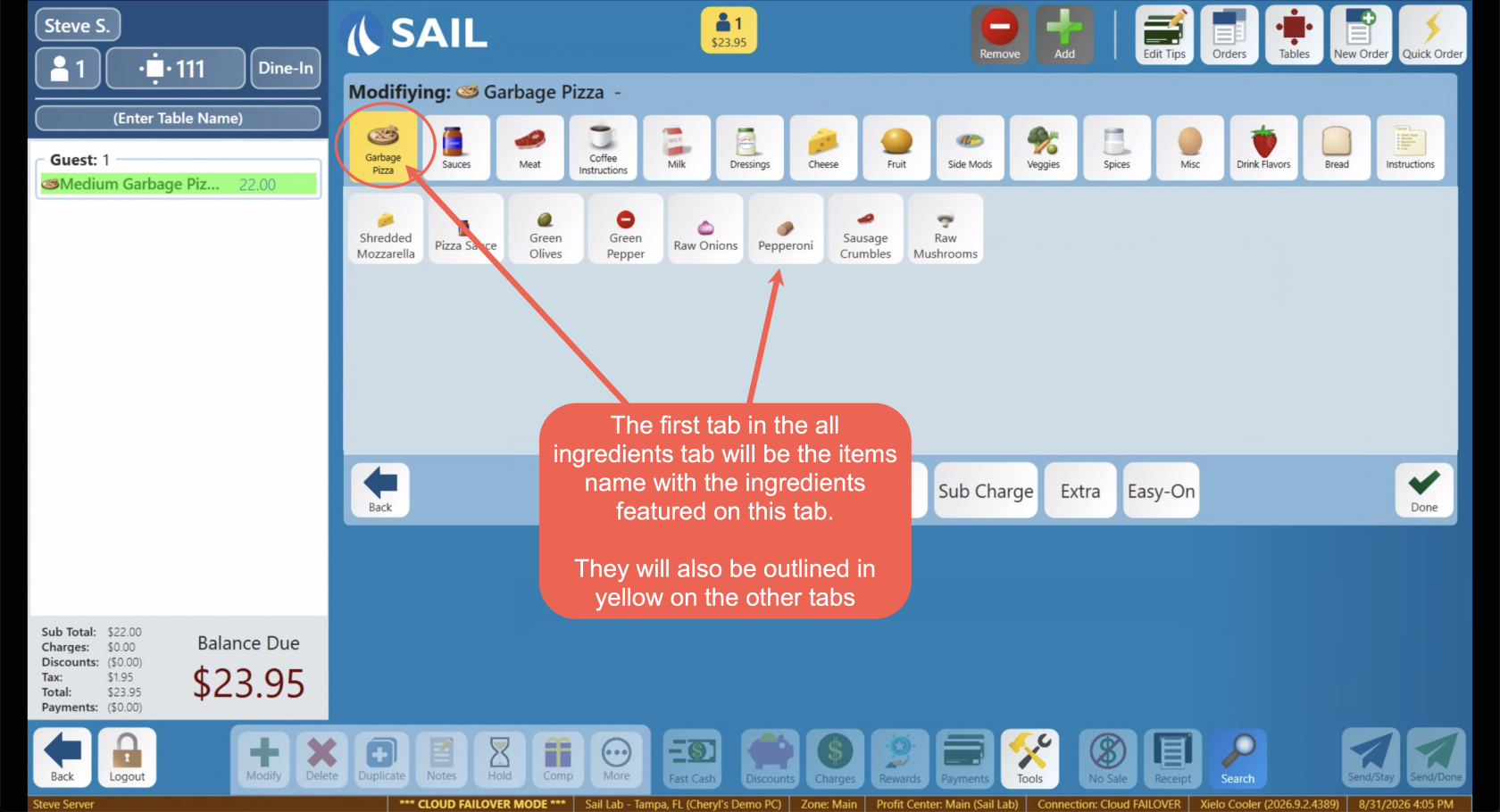
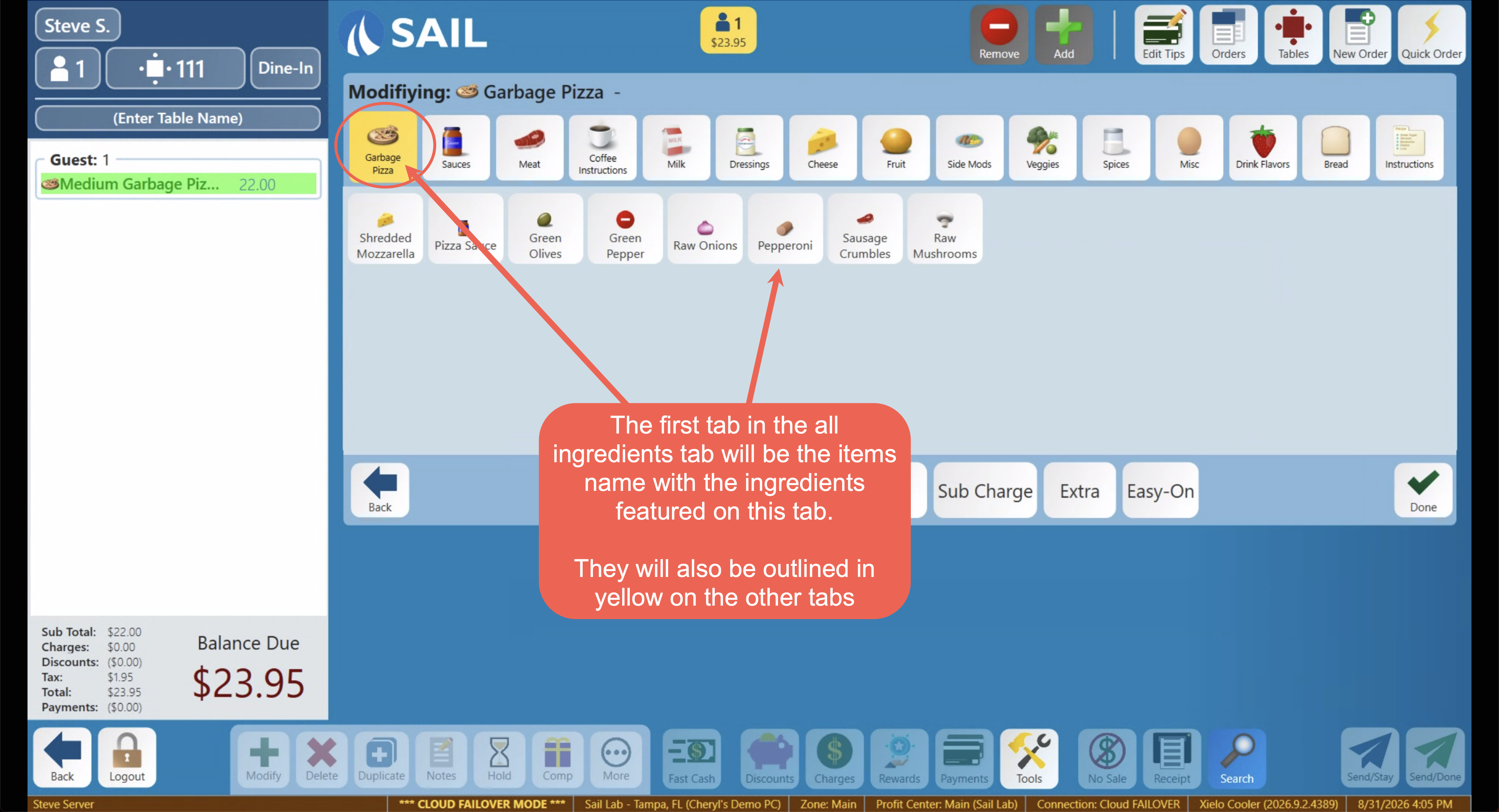
- When someone clicks the Modify button on the terminal's bottom toolbar, the first tab shown is named after the item itself and lists just the ingredients attached to it here — so staff can quickly say No, Extra, or On Side without searching through every ingredient category tab. Those same ingredients also show up highlighted in yellow within the other category tabs.