Items: Online Ordering Tab
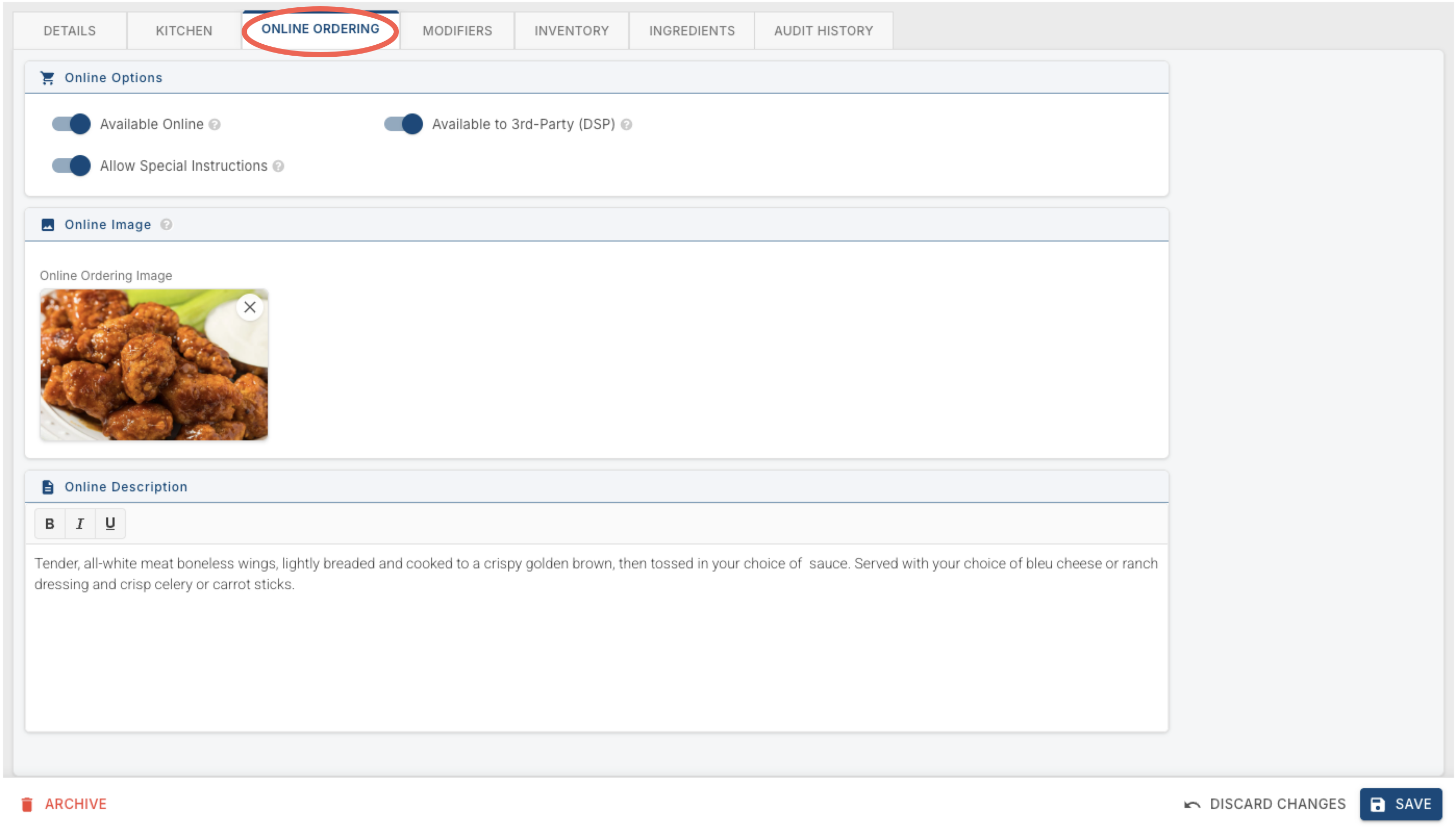
The Online Ordering tab controls whether and how this item shows up when customers order online. Unlike Detailssome andof Kitchen,the others, everything here lives on one page — there are no sub-tabs.
Online Options
Available Online — turns on whether this item can be ordered online at all.
Available to 3rd-Party (DSP) — turns on whether delivery service platforms (DoorDash, Uber Eats, etc.) can sell this item.
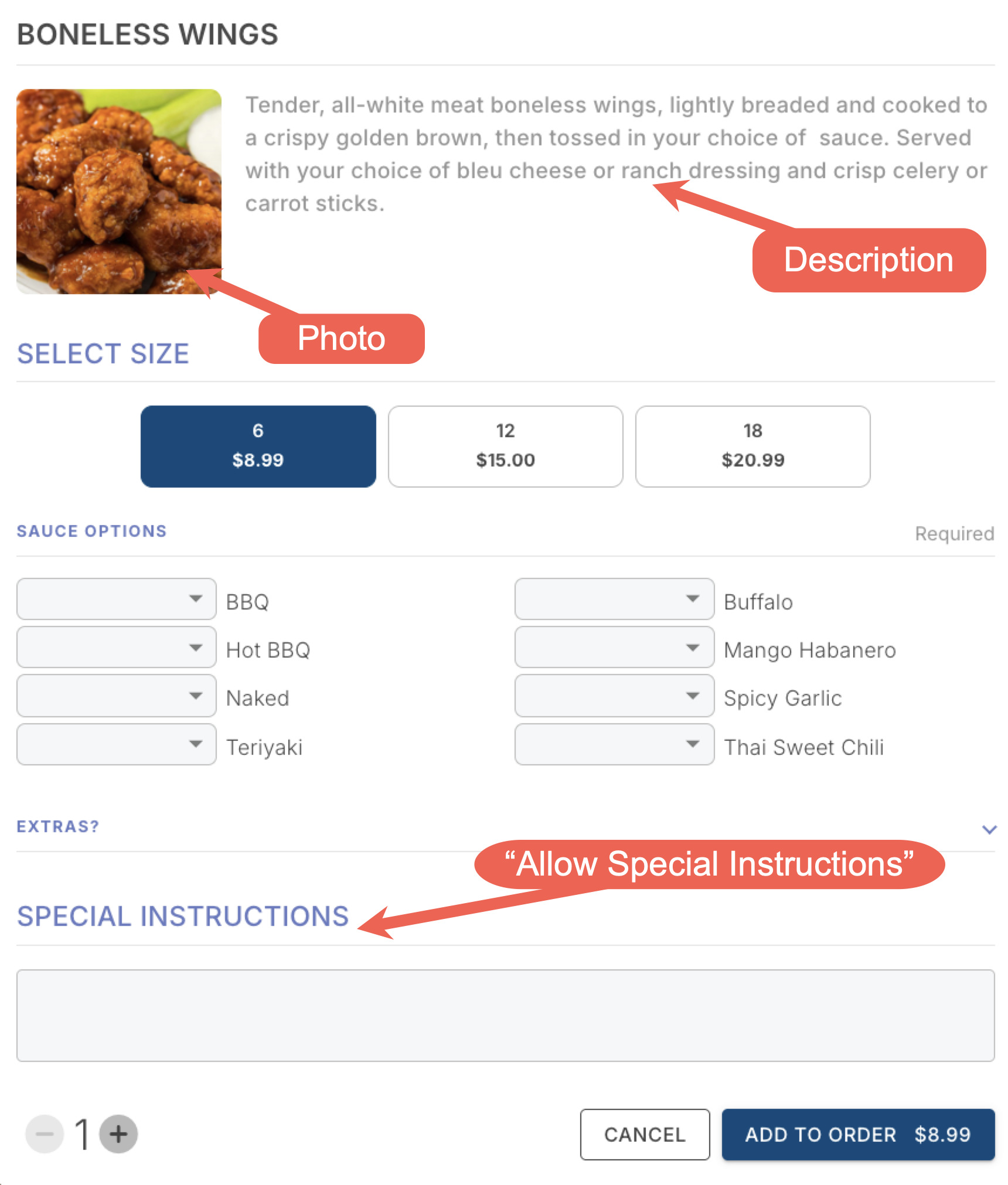
Allow Special Instructions — lets customers add a note when ordering this item online. That note shows up on the kitchen ticket, right under the item's name.
Online Image
Online Ordering Image — the photo shown for this item on the online ordering site or app. Accepts PNG, JPG, or WEBP, up to 10 MB.
Online Description
The description customers see for this item online. This is different from the Description field on the Details tab — that one is internal, showing on terminals and handhelds; this one is external, shown to the customer online.
The Online Image and Online Description below can both be overridden at the location level — if a location wants a different image or a slightly different description than the default, use the "Editing For" dropdown next to the item's name at the top to switch to that location before changing them.
Here is a view of that item online