
How to check a gift card balance on a handheld
This document will show how to check the balance of a gift card on a handheld. You can check it any time from Tools, for example when a guest asks how much is left on their card.
If you'd like to see how to check the gift card balance on a Terminal or in Backoffice, please click the link
-
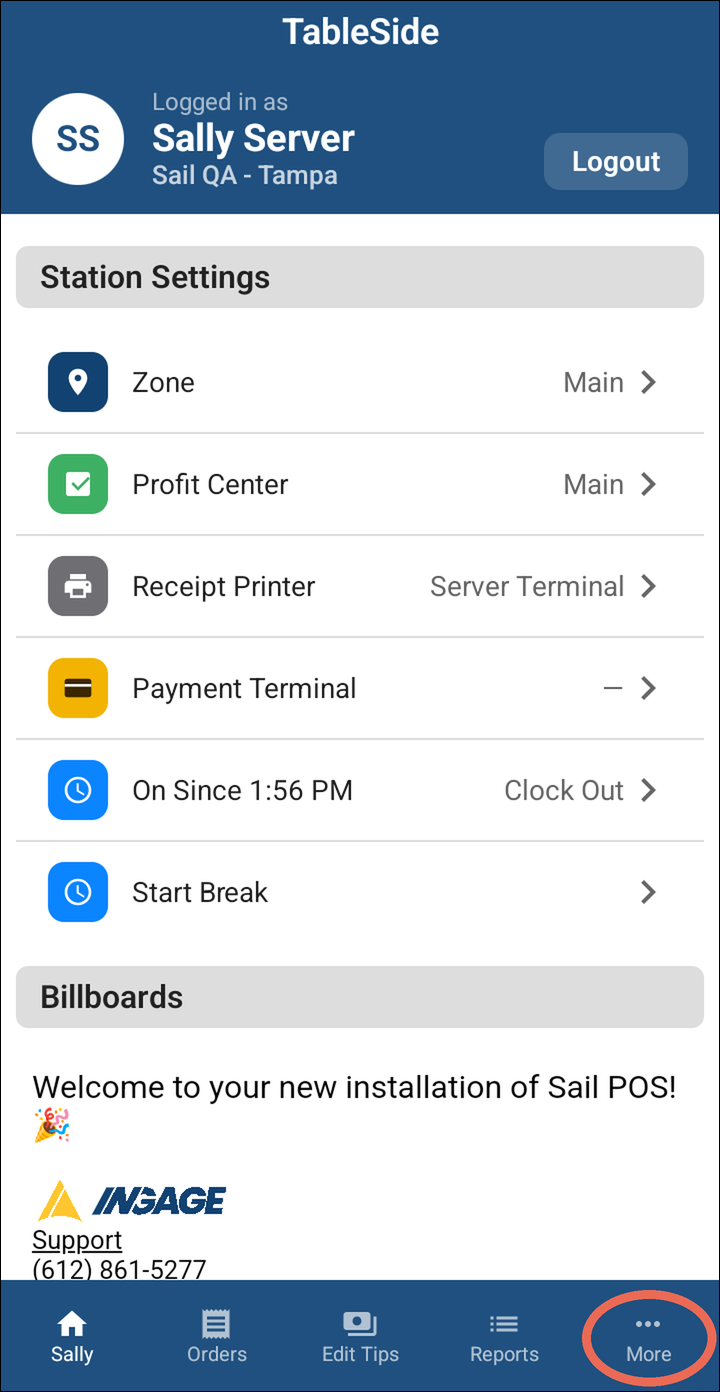
ToTapcheckMore at thebalance on the handhelds go the the more section and select tools.bottom.
-
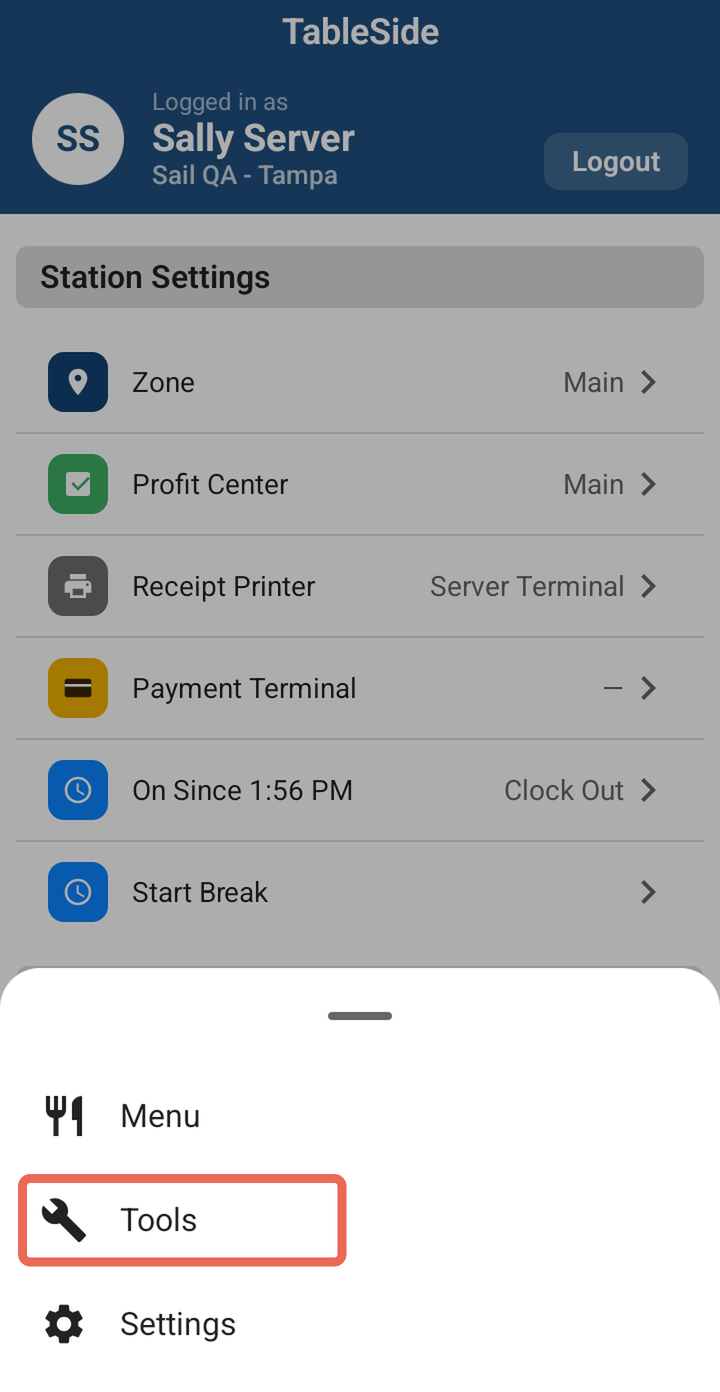
SelectTapCheck Gift Card.Tools.
-
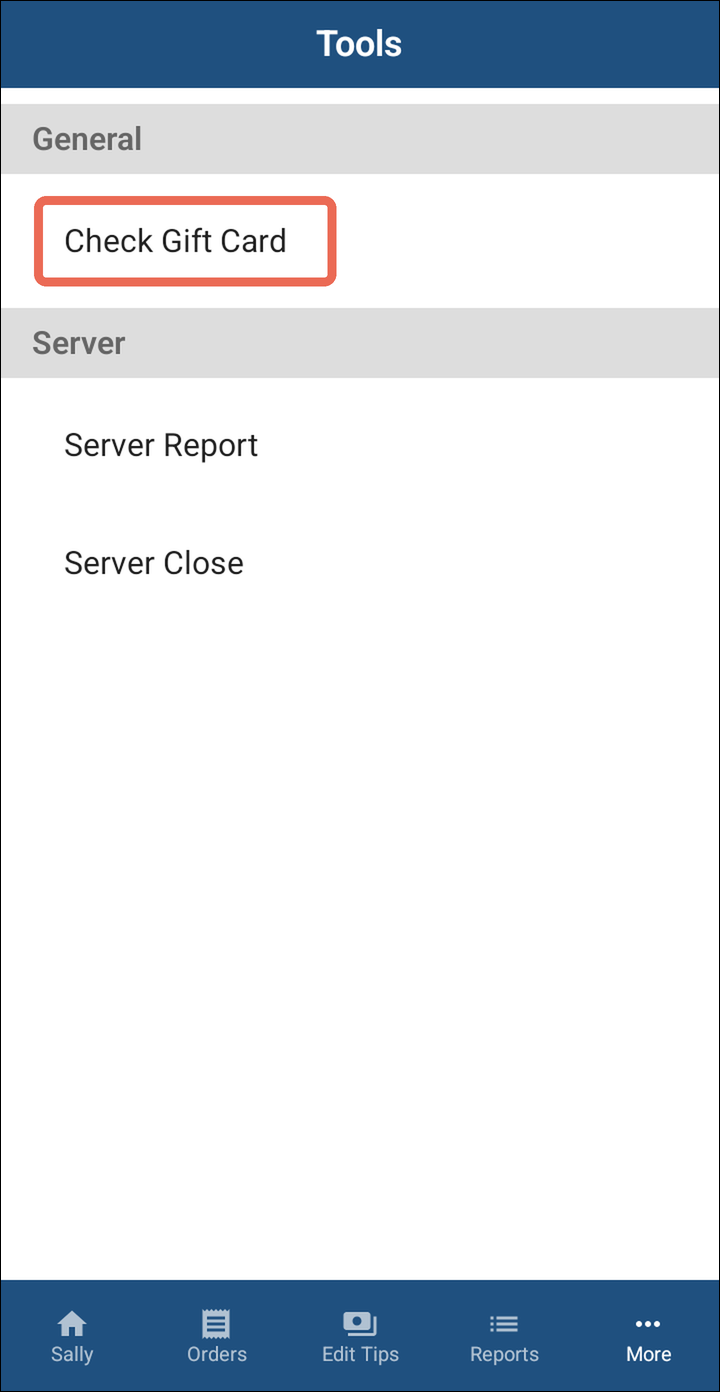
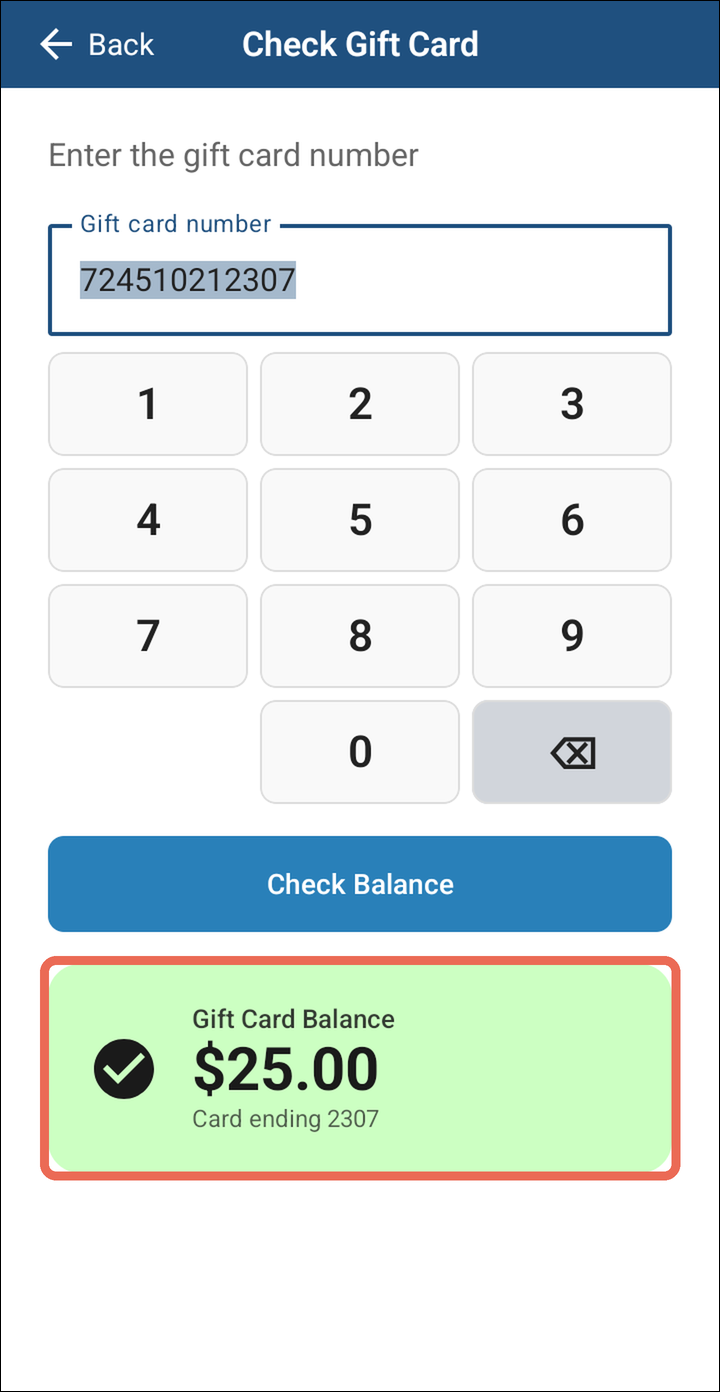
TheTaphandheld will prompt for a card number. Enter it then press theCheckbalanceGiftbutton and it will appear to the right of the button.Card.
Alternatively you can check the balance from the payments screen.
Then select gift card.
-
Enter the gift card:
- Handheld with a card reader: the card reader opens by itself. Swipe the gift card, or type its number on the card reader, and the balance is checked right away.
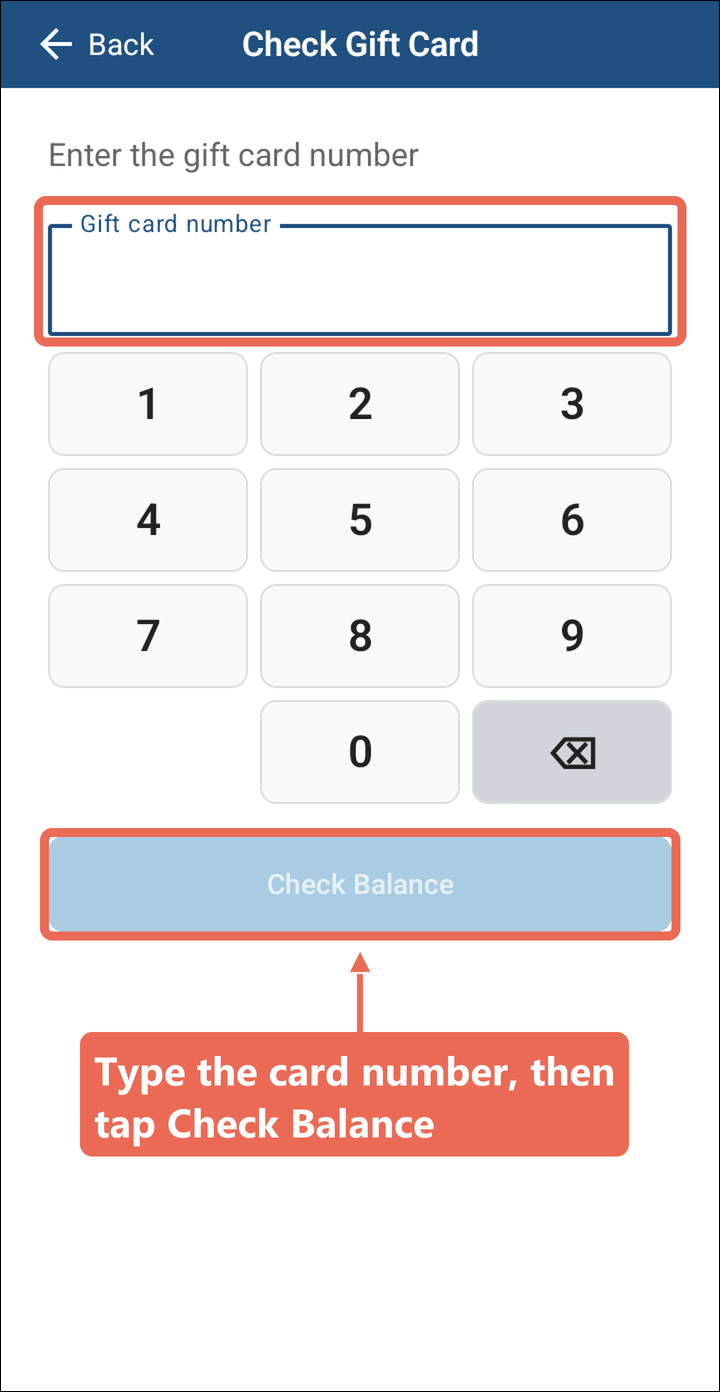
- Handheld without a card reader: type the card number, then
selecttap CheckBalance.Balance.
-
The balance
willshowspopulateintogreen under therightbutton, as Gift Card Balance with the last four digits of the card. If the card can't be found, it says Unable to Check Balancebutton.in red - check the number and try again.


Pro tip: Checking several cards? Just type the next number - it replaces the last one. On a handheld with a card reader, tap Check Another Card.
Note: Don't see Check Gift Card in Tools? Your job role doesn't have permission to check gift card balances - ask your manager.