
Release 2026.6.3 "Roy Rogers"
Notes: This release consists of 52 NewOnline features andOrdering Improvements. Use the page navigation section on the top left of this screen to jump between the features you'd like to read about.
**This release will NOT require a handheld update**
**This release WILL require a handheld update to version 2026.6.3**
If you would like any additional information or help setting up any of these new features, please contact support at:
Support@ingageit.com or call (612) 861-5277
New Features
1.
Improvements
1. OLOOnline Ordering Order type Minimums
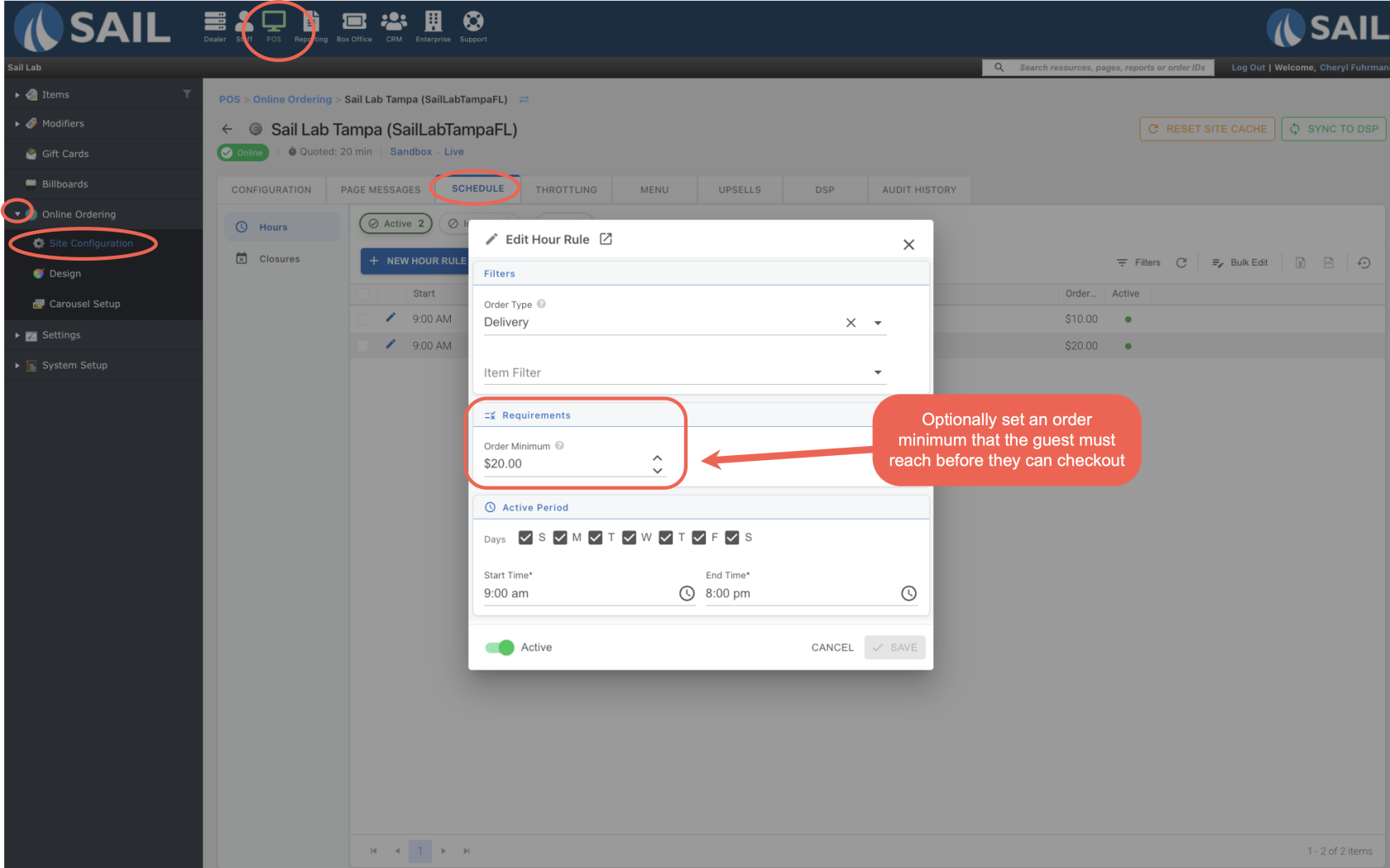
- You can now set an Order Minimum on individual hour rules in the Online Ordering Schedule tab. This is the minimum subtotal a guest must reach before they can check out.
- Because the minimum is set on a specific hour rule rather than the order type itself, you have more flexibility — for example, you could set a higher minimum only on busy weekend evenings, or apply a minimum only to your Delivery hours without affecting Pickup.
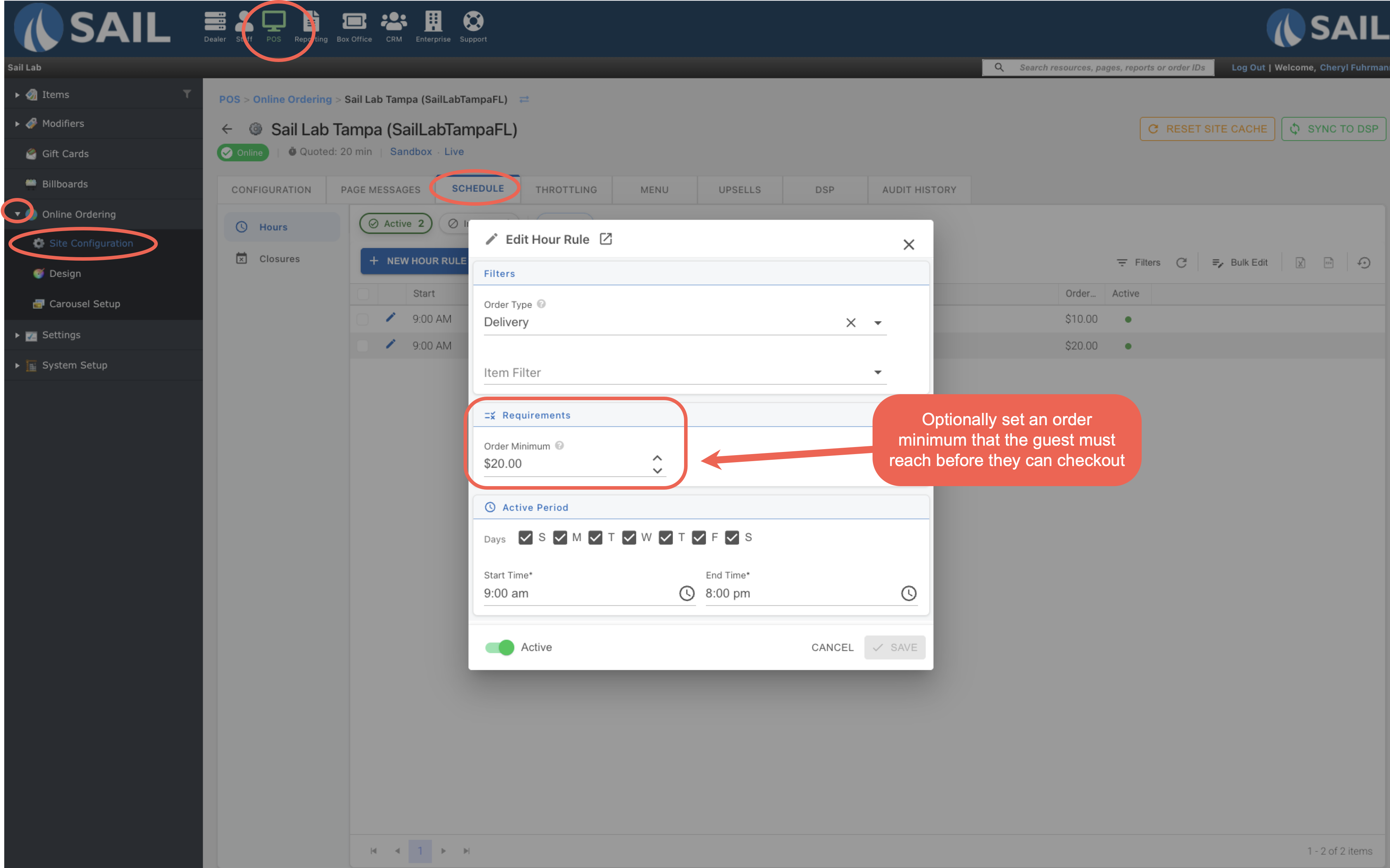
- To set an order minimum, go to Backoffice --> POS --> Online Ordering --> [your location] --> Schedule tab --> edit an Hour Rule --> Order Minimum field.
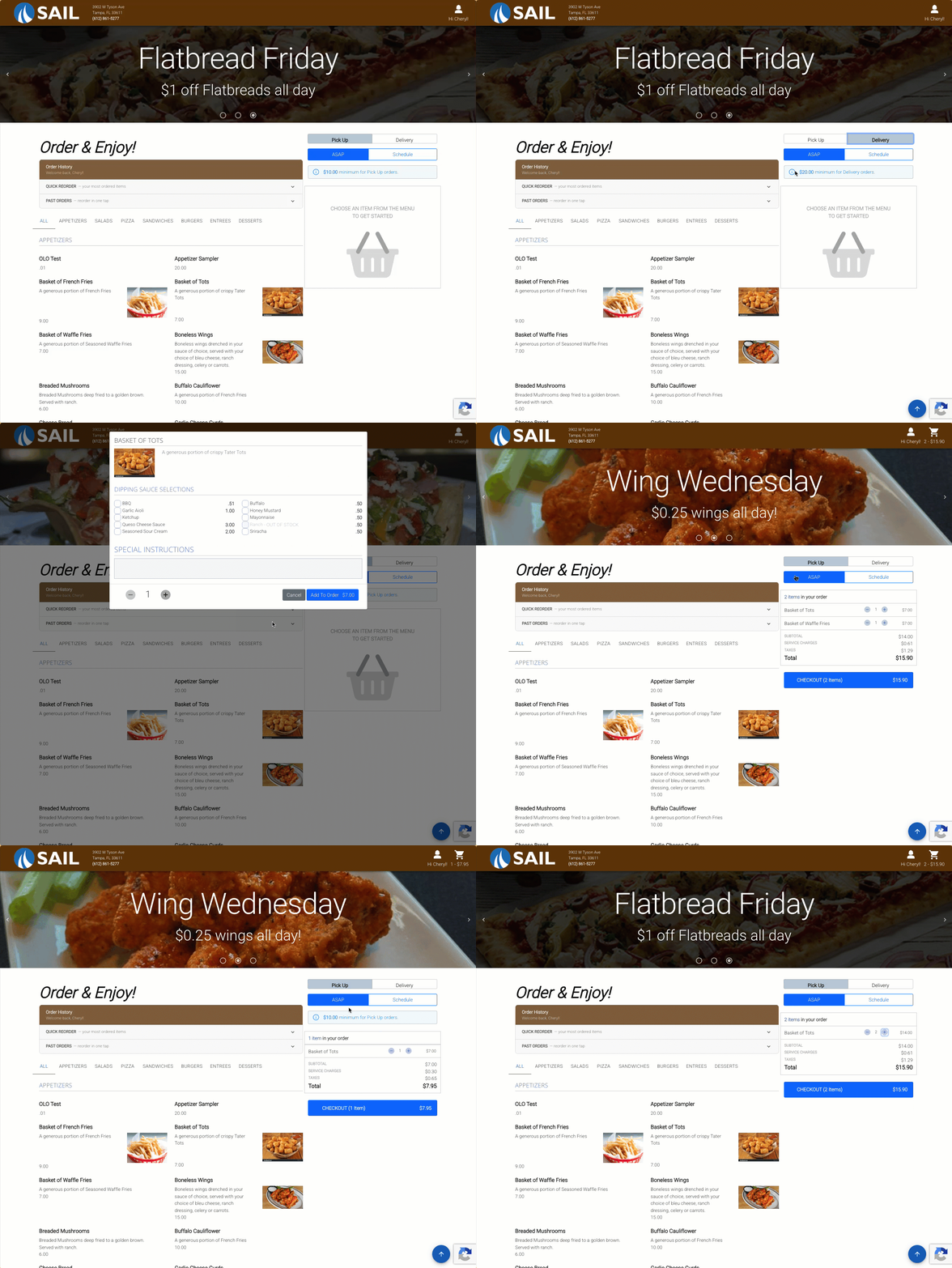
- Guests will see the minimum displayed above the cart on the online ordering site. If Pickup and Delivery have different minimums, the message will update automatically when they switch between the two.
- The minimum is validated twice — once when the guest clicks the Checkout button, and again when they click Place Order on the checkout screen, in case they edited their cart after proceeding to checkout.
2. OLO: Order Confirmation
Fixes
Something was fixed