
Release 2026.9.1 "White Russian"
Notes: This release consists of 5 New features and Improvements. Use the page navigation section on the top left of this screen to jump between the features you'd like to read about.
**This release will NOT require a handheld update**
**This release WILL require a handheld update to version 2026.9.1**
If you would like any additional information or help setting up any of these new features, please contact support at:
Support@ingageit.com or call (612) 861-5277
New Features
1. Label Printers
2. Screen Editor on the Terminals
Improvements
3. Online Ordering: Featured and Popular Sections
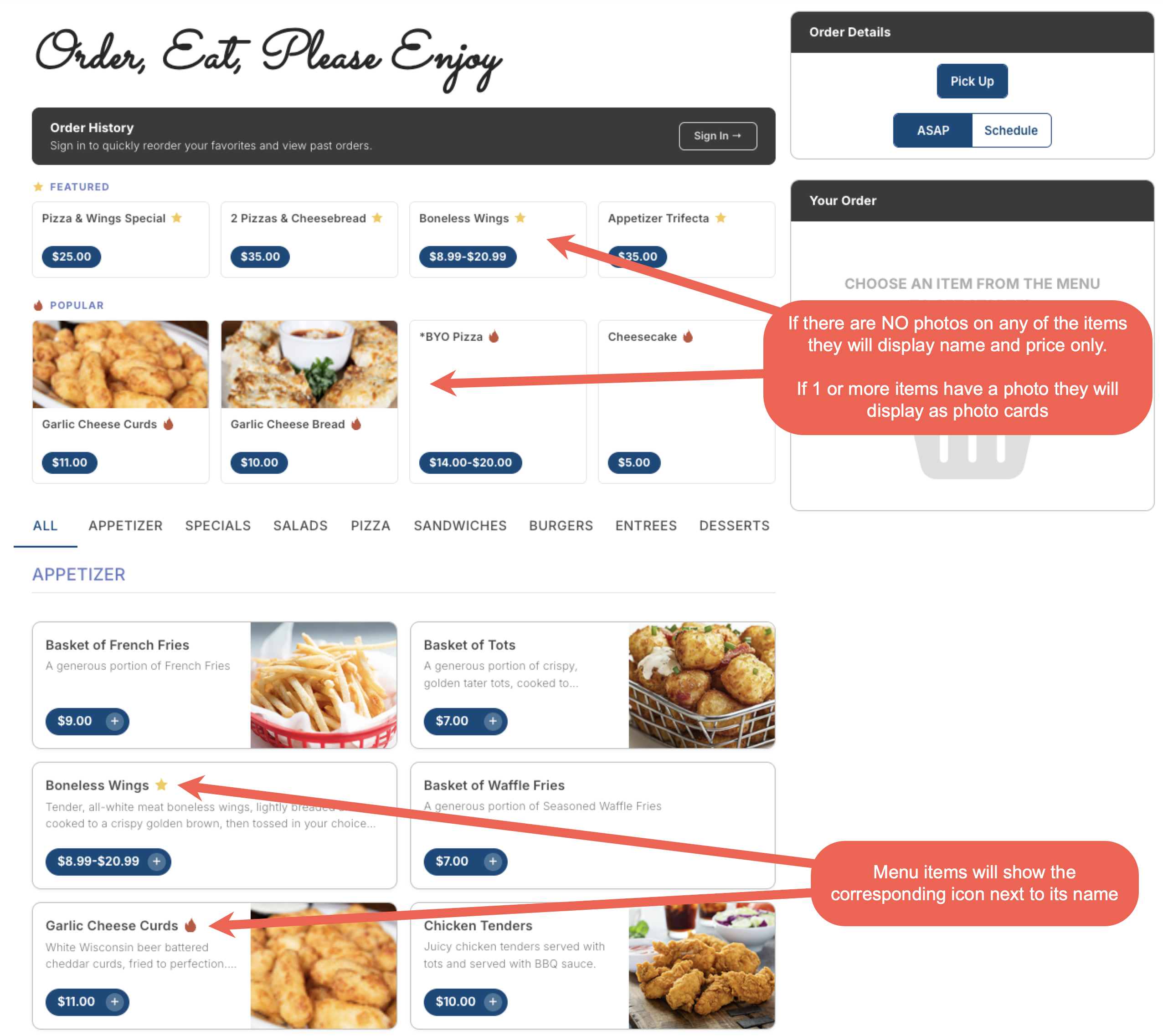
- Two new sections — Featured and Popular — can now appear at the top of your online ordering menu, just below the Order History bar and above the category tabs. These give guests quick access to promoted or best-selling items without having to browse through the full menu.
- Both sections are off by default. A section only appears on the menu once items have been added to it in Backoffice.
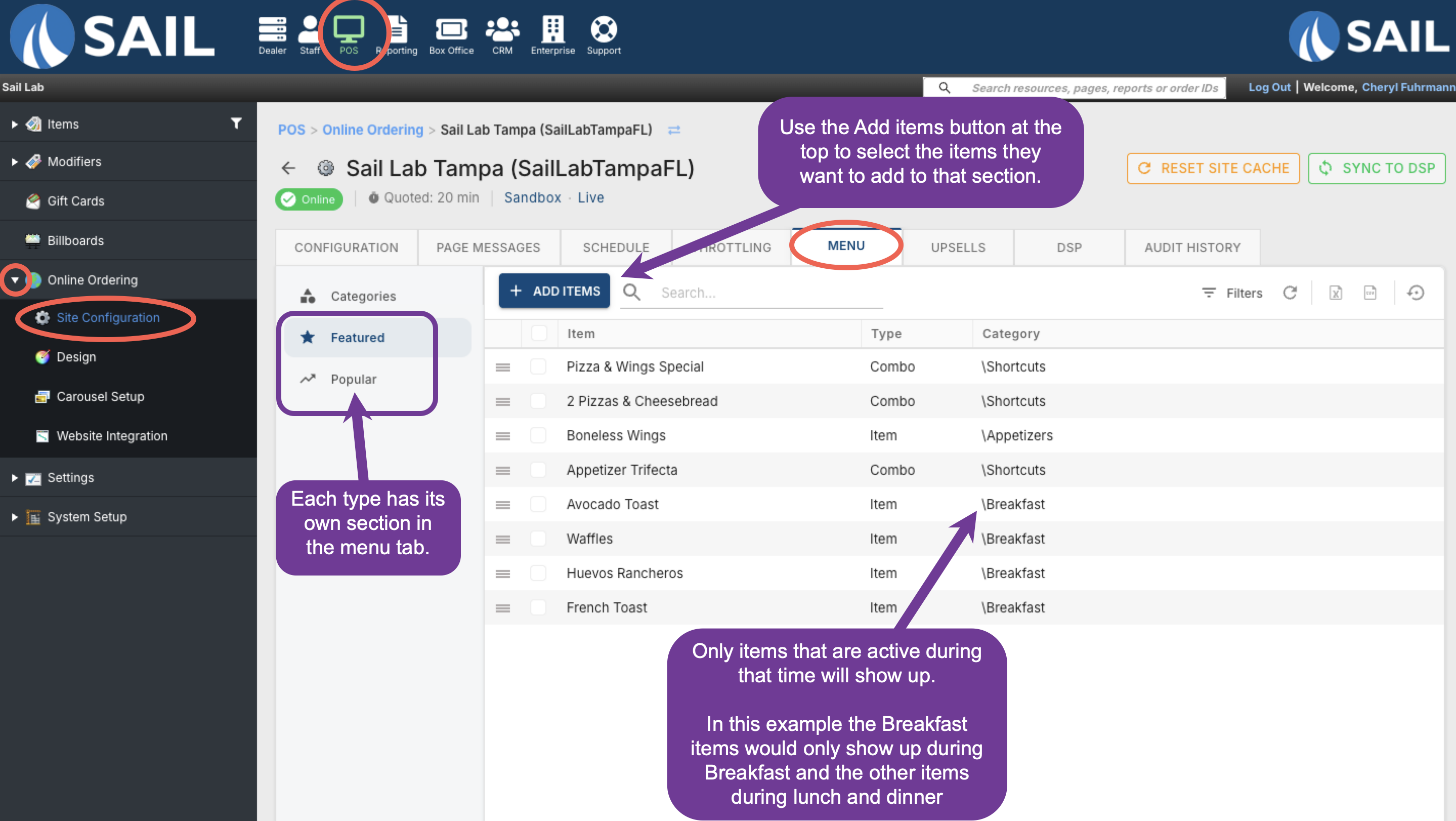
- To configure, go to Backoffice --> POS --> Online Ordering --> Site Configuration --> [your location] --> Menu tab. Each section has its own grid where you can add and remove items using the + Add Items button.
4. OLO: Ability to collapse modifier sets
5. OLO: Show modifiers in the cart and in the email receipt
6. Ability to add a section to the table layout on the termin
7. New Report: Sales vs labor by Day Part
8. Areas going to the new Blazor Backoffice: Items, Modifier items, Receipt Printers, Prep Printers & Label Printers
Fixes
- Fixed an issue where orders from the previous night could still appear on KVS the following morning.
- Fixed an issue where handhelds would not display the complete 86 List when more than 60 items were included.