
Release 2026.9.2 "Xielo cooler"
Notes: This release consists of 5 New features and Improvements. Use the page navigation section on the top left of this screen to jump between the features you'd like to read about.
**This release WILL require a handheld update to version 2026.9.2**
If you would like any additional information or help setting up any of these new features, please contact support at:
Support@ingageit.com or call (612) 861-5277
New Features
1. Employee Breaks
- Employees can now clock out for a break and back
in,inrightdirectly from the time clock — no more approximating break time after the fact. - Break
themtypes are set up inBackoffice: Paidconfigure whether it's paid orunpaidunpaid, Lengthhow(in minutes)Whether to prompt at clock out about this specific break, iflong itwasn'tis,takenwhich Whetherjob roles it applies to, and whether it's required by law or companypolicypolicy.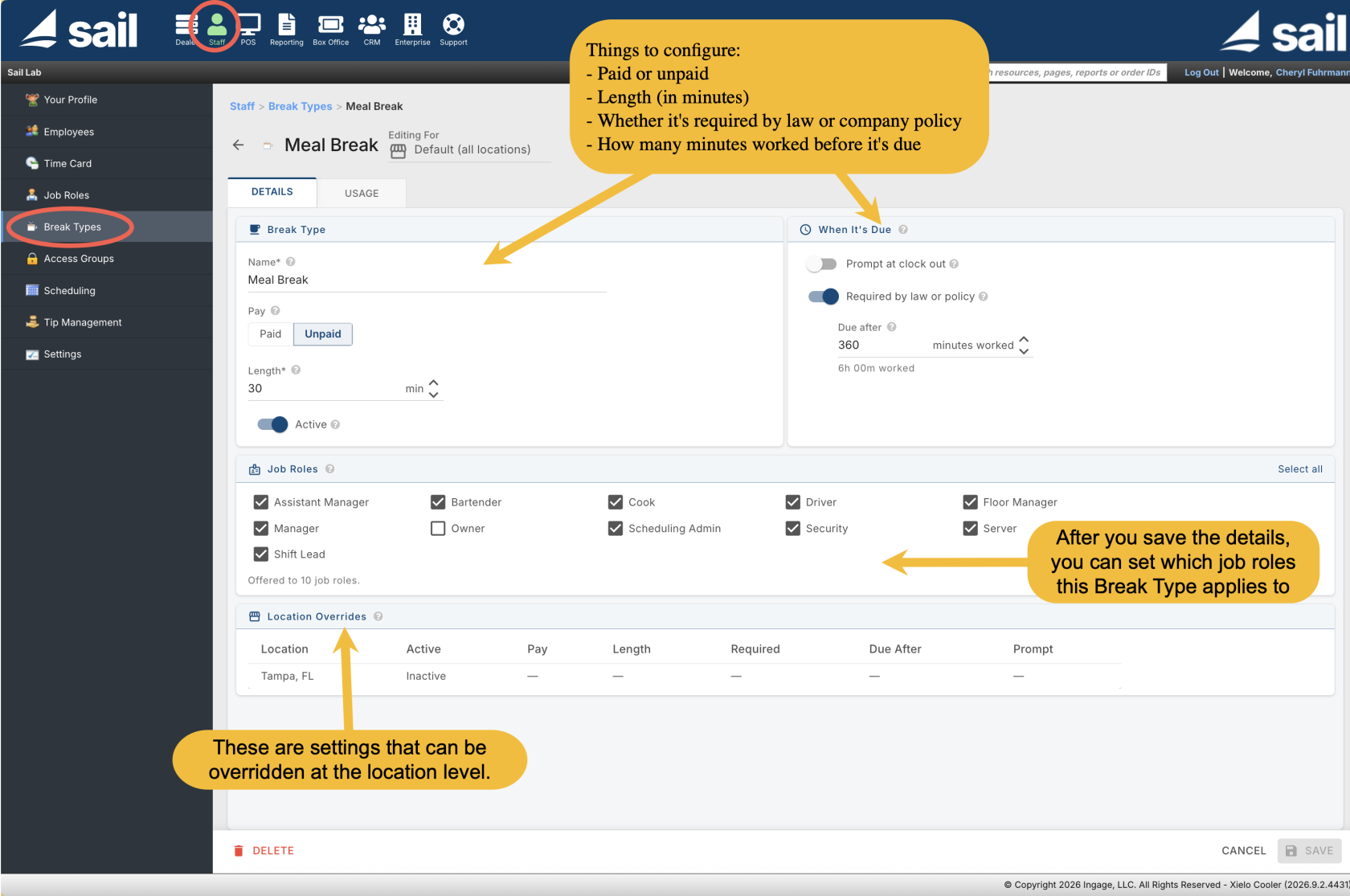
HowTomany minutes worked before it's dueWhich job roles this break applies toIfAt clock-out, if a required break wasn'ttaken during the shift,taken, the employeeseesisapromptedshorttoscreen listingmark eachmissed required breakone as Taken orWaived. Every one has to be answeredWaived before they can finish clocking out.Any other break type with Prompt at Clock Out turned on is also flagged at clock out if it wasn't taken, with a simple "I took this break" checkbox.- Break time is reflected accurately on the Clock-Out Receipt,
theTime Card, andtheStaff dashboard — hours worked and overtime are already net of unpaid break time. - Managers can add, edit, or delete break rows directly on an employee's Time
Card, with audit history of changes.
Card. If you ever edit a break type down the road, past shifts aren't affected the same way for every field. Pay type and length stay as they were when the break was taken — changing a break type from unpaid to paid, for example, won't change how it's recorded on shifts already in the books. The break's name, though, isn't frozen — renaming Rest to Break updates it everywhere, including past shifts.- Payroll Details
hasincludes a newIncludeShow Break Detailscheckbox.optionTurnthatitshowson and everyeach breakappearsas its own lineunder the shift it belongs to— the break name, when it happened, whether it was paid or unpaid, and itsstatus: Taken, Missed, Waived, or Taken (at clock out) for a break recorded by answering the clock-out prompt rather than actually starting and ending one. Payroll Summaryand Payroll Summary With Tip Details each get two new columns, Break Hrs Paid and Break Hrs Unpaid, showing the totals for the pay period — without the line-by-line detail.status.
Setting
Break Type: Set up named breaks (Rest, Meal, Smoke Break, or whatever your policy calls for)Backoffice under Staff →--> Break Types. For each one,break, configure:
- can
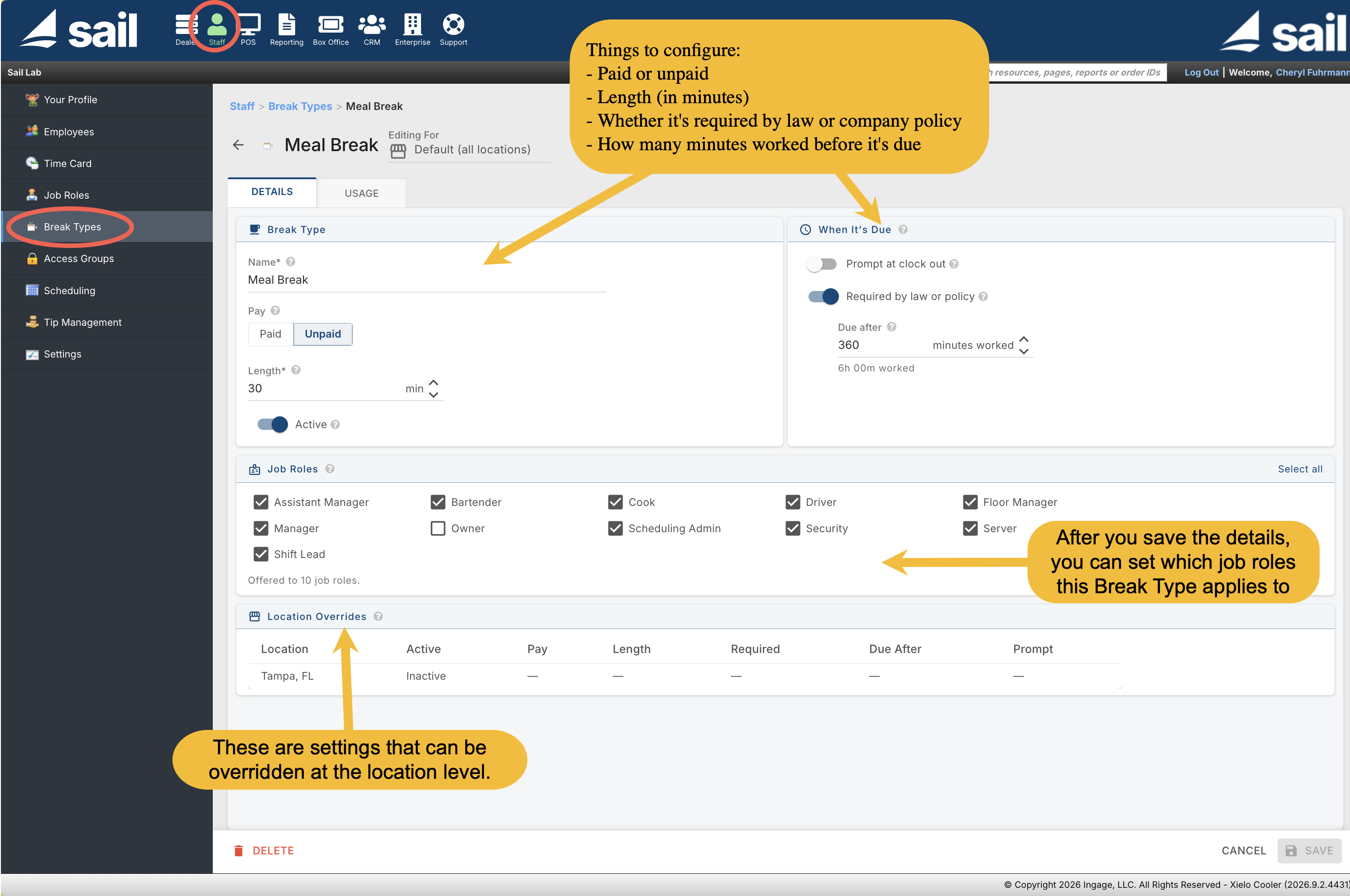
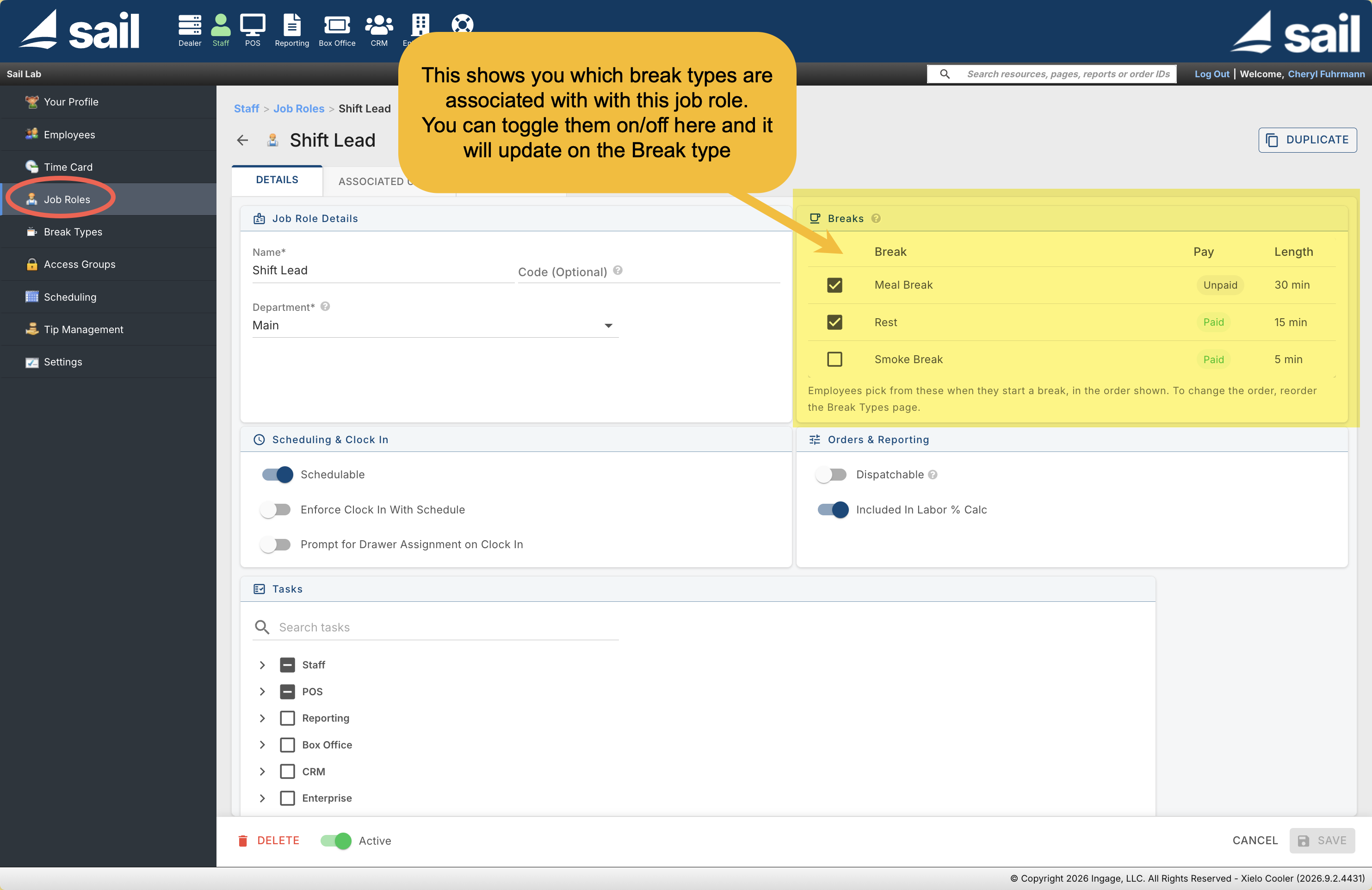
Job Role: Under Staff → Job Roles → Break, Each job role's page lists every break type the company has set up, with its pay and length shown. Togglingstart a break on or off for that role also updatesbreak, the Break Types page — it's the same setting, changeable from either place.
Taking a Break on the Terminal or Handheld:
1. Starting and ending a break. From the Launcher, an employee taps the Time Clock button from the Launcher and choosesselects Start Break. If theirthey rolehave hasmore onlythan one break type, they simply confirm and are signed out until they return. If more than one applies, they pickchoose which breakone they're taking, then confirm.
2. Getting back to work.taking. When anthey employeereturn, on break entersentering their access code,code they'reprompts promptedthem to end the break before doing anything else — there'sthey nocan't way intoaccess the system whileuntil athey break is still open.
3. Clocking out.
- do.
Breaks in Reporting:
Time Card reporting.
Payroll reports.reporting note: The Payroll Report and Payroll Report With Overtime will not reflect break time and are being phased out by the end of the year. If you use Employee Breaks, switch to Payroll Details, Payroll Summary, or Payroll Summary With Tip DetailsDetails. instead.
2. Online Ordering Location Finder
Improvements
3. Staff Tab has the updated look
Fixes
Something was fixed