
How to cash out a delivery order on the Dispatch screen (Fast Cash)
BeingThis written.document will show you how to cash out a delivery order on the terminal's Dispatch screen with Fast Cash, when the driver comes back with the cash for an order that hasn't been paid yet.
To learn how to set up delivery and dispatch in Backoffice, click here to learn more about Delivery & Dispatch.
Before you start
- The order hasn't been paid: Fast Cash pays the whole balance of the order in cash and closes it. An order that's already paid, like an online order paid by card, doesn't need it.
- Permissions you need: your job role needs View Dispatch Screen (Backoffice --> Staff --> Job Roles --> Tasks --> POS --> Front of House --> Dispatch). To Fast Cash an order that belongs to someone else, such as an order out with a driver, it also needs View All Orders (POS --> Front of House --> Order).
Opening the Dispatch screen
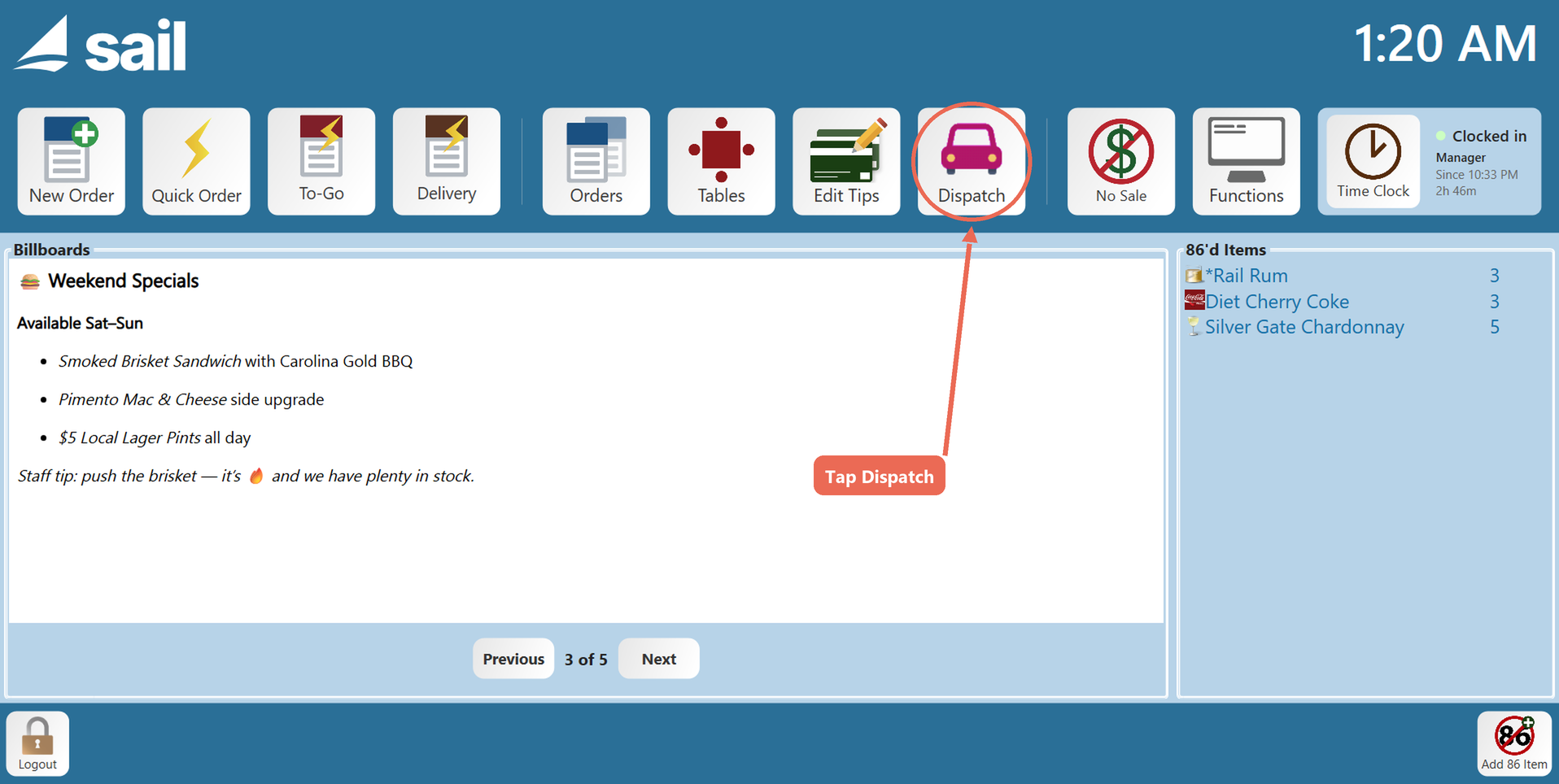
On the home screen, tap Dispatch.
How to Fast Cash an order
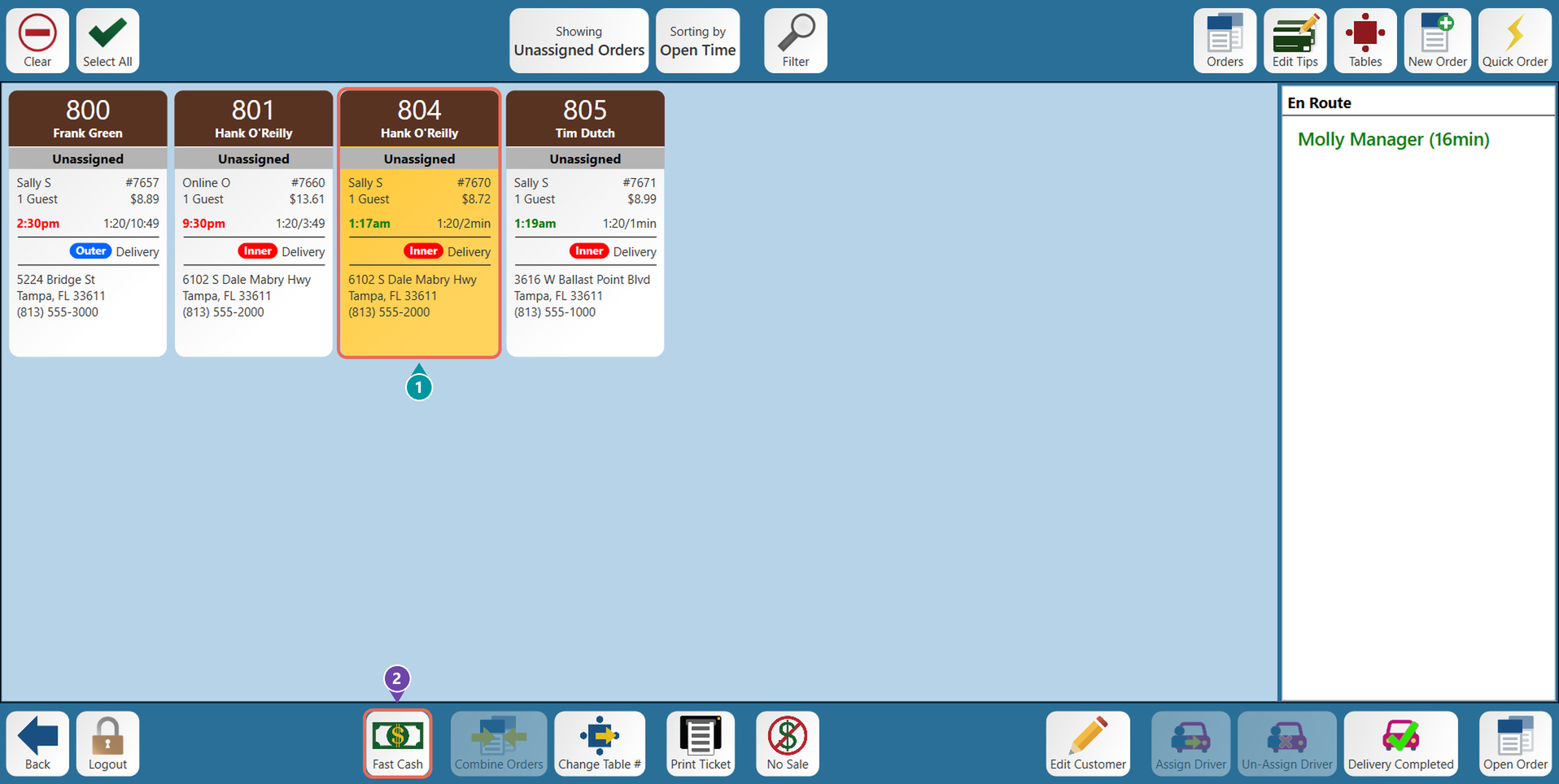
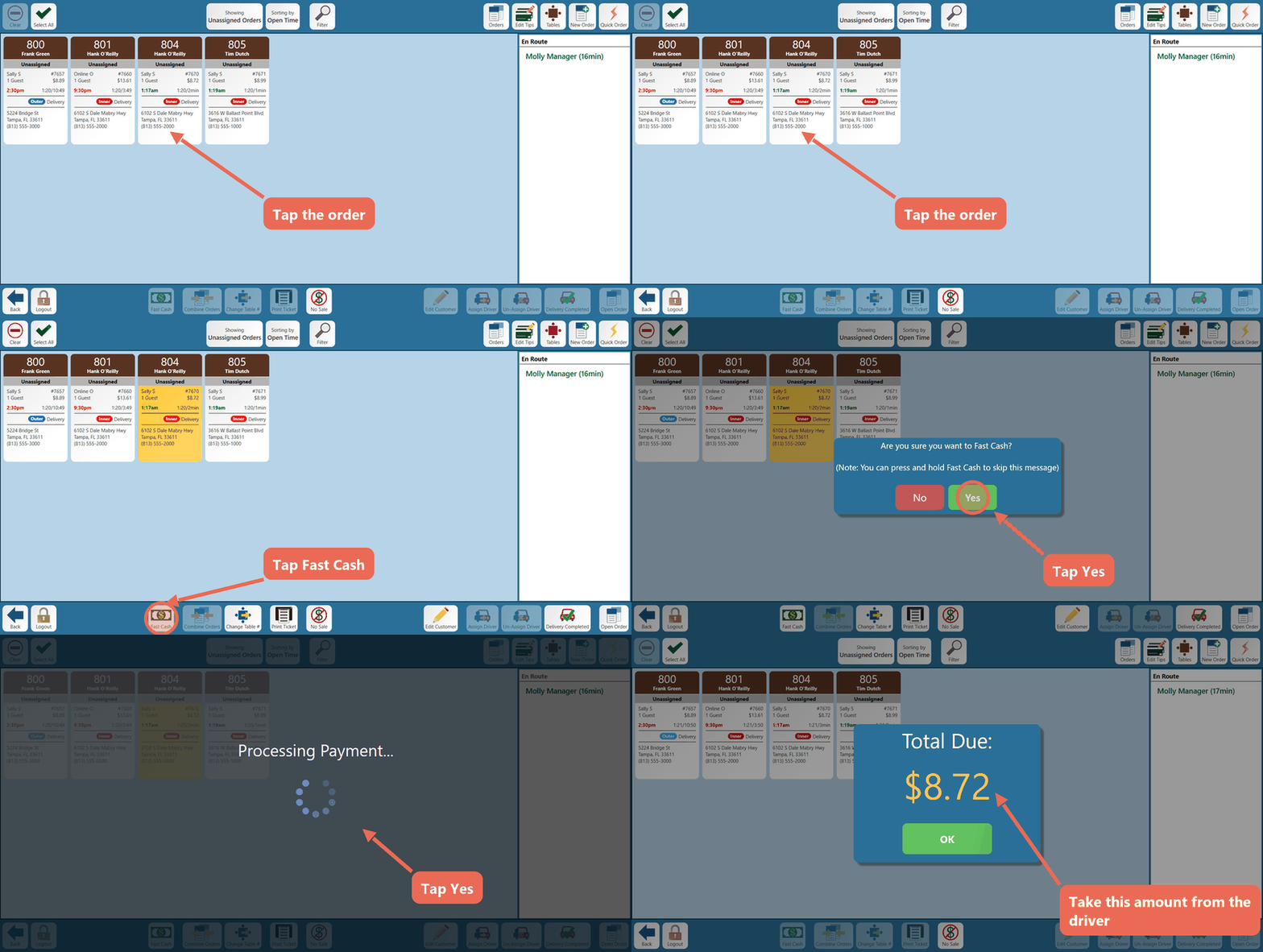
1. Tap the order. It turns yellow. To cash out more than one order, tap each of them.
2. Tap Fast Cash.
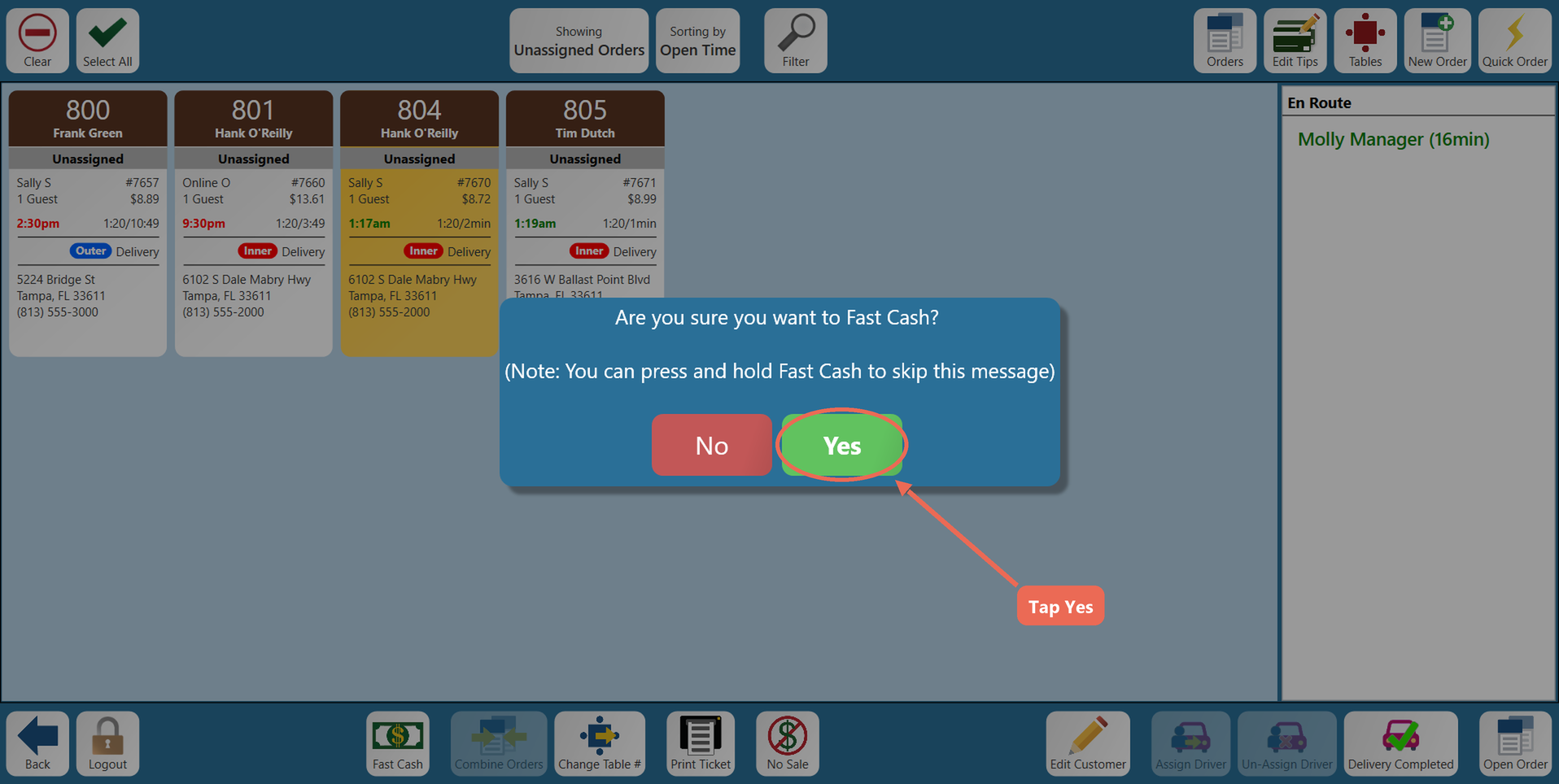
3. The terminal asks if you're sure. Tap Yes.
Tip: press and hold Fast Cash to skip this question.
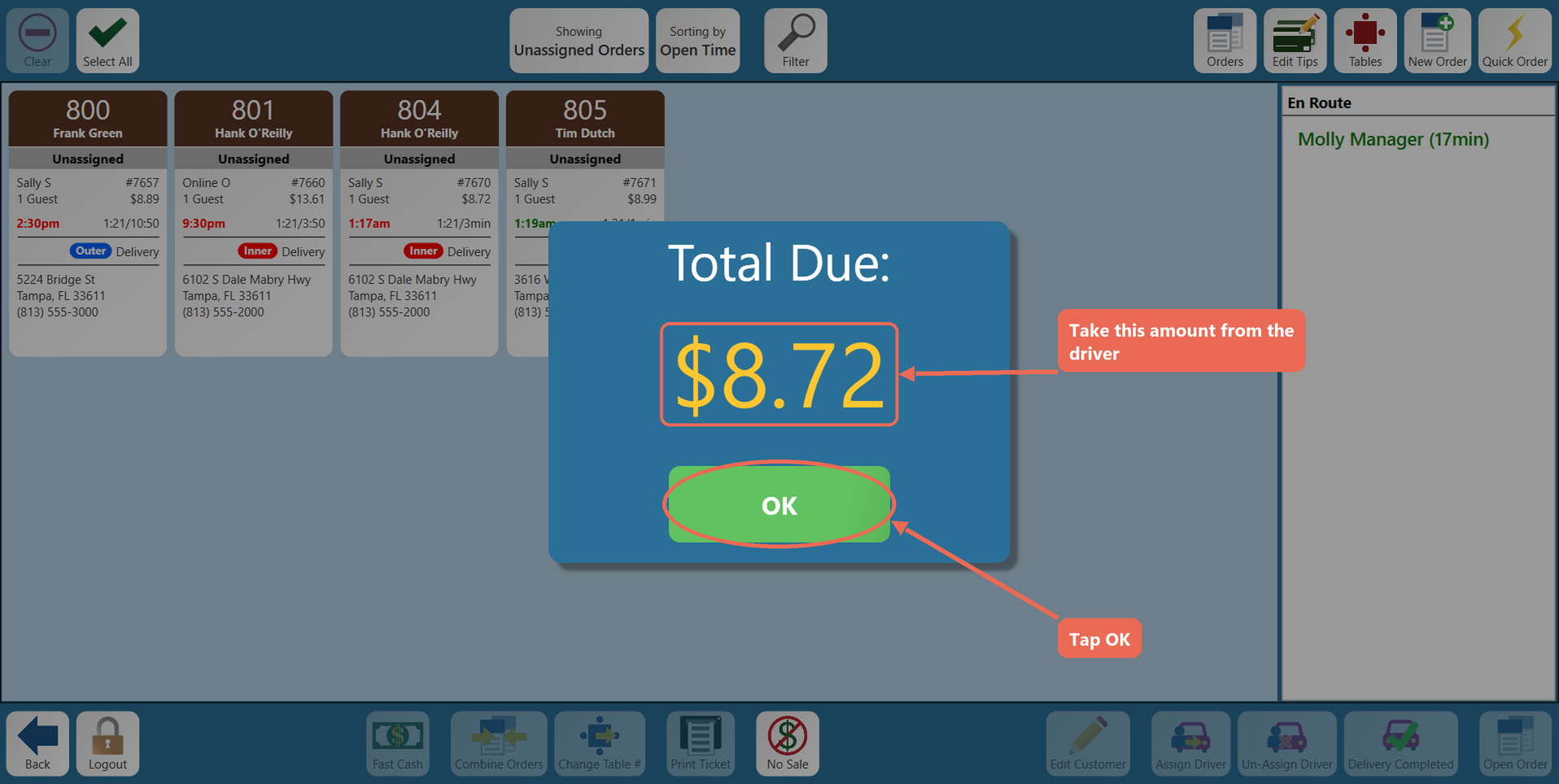
4. The Total Due window shows the amount to take from the driver. Tap OK.
The order is paid in cash and closed.
Here's what it looks like:
How to Fast Cash when you mark it delivered
When the driver comes back, you can mark the order delivered and cash it out in one go.
1. Tap the order (or the driver, for all of their orders), then tap Delivery Completed and Yes. Click here to learn more about marking an order as delivered.
2. If the order hasn't been paid, the terminal asks if you'd like to Fast Cash it. Tap Yes.
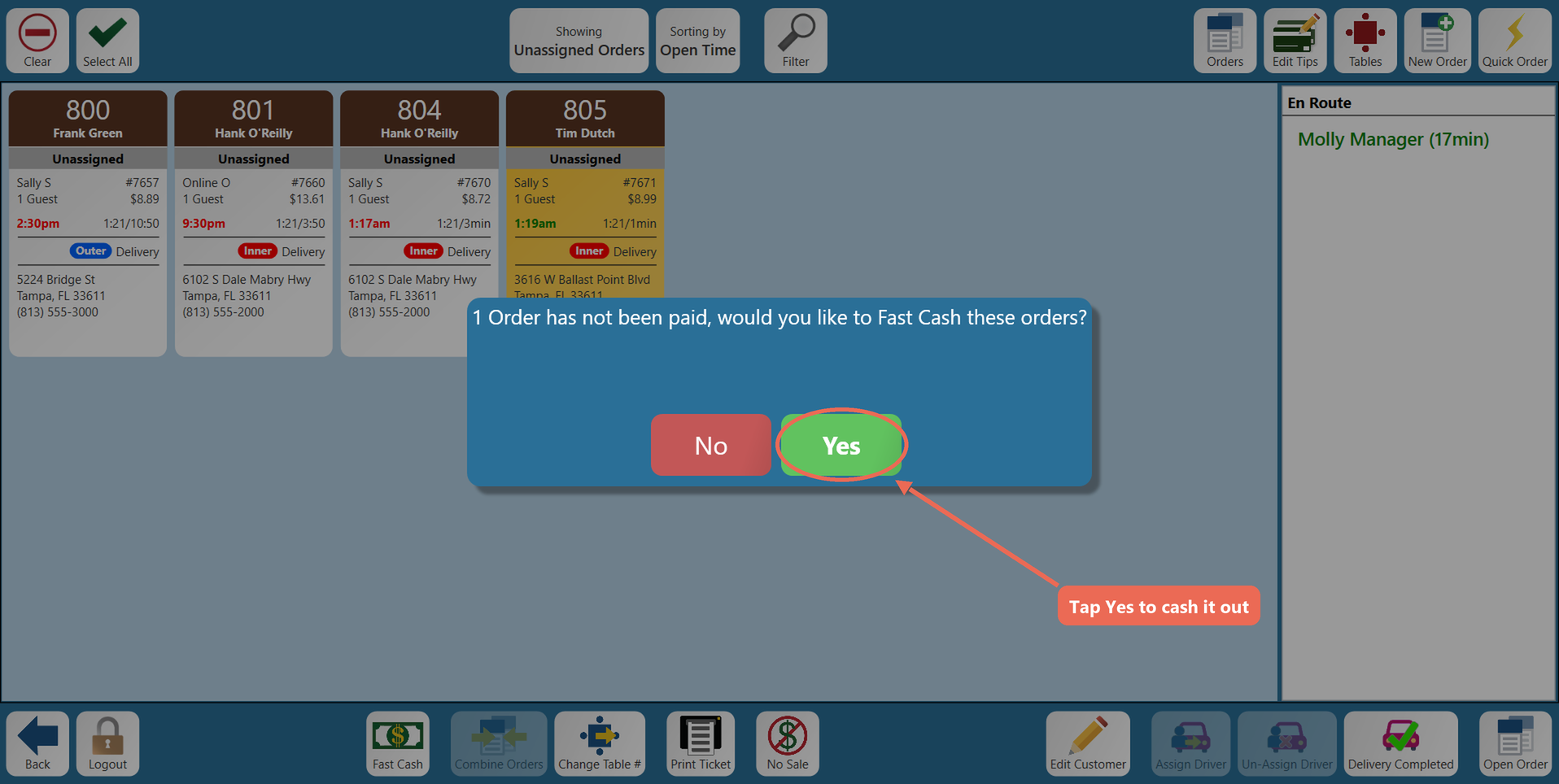
3. The Total Due window shows the amount to take from the driver. Tap OK.
Tap No instead if the driver didn't bring back cash: the order is marked delivered and stays open until it's paid. You can Fast Cash it later, as above.
Good to know
- A paid order stays on the Dispatch screen until it's marked delivered, so you can still assign a driver to it. When you mark it delivered, the terminal doesn't ask about Fast Cash.
- Several orders at once: when you Fast Cash more than one order, the Total Due window shows them added together.
- Fast Cash is grey when nothing is selected, or when one of the selected orders is already paid or is open on another terminal.
- The cash drawer doesn't open with Fast Cash on the Dispatch screen. To open it, tap No Sale.
- To take a card or another payment instead, open the order and pay it as usual. Click here to learn more about closing a table/order.