
How to exit and restart Sail Software
This will walk through how to close Sail on a terminal and start it up again - for example, when support asks you to restart Sail.
Exit Sail Software from the Log In screen
-
On the Log In screen enter 987654321 and tap Enter. Sail closes.
987654321 Enter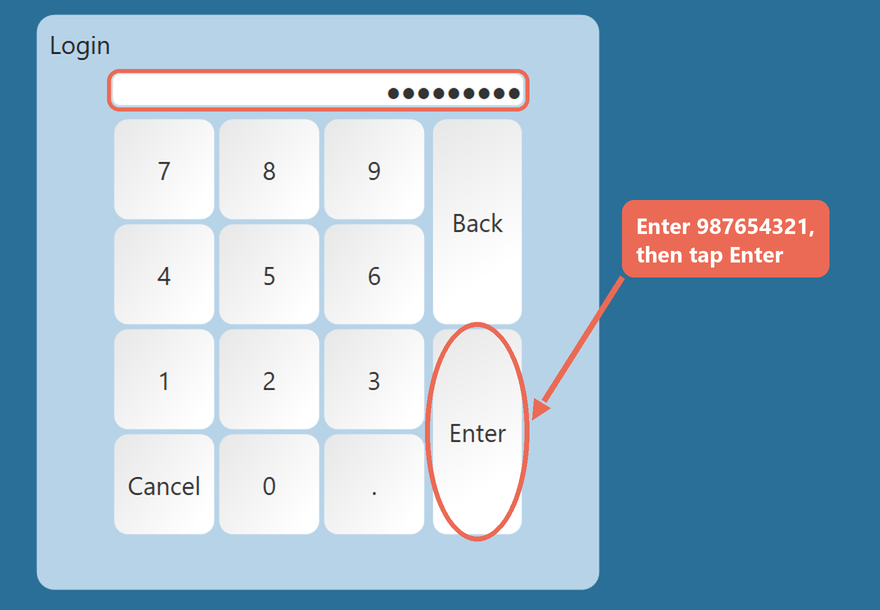

Exit
Press and hold OnSoftware from any other screen,screen
click
bottom left until it changes to Manager, then let go.Logthe OutLogout button andat enterthe
987654321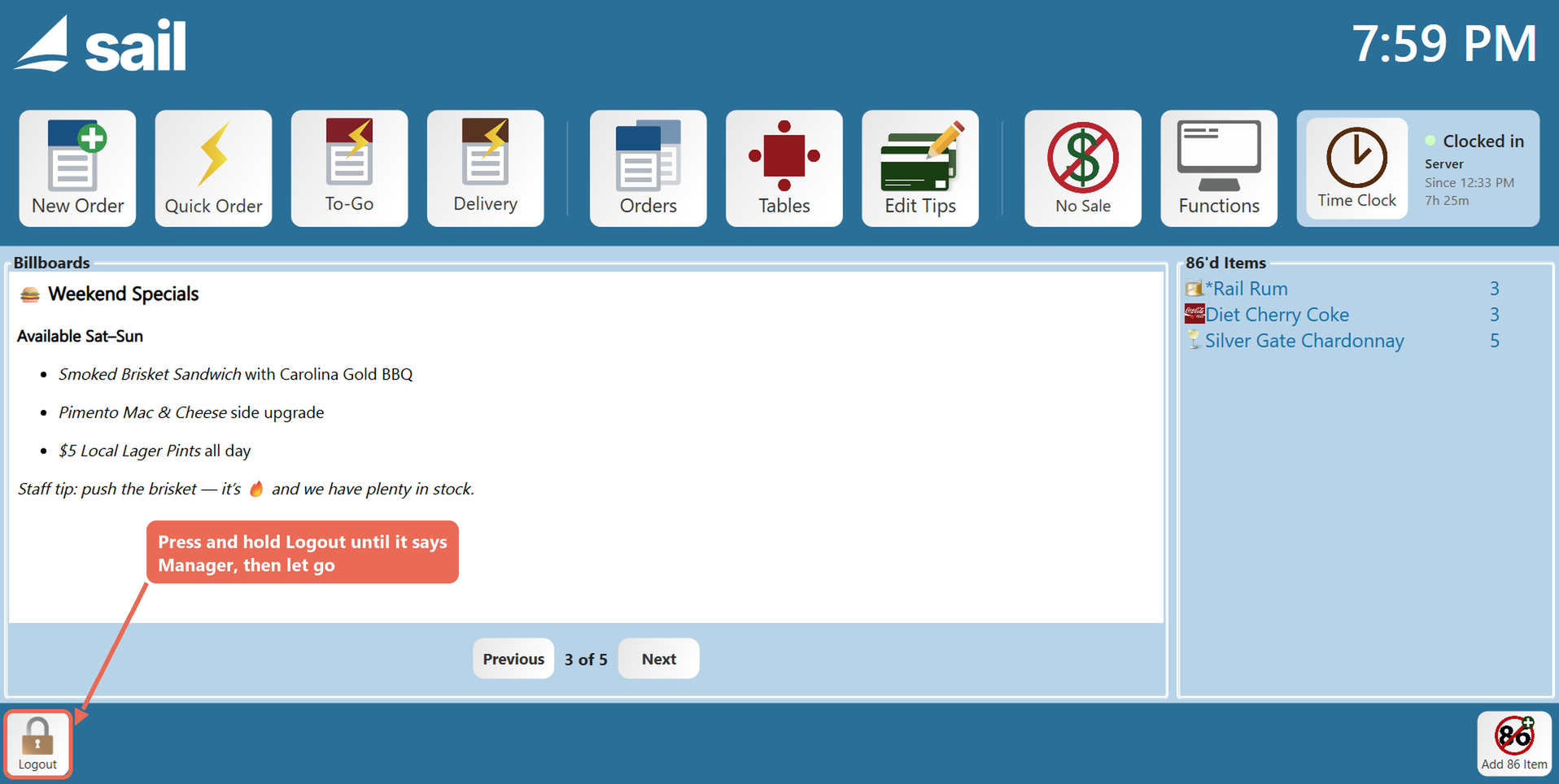
The Enter Manager Access Code window opens. Enter 987654321 and tap Enter. Sail closes.

Start Up Sail Software from the desktop
-
Double-tap (or double-click) the Sail POS icon on the terminal's desktop. Sail opens on the Log In screen.
Click the Sail Icon