Items: Inventory Tab
The Inventory tab covers stock tracking for this item. Like Online Ordering, it's a single page with no sub-tabs.
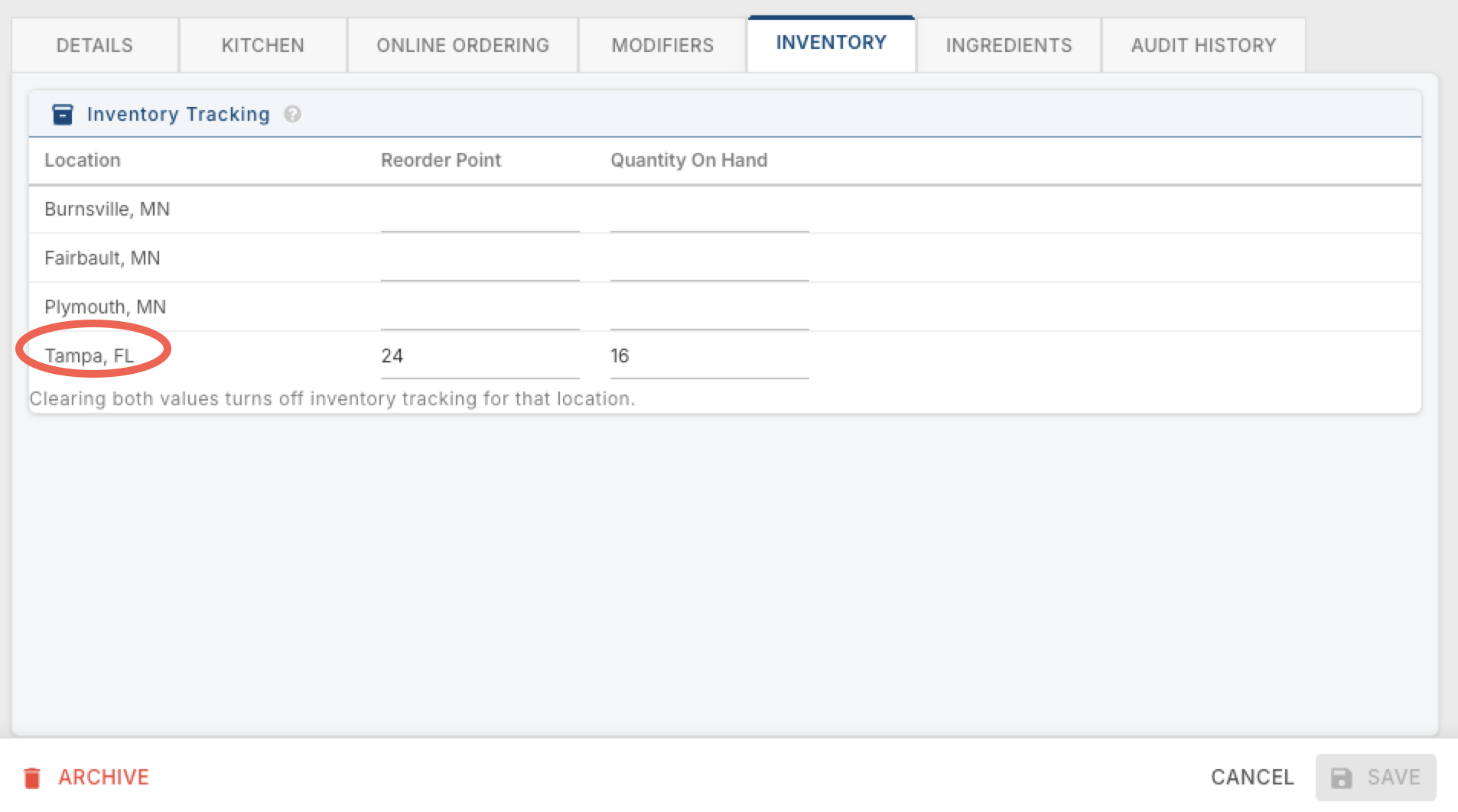
Inventory Tracking
A table listing every location, with a Reorder Point and Quantity On Hand for each. If you only have one location, you'll just see a single row for it.
Reorder Point — the stock level that flags this item as running low. It feeds into the 86 Item Report, helping color-coordinate how items are displayed there based on how close they are to running out.
Quantity On Hand — the current amount of this item in stock at that location.
What you fill in changes what actually happens:
- Leave both blank, and this item isn't tracked at all.
- Fill in just Quantity On Hand, and it's tracked on the terminal, handhelds, and the 86 Item Report — but the report won't color-coordinate it.
- Fill in just Reorder Point, and nothing shows up on the report.
- Fill in both, and the report will color-coordinate the item based on how its Quantity On Hand compares to its Reorder Point.