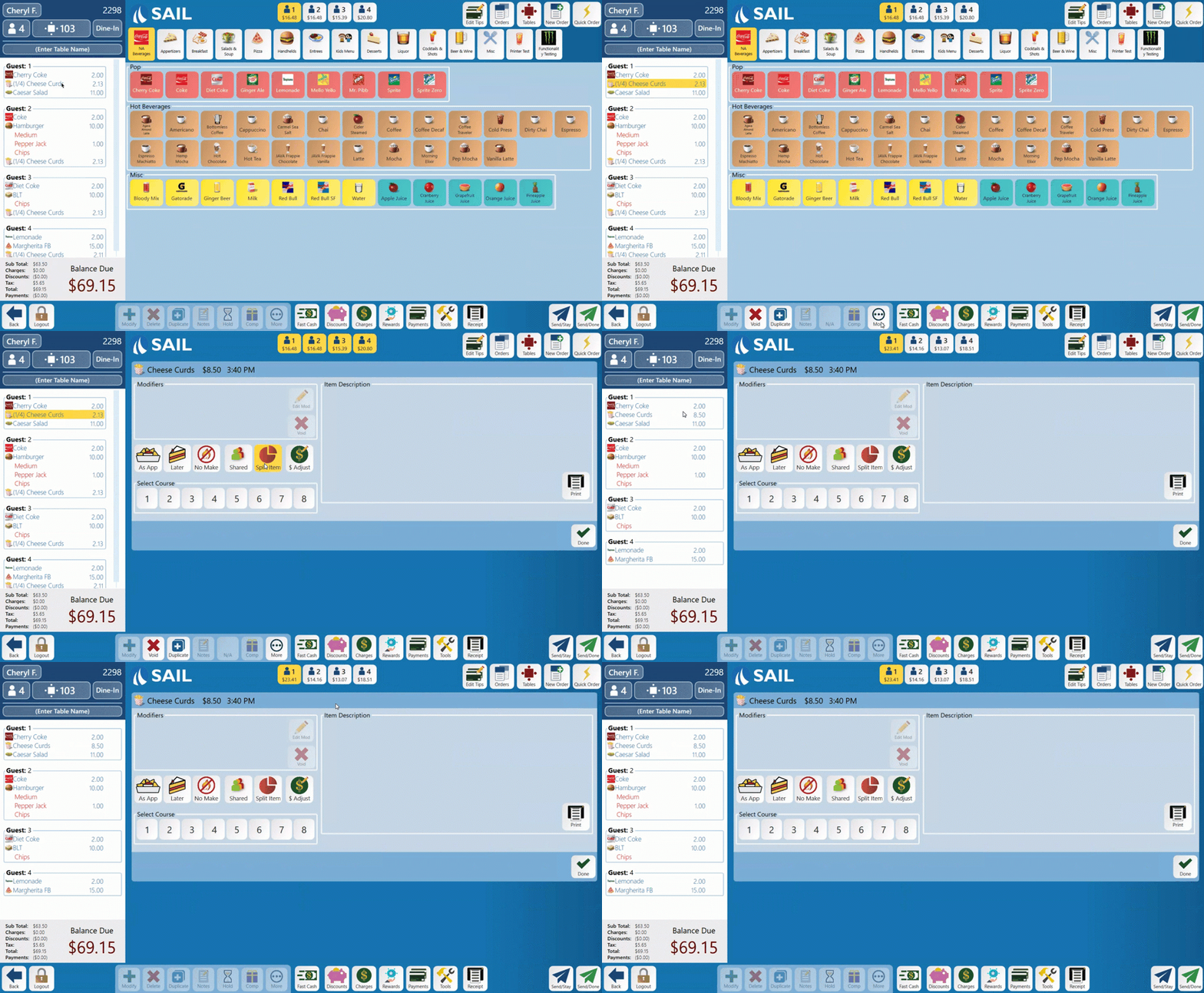
How to Split & Un-split an item on the terminal
This document will show you how to Split and then Un-split an item on the terminal
How to Split an item
- Log into the table.
- If there is only 1 guest on the order you will need to change the guest count first before splitting the item. Otherwise the terminal says "Add guests to the order first. Splitting needs at least 2 guests."
- Select the item you wish to split
- Select the "More" button along the bottom toolbar
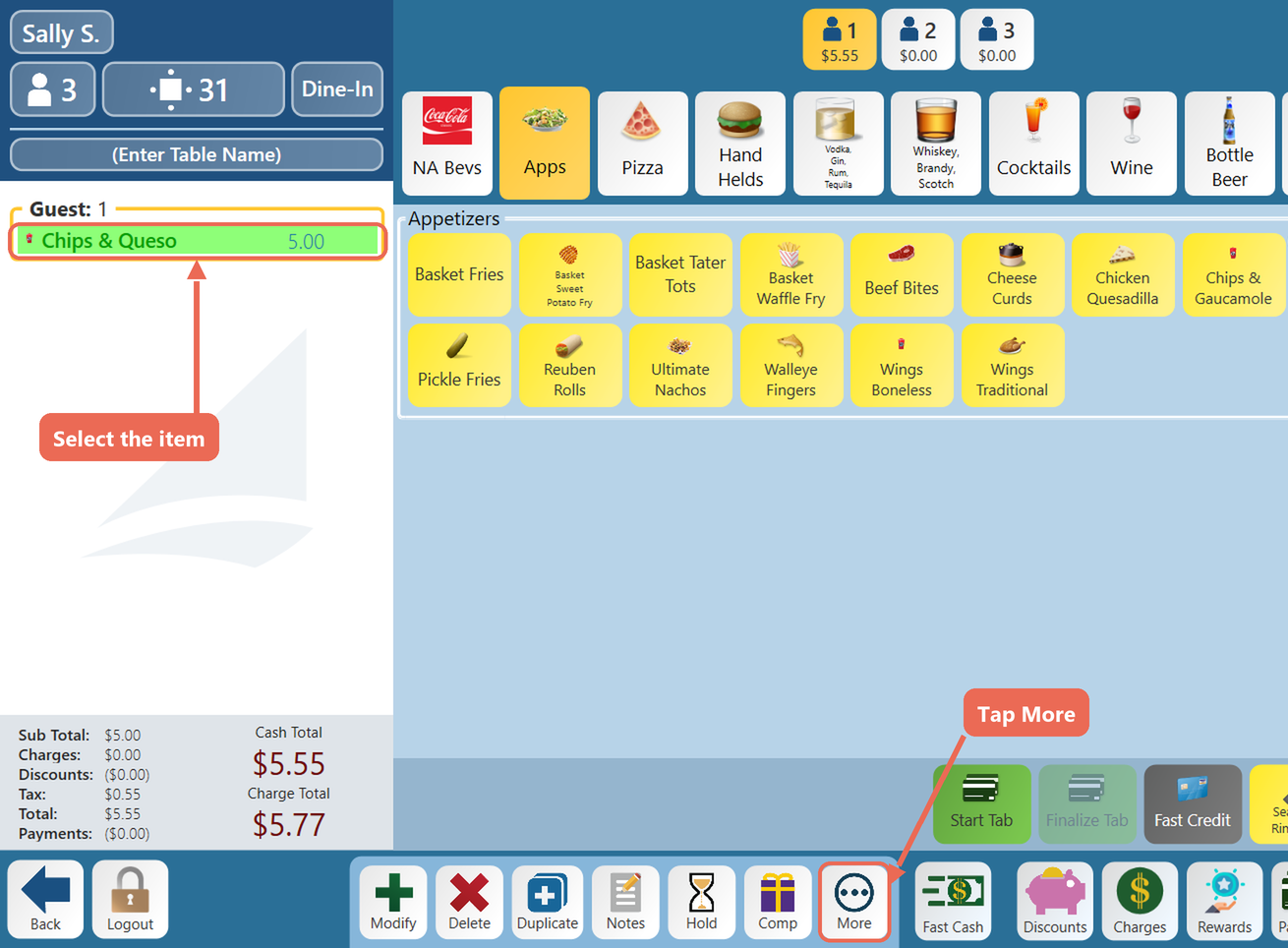
- Select the "Split
item"Item"button,button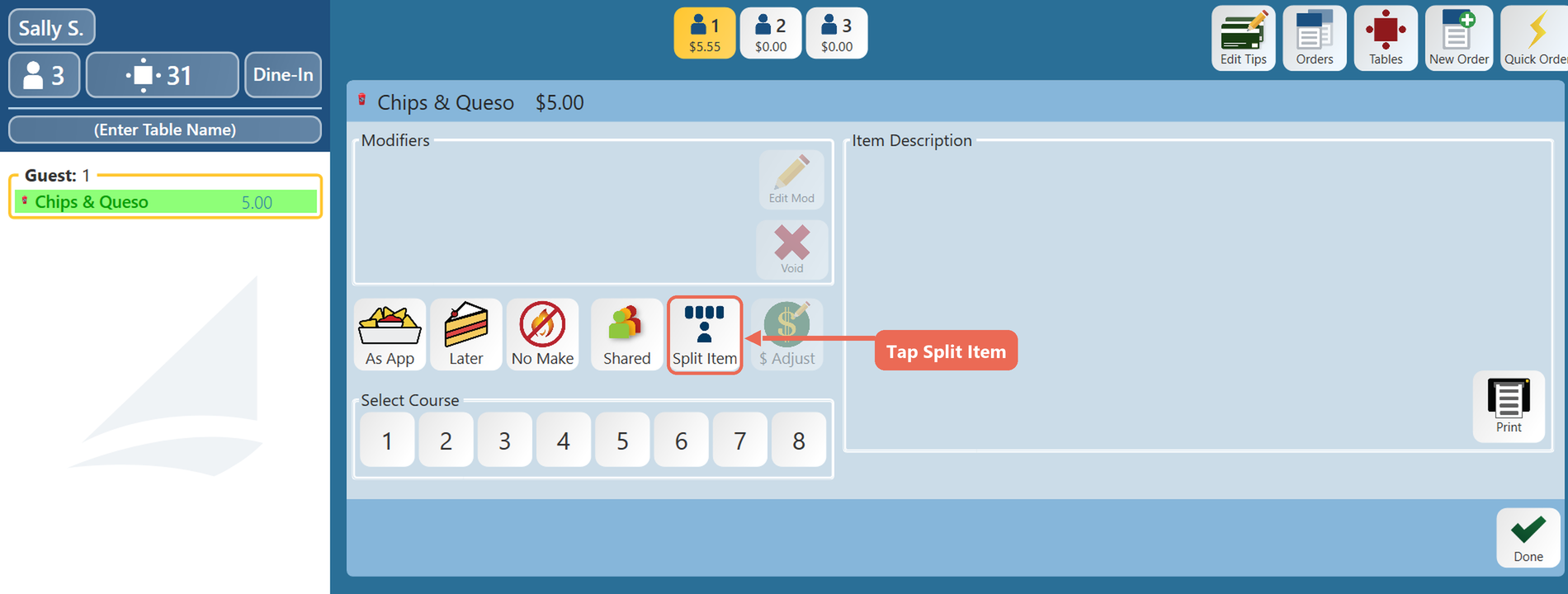
- The "Split Item" button
willturns gold and nowbesaysyellow to show that it was selected"Unsplit"- The item on the check will also show (1/1) to show that only 1 guest is selected
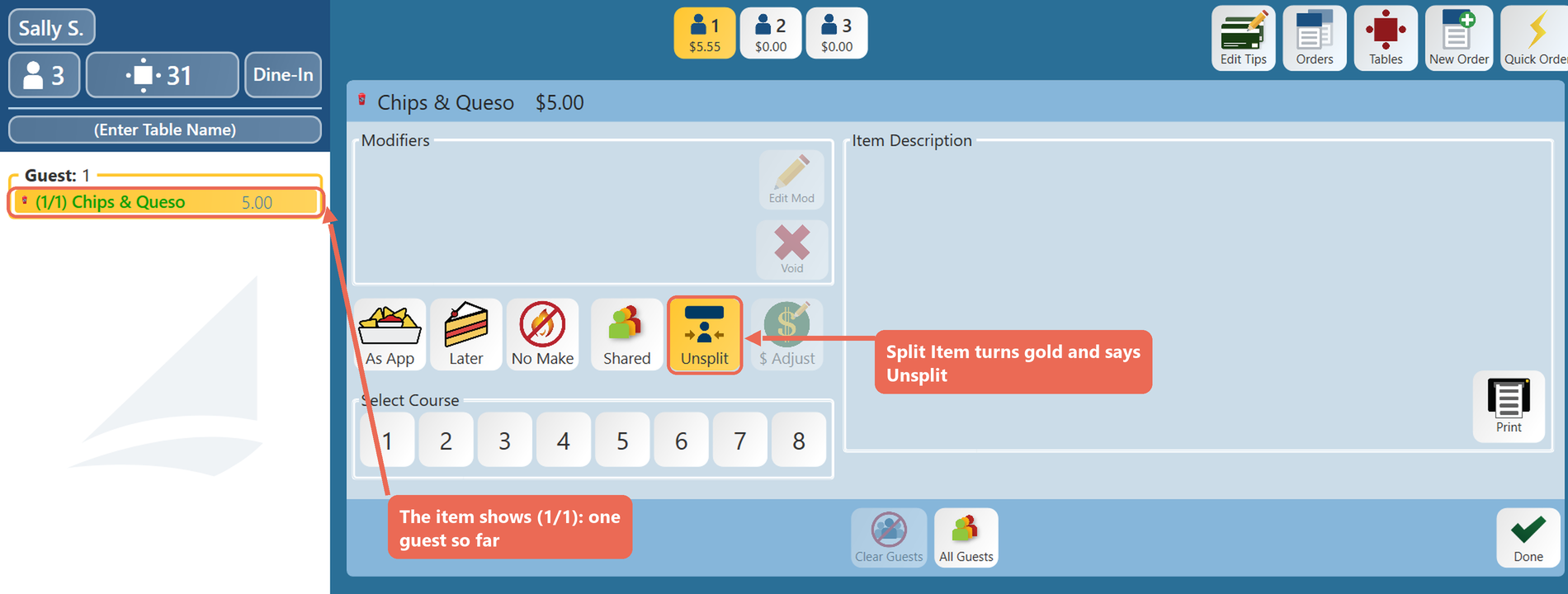
- Select as many guests along the top that you'd like to split it between
- As you select more guests the item on the side will show (1/2) for two guests, (1/3) for three guests and so on
- To take a guest out of the split, select that guest again
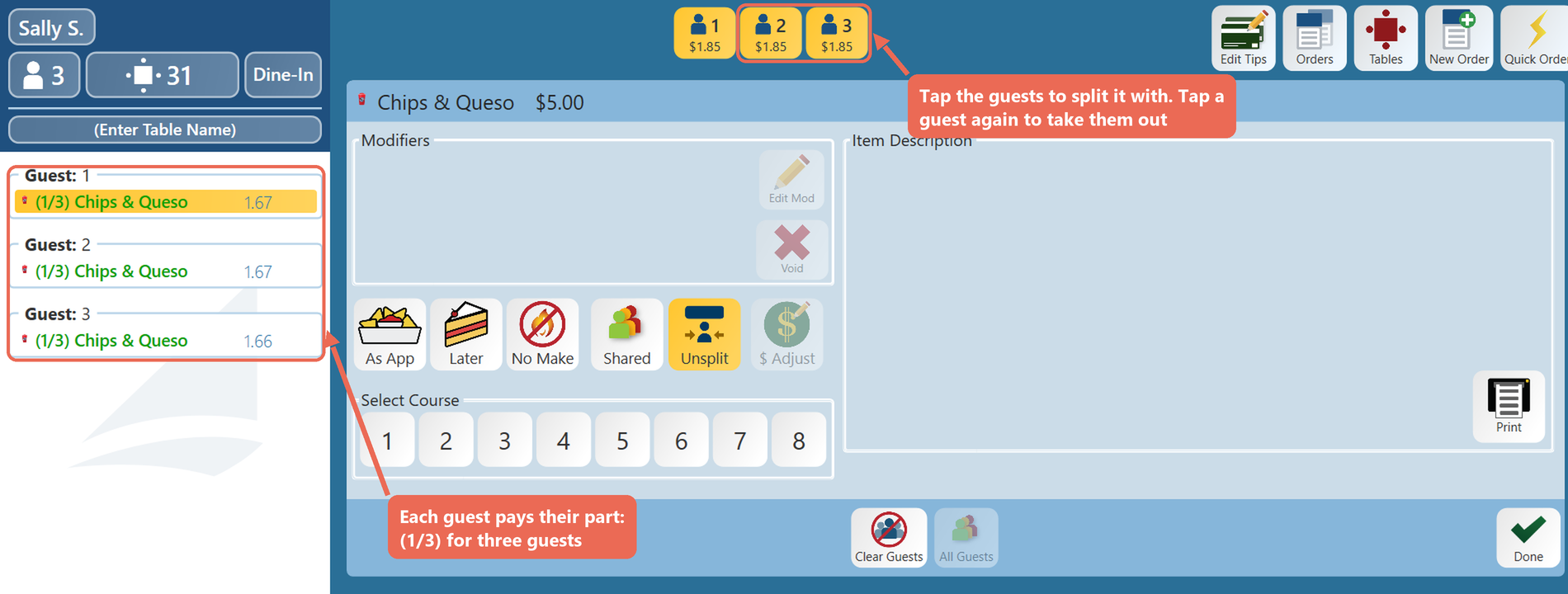
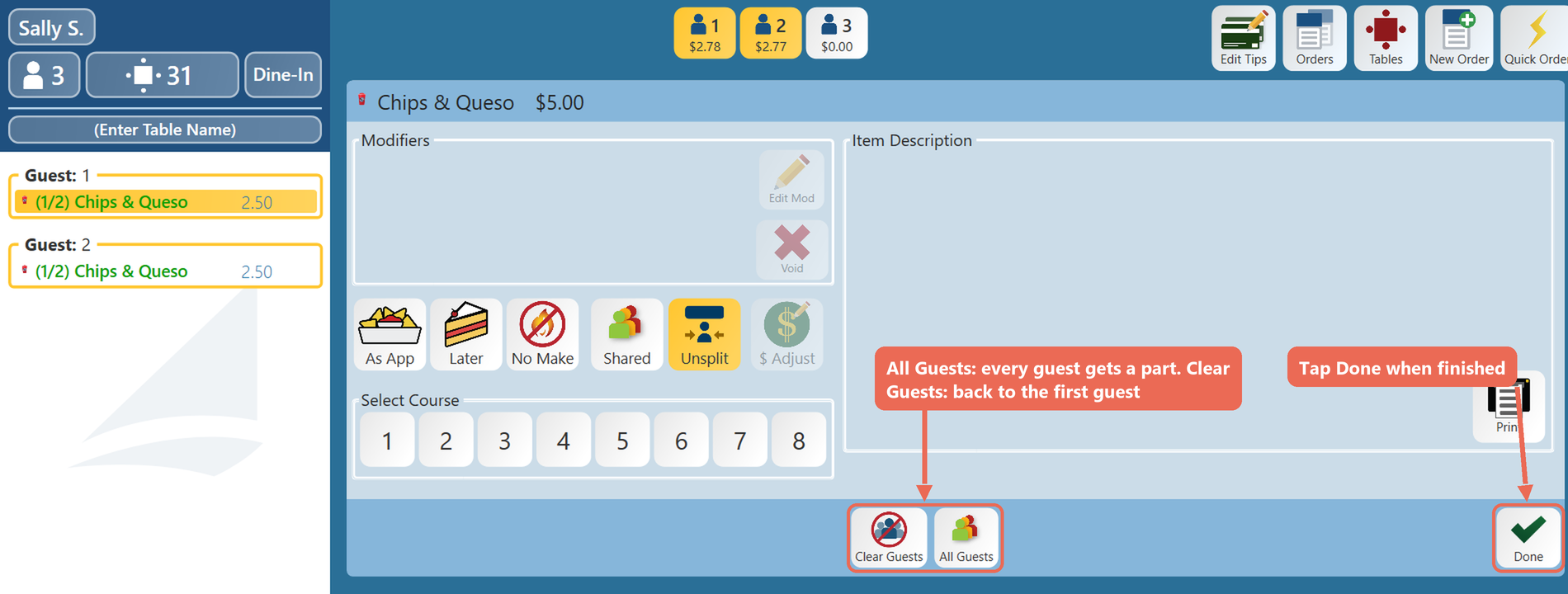
- When finished selecting guests click the "Done" button on the
middlebottom right of the screen- "All Guests" splits the item between every guest who hasn't paid, and "Clear Guests" puts it back on the first guest only. These two buttons show while the item is split
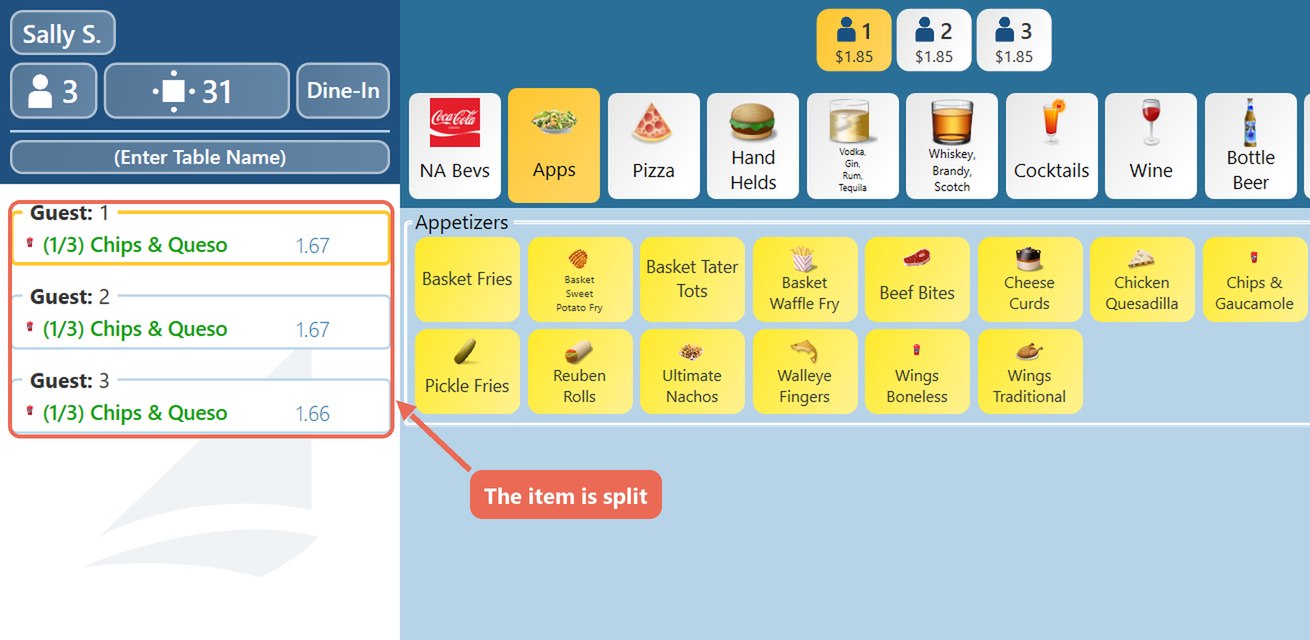
- The item is now split
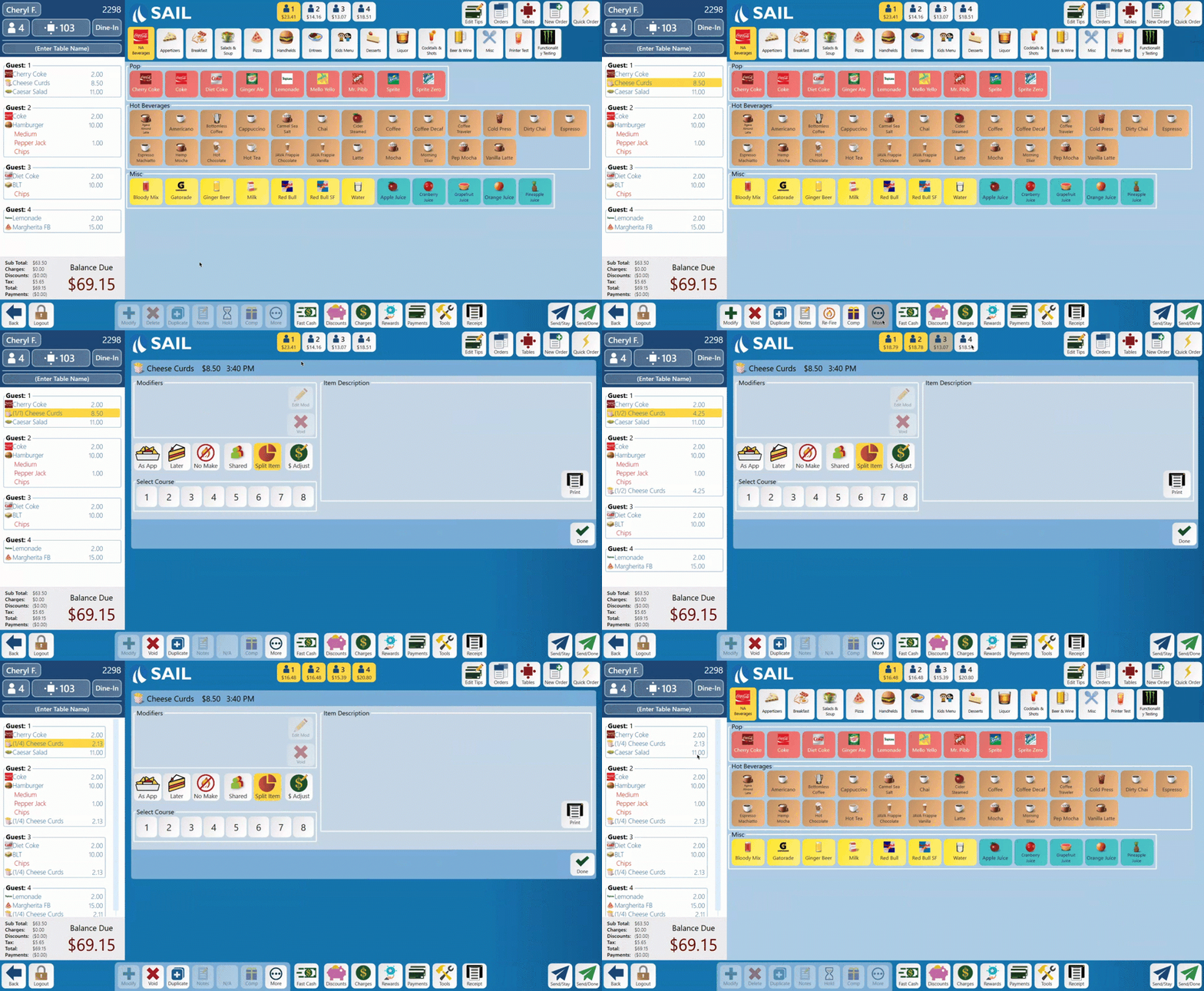
How to move one split to another guest
- Select one split of the item on the order
- Select the guest along the top who pays for it
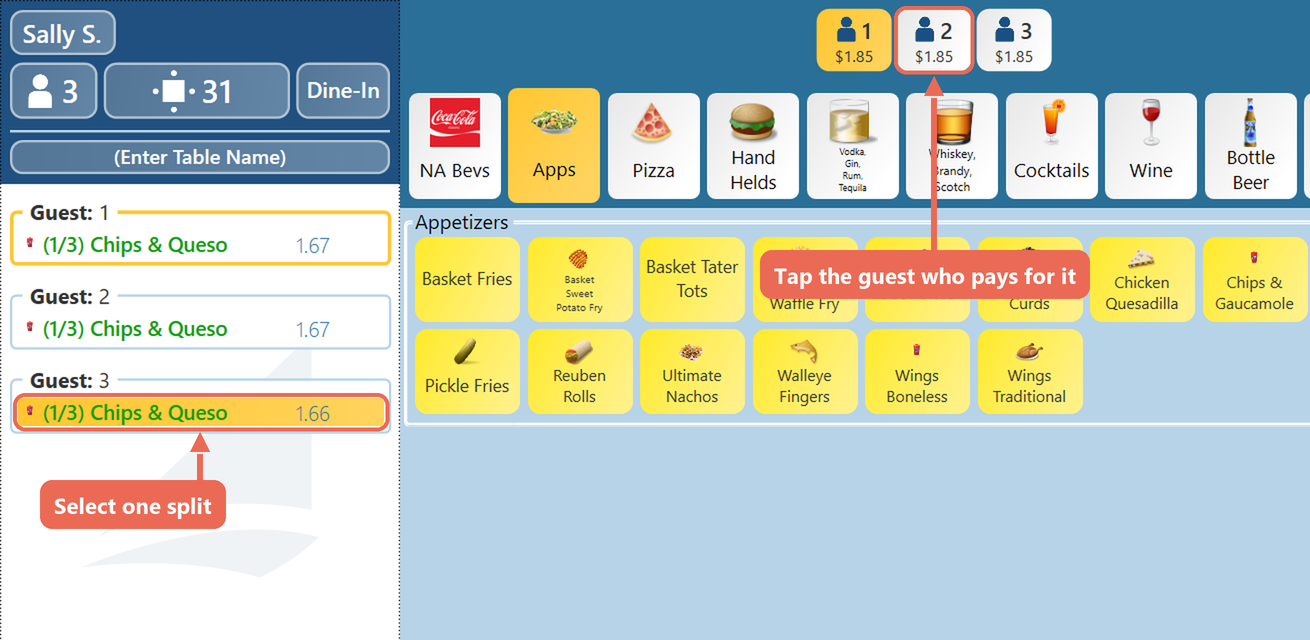
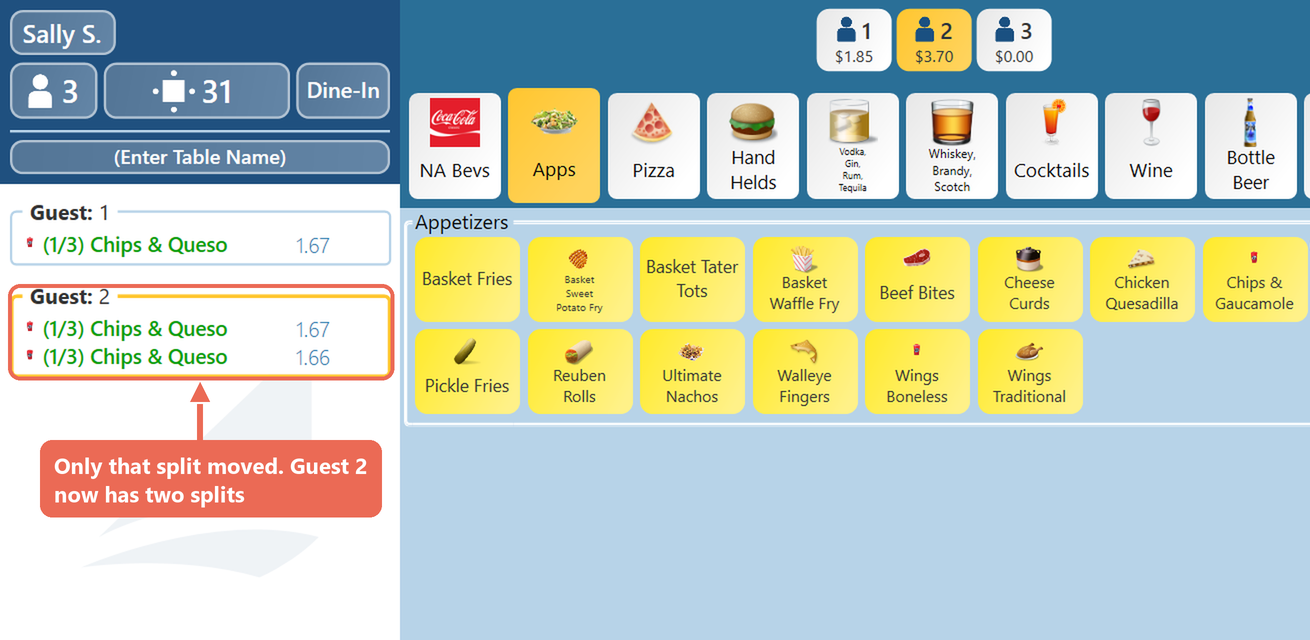
- Only that split moves. One guest can hold more than one split of the same item
How to Un-split an item
- Log into the table
- Select the item you wish to Un-split
- Select the "More" button along the bottom toolbar
- The
"Split Item"button will beyellow,gold and say "Unsplit". Select that buttonagain, it will turn white to indicate that its been unselected.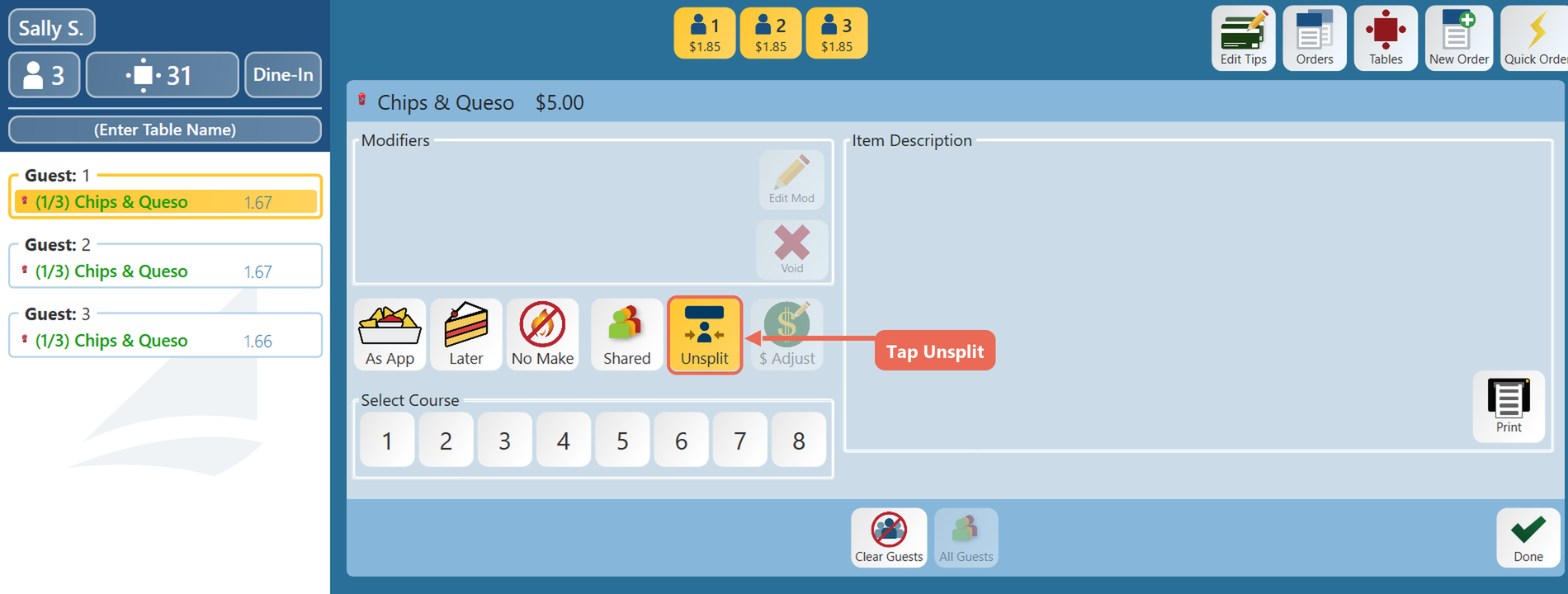
- The item will now be un-split and put back on one guest, and the
originalbuttonguestsaysit"SplitstartedItem"onagain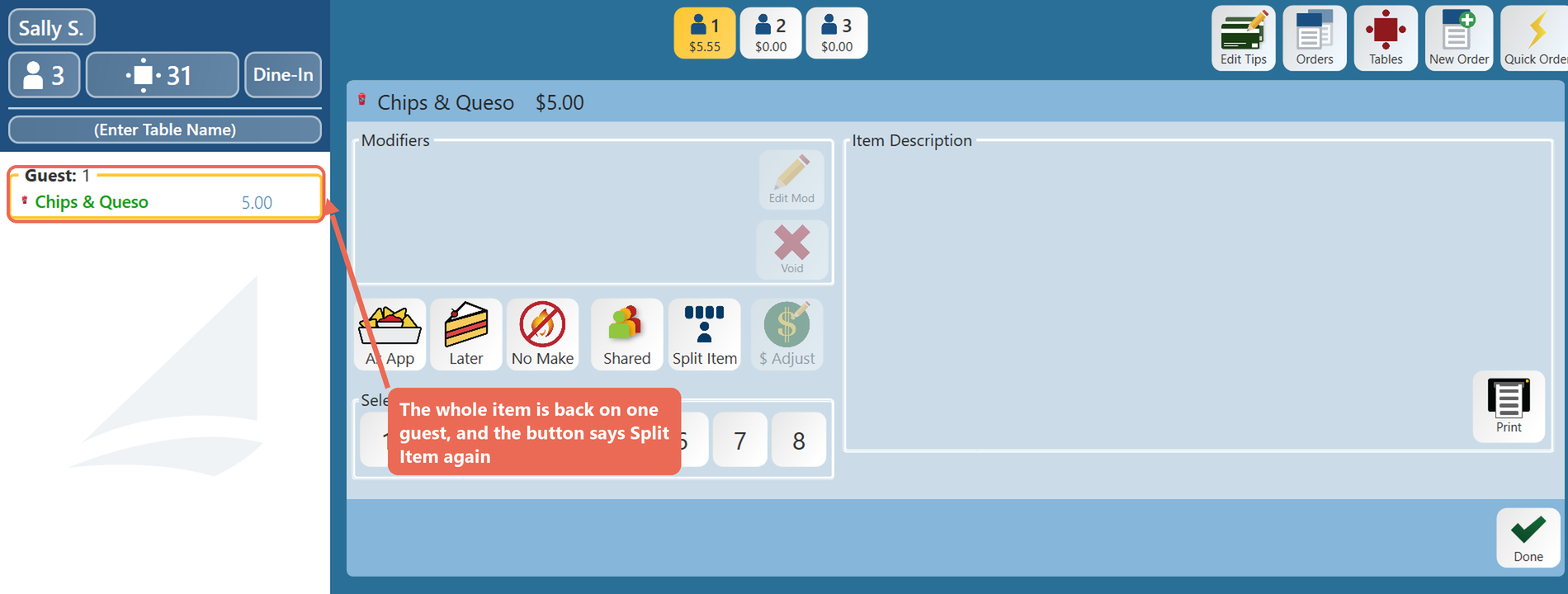
You can also split items with split action buttons on the order screen. Click here to learn more about