
How to Delete or Void a Menu Item
This will walk you through how to take an item off an order on a handheld. An item that hasn't been sent yet can be deleted; an item that has already been sent can only be voided.
Deleting an item
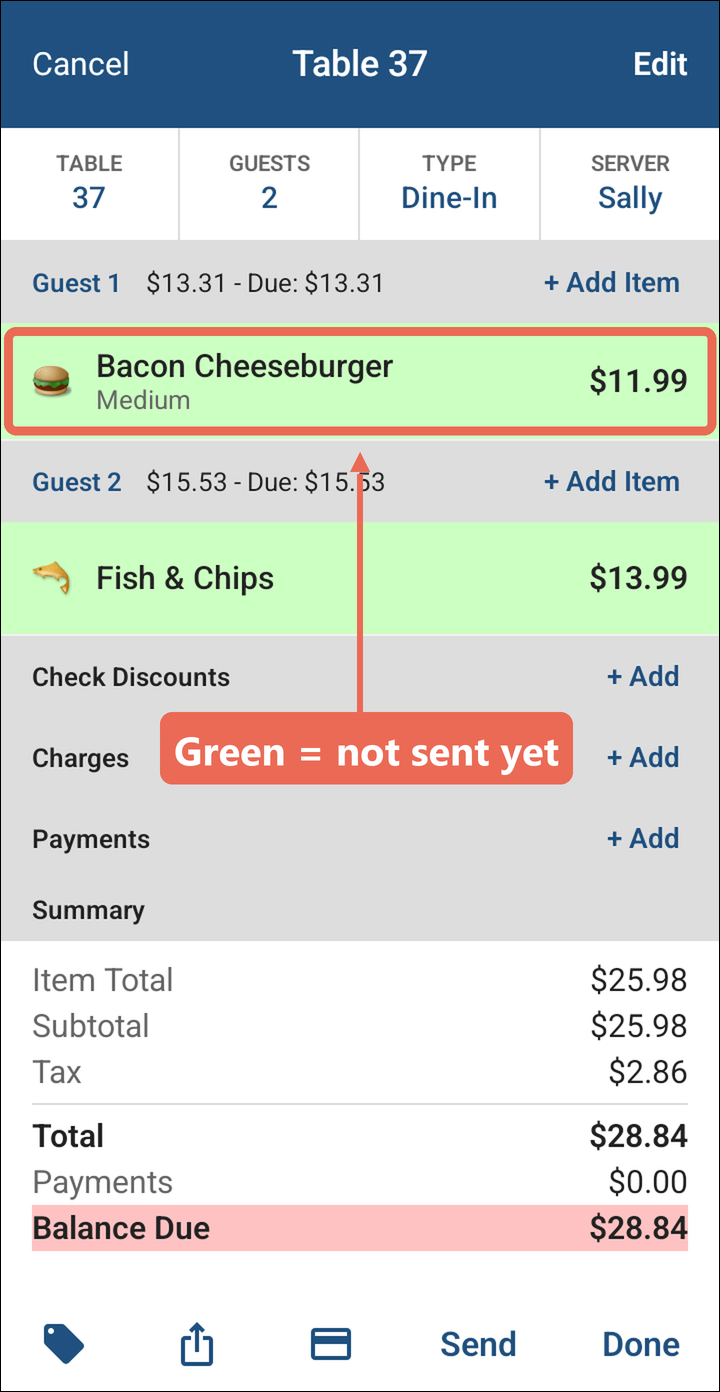
If an item has not been sent it will be green and can be deleted.
-
Open the table. Items that haven't been sent yet are green.
-
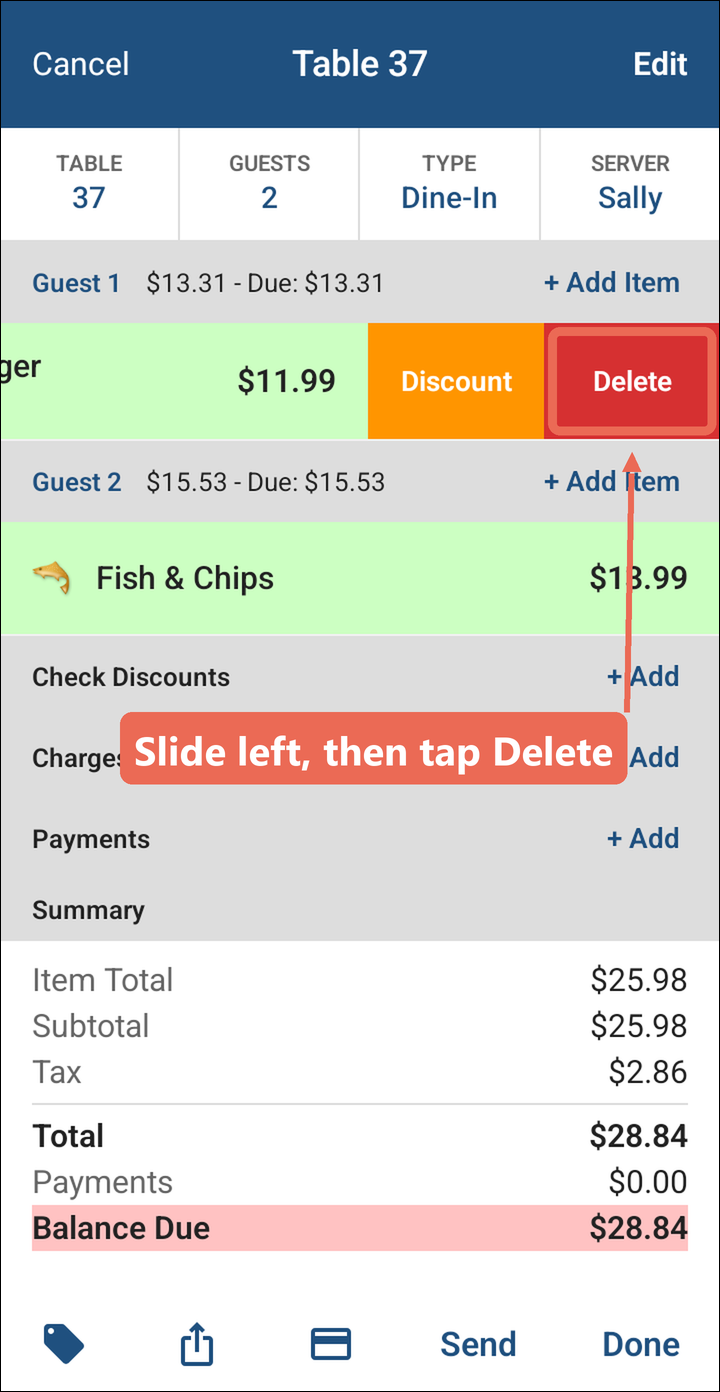
Slide the item to the left and tap Delete. The item comes off the order right away.
Voiding an item
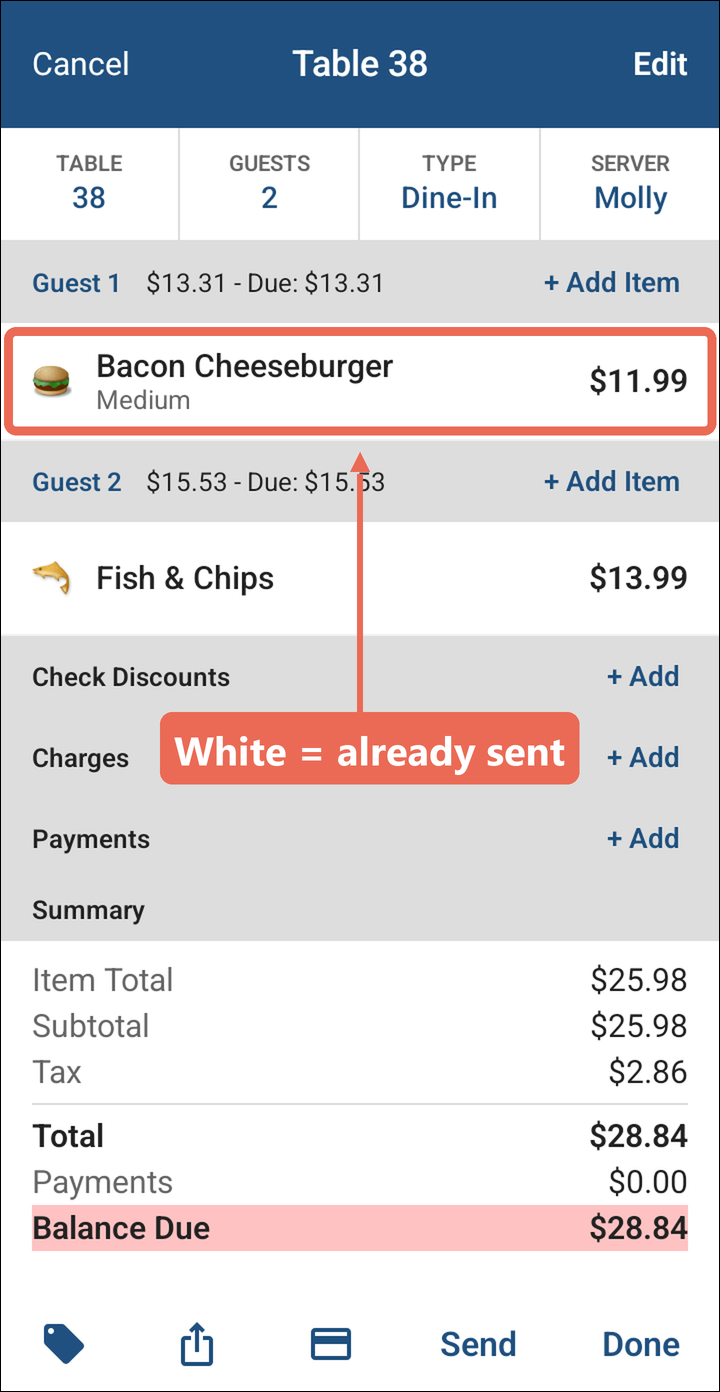
If an item has already been sent it will be in white and can only be voided.
-
Open the table. Items that have already been sent are white.
-
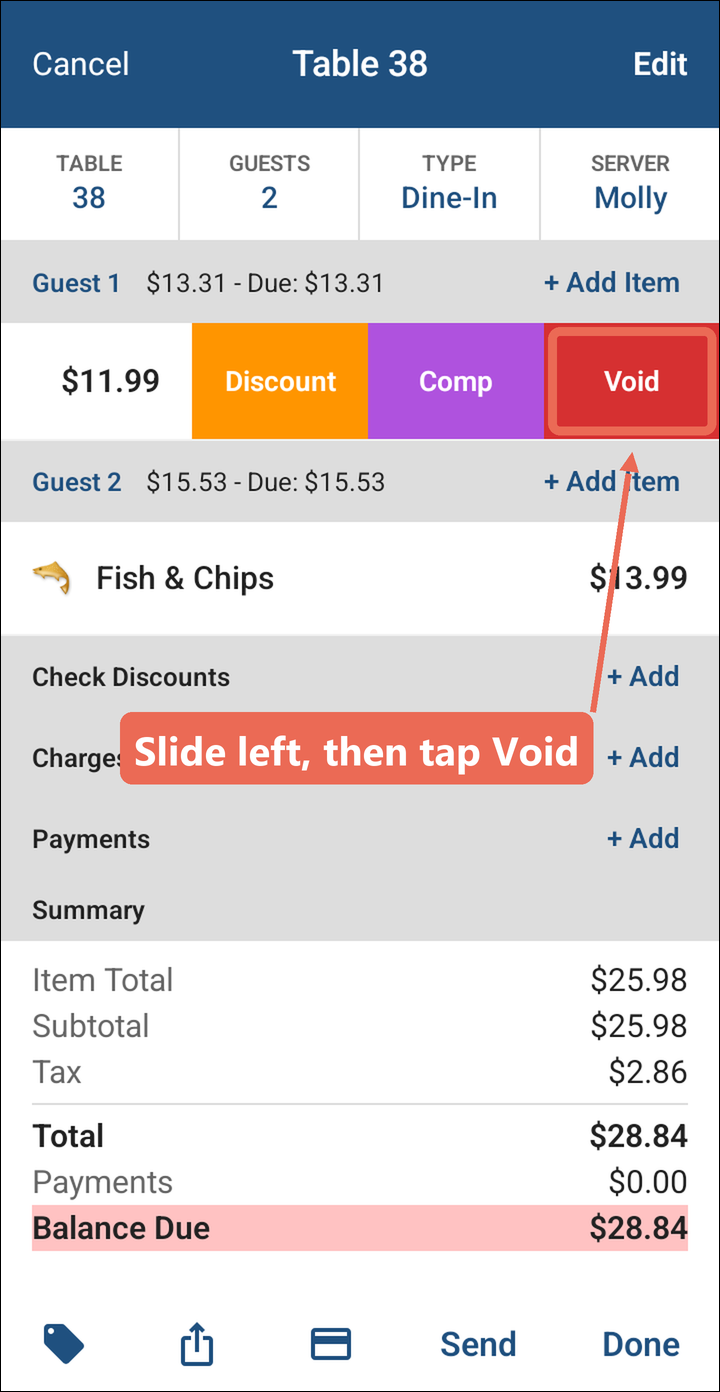
Slide the item to the left and tap Void.
-
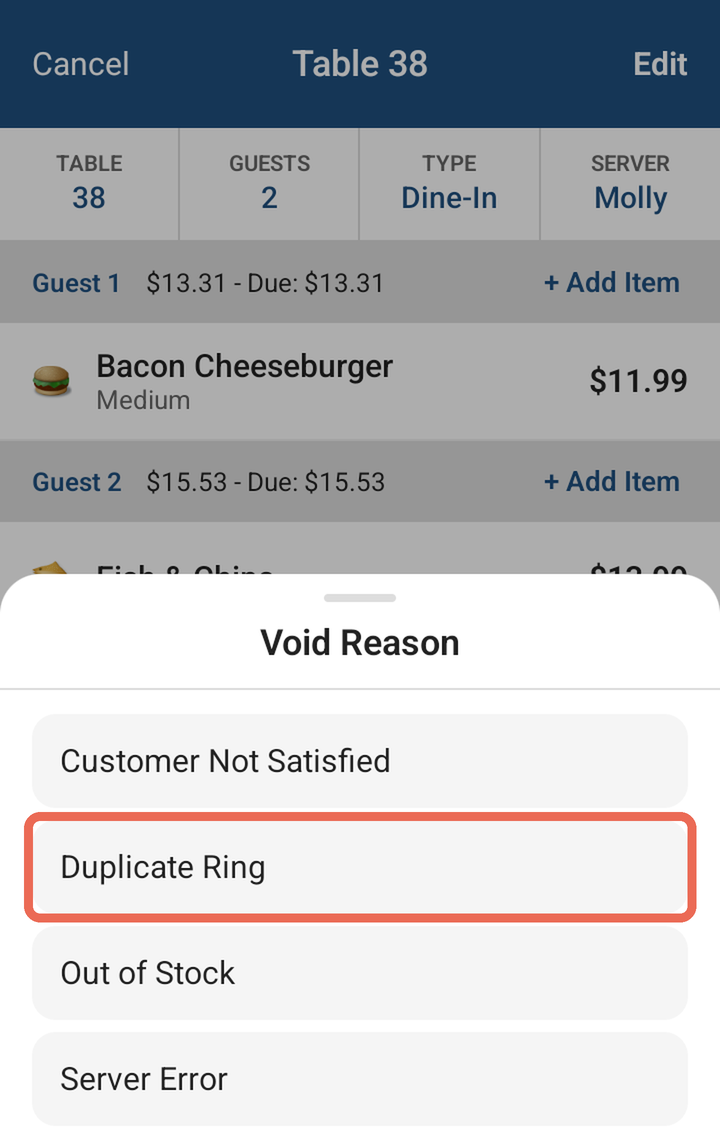
Tap the reason for the void.
-
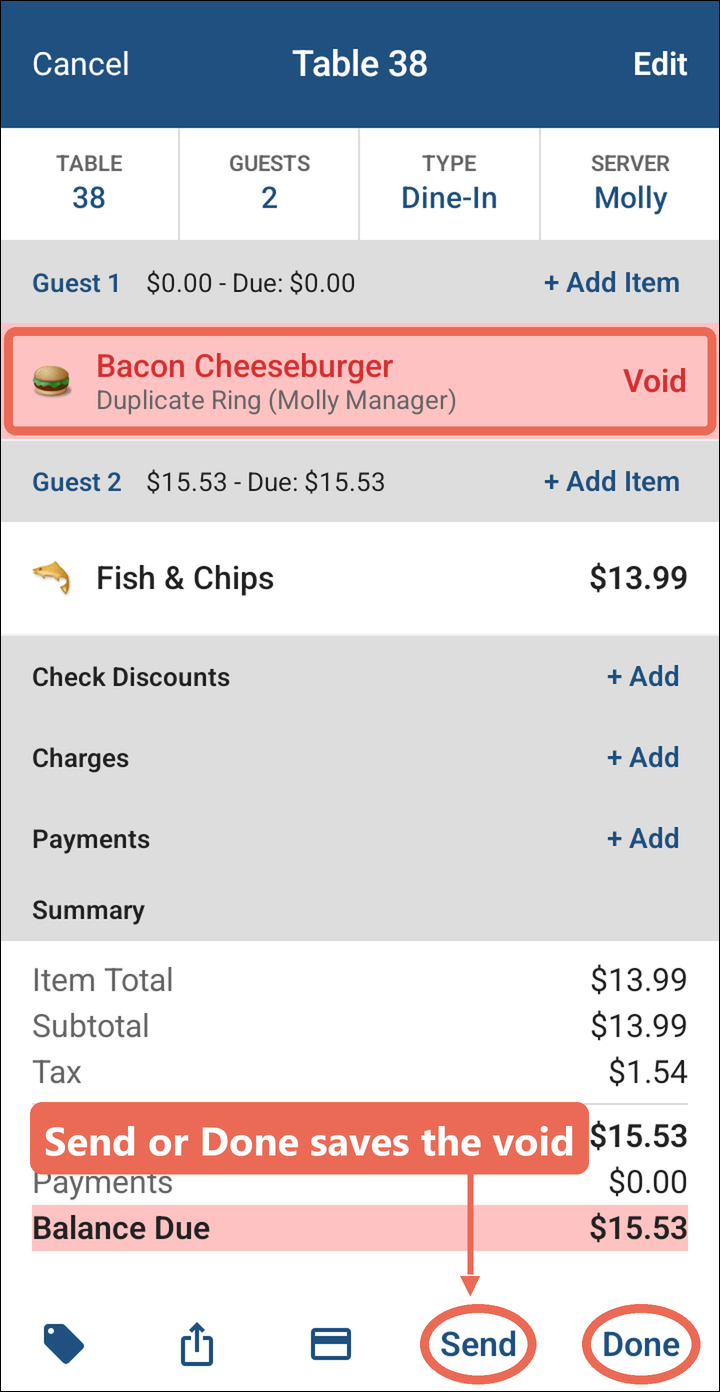
The item stays on the order in red, marked Void with the reason and who voided it, and no longer counts in the total. Tap Send or Done to save the void.
Note: If you don't see Void when you slide a sent item to the left, your job role isn't allowed to void items. Ask your manager.
No Comments