
How to add a item through search
This will walk through adding an item to an order on a handheld by searching for it, instead of looking through the categories. Please click the link to see how to start a table on a handheld.
-
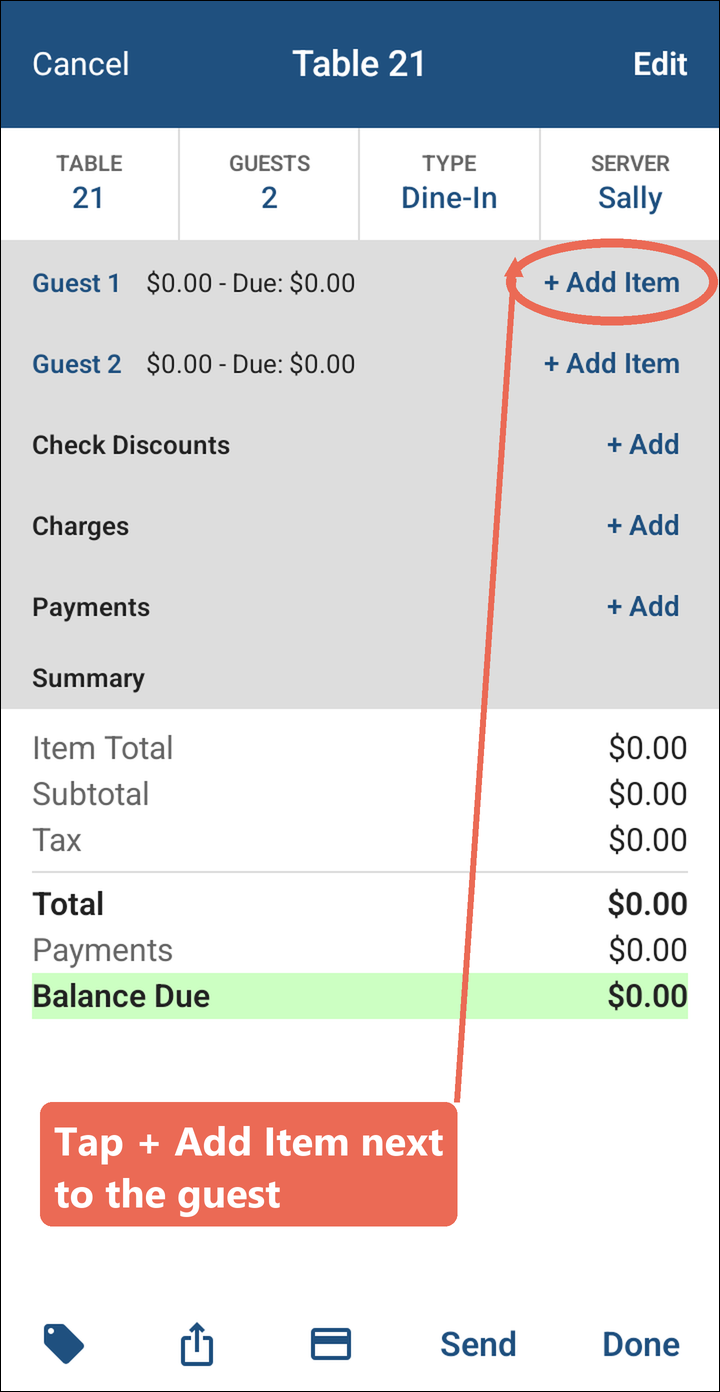
On the order, tap + Add Item next to the guest the item is for.
-
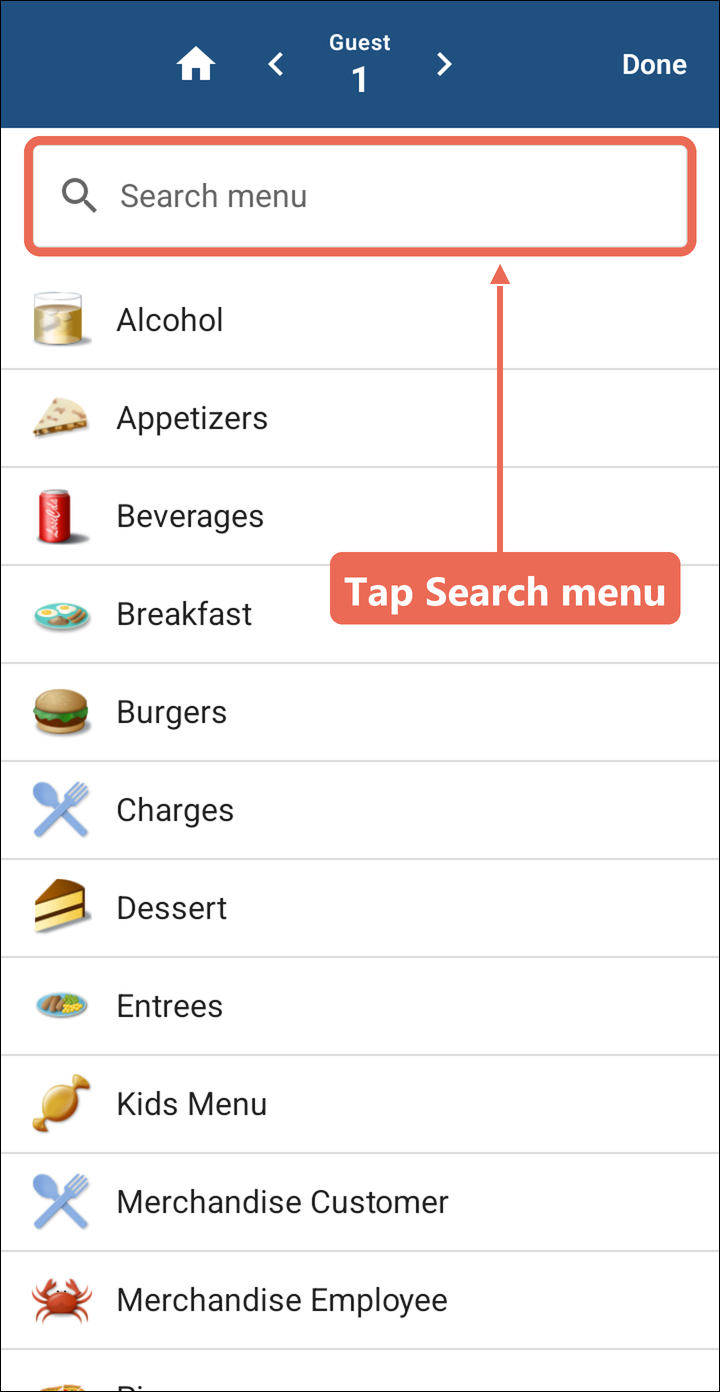
Tap Search menu at the top.
-
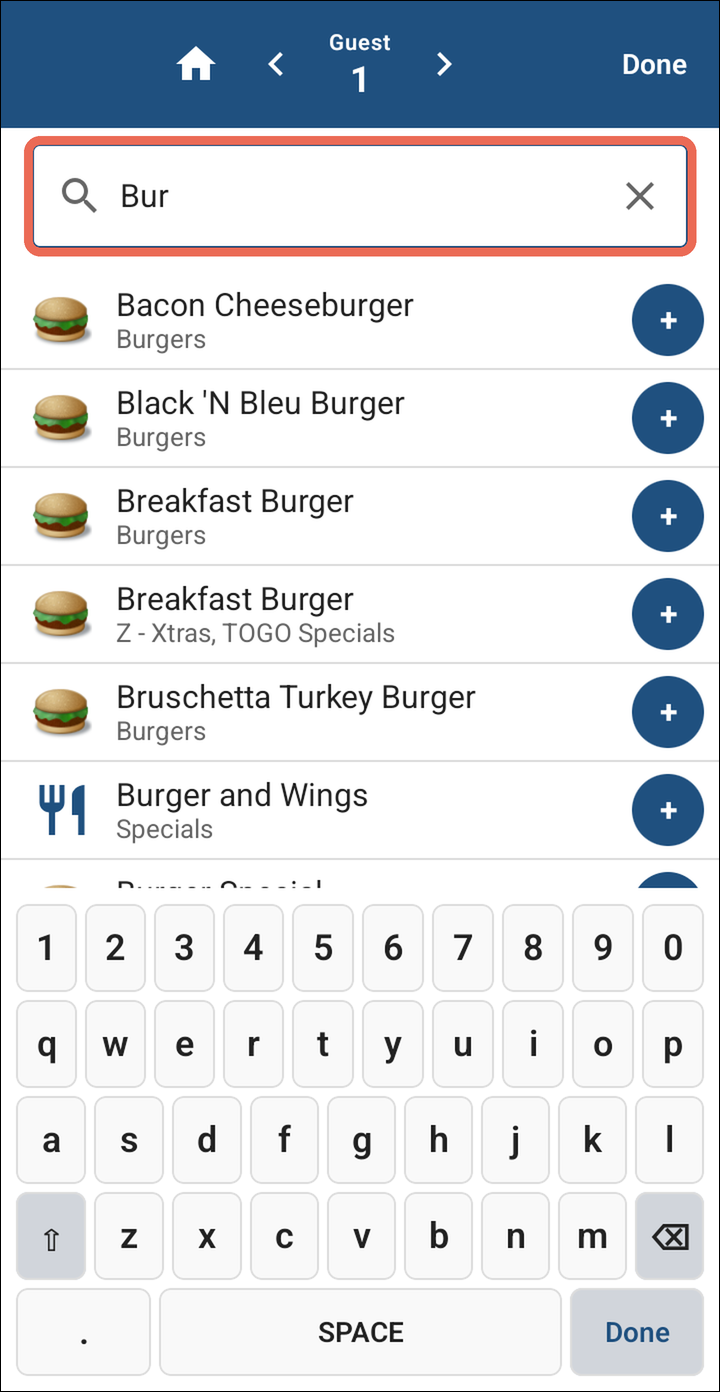
In the search box type in the menu item - the first few letters are enough. Every item that matches is listed, with its category underneath.
-
-
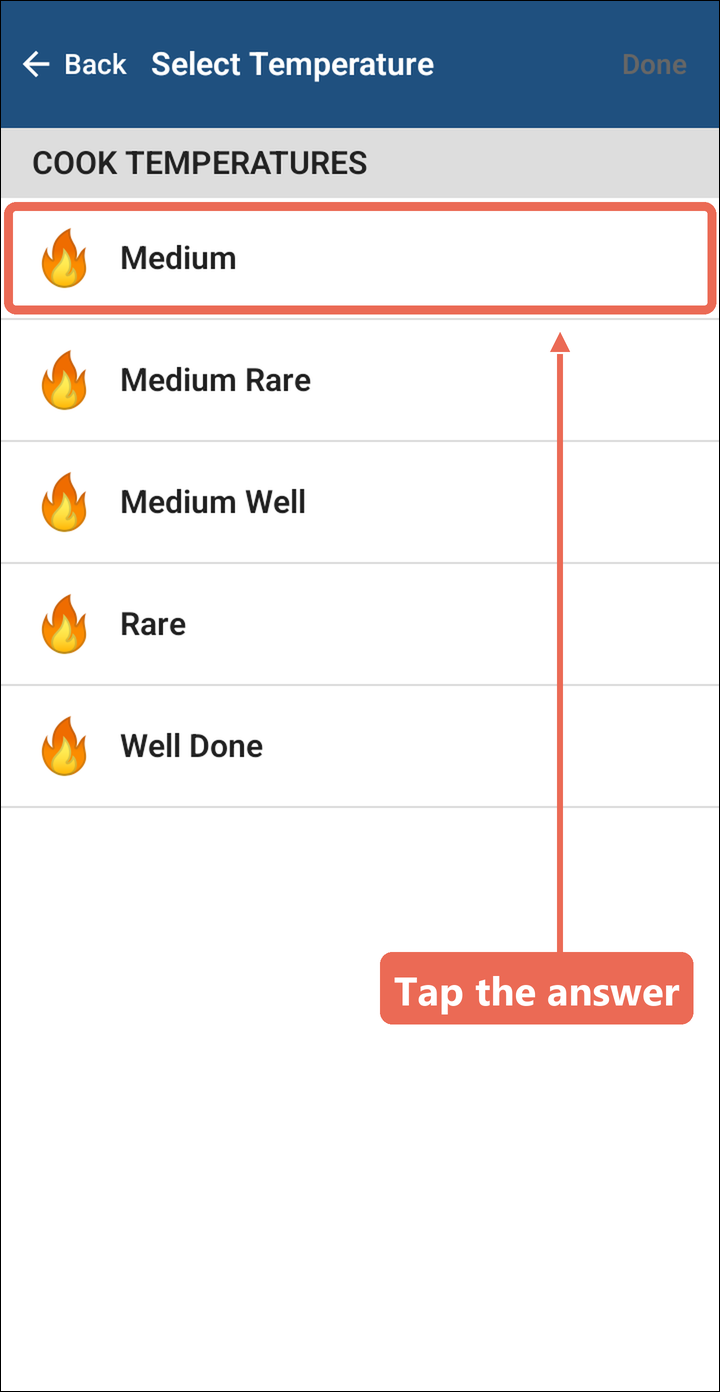
If the item asks a question, such as a cook temperature, tap the answer.
-
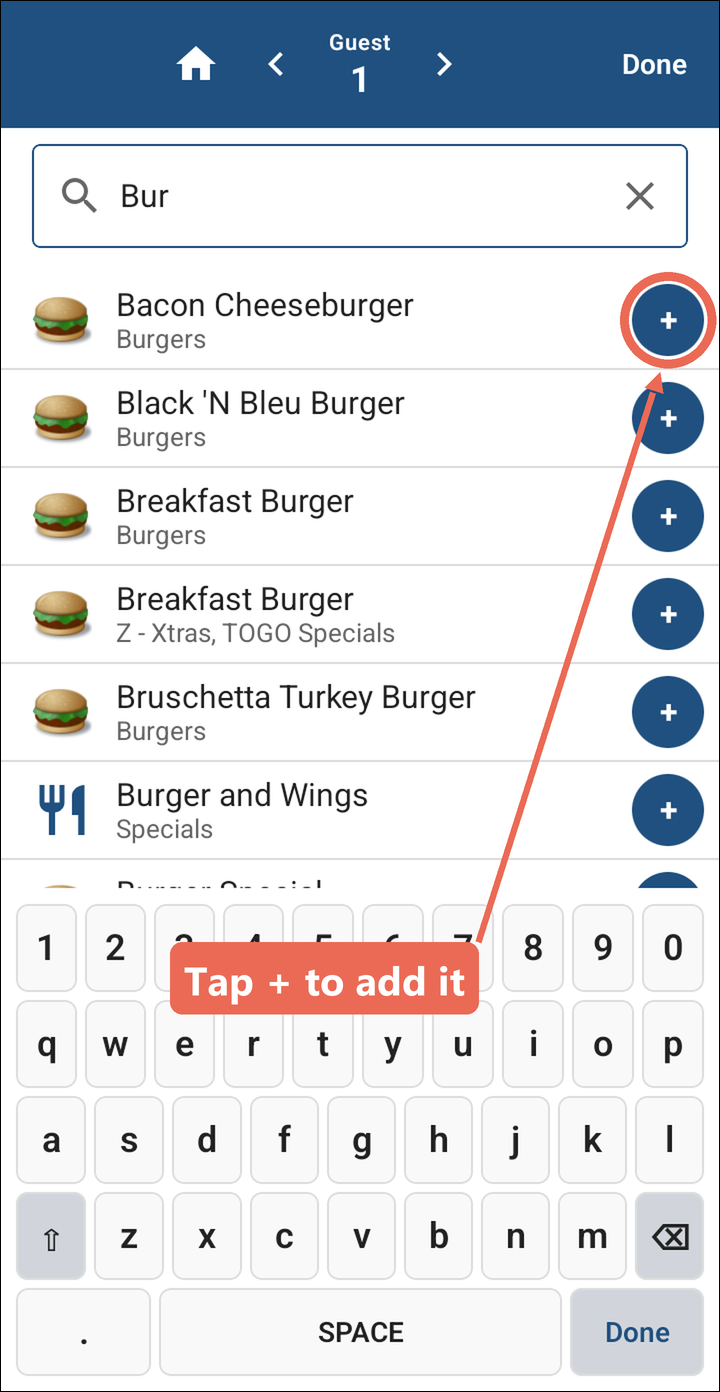
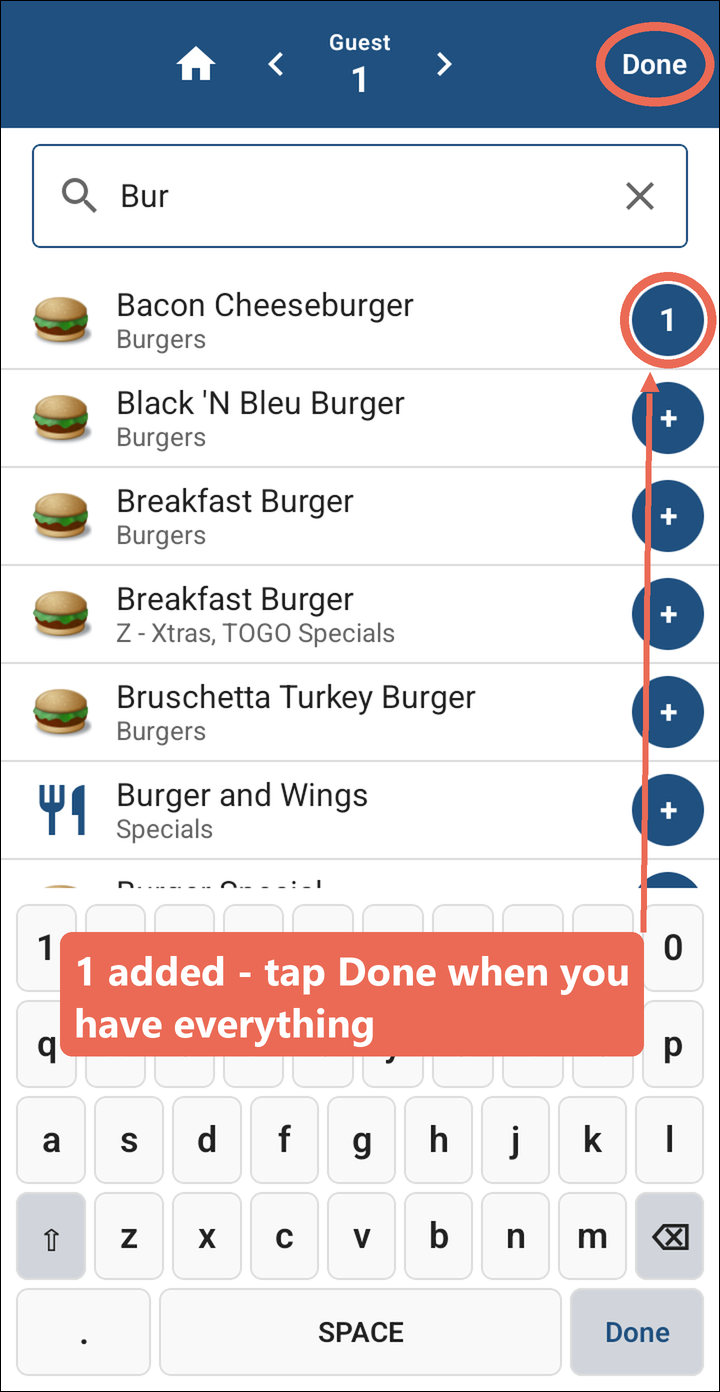
You're back on the search, and the + now shows how many you've added. Tap + again for another one, or search for the next item. When you have everything, tap Done at the top.
Pro tip: Tapping the item's name instead of + adds it and takes you straight back to the order.
-
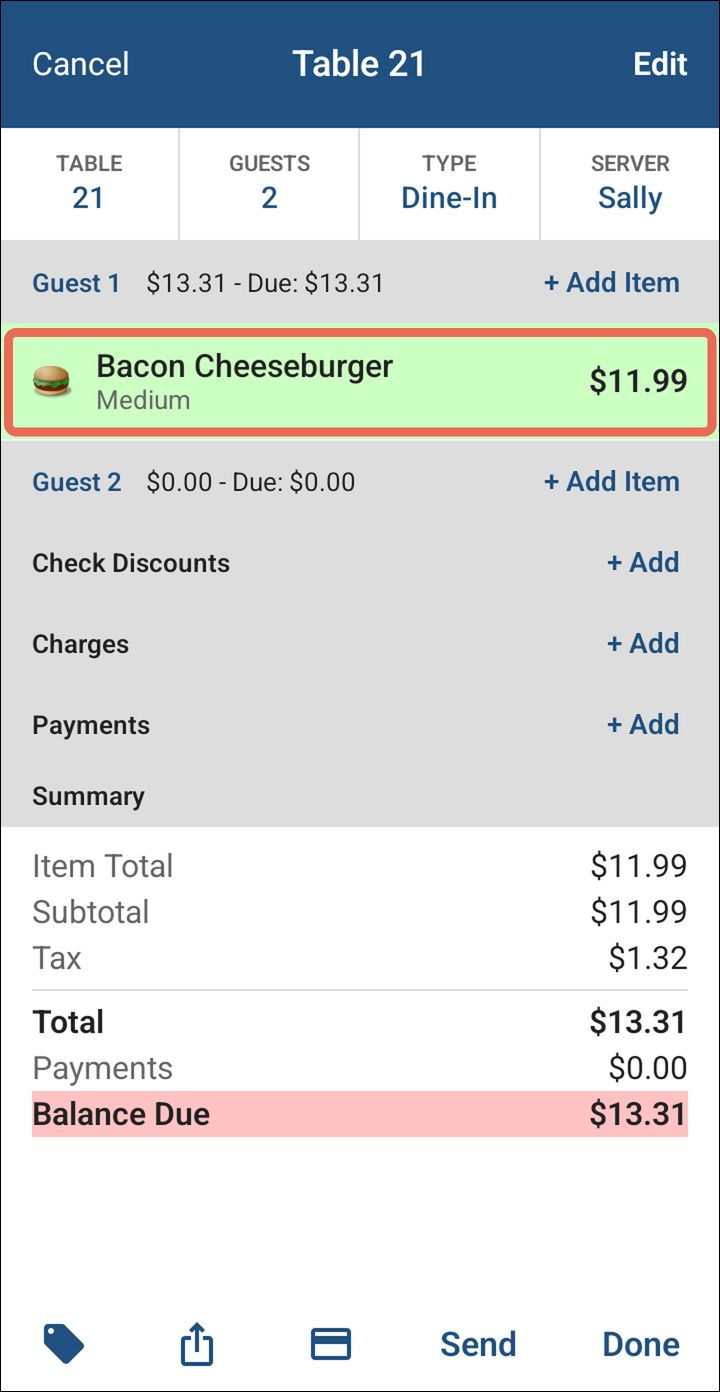
The item is now on the guest's order. Tap Send or Done to send it.
No Comments