
How to enter tips on a Handheld
This document will detail how to enter tips on a Handheld. Once a guest has paid by card, you add their tip to the payment on the Edit Tips screen.
To see how to enter tips on a terminal please click the link
Handheld
-
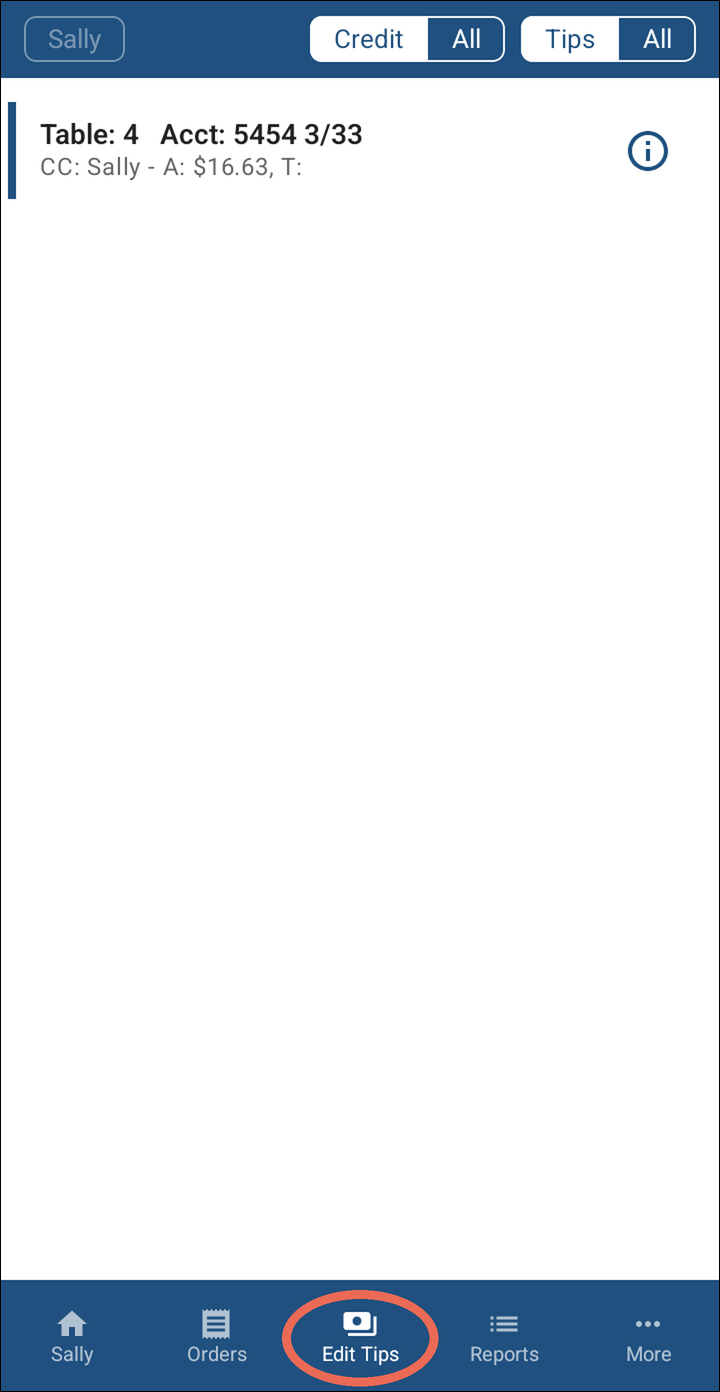
Tap Edit Tips at the bottom. It lists your card payments that don't have a tip yet.
-
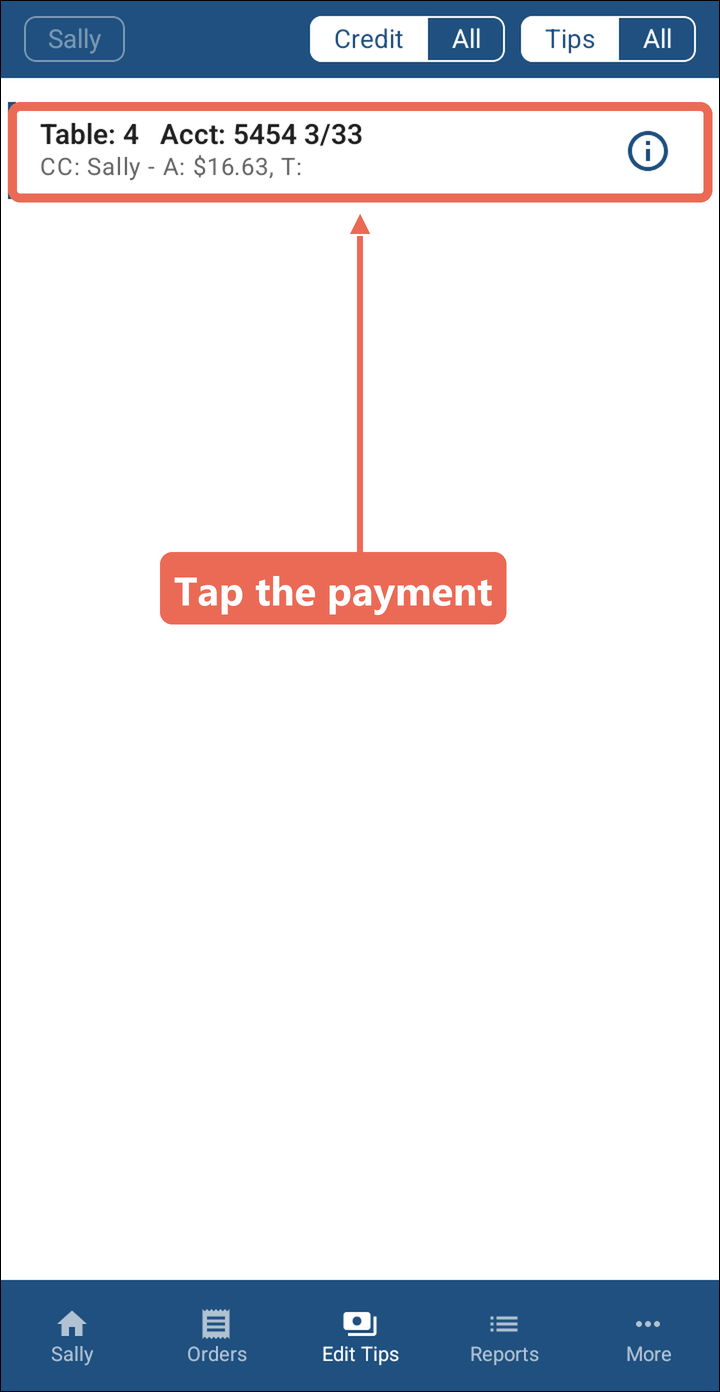
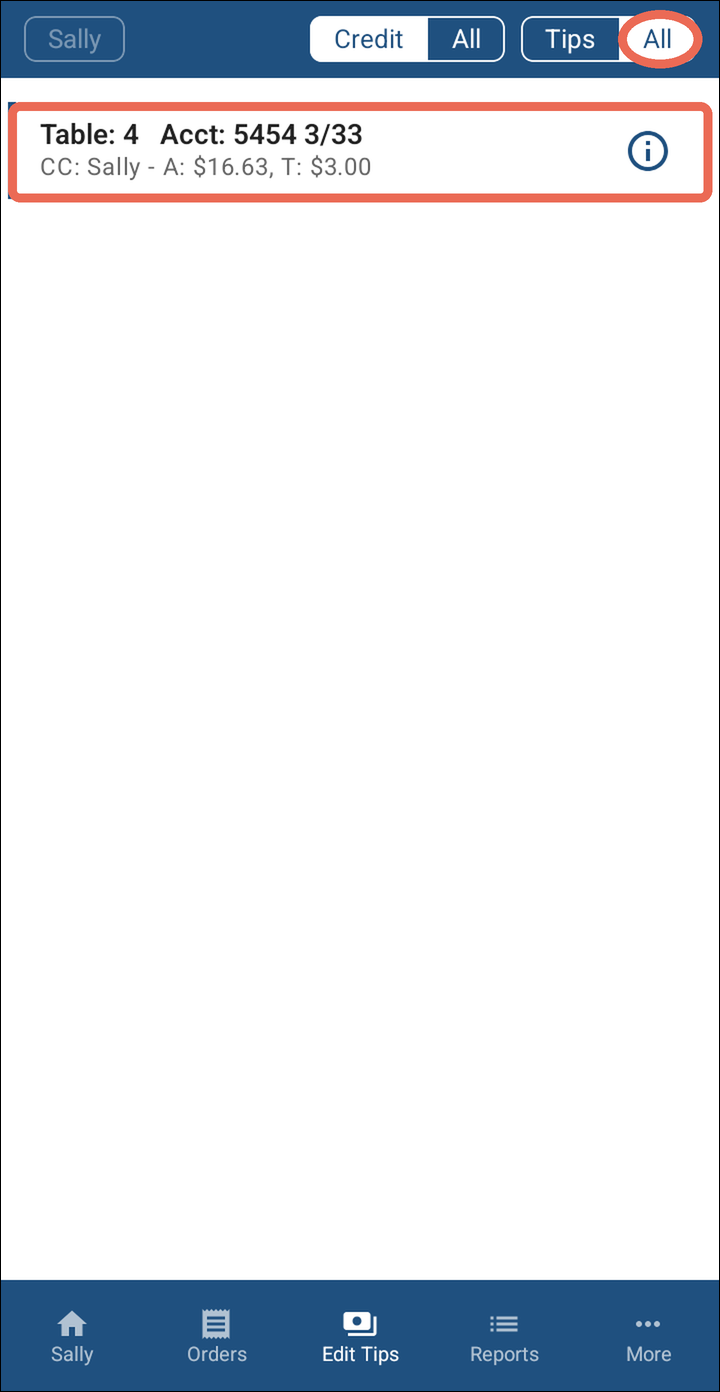
Tap the payment you wish to add the tip to. Each one shows the table number and the last four digits of the card.
-
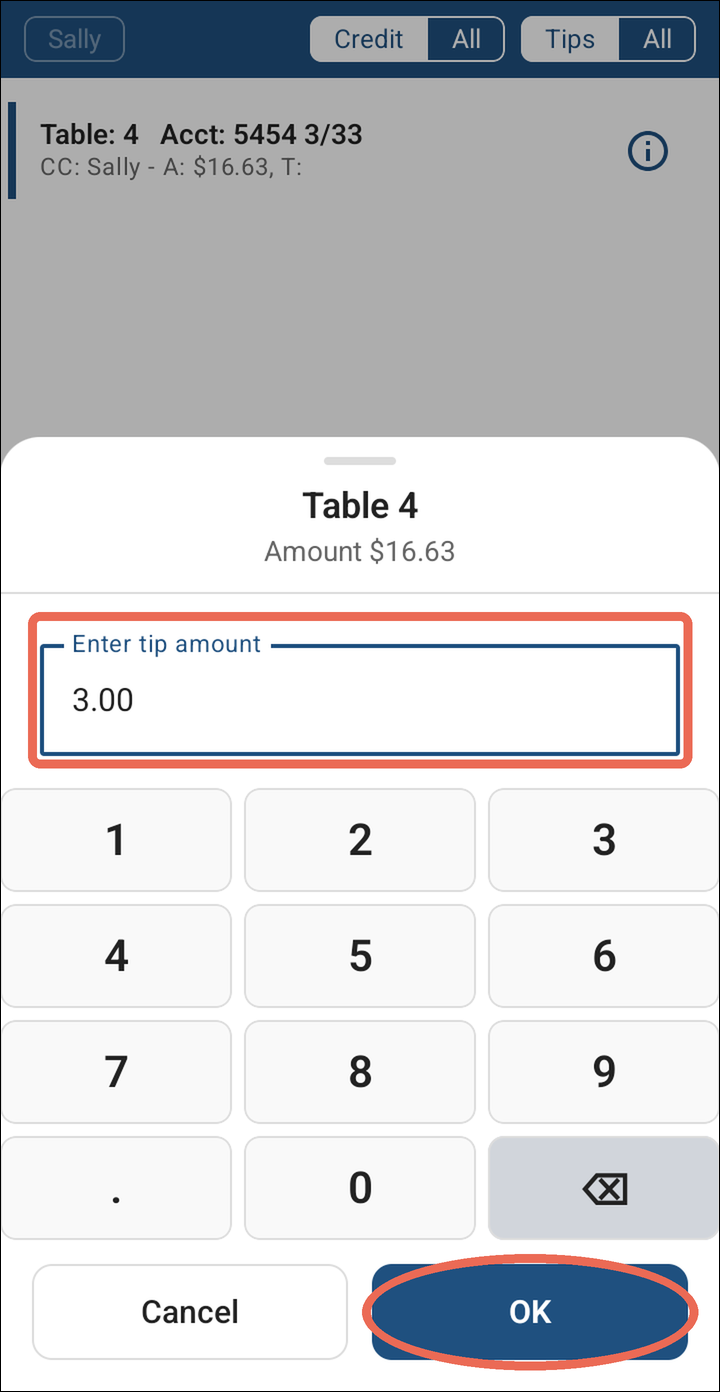
Type in the tip amount (Example: 3.00), then tap OK.
-
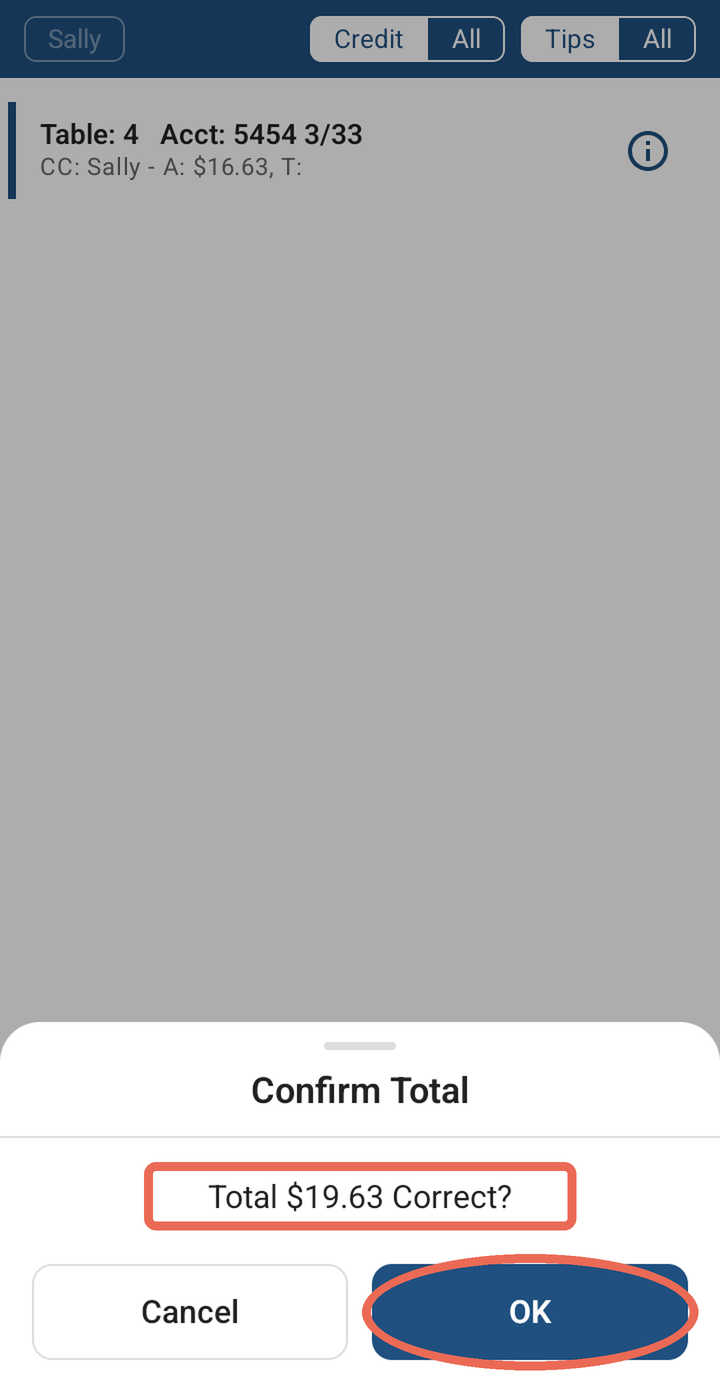
Confirm the total is the correct amount, then tap OK. If it isn't, tap Cancel and type the tip again.
-
Once the tip has been entered, that payment will disappear from that screen.
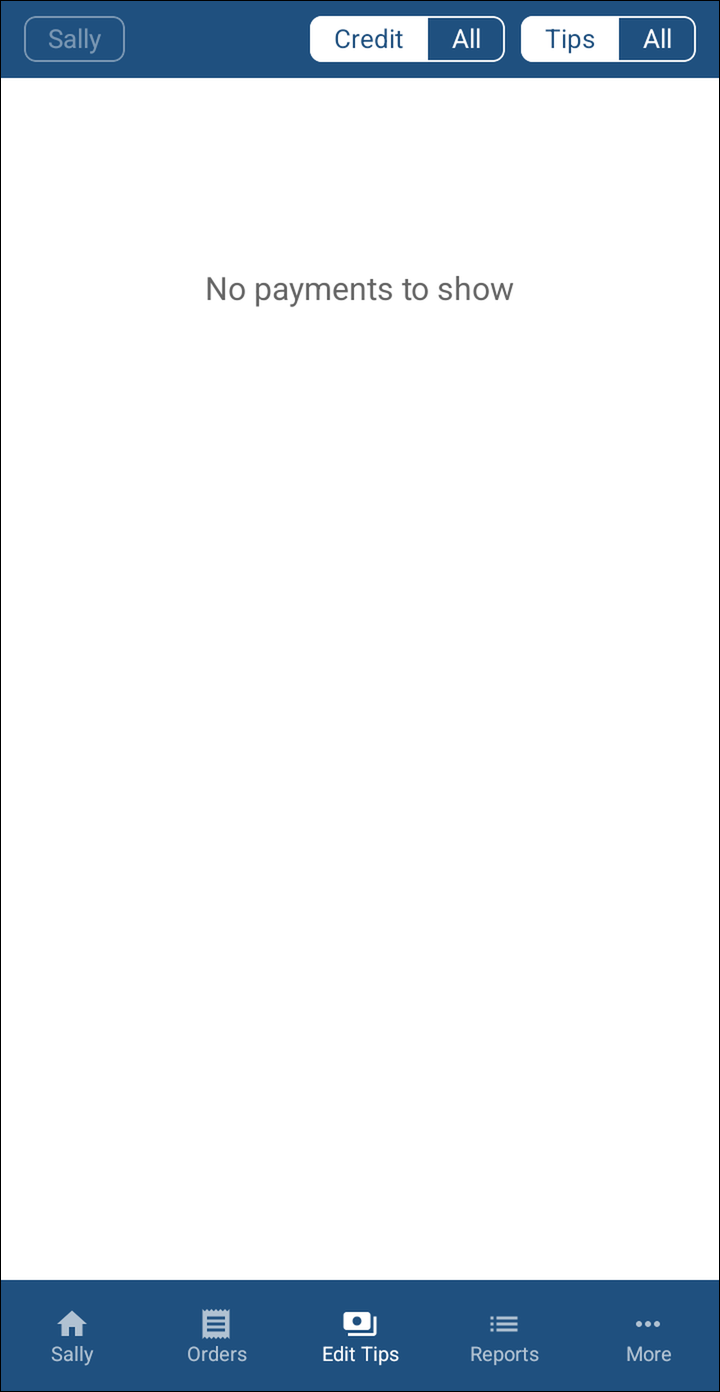
Seeing or changing a tip you already entered
Tap All next to Tips at the top to see your card payments with their tips too: the tip shows after T:. To change a tip, tap the payment and type the whole tip again.
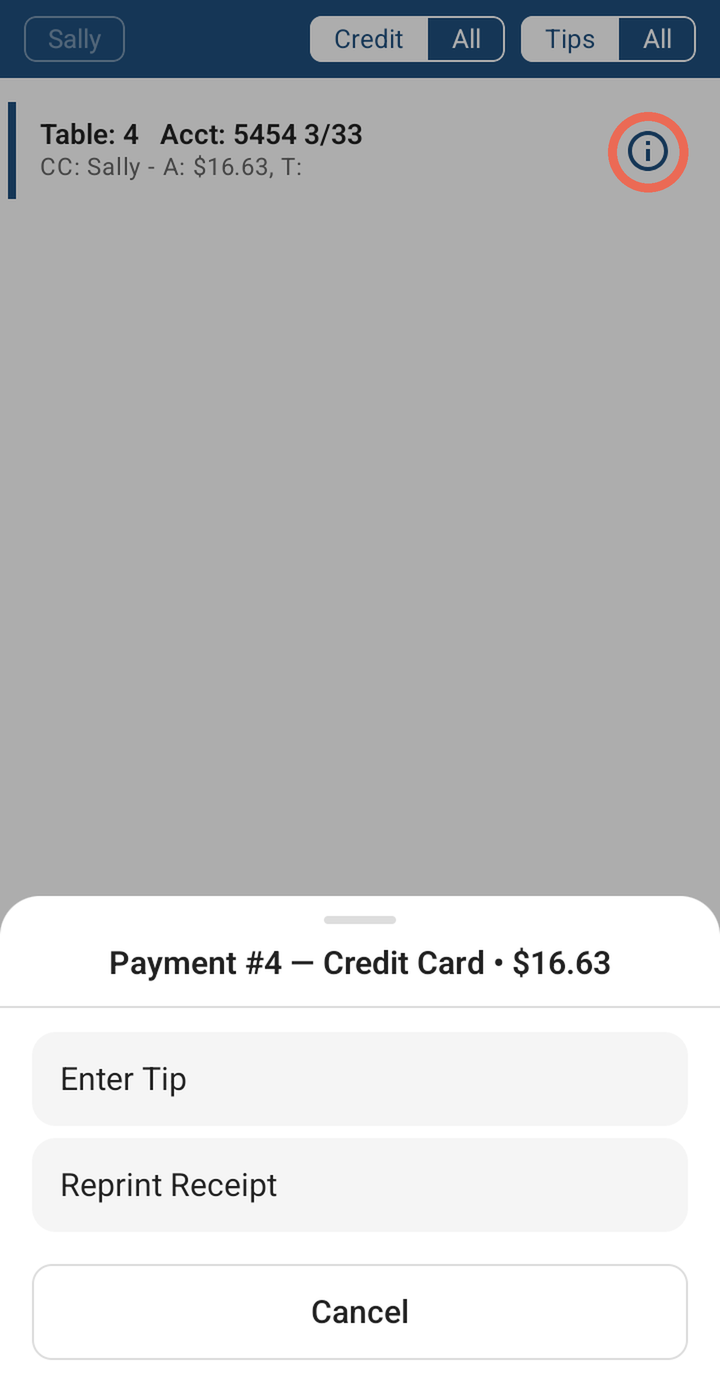
Pro tip: The i icon on a payment also lets you reprint its receipt.
Note: A server sees only their own payments. A manager can tap the name at the top left to pick whose payments to see.
Note: Don't see Edit Tips at the bottom? Your job role doesn't have permission to enter tips - ask your manager.
No Comments