
Skills
Skills describe how experienced someone is in a job role, such as In training, Experienced or Trainer. Each person has a skill level for each job role they hold, so the same person can be a trainer at one and still learning another.
Only Administrators can change skills. Open them from Configuration, Skills. Skills are company-wide.
If your restaurant uses Sail POS, skill levels come from Sail Backoffice and are read-only here.
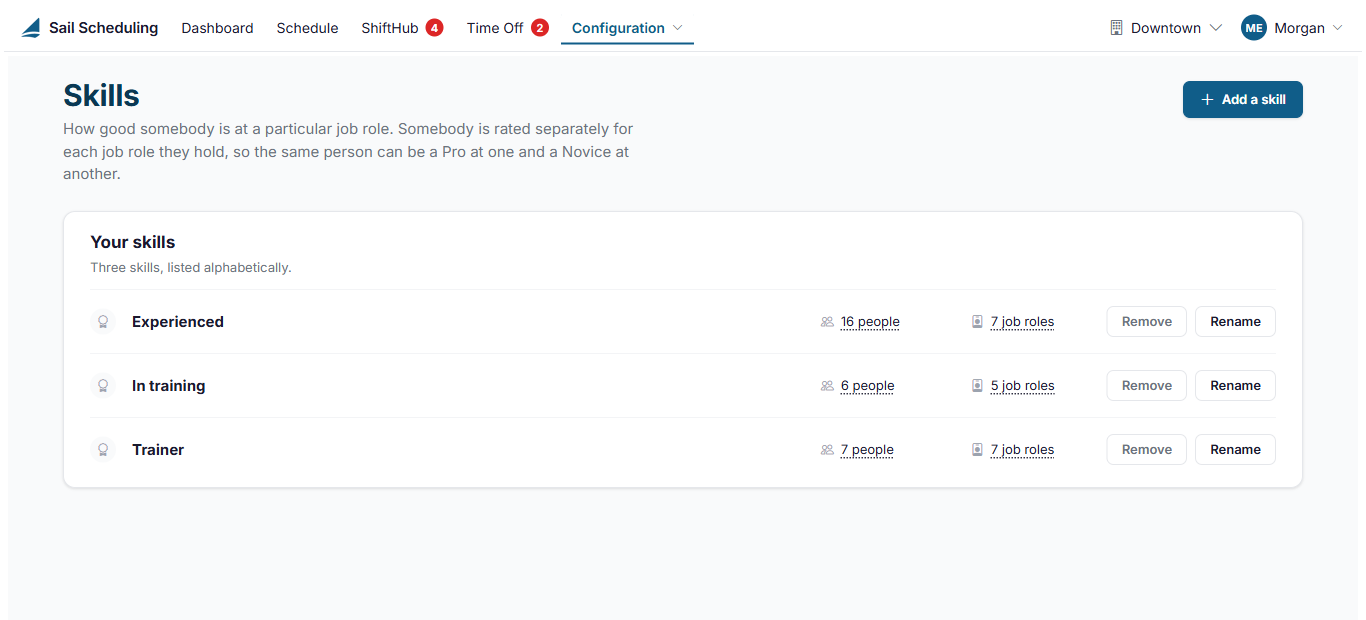
Each skill shows how many people hold it, and in how many job roles, at the location picked at the top right. Click either number to see the list.
- Click Add a skill and type its name.
- Click Rename to change a name. The new name applies everywhere, at every location.
- Click Remove to take one away. Shifts that used it aren't changed, but anyone who had it is left with no skill in that job role until you choose another one.
Where skills are used
- A person's skill in a job role is set on their employee record, on the Job roles tab, with their pay. See Editing an employee.
- When several people ask to pick up the same open house shift, ShiftHub review shows each one's skill in that job role, to help you choose.
No Comments