
How to do a Refund
This will walk through giving a guest money back on the terminal with a refund button. There are two kinds of refund buttons, and the one you pick decides whether the tax comes back too:
- Refund Food (or Refund Alcohol): for food or drinks the guest paid tax on. The tax is refunded too, so a $10.00 refund gives the guest $10.00 plus the tax.
- Refund Non-Tax: for anything no tax was charged on. The guest gets back exactly the amount you type.
Note: Only someone whose job role has the Process Refunds task can give a refund, usually a manager. Without it, the terminal asks for a manager's code when you tap a refund button, and then won't let you pay the refund out ("You do not have rights to process refunds"), so ask a manager to do the whole refund. Your store chooses the refund buttons and their names, so yours may differ from the ones shown here.
Refunding with tax
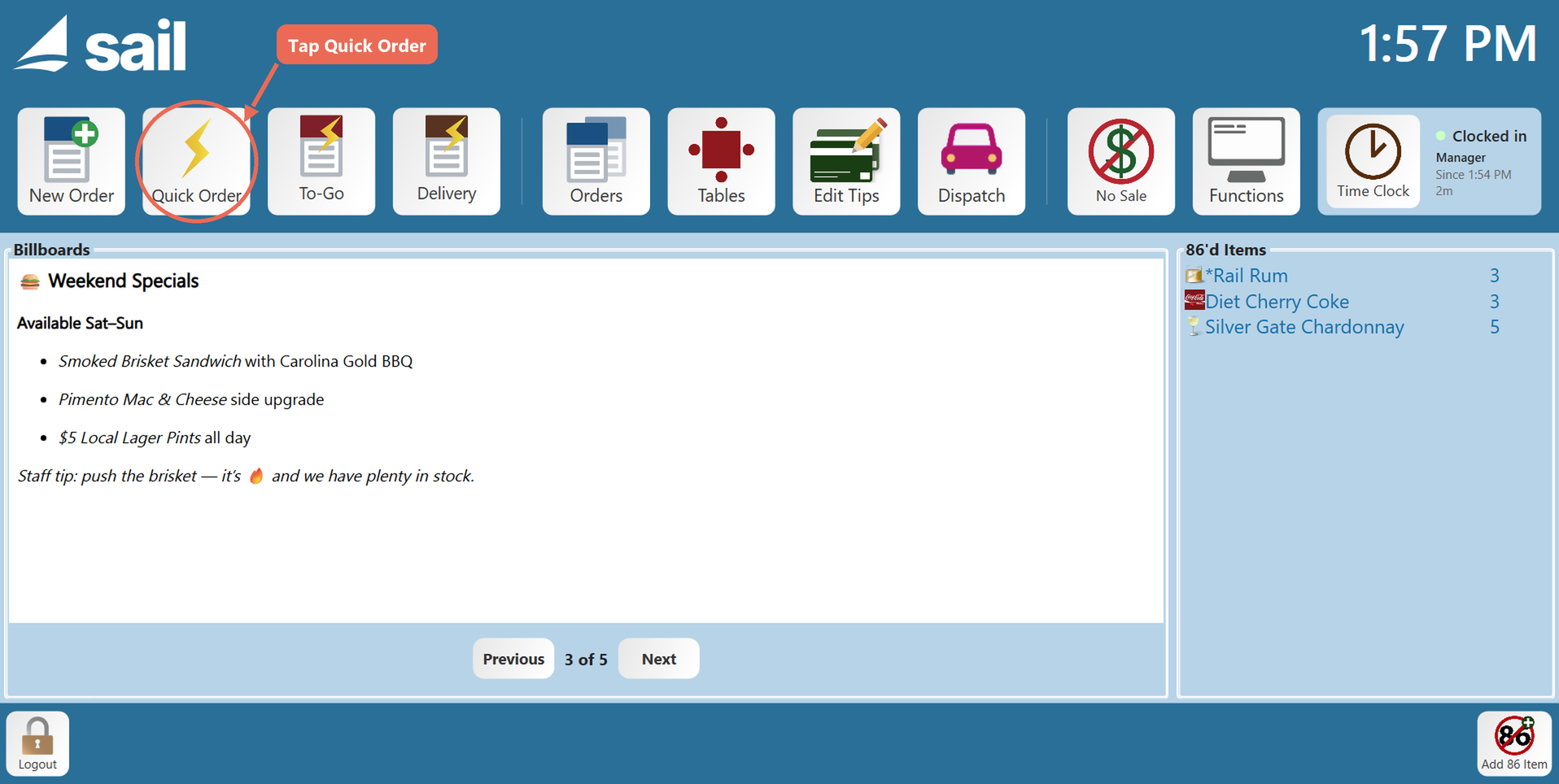
1. Tap Quick Order on the home screen.
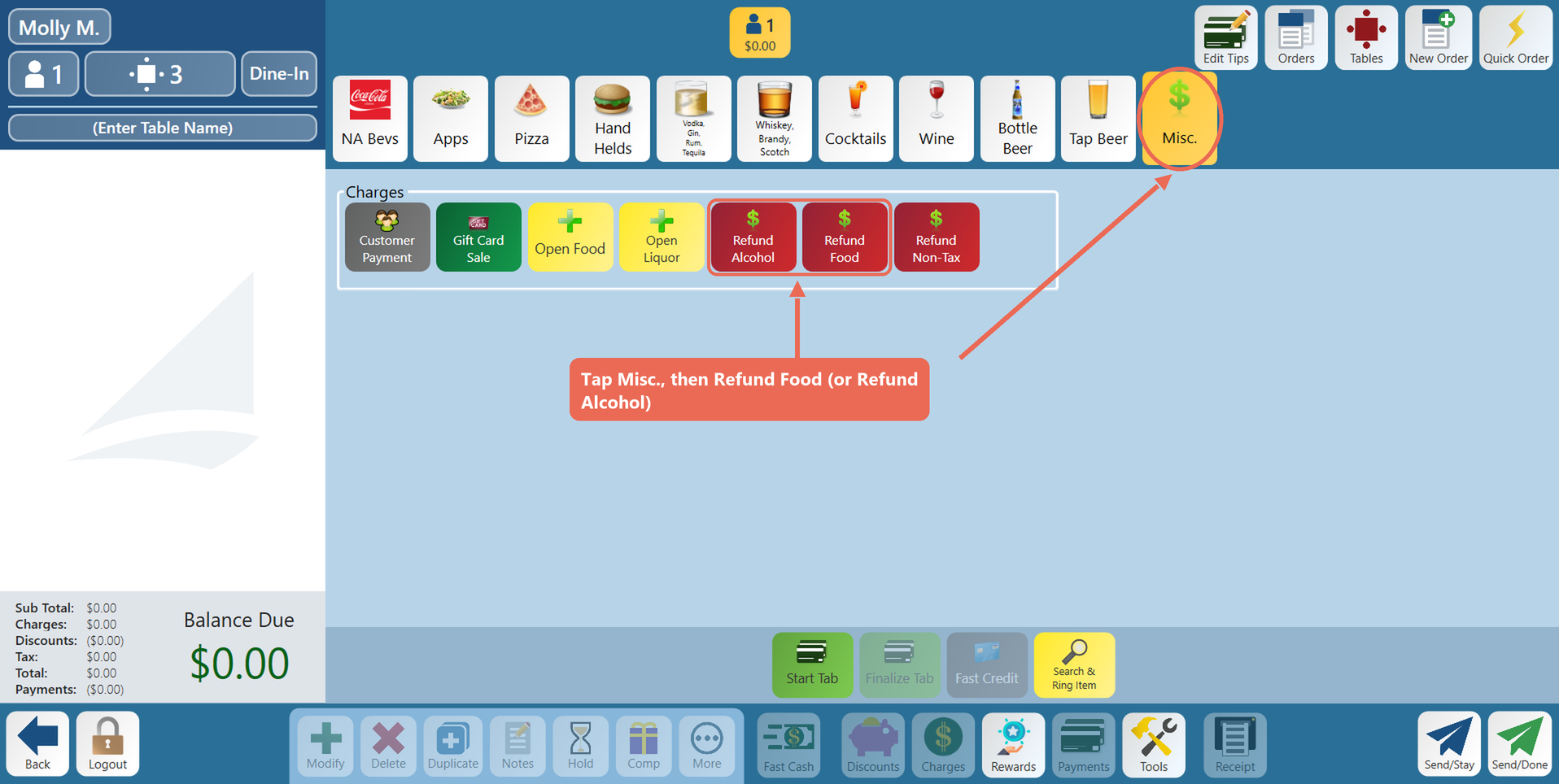
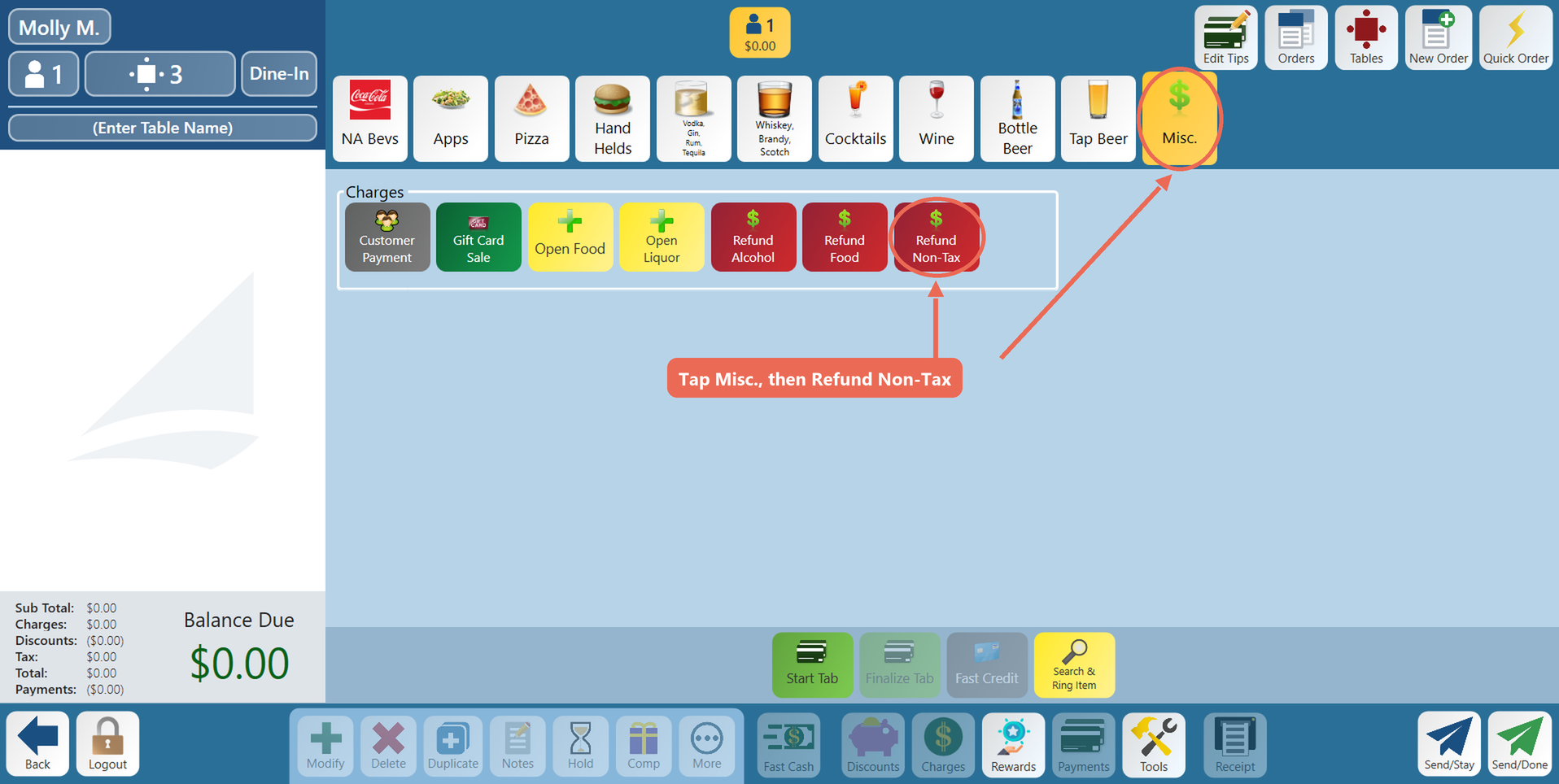
2. Tap the Misc. tab (some stores call it Charges), then one of the refund buttons: Refund Food, or Refund Alcohol for a drink.
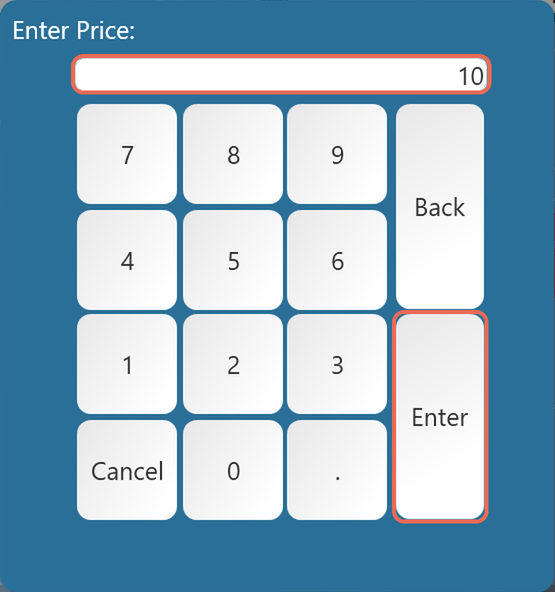
3. Enter the amount of the refund, before tax, and tap Enter.
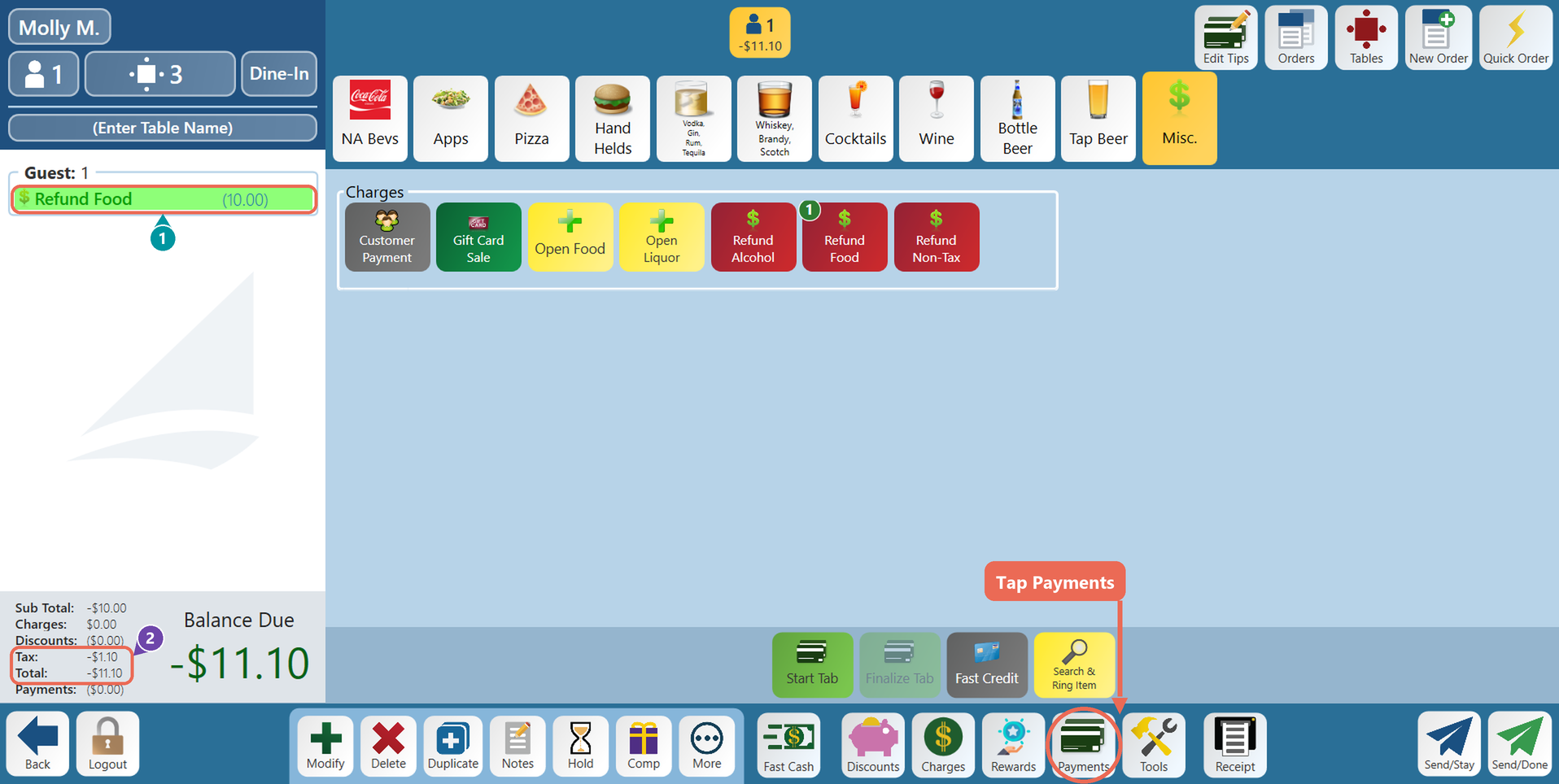
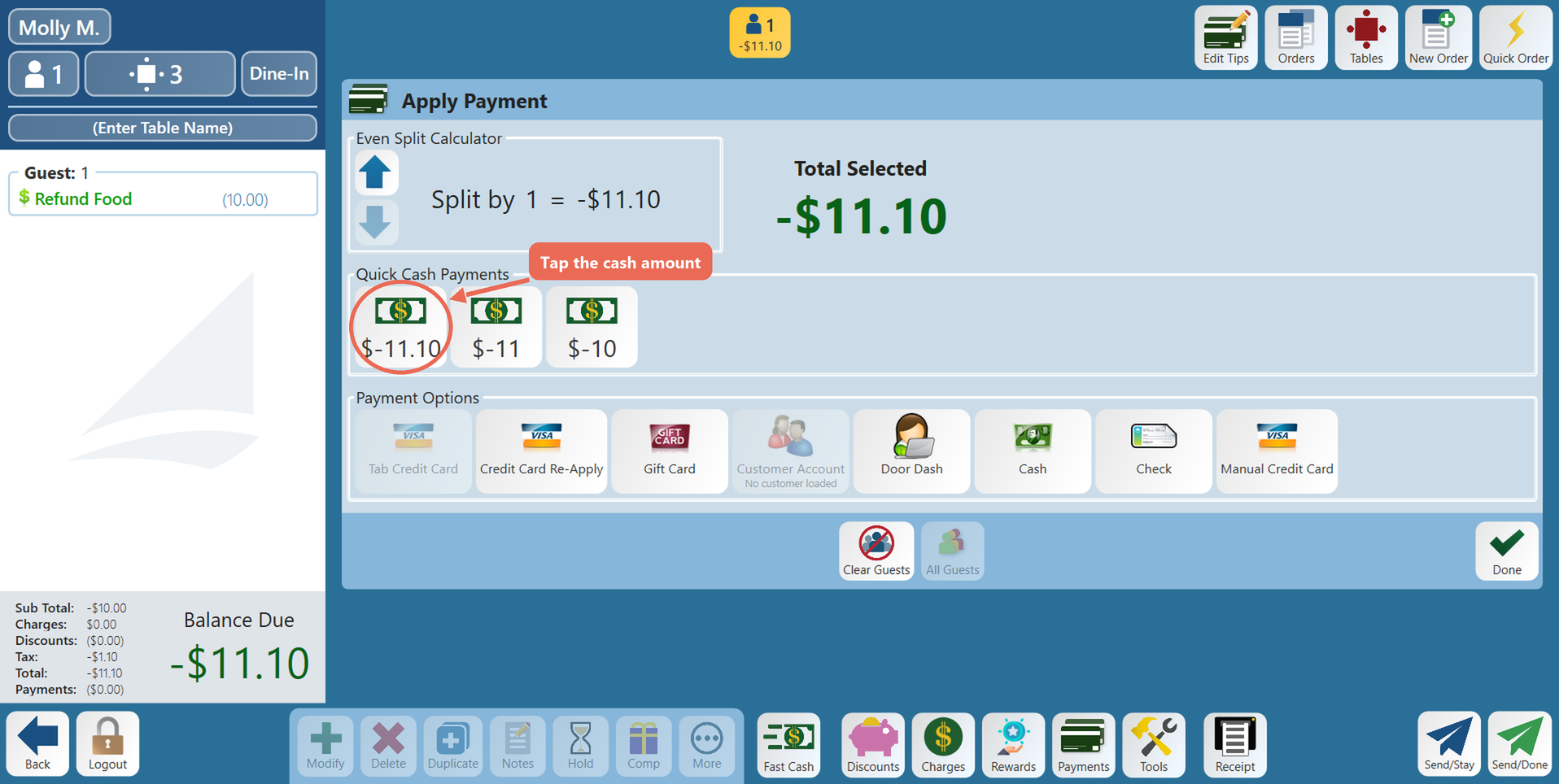
- Refund Food shows (10.00), the amount you typed.
- The tax comes back too: Tax is -$1.10 and the Total is -$11.10.
Note: The balance will be a negative number. That's the amount you give back.
5. Choose how to pay the guest back. For cash, tap the quick cash button with the amount ($-11.10), or tap Cash and type the amount.
- To put the refund back on the guest's card instead, tap Credit Card and pick the amount. The guest inserts, taps or swipes their card, and the terminal asks "Are you sure you want to process this REFUND in the amount of $11.10?" Tap Yes.
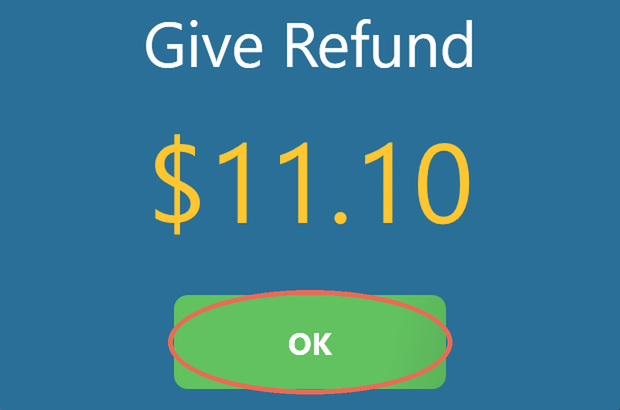
6. The terminal shows how much to give back. Give the guest the cash and tap OK.
Refunding without tax
1. Follow the same steps, but tap Refund Non-Tax.
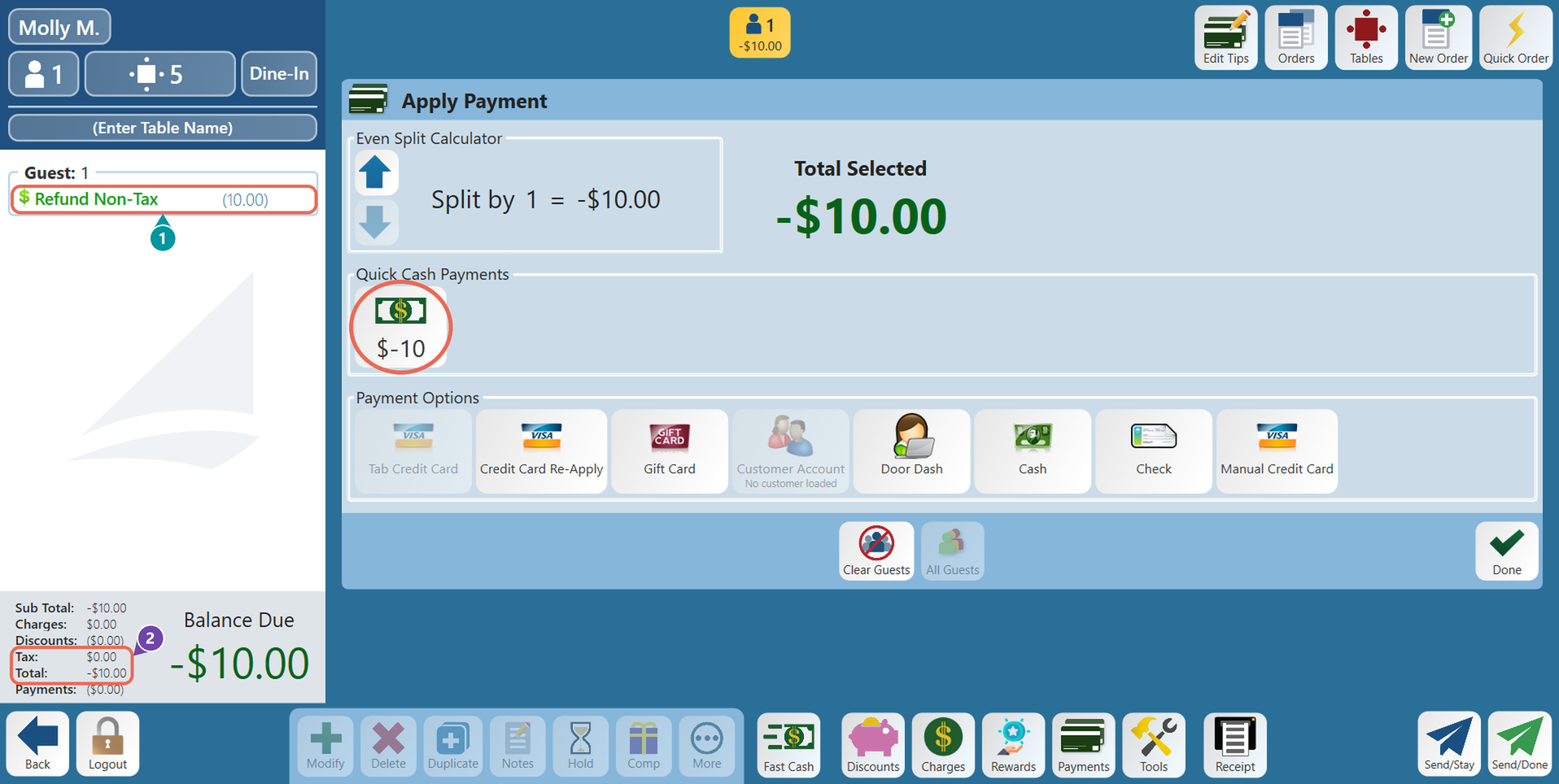
2. No tax is refunded, so the guest gets back exactly the amount you typed. Tap the cash amount ($-10) and give the guest the cash.
- Refund Non-Tax shows (10.00), the amount you typed.
- Tax is $0.00 and the Total is -$10.00.
Click here to learn more about the Charges/Misc tab.
No Comments