
Release 2026.2.2 "Irish Coffee"
Notes: This release consists of 5 Improvements. Use the page navigation section on the top left of this screen to jump between the features you'd like to read about.
**This release will NOT require a handheld update**
If you would like any additional information or help setting up any of these new features, please contact support at:
Support@ingageit.com or call (612) 861-5277
Improvements
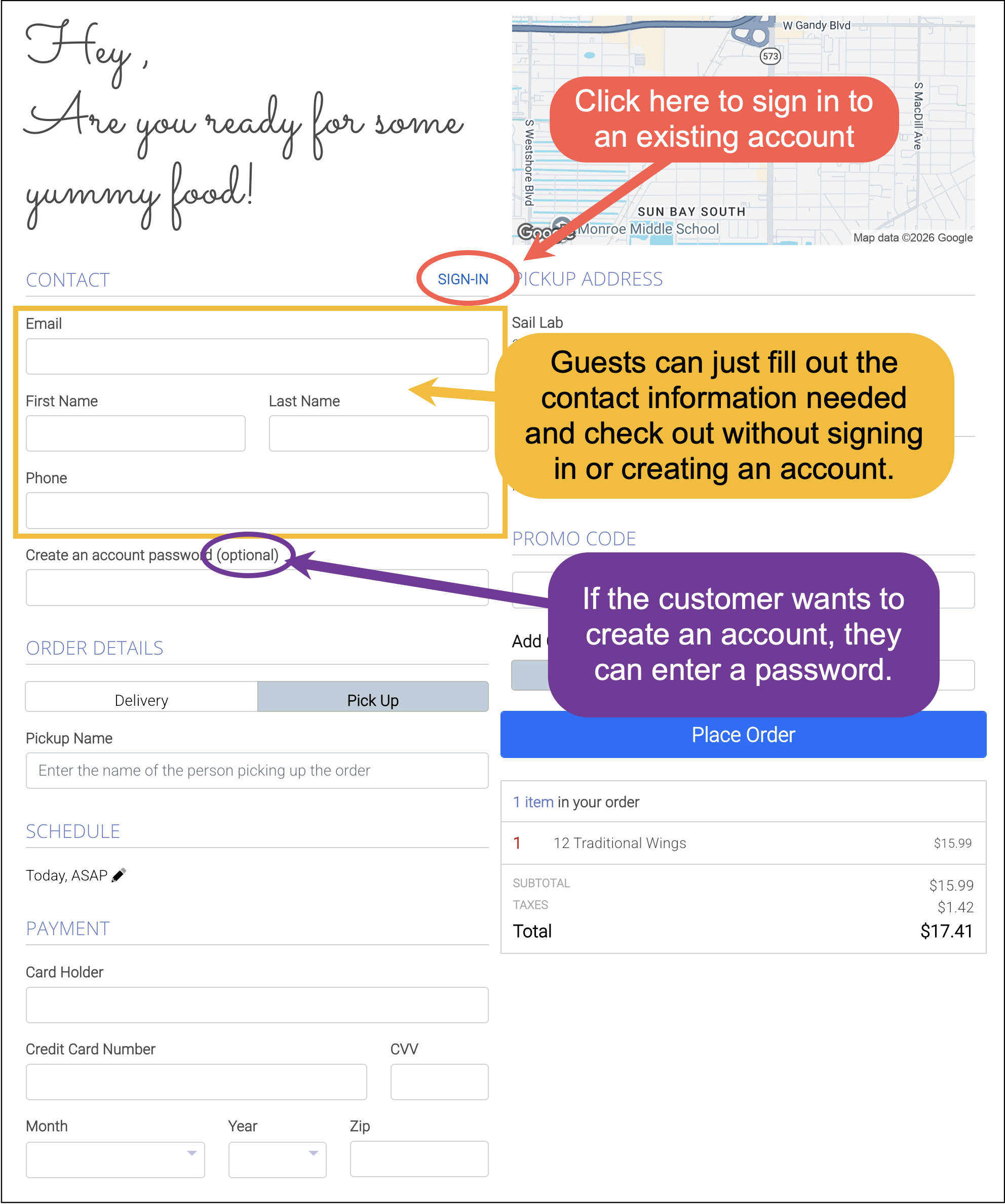
1. Guest checkout added to Online Ordering
Previously, customers were required to create or log into an account before checking out. Now, customers are taken directly to the checkout page after adding items to their cart. From there, they can choose to check out as a guest, create a profile, or log in to an existing account.
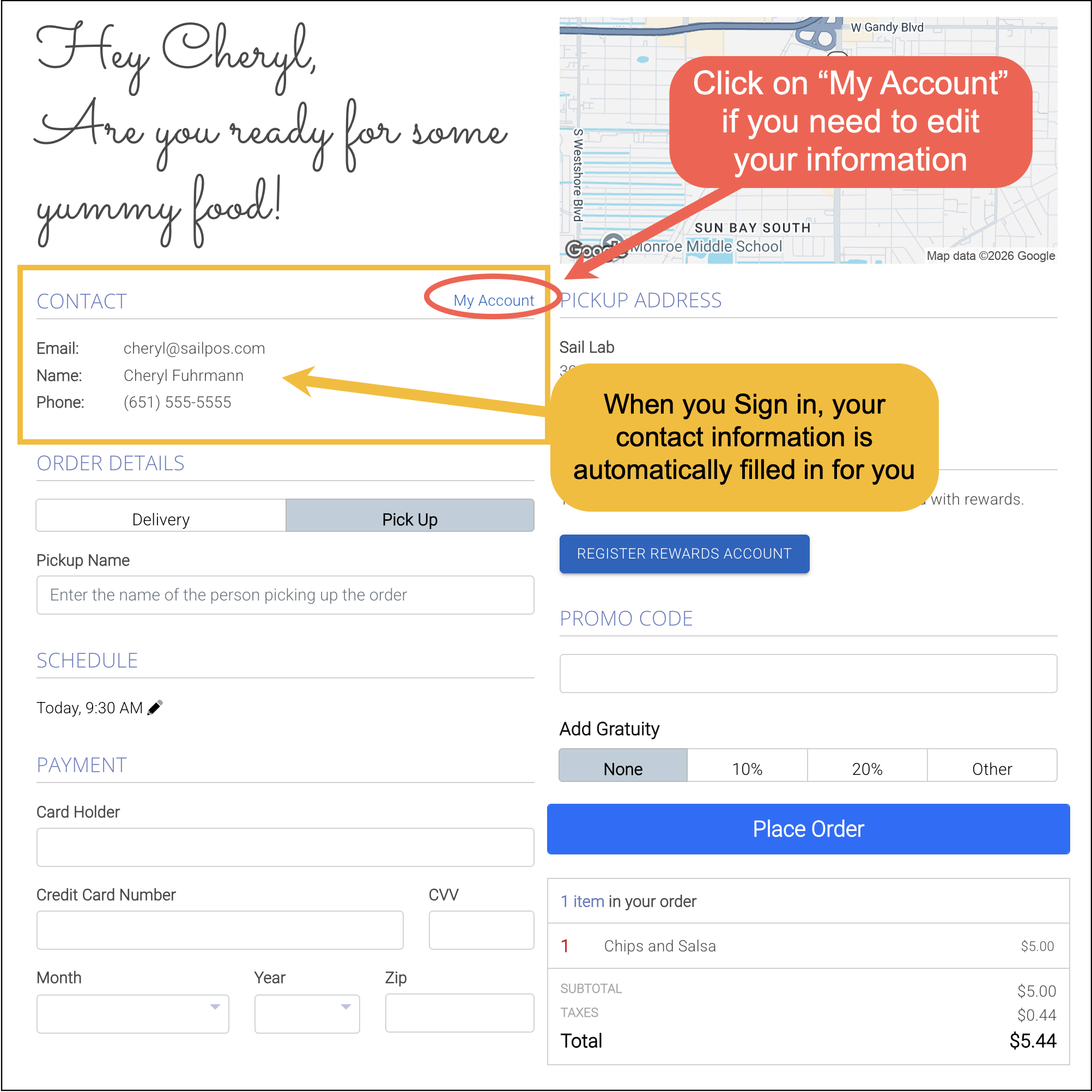
2. Customers Can Now Edit Their Account Information
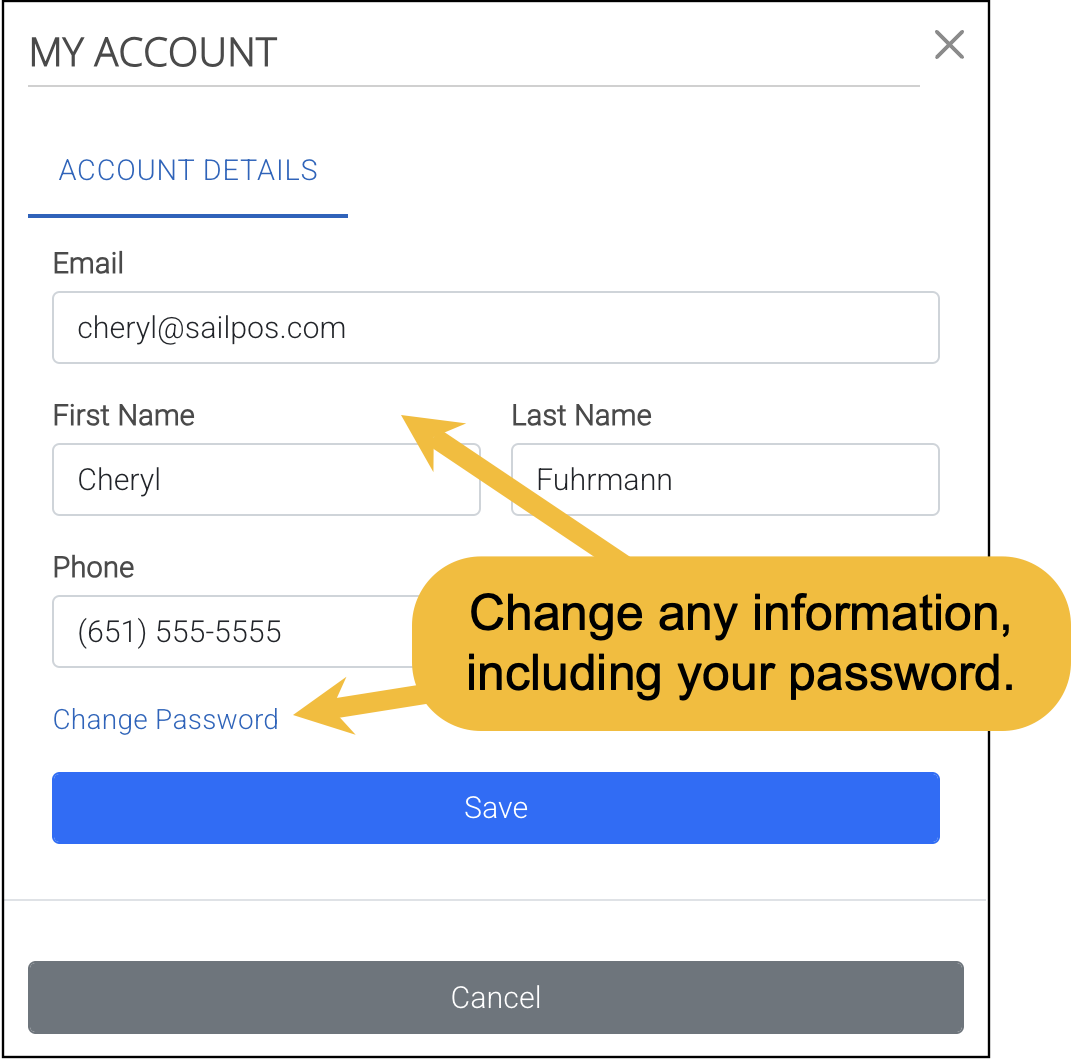
When signed in, a customer’s saved information is automatically filled in during checkout. Customers can also access My Account to update their contact information or change their password at any time.
Here is what the Edit My Account information pop-up looks like:
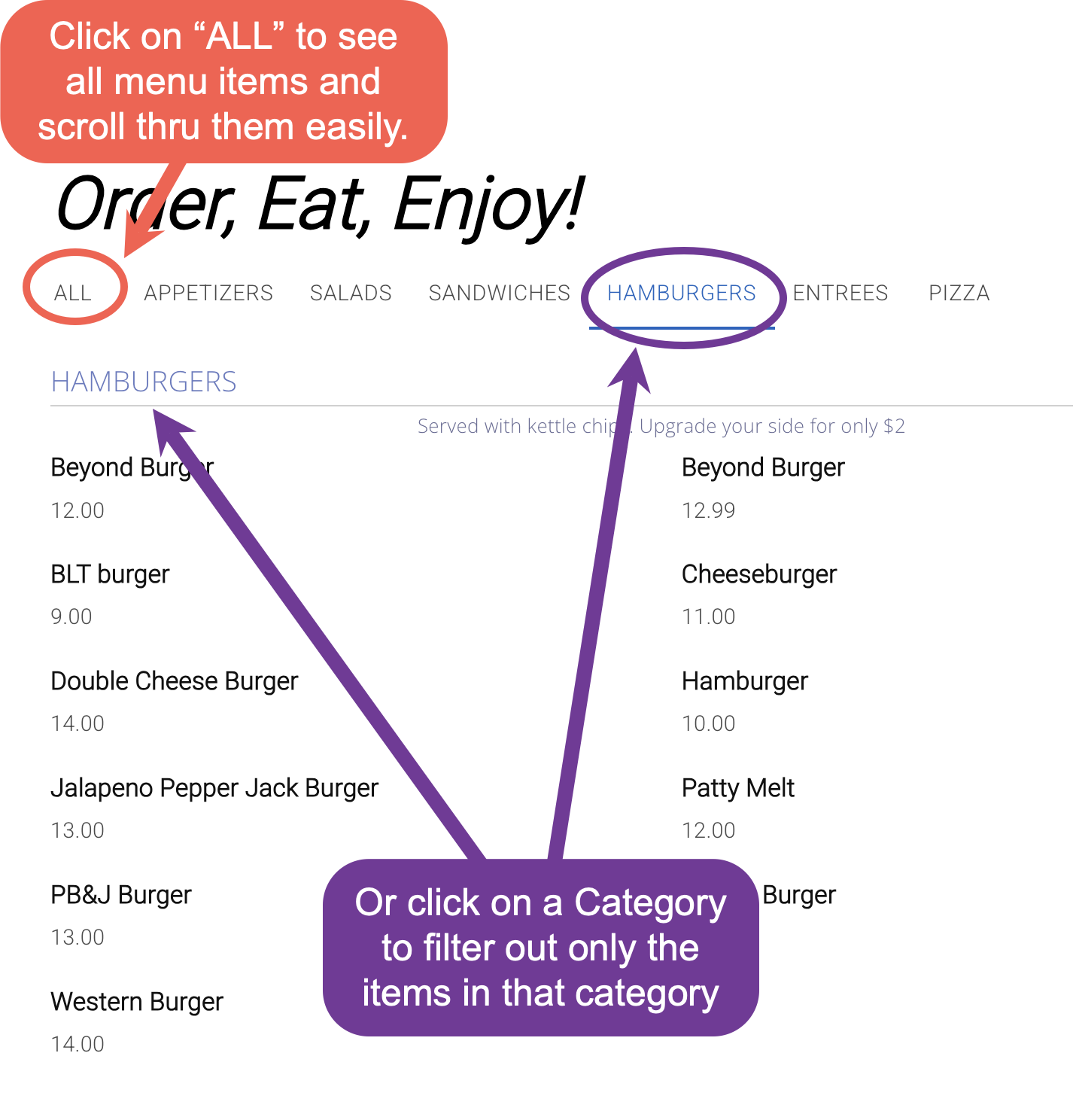
3. Category Bar Behavior Improved in Online Ordering
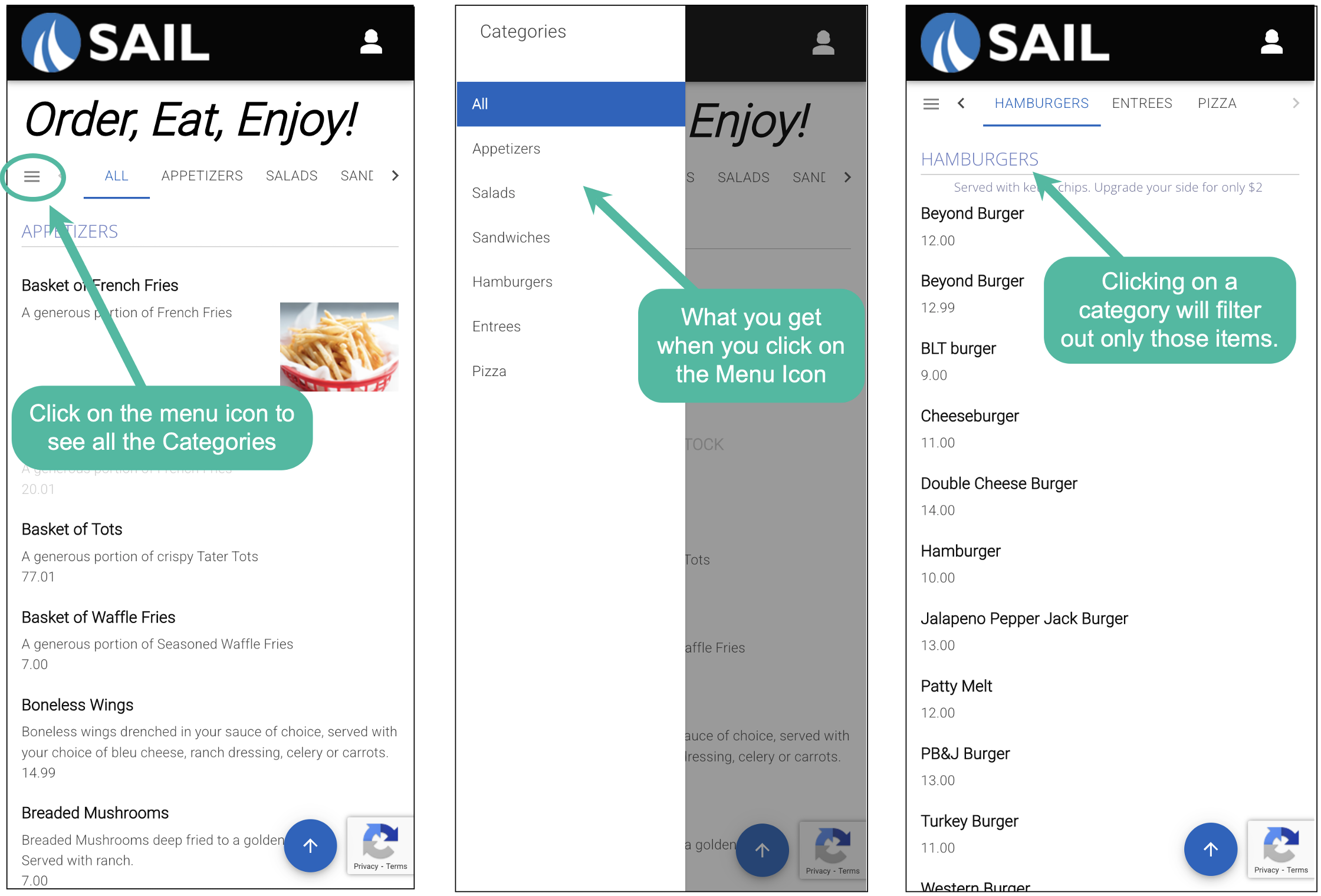
The category bar in online ordering has been updated to make browsing the menu smoother. A new "All" option has been added, allowing customers to scroll through the full menu without the page jumping between category headers. When a specific category is selected, the menu now filters to show only items from that category, making it easier to browse and find items.
On mobile devices, customers can also use the menu icon next to "All" to easily view and select from the full list of categories.
Here is what it looks like on a mobile device
4. Improved Online Ordering site load times
We’ve improved how quickly the online ordering site loads for customers. Pages that previously took several seconds to load—especially during peak ordering times—now load significantly faster, helping customers get to the menu and place orders more quickly.
5. Added Setting options to the Sales vs Labor by Hour Report
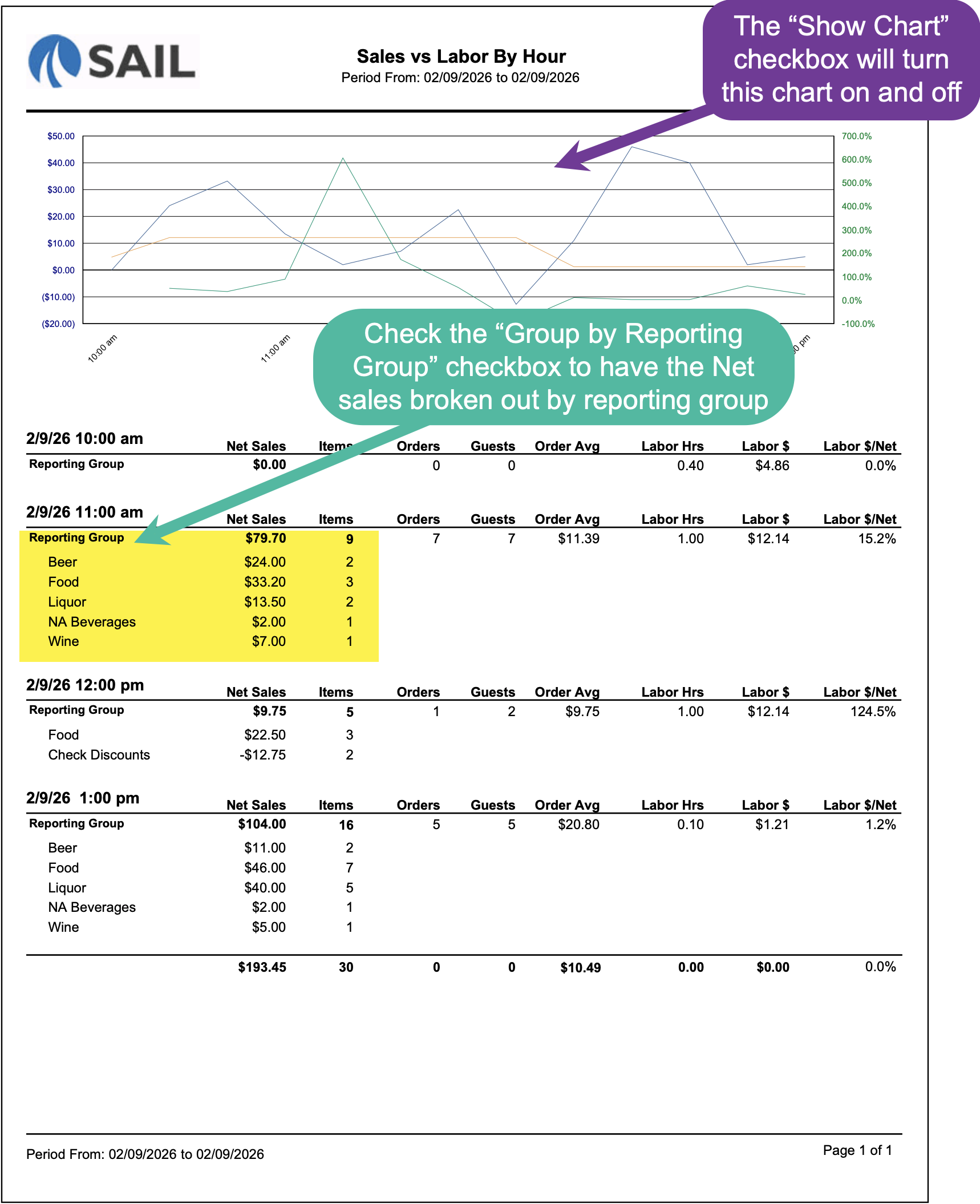
- Group by Reporting Group - When this option is enabled, the report will break net sales out by reporting group instead of showing one combined sales line per time interval.
- This is helpful if you want to compare how different reporting groups (Food, Alcohol, Desserts, etc.) perform by hour.
- When unchecked, the report shows total net sales regardless of reporting group.
- Show Chart - This option controls whether the visual chart appears at the top of the report. (This does not change the data in the report — it only affects whether the chart is visible.)
- When enabled (default), the chart displays net sales, labor dollars, and labor % by time interval.
- When disabled, the report will only show the detailed table below the chart.
- We have also added the "Items" and "Guests" columns to the list
Fixes
- Fixed an issue where receipts were not printing in the correct order.
- Corrected an issue where credit card brands were appearing multiple times in the QuickBooks integration when split out by card brand.
No Comments