
How to have a customer credit card slip print (or not print)
This document will show how to choose whether a terminal prints the customer copy of the credit card slip after every card payment. Each terminal has its own setting, so the terminal at the bar can print the guest's copy while the one in the dining room doesn't.
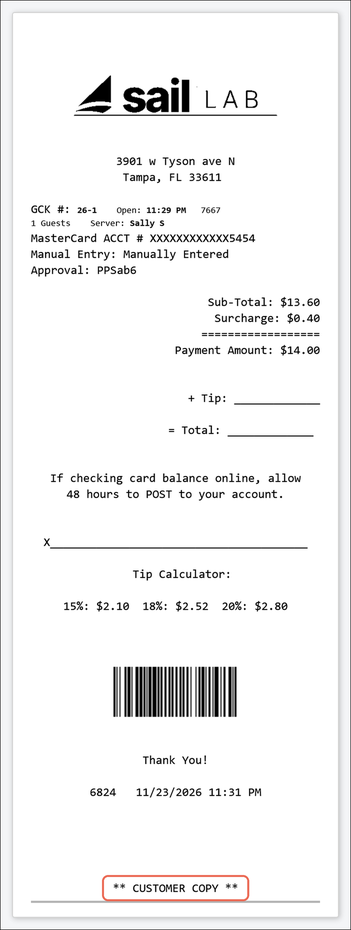
The customer copy is the slip the guest keeps. It says ** CUSTOMER COPY ** at the bottom.
Note: Your job role needs the Device Settings permission to open the terminal's Settings - ask your manager if you don't see the Settings button.
How to turn the customer slip on or off
-
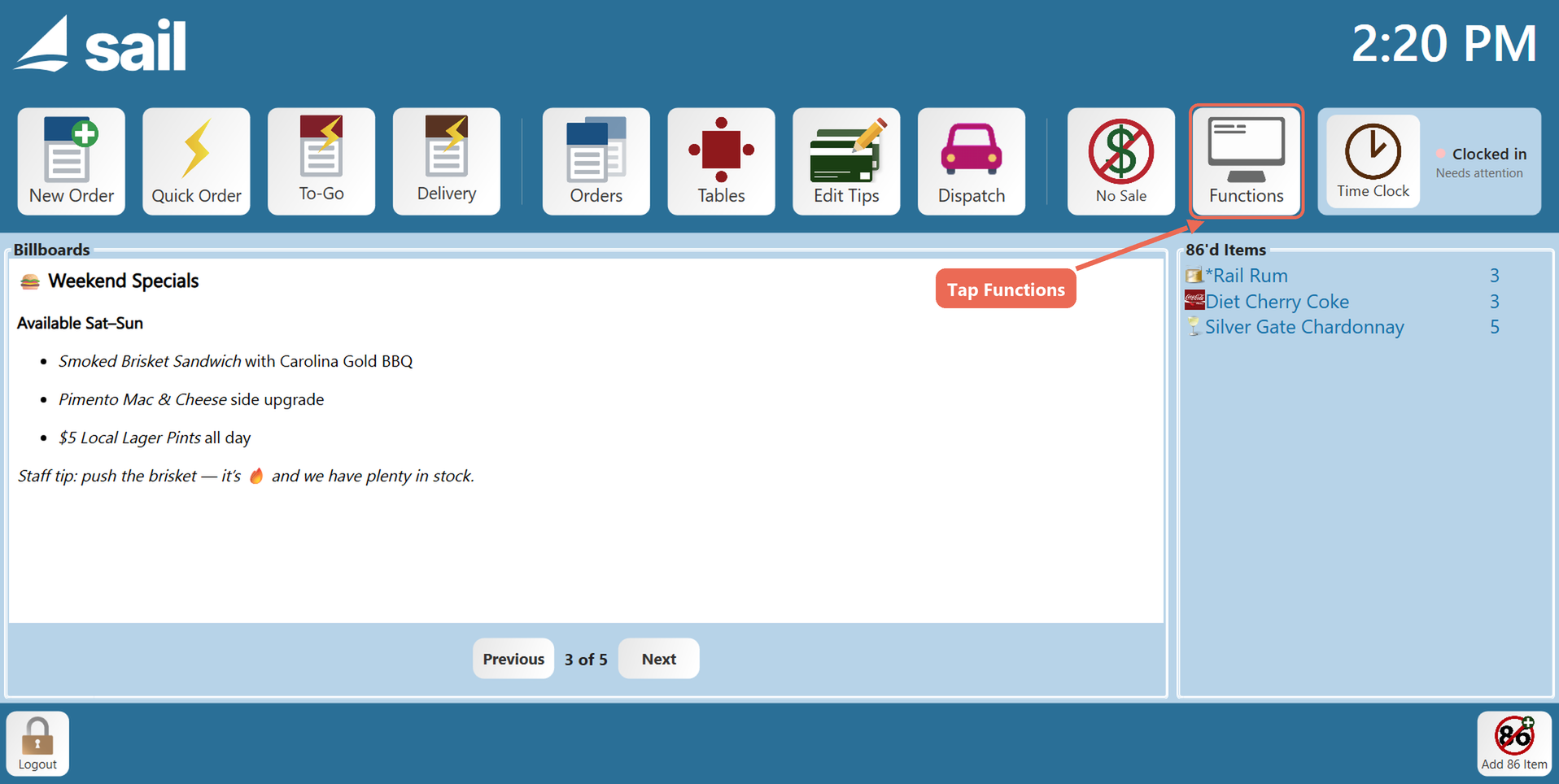
On the home screen, tap Functions.
-
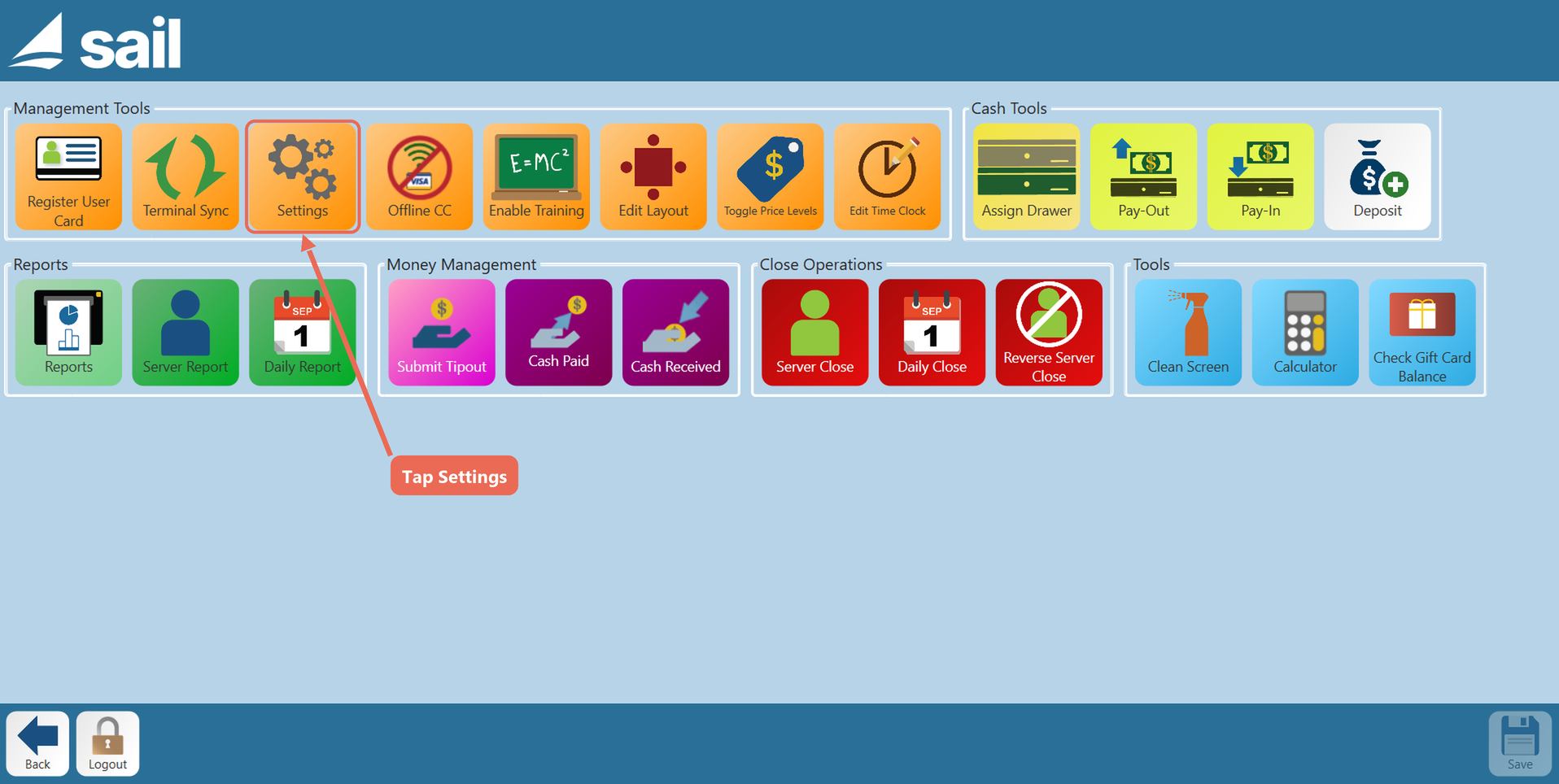
Tap Settings under Management Tools.
-
Under Settings, tick Auto Print Customer CC Slip to print the customer copy after every card payment, or untick it to stop printing it. Then tap Save in the bottom right corner.
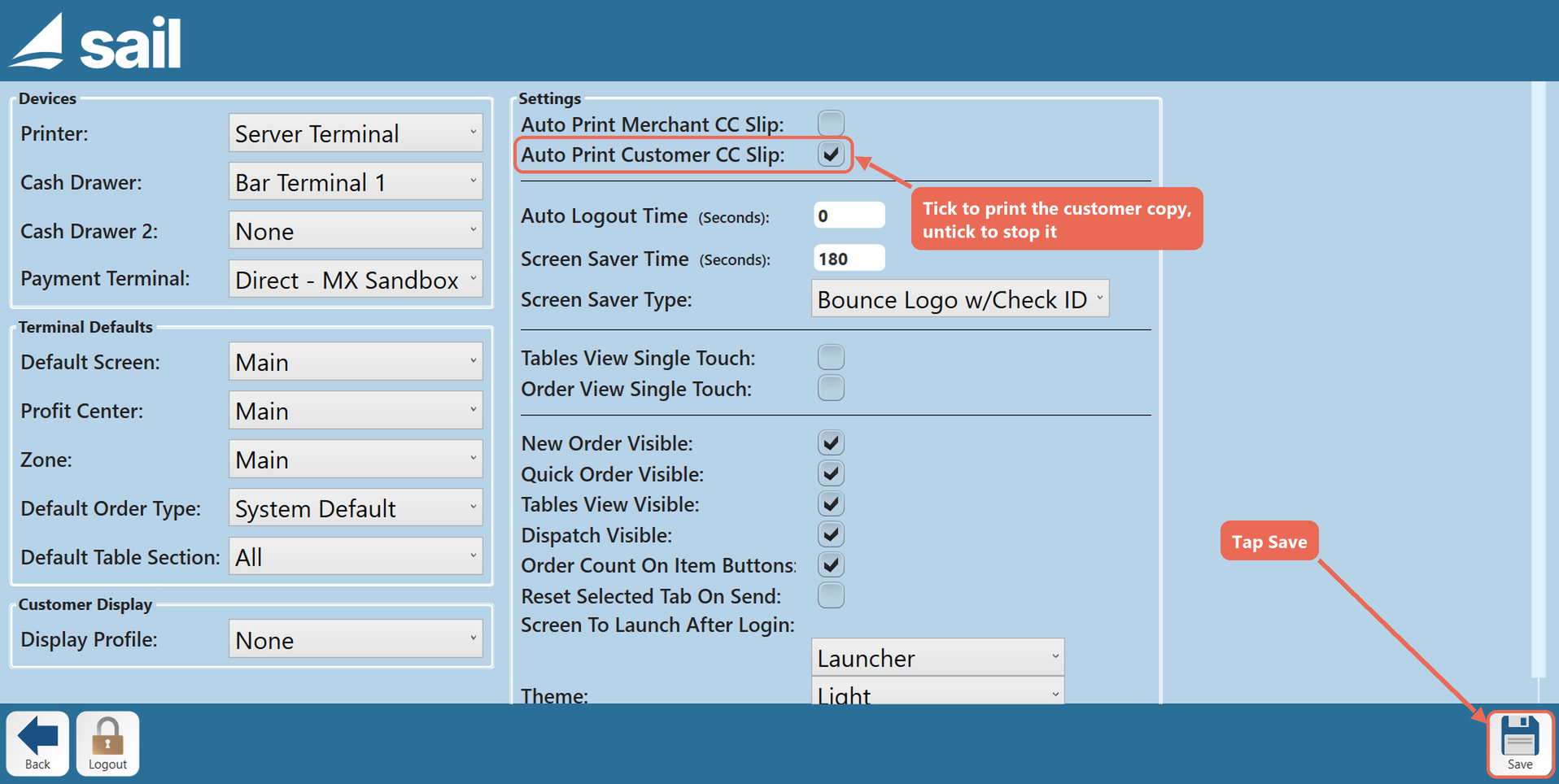
If you tap Back before saving, the terminal asks "You have unsaved changes. Do you want to save them?" - tap Yes to keep the change.
What happens when it's off
- No customer copy prints after a card payment on this terminal.
- The merchant copy (the one the guest signs and you keep) still prints if Auto Print Merchant CC Slip is ticked - it's the setting just above, and works on its own.
- Other terminals keep their own setting.
If a guest asks for a copy
You can still print the guest's copy whenever they ask for it, from the Edit Tips screen, from inside the order, or with Print Last Customer CC on the Tools screen.
Click here to learn how to reprint a credit card receipt.
Click here to learn more about the other terminal settings.
No Comments