
Item: Kitchen Tab
The Kitchen tab controls where this item's ticket goes to get made, how it behaves when it's used as a modifier on someone else's ticket, and how it shows up on kitchen tickets and displays. It's broken into four sections: Steering, Modifier Steering, Tickets, and KDS.
Steering
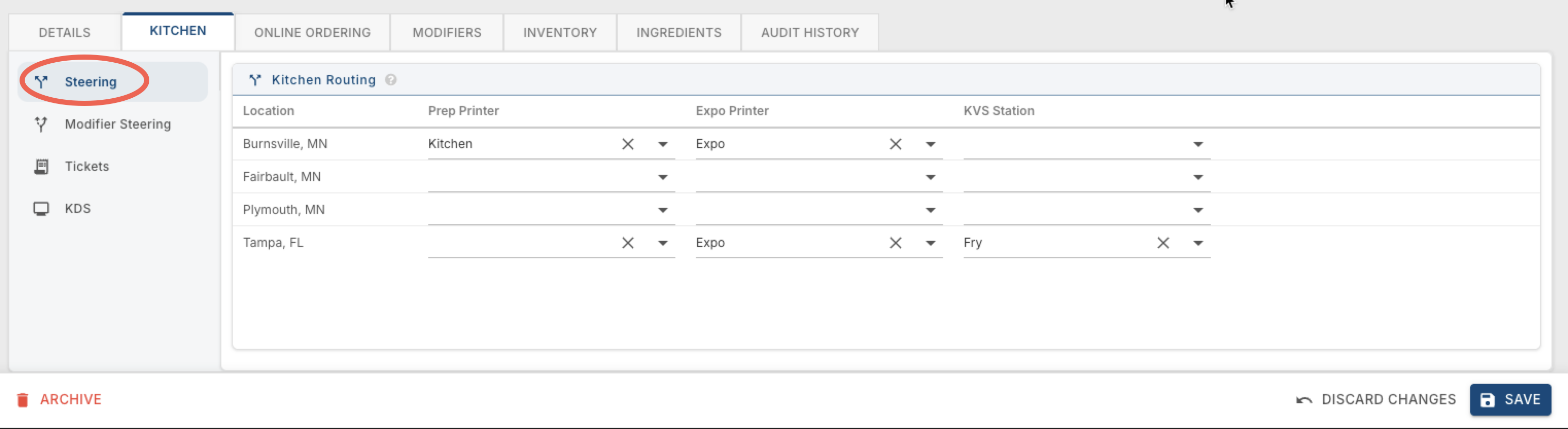
A table listing every store, with the prep printer, expo printer, and KDS station this item routes to at each one. If you only have one location, you'll just see a single row for it.
Location — the store this routing applies to.
Prep Printer — the printer (or printer collection) in the kitchen that prints this item's ticket for preparation.
Expo Printer — the printer at the expo station that prints a copy for expediting before the order goes out. This is also used for KDS — if someone clicks the print button on the KDS screen, the whole ticket prints out at the expo printer.
KDS station — the kitchen display screen (or station collection) that receives this item.
Leave any of these blank for a store, and the item simply won't print or display anywhere for that store.
Modifier Steering
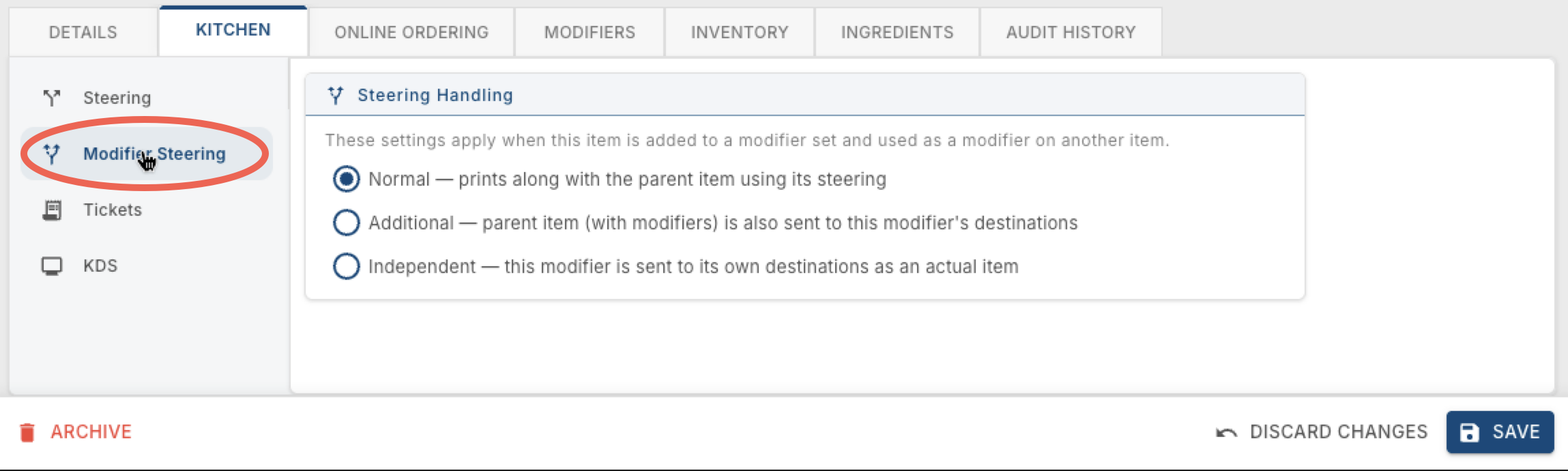
These settings only apply to kitchen tickets, not KDS stations. They matter when this item is added to a modifier set and used as a modifier on another item. There are three options:
Normal — prints along with the parent item, using the parent item's steering.
Additional — the parent item (with its modifiers) is also sent to this modifier's own destinations.
Independent — this modifier is sent to its own destinations, as if it were an actual item on its own ticket.
Tickets
These settings only apply to kitchen printers, not KDS stations.
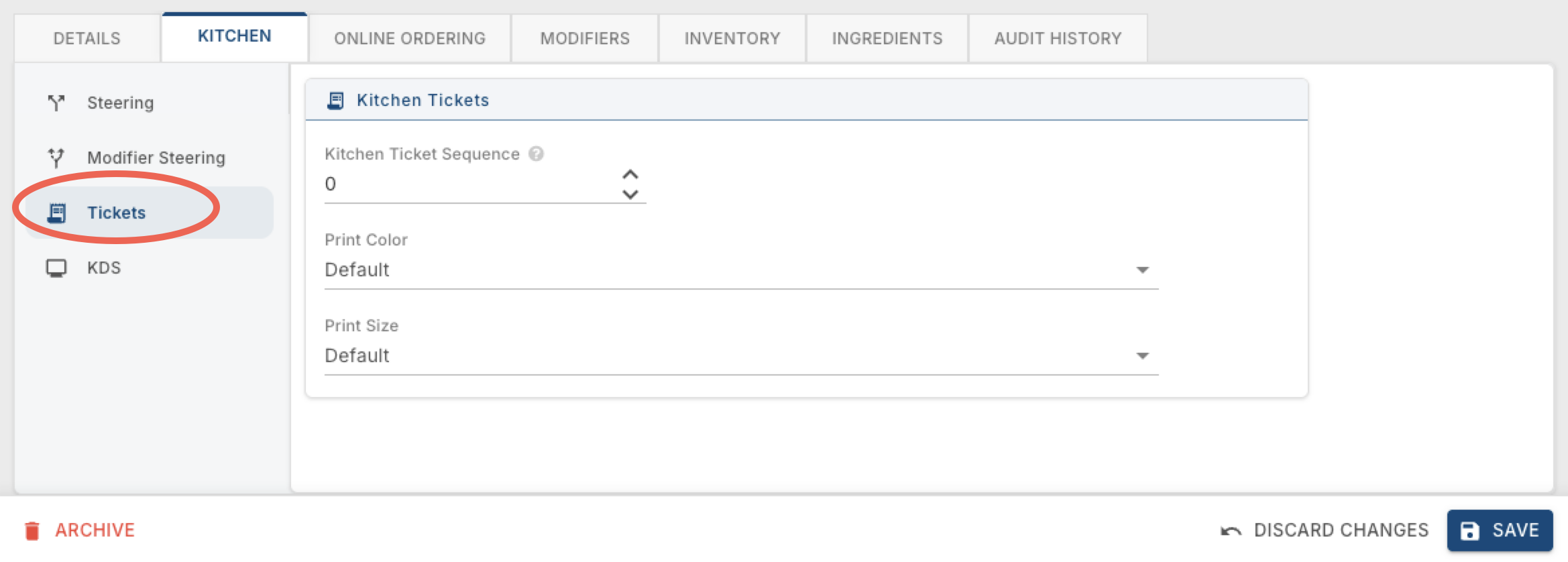
Kitchen Ticket Sequence — controls the order this item prints in relative to other items on the same kitchen ticket.
Print Color — the color this item prints in on the kitchen ticket, overriding the normal black-for-items/red-for-modifiers convention. Leave as Default to use that normal convention.
Print Size — the text size this item prints at on the kitchen ticket. Click this link to see Kitchen Ticket Examples to see what the different sizes look like
KDS
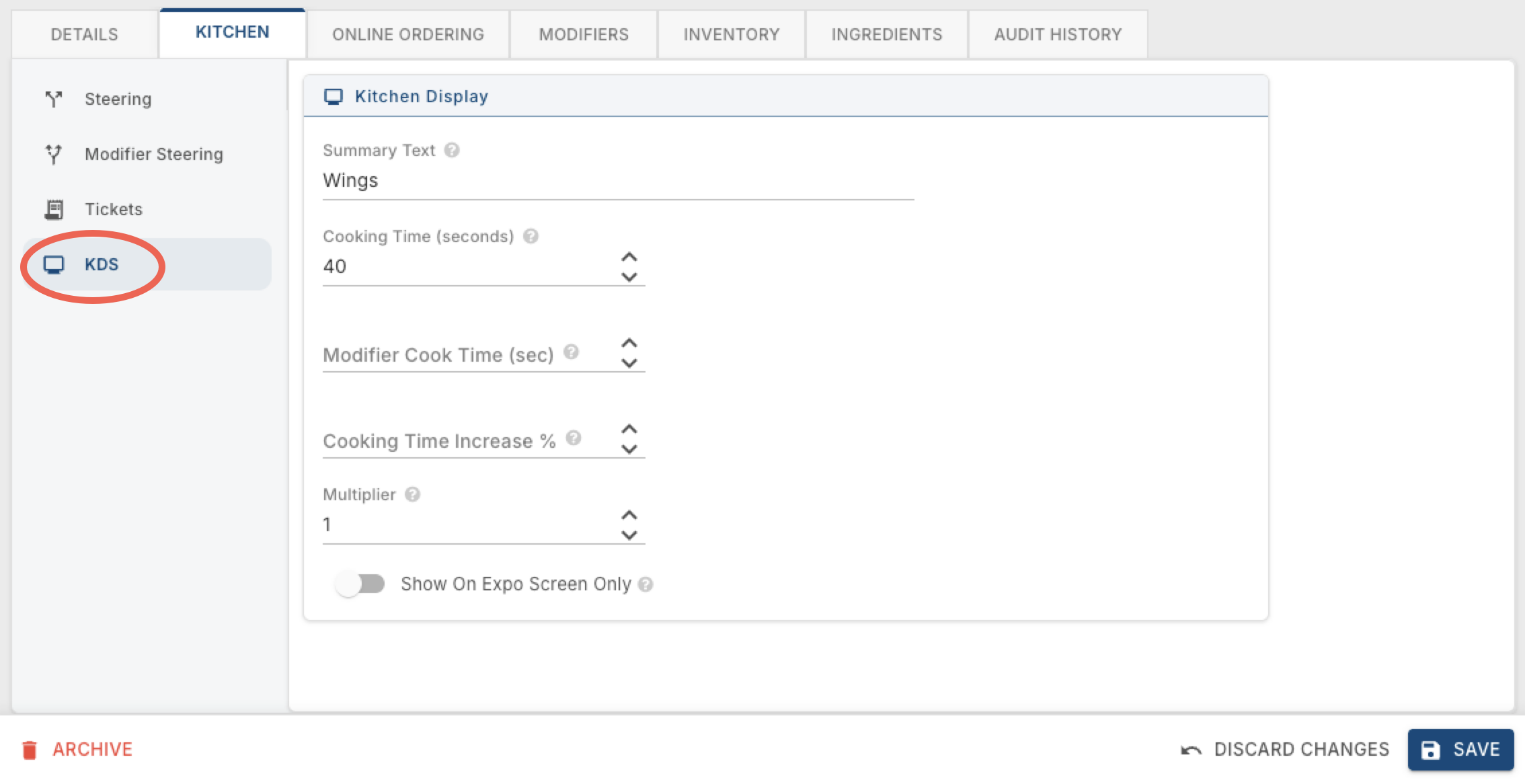
Summary Text — a shortened label for this item that shows only in the KDS summary section, not on the actual order ticket. This is useful for items like burgers — all burger orders can be grouped under one label to see how many are needed "All Day." Items sharing the same Summary Text can also be selected together to highlight all of them at once on the screen.
Cooking Time (seconds) — how long this item takes to cook. The kitchen uses it to know how long to allow, and the KDS uses it to order items on the screen with the longest cook time on top. If automation is turned on for the KDS, it also uses this time to decide when to send other items to the station.
Modifier Cook Time (sec) — the estimated cooking time added to the parent item when this is used as a modifier. If left blank, it uses the default cook time. Most often this is set to 0, so the modifier doesn't add any extra time to the parent's cook time.
Cooking Time Increase % — a percentage that increases or decreases the parent item's cook time. This is what's used for doneness/temperature modifiers — for example, if a medium burger takes 8 minutes, you might set Rare to 75%, Medium Rare to 90%, Medium to 100%, Medium Well to 115%, and Well Done to 125%.
Multiplier — multiplies how much this item counts toward the "All Day" totals on the KDS screen. For example, a side of fries might count as 1 portion, but a basket of fries is really 2 portions — so the basket would get a Multiplier of 2.
Show On Expo Screen Only — hides this item from the prep/cook screens so it only shows on the expo screen. A good example is soup — in a lot of restaurants, the expo line is what actually prepares or plates the soup, not the kitchen stations.
Click here to learn more about KDS settings and see what these settings look like on the screens
No Comments