
How to set up a timed item
This document will walk you through setting up a timed item: an item that is charged by how long it's used, like a pool table, a bowling lane or a dart board. Instead of a fixed price, a timed item has a price per hour. When it's rung in on the terminal a timer starts, and the charge grows until the timer is stopped.
In this example we set up a Pool Table at $8.00 an hour, with a $5.00 minimum and a $20.00 maximum.
Permissions you need
To set up a timed item, your job role needs the Manage Items - All task (POS --> Back Office --> Items).
Turning an item into a timed item
Start from an item that already exists, or make a new one first (How to make a Menu Item). A timed item has to be in an item category, not a modifier category.
-
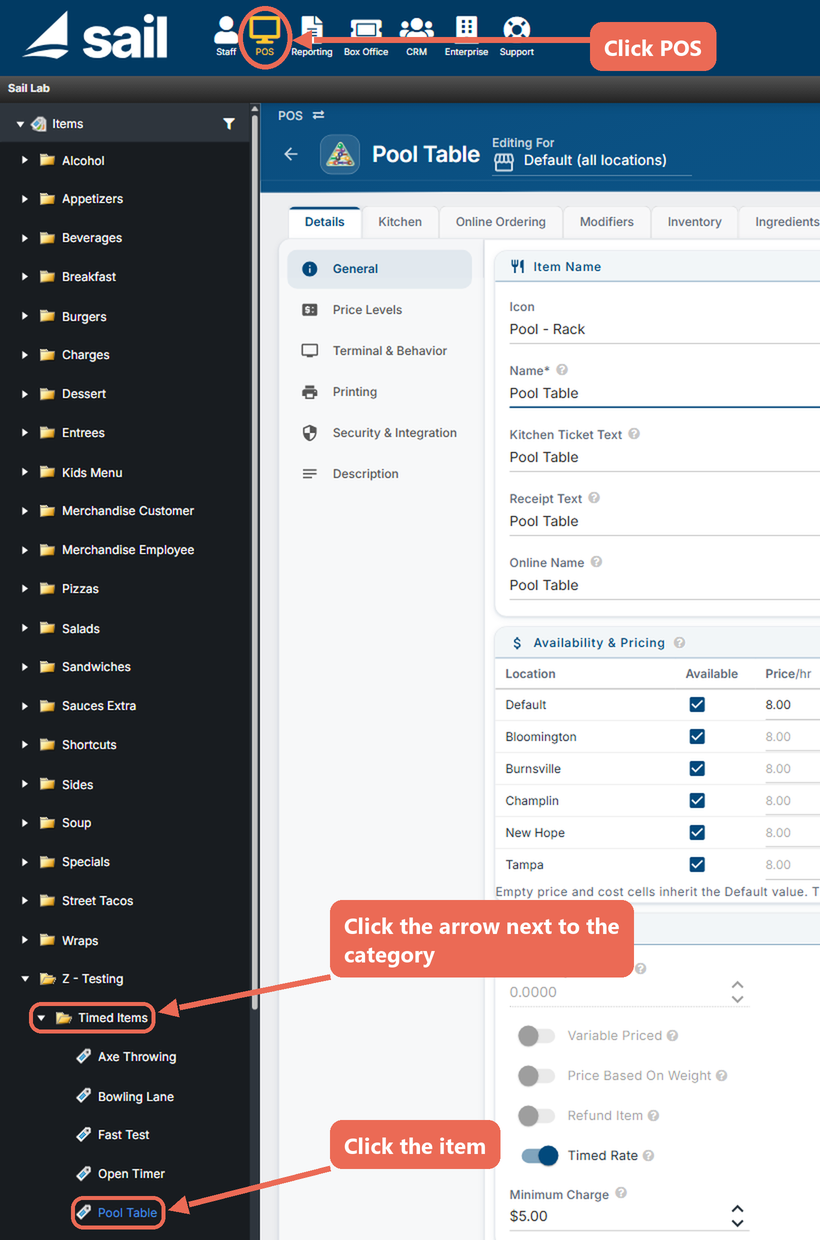
Click POS at the top, then the arrow next to the item's category, and click the item.
-
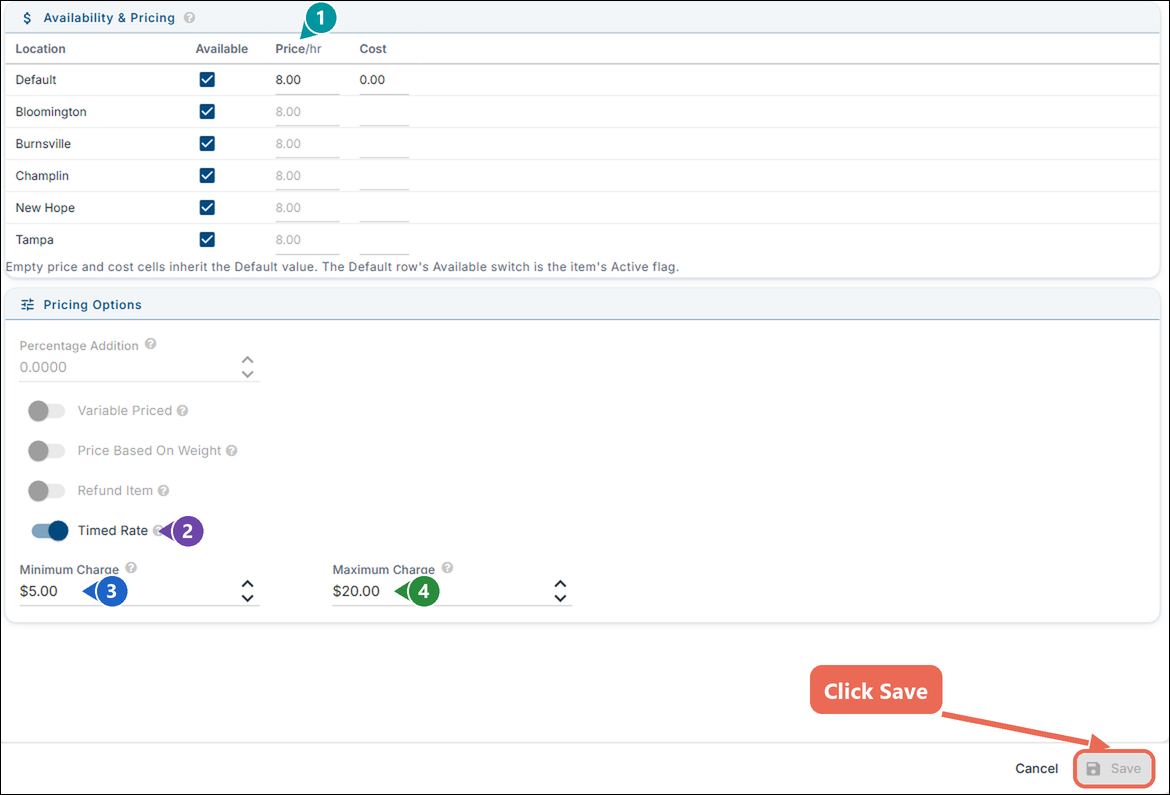
On the Details tab, General, fill out Pricing Options and the price:
-
Price/hr (1): once Timed Rate is on, the price in Availability & Pricing is the price for one hour, and the column reads Price/hr. Like any price, a location can have its own; leave a location's cell blank and it uses the Default price.
-
Timed Rate (2): turn this on to charge the item by the hour. Percentage Addition, Variable Priced, Price Based On Weight and Refund Item turn off and grey out, because a timed item can't be any of those.
-
Minimum Charge (3): optional. The least the item costs, even when it's only used for a few minutes. Leave it blank for no minimum.
-
Maximum Charge (4): optional. The charge stops growing once it reaches this amount. Leave it blank for no maximum.
-
-
Click Save.
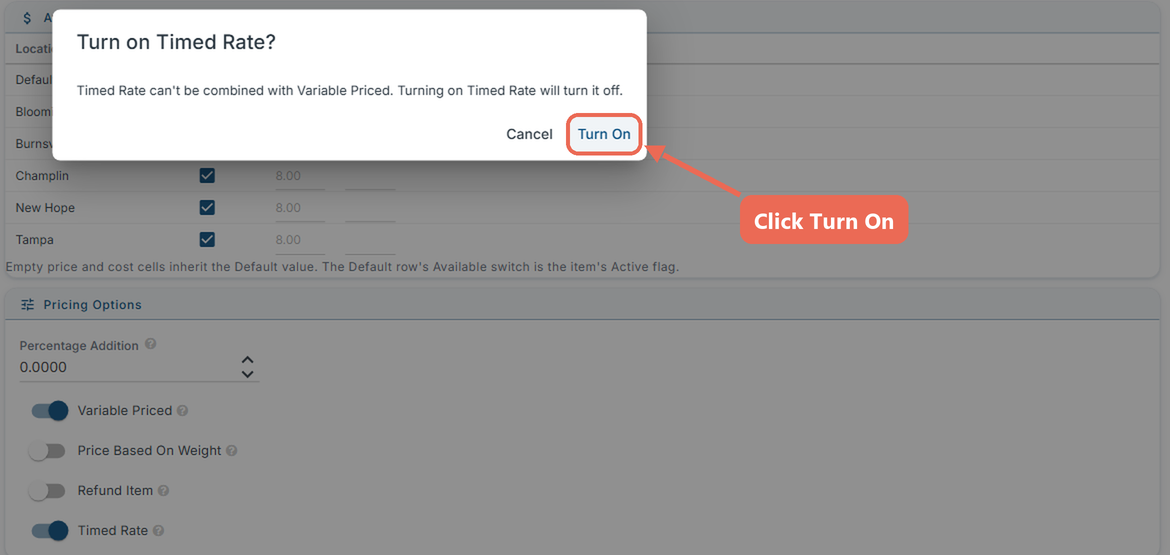
If Percentage Addition, Variable Priced, Price Based On Weight or Refund Item is already on, turning on Timed Rate asks first. Click Turn On to turn Timed Rate on and the other option off, or Cancel to leave the item as it is.
How the charge is worked out
The terminal charges the price per hour for the time the timer ran, to the second. If that comes to less than the Minimum Charge, the guest pays the minimum; if it comes to more than the Maximum Charge, the guest pays the maximum.
Example: the Pool Table is $8.00 an hour, with a $5.00 minimum and a $20.00 maximum.
Played 30 minutes: $4.00, so the guest pays the $5.00 minimum.
Played 1 hour 30 minutes: the guest pays $12.00.
Played 3 hours: $24.00, so the guest pays the $20.00 maximum.
A timed item keeps the price it had when it was rung in. If you change the price, the minimum or the maximum, items that are already running keep the old one; the new one is used from the next time the item is rung in.
A different minimum or maximum at one location
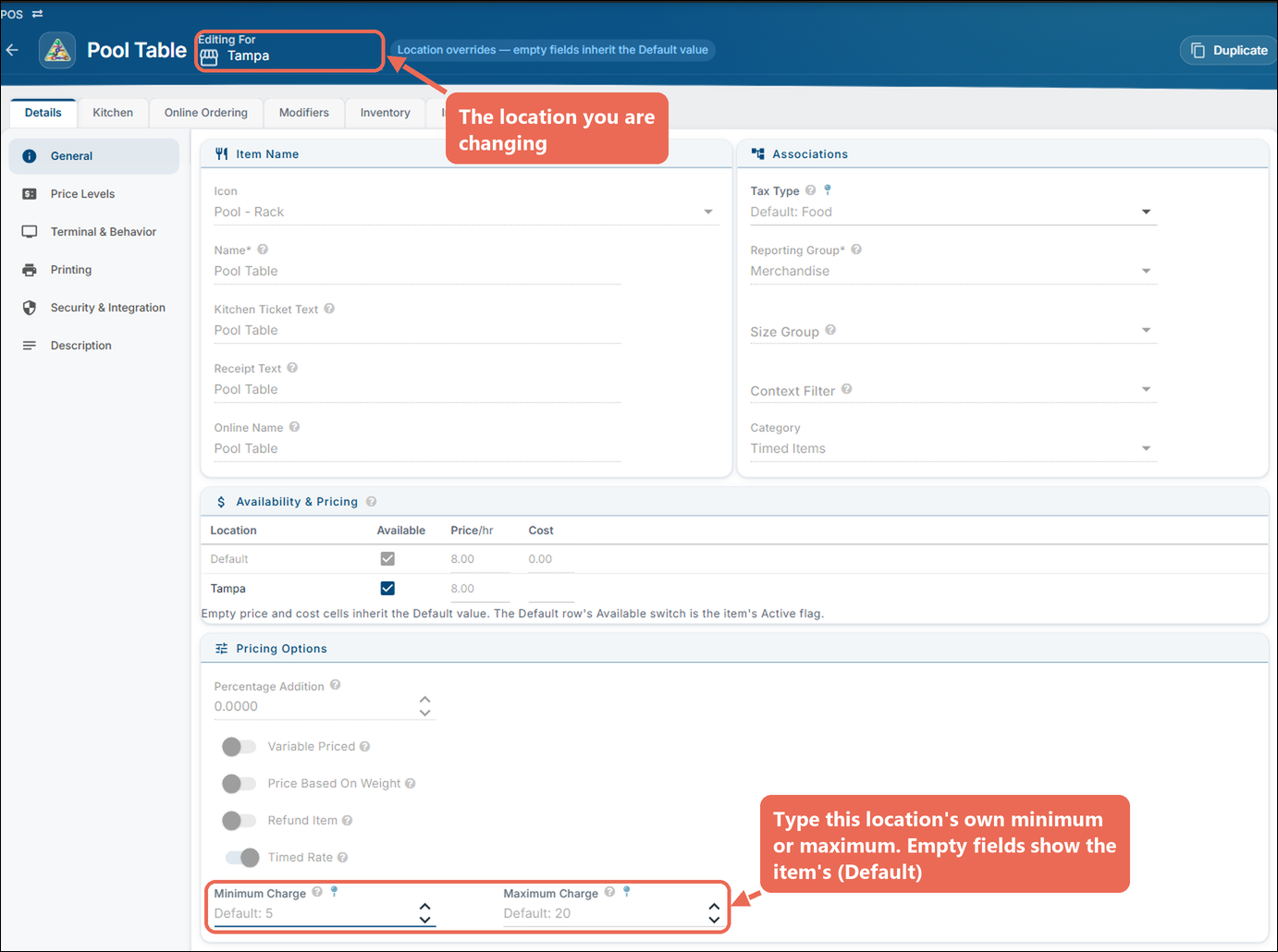
A location can have its own Minimum Charge and Maximum Charge. Next to the item's name, change Editing For to the location. The two fields show the item's own amounts (Default: 5, Default: 20); type the location's amounts and click Save. A location can change the item's minimum or maximum, but can't remove it: a blank field uses the item's amount.
Things a timed item can't do
- It isn't sold online: on the Online Ordering tab, Available Online and Available to 3rd-Party (DSP) are off and greyed out, and the tab says "Timed items aren't sold online."
- No percentage modifiers: a modifier with a Percentage Addition can't be added to a timed item on the terminal.

If you'd like to learn how to use timed items on a terminal, click here.
No Comments