
What guests see on the Online Ordering Order Tracker
When the Order Tracker is on, guests who order online can follow their order as the store works on it. This document shows what the guest sees and what the store does to move the tracker along.
Where the guest sees it
The tracker shows in three places:
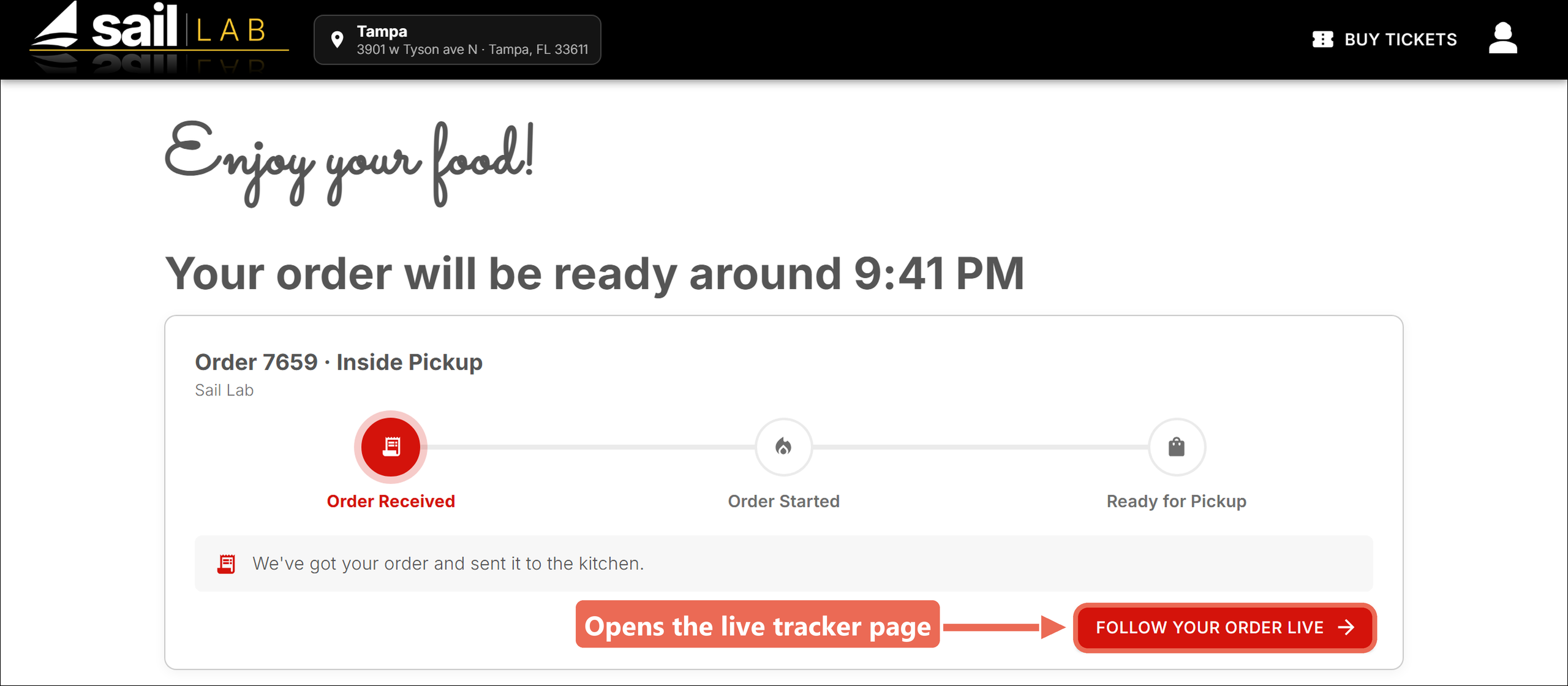
- On the order complete page, right after the guest places the order. The Follow Your Order Live button opens the live tracker page.
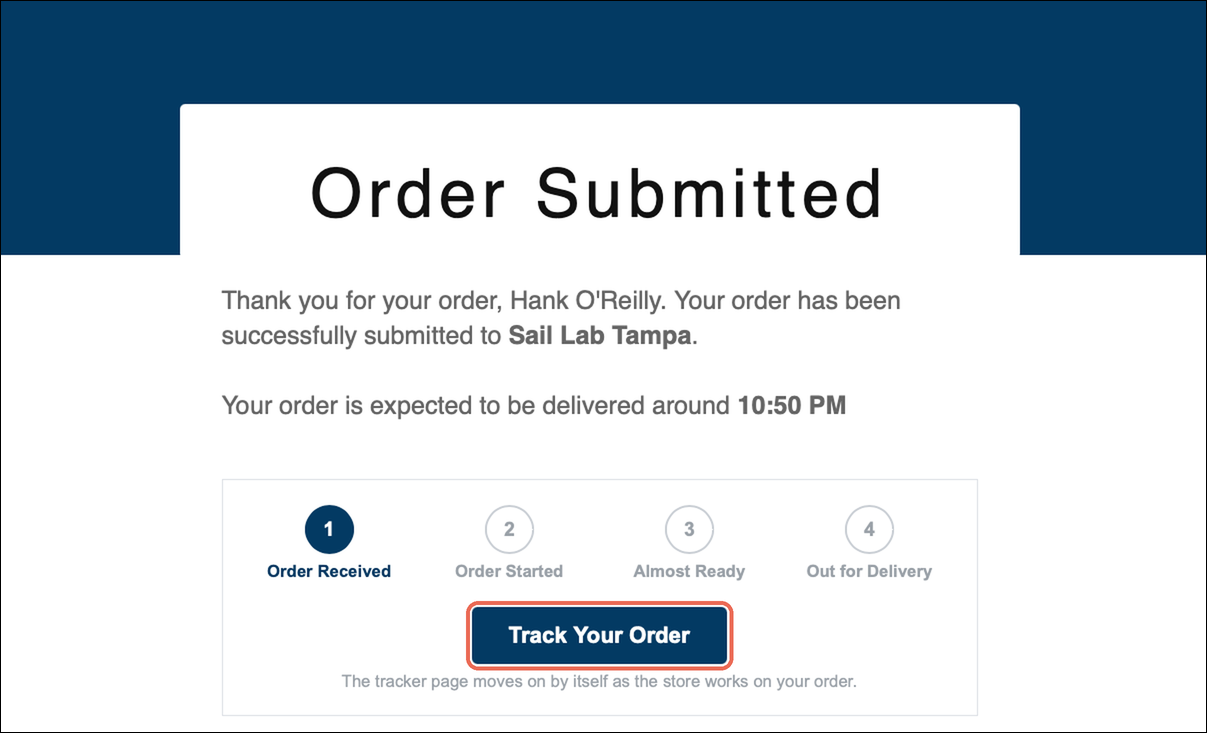
- In the order confirmation email: the steps, with the first one lit, and a Track Your Order button that opens the live tracker page.
- On the live tracker page. It moves on by itself as the store works on the order (it checks about every 20 seconds), so the guest never needs to refresh it.
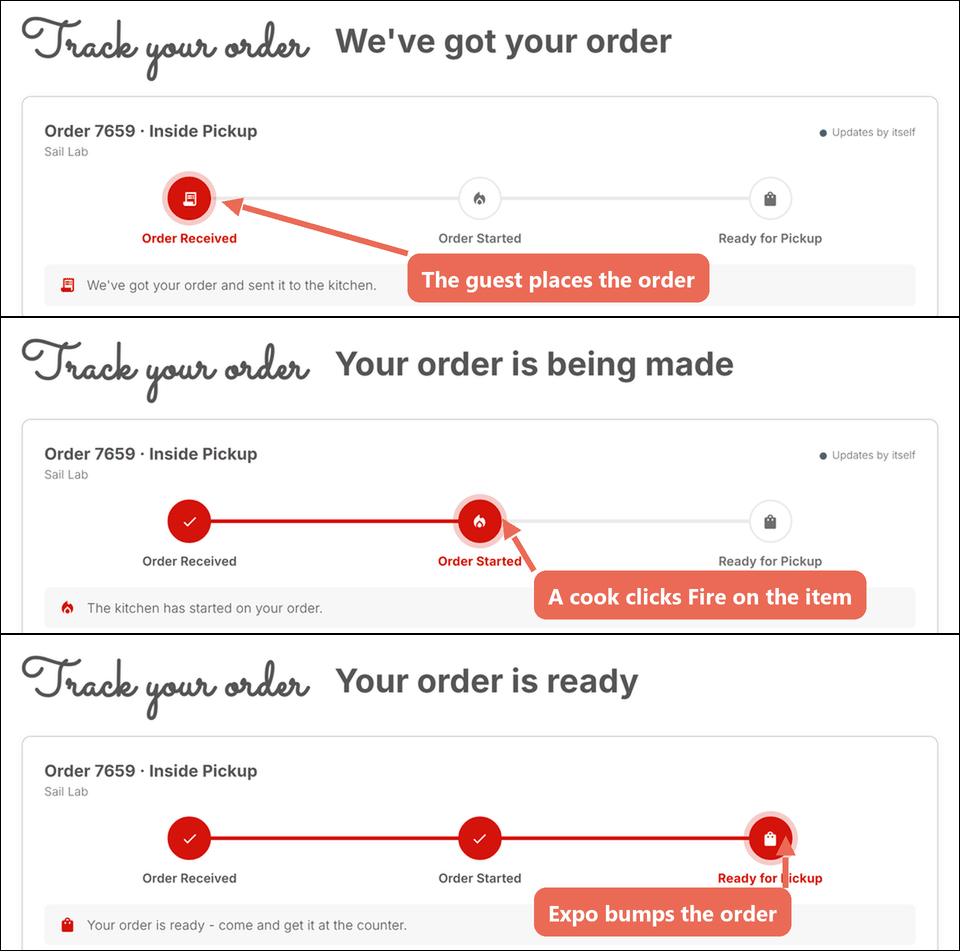
Here is an Inside Pickup order as the kitchen starts it and Expo bumps it:
What moves each step
The guest doesn't see an estimated time on the tracker. Each step lights up when the store does something with the order:
- Order Received: The order was placed. Every order starts here.
- Order Started: A cook clicked Fire on one of the order's items on a Kitchen Video station. Sending an item from the Wheel to a station doesn't count until the cook fires it there. (Click here to learn more about the Quick Station Screen)
- Ready for Pickup, Ready for Curbside or Almost Ready: Expo bumped the order. A delivery order shows Almost Ready, so the guest doesn't think it has already arrived. (Click here to learn more about the Expo Screen)
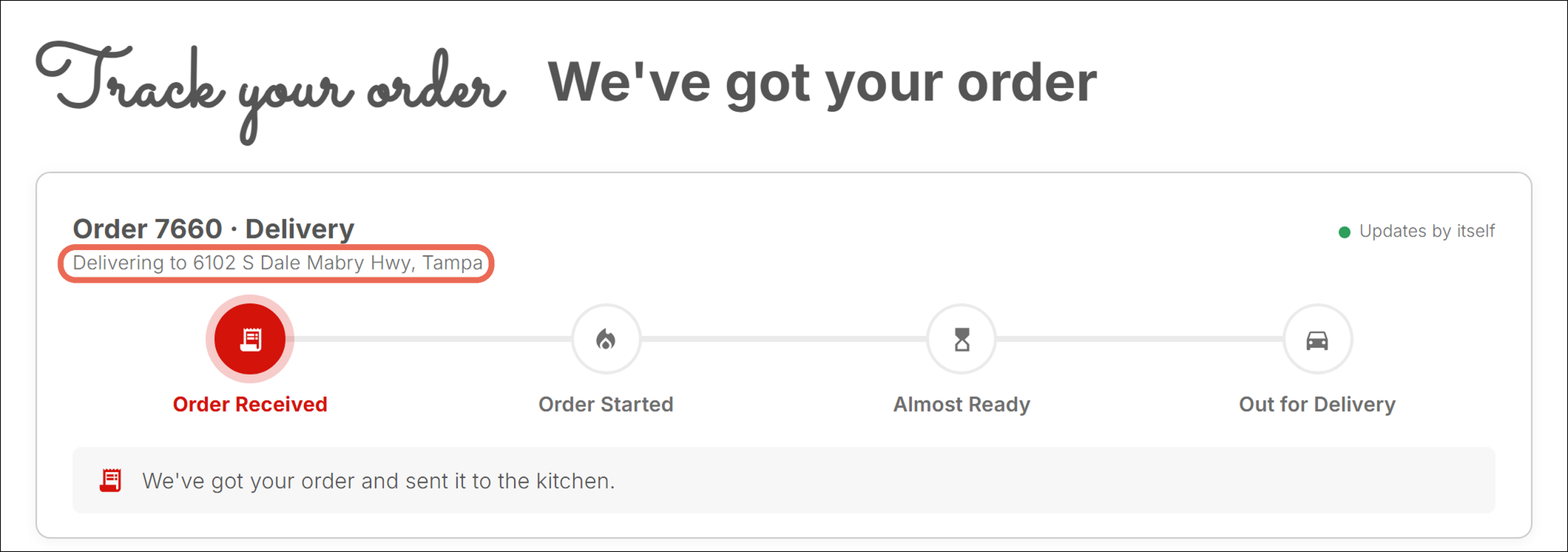
- Out for Delivery: A driver was assigned to the order on the Dispatch screen. This is the last step for a delivery; there is no Delivered step. (Click here to learn more about Delivery & Dispatch)
Order Started and the ready step only show at a location with Kitchen Video and an Expo station. Without one, the guest sees Order Received, and Out for Delivery for a delivery order.
A delivery order's tracker says where it's going, and its last step is Out for Delivery:
Canceled orders
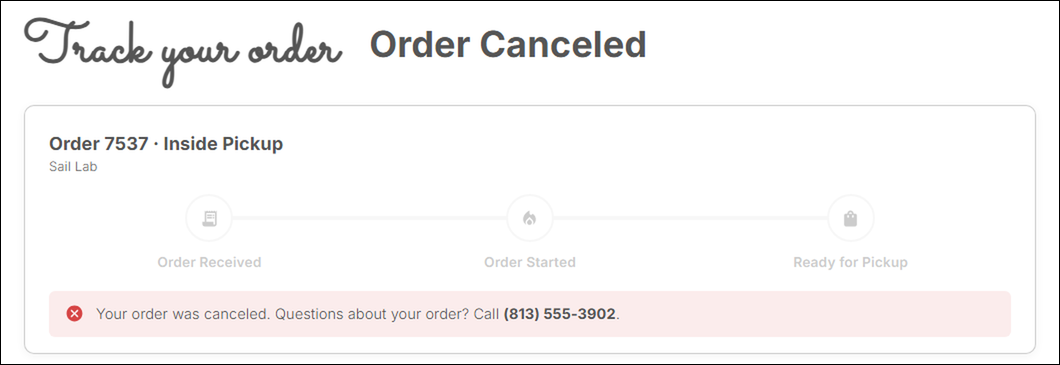
If every item on the order is voided, the tracker says Order Canceled and gives the store's phone number. Voiding only some of the items, or comping them, doesn't cancel the tracker.
Scheduled orders
For an order scheduled for later, the first step says "Your order is scheduled for" the day and time the guest picked. The tracker moves on once the kitchen starts on it.
When tracking ends
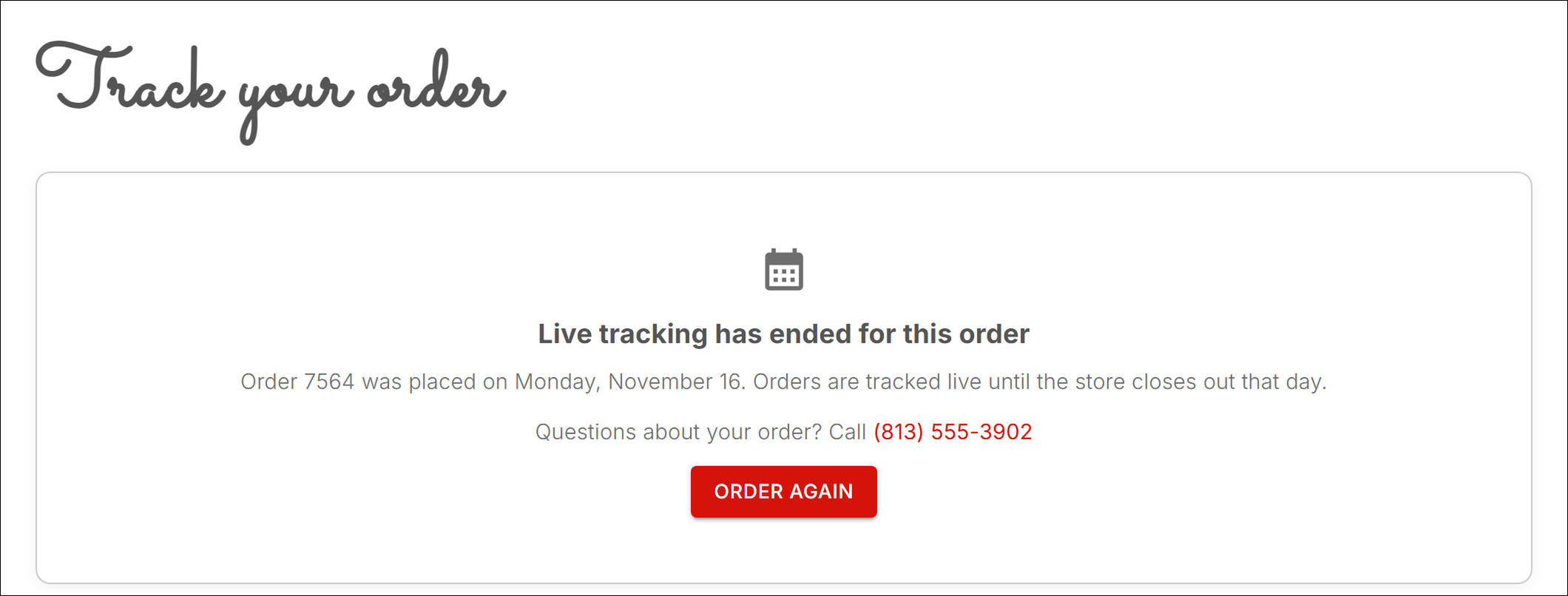
An order is tracked live until the store closes out the day it's for (the day it was placed, or the day it's scheduled for). After that, the tracker page says live tracking has ended, with the store's phone number and an Order Again button.
No Comments